HighLevel: Invalid API Key
Status: Closed · Asked by dfyrecipes on · 0 views
Hi
I'm trying to create a contact in HighLevel from my MemberPress based website. The data comes into Pabbly fine, but when I attempt to send it to HighLevel I get an "Invalid API" message. I have no idea how to debug this with just this to go on. Is there a log someplace that I can get access to?
I have copied the API from my HL account and pasted it into the token field in Pabbly a number of times with the same result. I have tried both the normal and legacy versions as well.
Any suggestions?
Thanks!
Hey @dfyrecipes
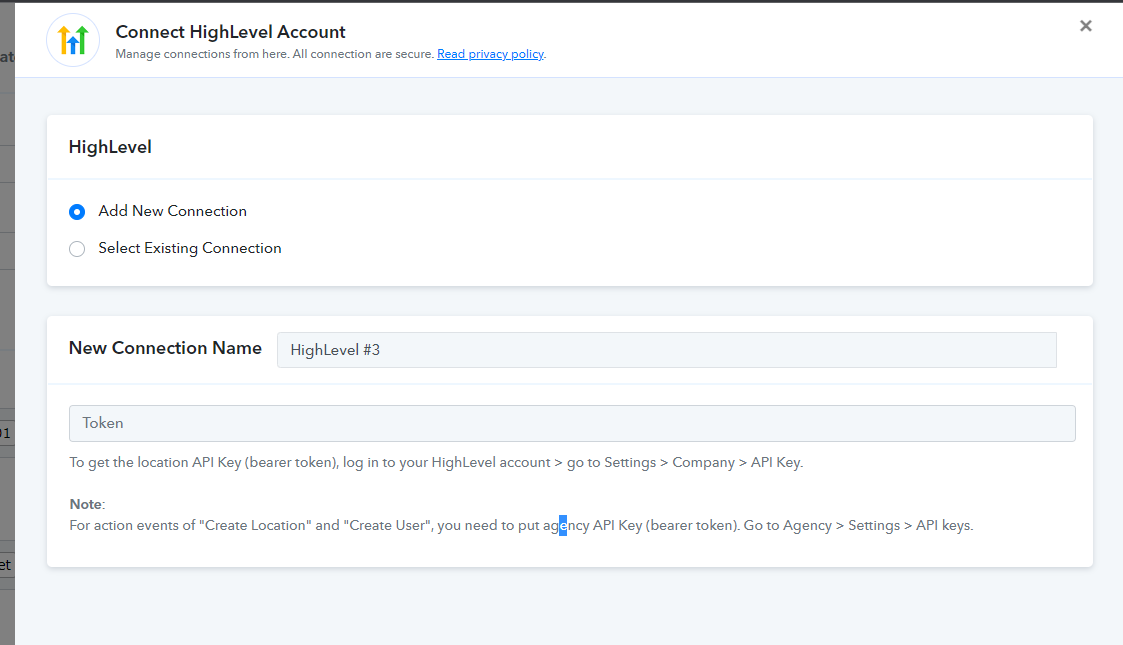
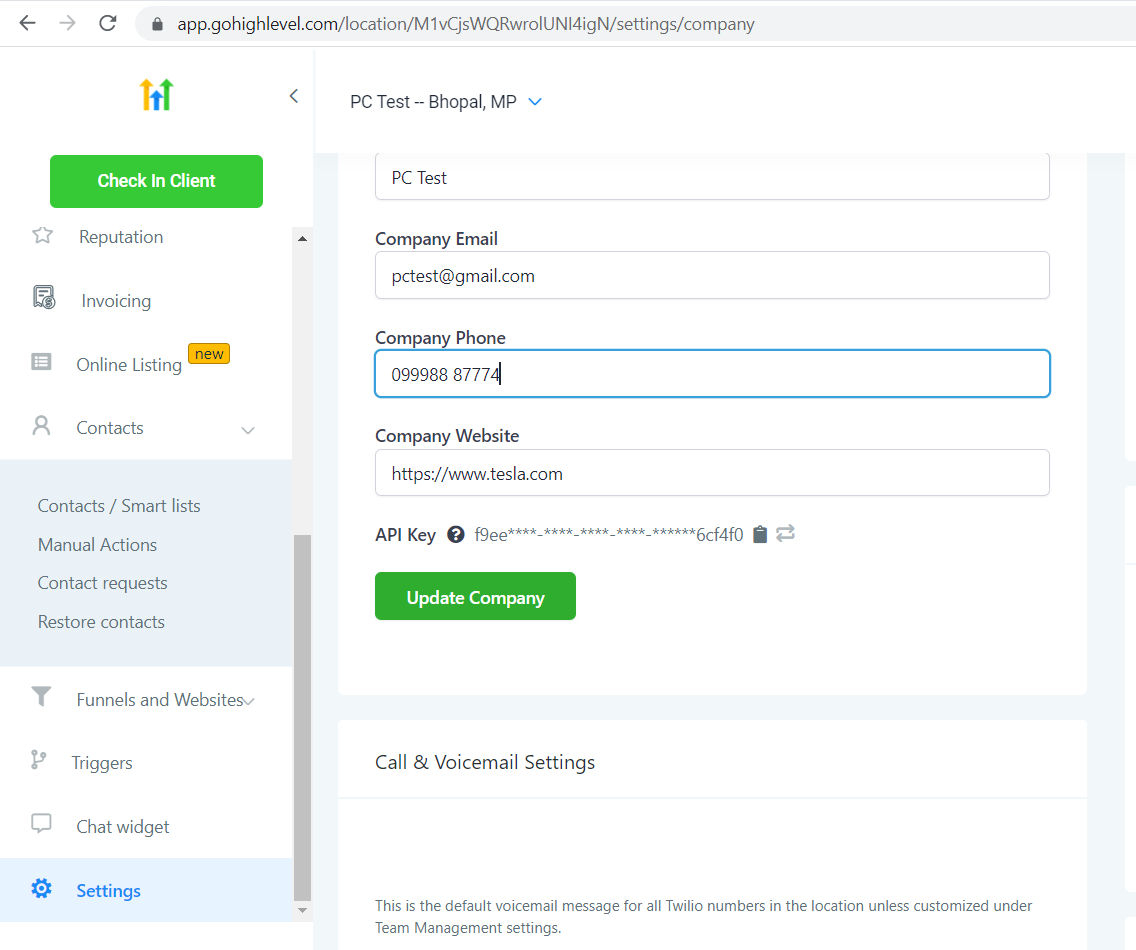
As we can see from your account you are creating a contact in GHL but it seems like you might be using Agency Key to authenticate instead of Location Key.
Kindly try again with the Location key to authenticate and let us know how it works for you.
Thanks @Supreme
Unfortunately, I am not using an agency key, just the company key as shown here:
https://www.screencast.com/t/UGfX7cVIL
Here's the key in the Connections window:
https://www.screencast.com/t/H5iI6lM5yWFL
This is my Pabbly workflow result:
https://www.screencast.com/t/Ek04R1KtkxAz
I'm still stuck with the connection error.
Any other suggestions?
Thanks
Hey @dfyrecipes
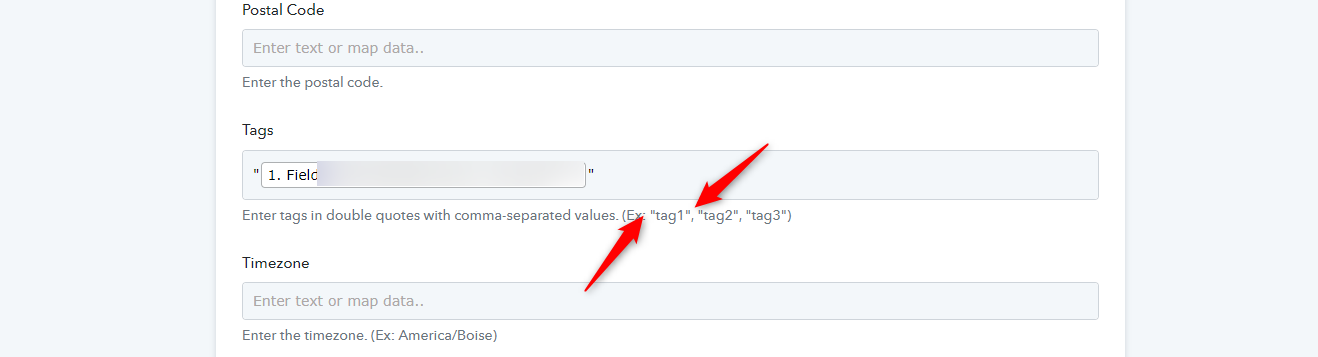
We looked into your workflow and it seems like you didn't pass the tags in double-quotes while creating contacts.
Though we have corrected it in your account and it is working now. Kindly try again and let us know if that works for you.
Thanks - that must have been it. Appreciate the help @Supreme
On to the next connection.