HighLevel Phone Number Requirement
Status: Closed · Asked by Jacovia on · 0 views
I’m trying to use the workflow to create a contact. It’s giving an error when the phone number field is blank. The contacts or either entering a phone number or email address or they’re entering both at times.
How can I make is so that as long as one of them are there it continues and if its blank, it just skips the field, but if its not blank, it fills it in?
Hey @Jacovia
How can I make is so that as long as one of them are there it continues and if its blank, it just skips the field, but if its not blank, it fills it in?
For your concern, you can use "Text Formatter by Pabbly: Default Value" where you can map the Phone number in the "Value" field and in the "Default Value" field you pass any values which will be used when the number is not coming from trigger response.
So, in that way, if the number doesn't appear from the triggering API then the "Default Value" will provide the assigned number in place of the blank.
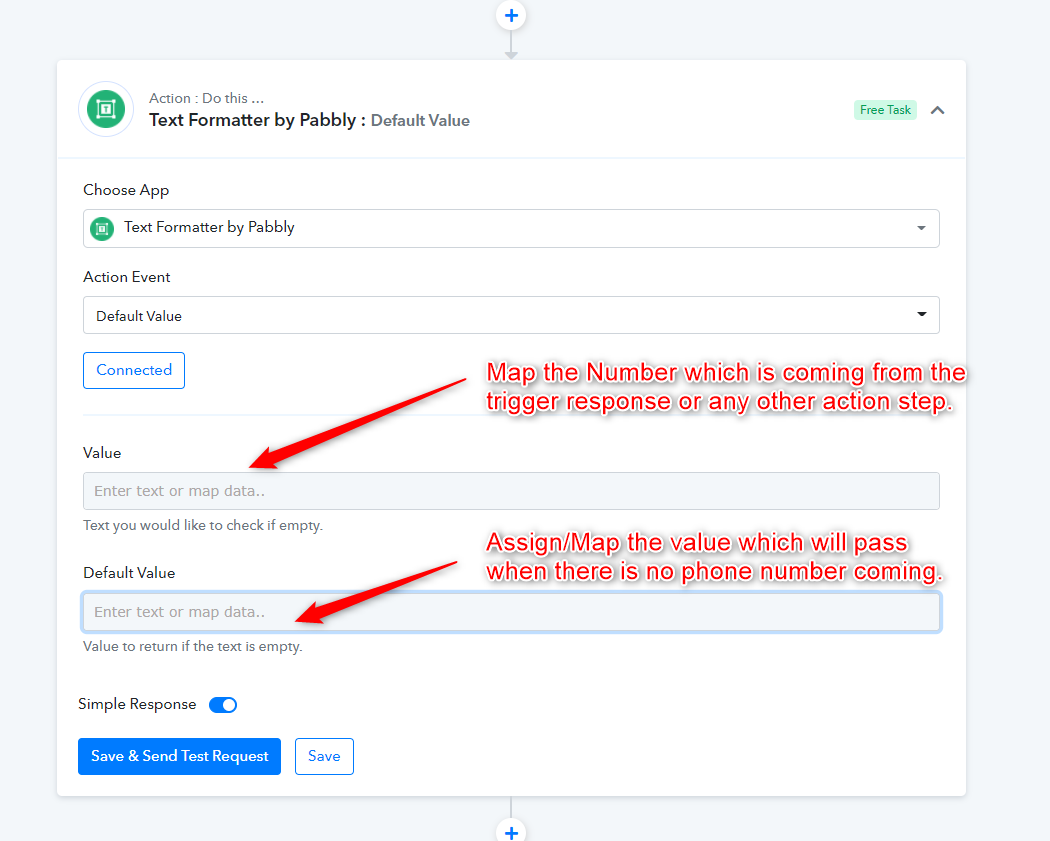
Hey @JacoviaFor your concern, you can use "Text Formatter by Pabbly: Default Value" where you can map the Phone number in the "Value" field and in the "Default Value" field you pass any values which will be used when the number is not coming from trigger response.
So, in that way, if the number doesn't appear from the triggering API then the "Default Value" will provide the assigned number in place of the blank.
That doesn’t solve the issue? This would mean we would have to insert a real phone number by default for each contact which won’t work. Why doesn’t it just allow us to insert nothing if its blank? It’s not a requirement by GHL to have a phone number?
Hey @Jacovia
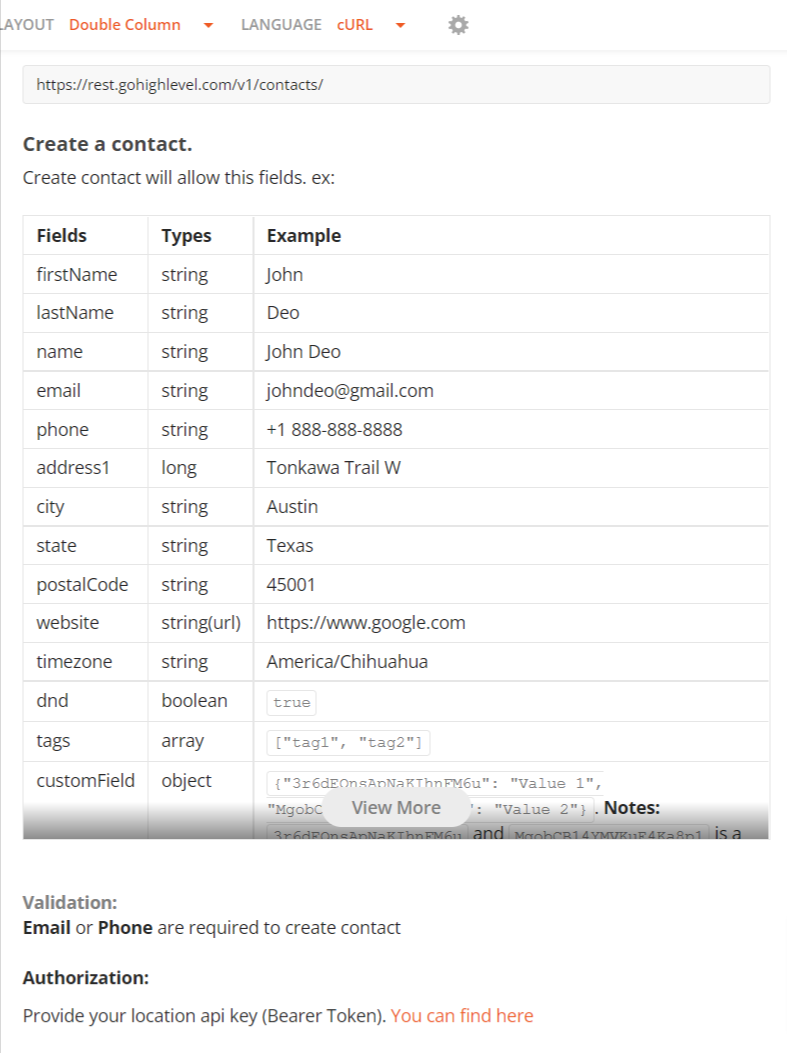
We have integrated the GHL's API according to their API documentation where they have stated that either Email or Phone number is required.
So, if you get the email address from the users then you may skip the phone number field. Else you have to pass either of the fields to make the action event work.
API Documentation URL - https://developers.gohighlevel.com/#5fbc2b83-603d-4974-81c3-7d8658a79594