How can I delete or rename a Folder?
Status: Closed · Asked by Troy Coker on · 0 views
How can I delete or rename a Folder now?
We are looking into this and will update you.
You can create, rename and delete folder from the "Folder" option -
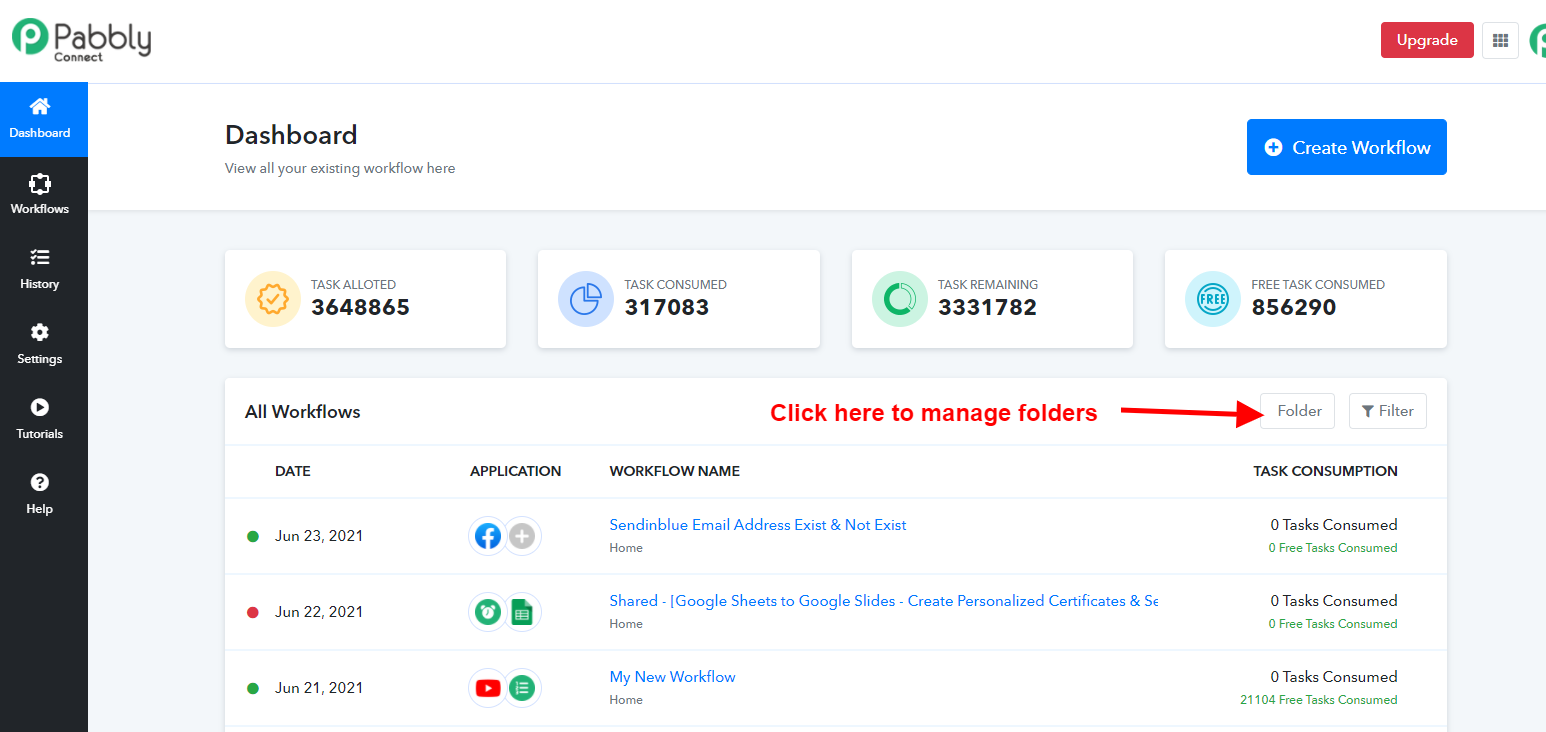
@Pabbly it would be nice if you make folders clickable or bring back folder section on dashboard -
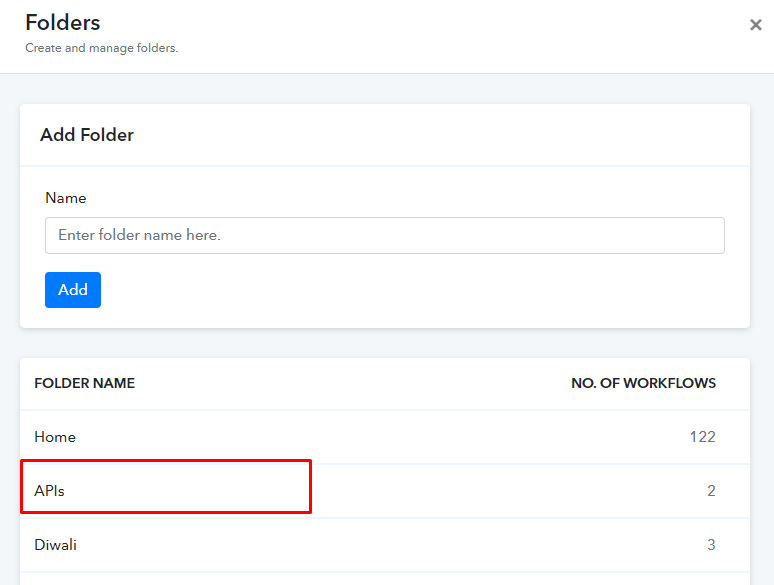
The folders are clickable now. Please check at your end.
The folders are clickable now. Please check at your end.
Superb, love the speed of Pabbly Team. Thank you.
I hope you guys make my this wish of open filter also come true(this way you will not need to bring back folder section and it will be lot more easier to seach and access folder/workflow) -
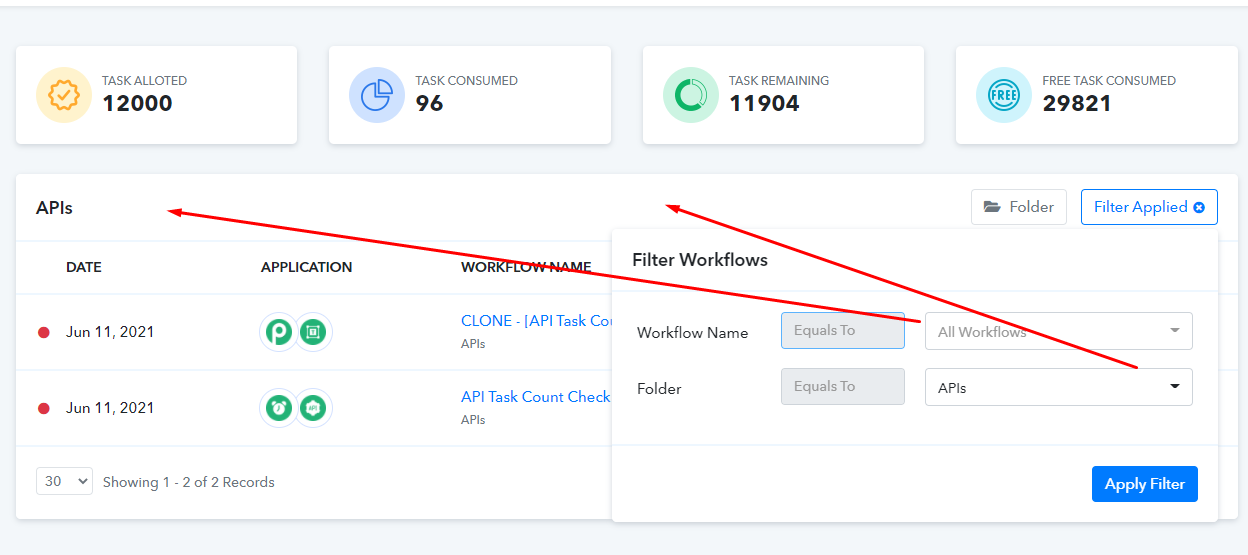
Forwarded your feedback to the team.
How can I delete or rename a Folder now?
Open the drive or folder where you want to create a folder. Click the Organize button on the toolbar, and then click New folder. Right-click a blank area of the window, and then click New folder. With the New Folder name selected, type a new name.