How can I send elementor form fields into google Sheets without creating a new row?
Status: Closed · Asked by toplinedropship on · 0 views
Hi,
I know how to connect elementor to Google Sheets so that it sends all the form fields into Google Sheets. However, I am having difficulties ensuring that the data from elementor goes into specific regions in the google sheet.
Please see attached video.
Thanks
Hey @toplinedropship
Unfortunately, if the row is filled at some place then the Google Sheets action step doesn't pass the data in the half-filled rows.
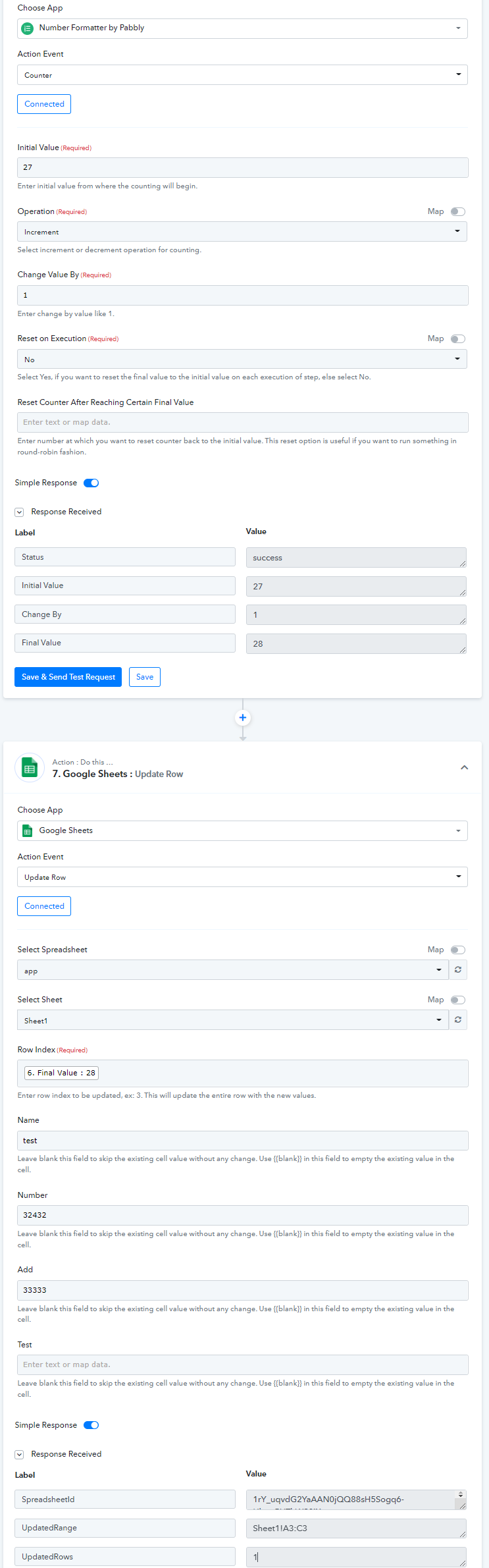
But you may consider using the following action step to fill the rows from the index from which you want to pass the data.
Kindly try this at your end in place of the "Add New Row" action step.
Thanks Supreme...
Can you please explain it further... I have added some values on the sheets.... I will need help correctly setting up the pabbly connect steps...
I am also open to a quick zoom call if possible.
Thanks so much!
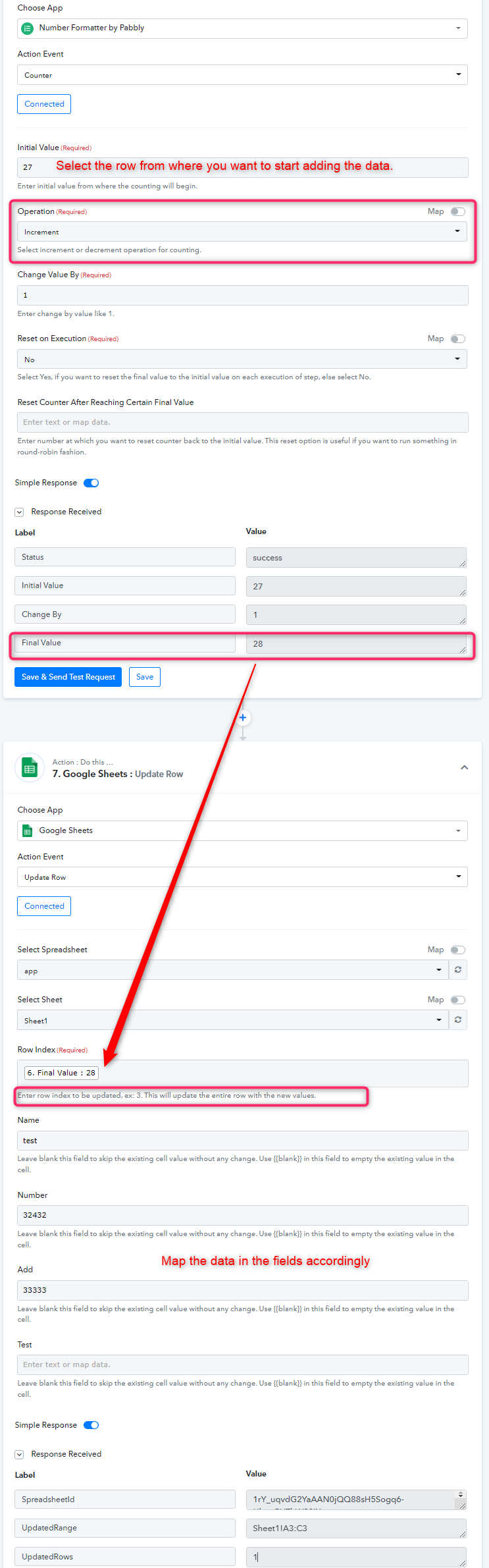
You can use the Counter action step before the Google Sheets action step to pass the data in the respective index which will generate row indexing every execution.
And that generated row value can be used to update the data in the row value from which you want to pass the data.
Thank you so much, Supreme! This is a huge progress, however, there is still an issue.
Please see attached video;
Hey @toplinedropship
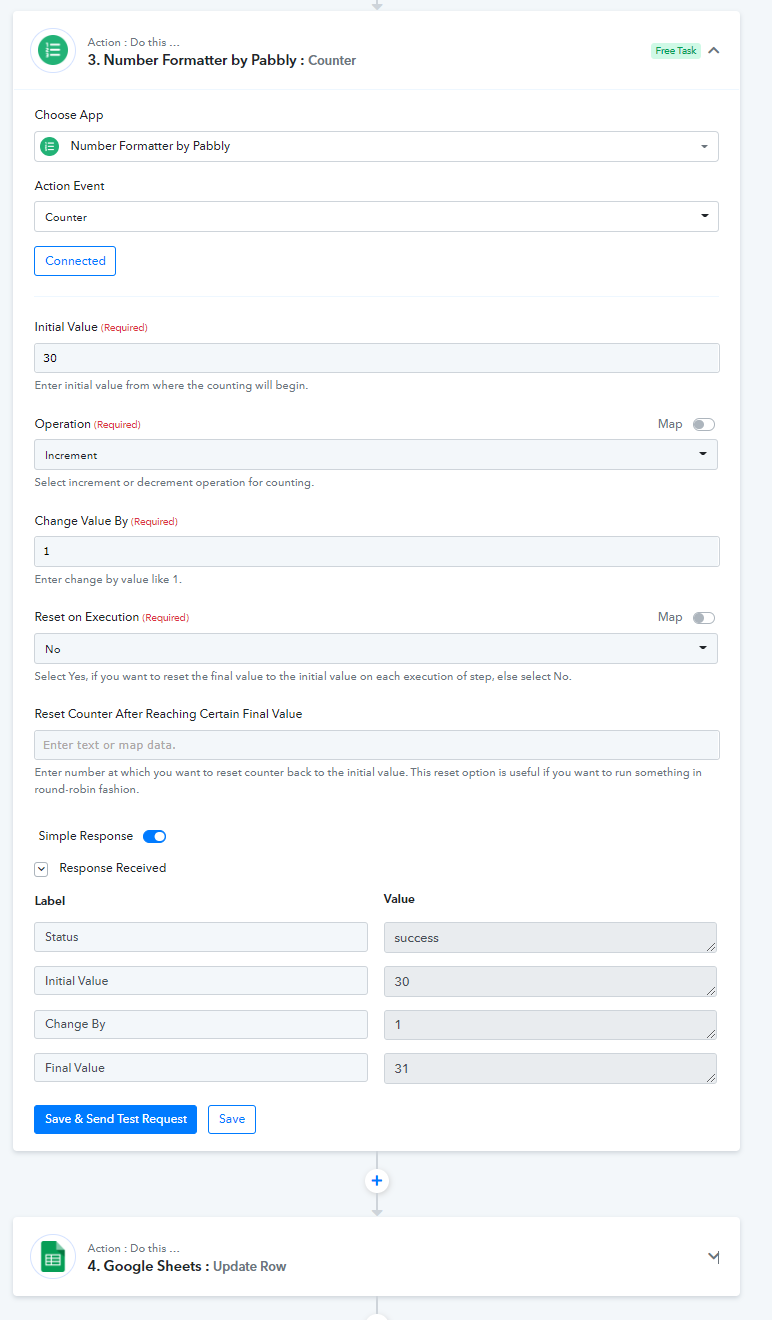
Regarding your concern, you should pick the row could from the 30th in the Counter action step so that it will pass the row from the 31st onwards.
Further, if you continuously press the "Save & Send Test Request" button it will increment the row value. So match the incremented value with your Google Sheets Row and then try again.
Thank you so so much that works so perfect... I'm so excited!!!