How can I set date range in the filter step ?
Status: Closed · Asked by Carlos Melo on · 0 views
Hello guys,
I need to know what I can use in the filter field to determine a date 30 days ahead as a condition.
Then the workflow only would continue forward if the new date is beyond than 30 days from the first date.
Did I do the right thing by adding +30 after the date in the value field?
Please, check the imagem below.
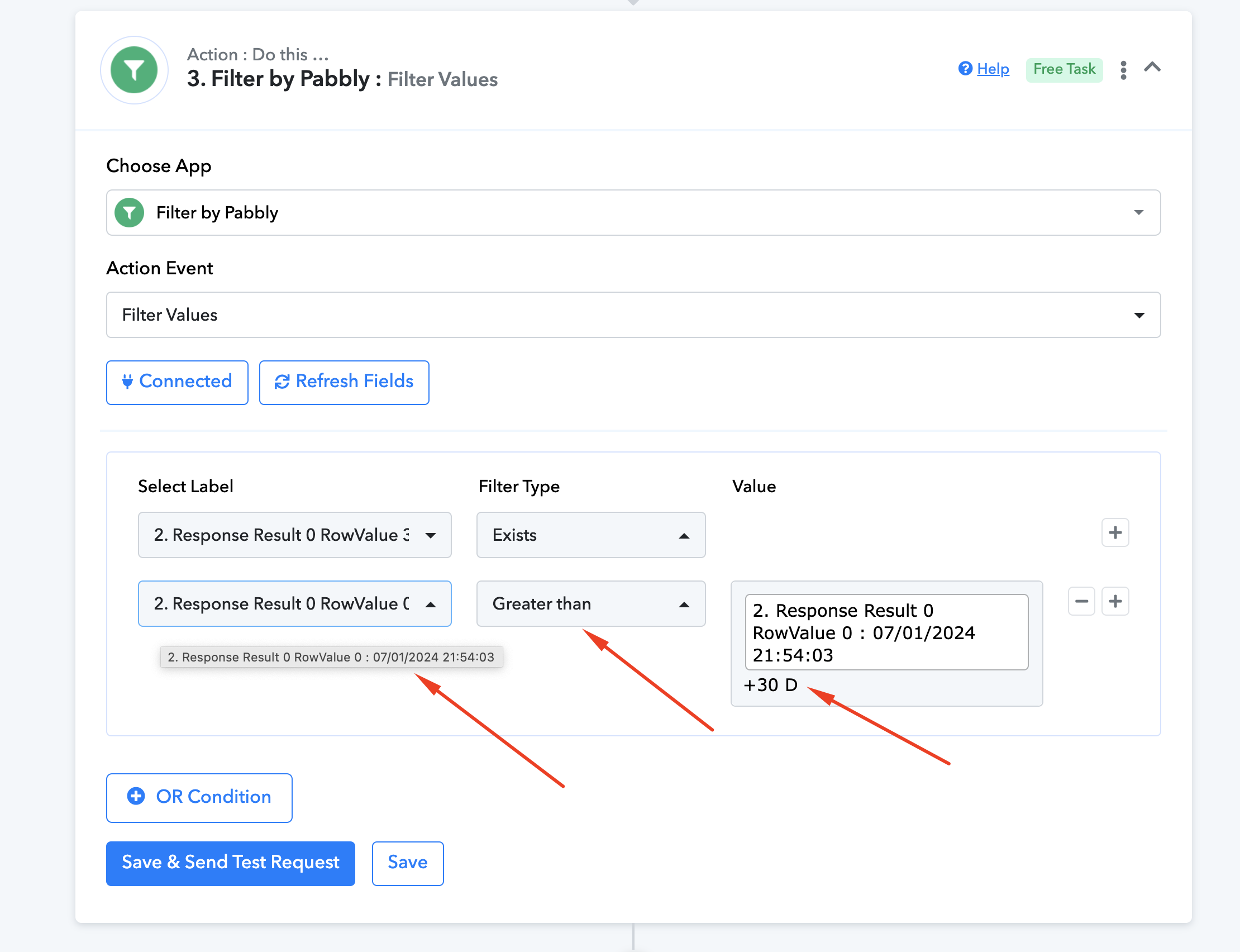
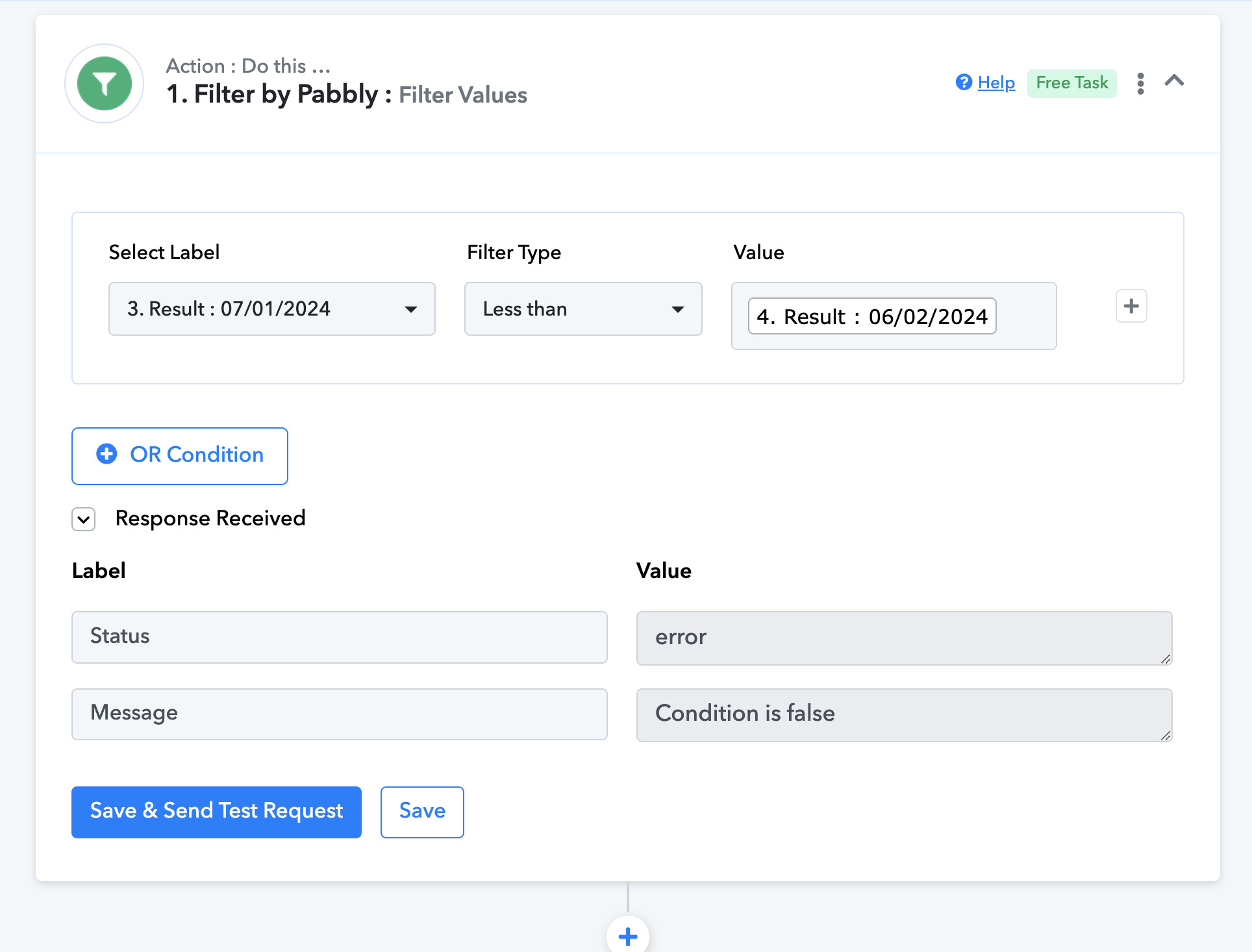
So guys, that's my question, why does filter conditional is false in the image below ?
And how can I set it to be true ?
Doesn't filter work for dates ?
Hey @Carlos Melo
Please incorporate the "Add Subtract Date time" function within your workflow. This will enable you to manipulate date and time effectively. After utilizing this function, utilize the outputted date and time in the "Filter" action step by passing it into the "Value" field.
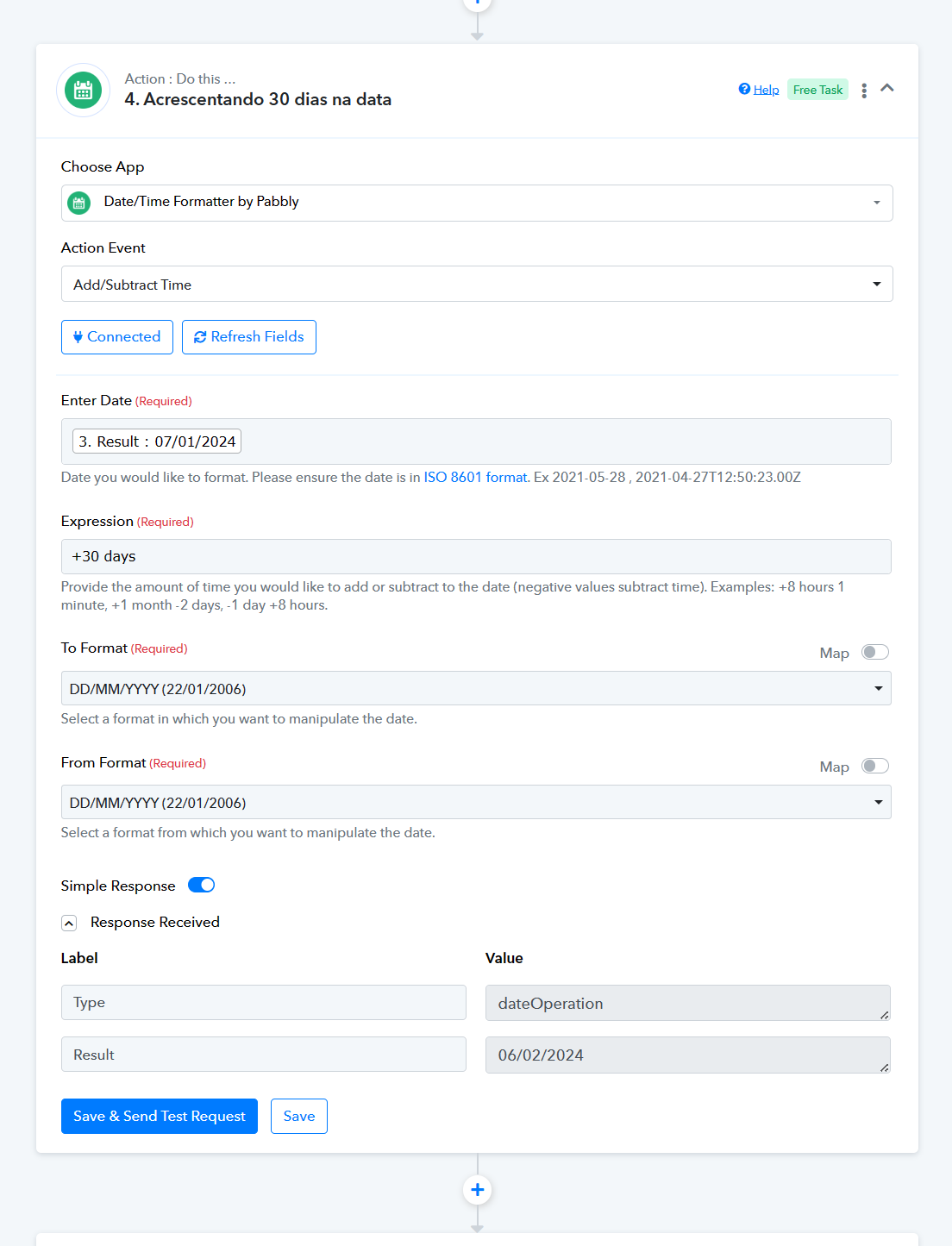
If you want to schedule the action step after 30 days then you can refer to the following video lesson -
Hello Supreme, thank you for your answers.
As you can see in my workflow, I have solved my first question.
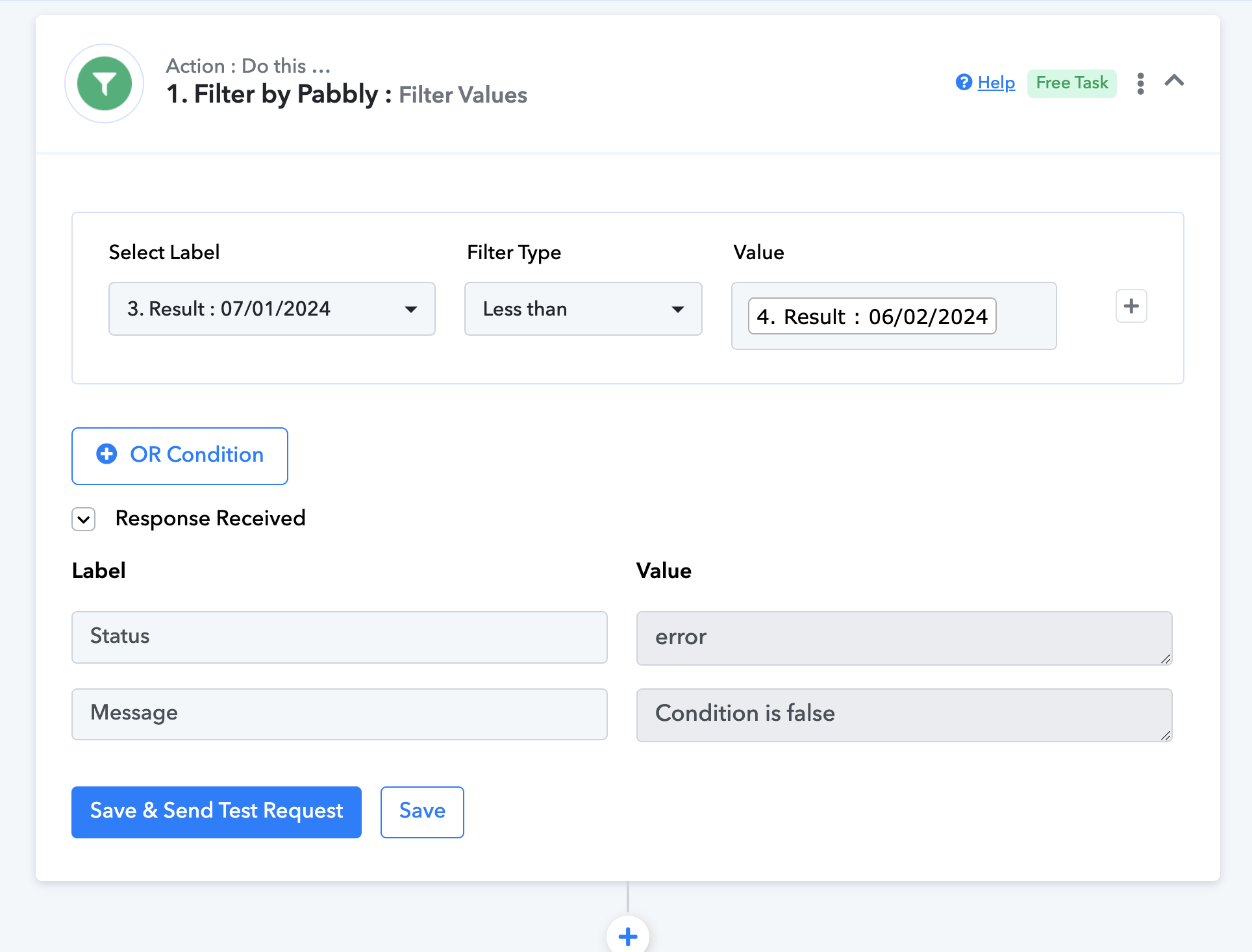
My second question is still unsolved, which is:
why does filter conditional is false in the image below and how can I set it to be true ?
Ok, I found an answer you sent to a forum member whom had the same question as me.
https://forum.pabbly.com/threads/filter-not-working-properly.14344/post-67315
Thanks for the update @Carlos Melo!!