How Can I use two webhooks with shopify?
Status: Closed · Asked by Jurre on · 0 views
Hi folks,
I am using a wordpress website and using the shopify buy button.
There are two products created in my shopify environment:
€9,-
€333,-
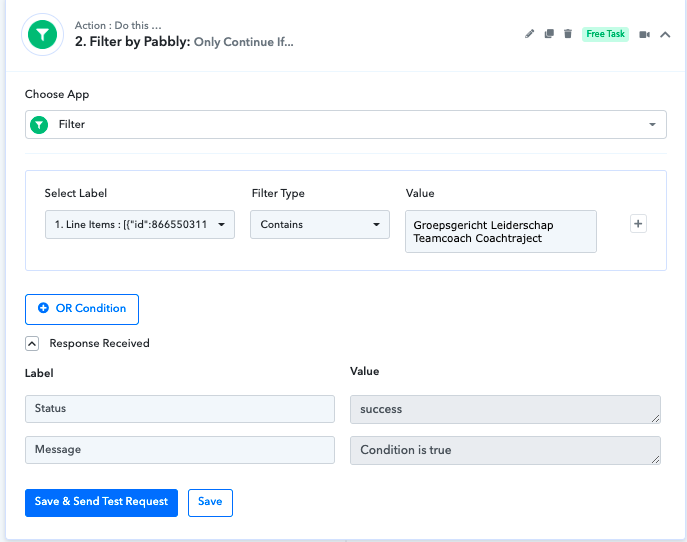
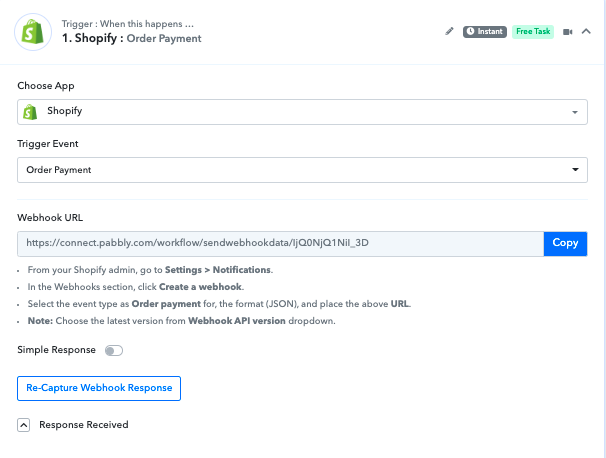
I created a webhook and connected to pabbly connect. [see screenshot]
After checking out the €9 product, the customer is added to an auto-responder from snov.io. This works perfectly.
After customers pay for the €9 product, they are redirected to a thank you page with an upsell offer.
It is then intended that if the customer chooses and pays for this upsell, that the customer also connects to pabbly connect via a webhook and is added to another auto-responder.
Is this possible?
If the customer buys the second upsell product of €333, it will be added to the same auto-responder as the one of the first sale of the €9 product.
Can I only create one webhook for a product payment?
I would like to have two different webhooks. Each one linked to its own product payment.
Does anyone know?
Hey @Jurre
Can I only create one webhook for a product payment?I would like to have two different webhooks. Each one linked to its own product payment.
Does anyone know?
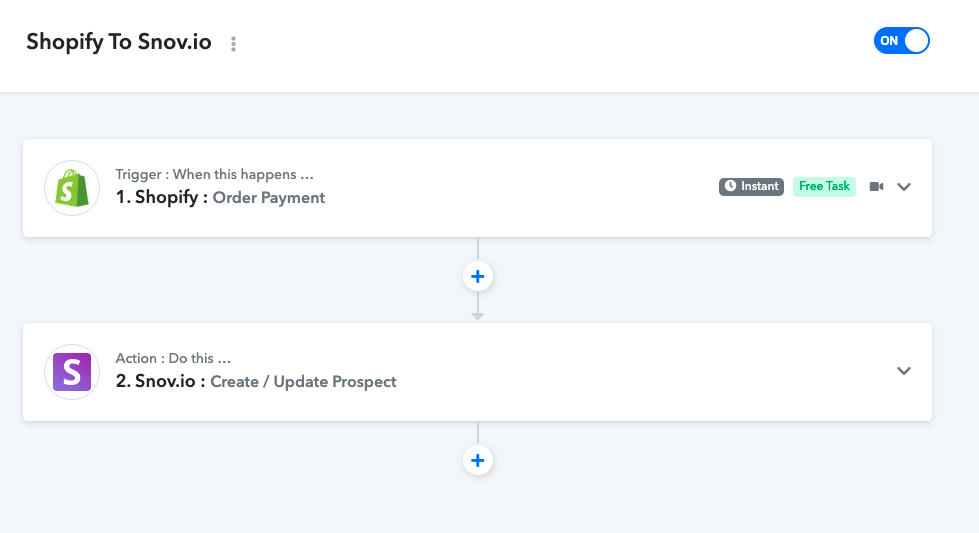
As per your use case, you would be required separate workflow for individual conditions.
Hey @JurreAs per your use case, you would be required separate workflow for individual conditions.
Thank you @Supreme.
I just created a second workflow.
Still the problem exists...
...let me explain.
The problem is in shopify.
Both workflows start in pabbly with shopify: order payment.
That means that after paying for any product, both workflows are triggered.
Any Idea how to tackle this?
Hey @Jurre
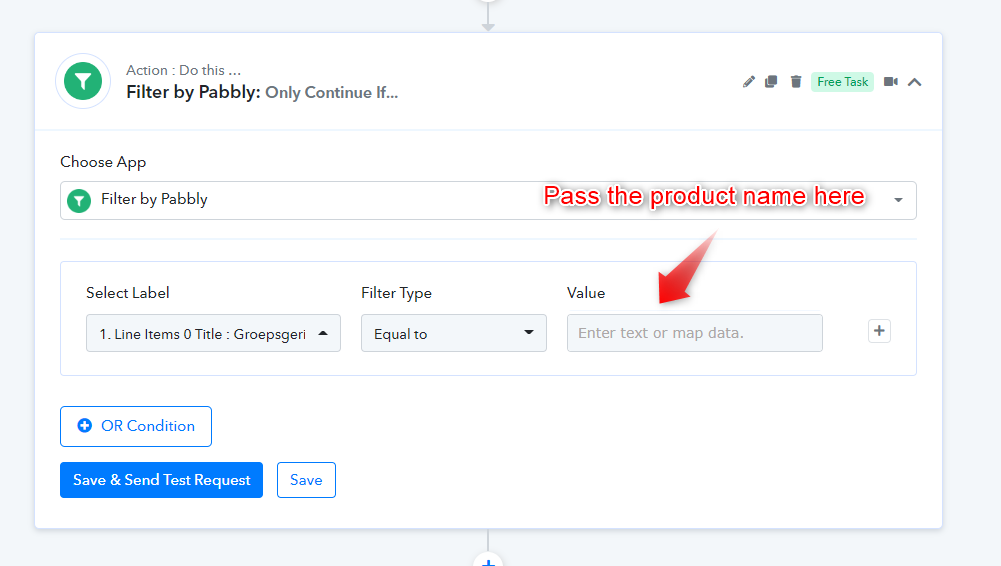
Kindly use the Filter action step in your workflow after the trigger event and pass the value for which you want to process the individual product.
Hi @Supreme ,
Thanks for your support!!
I set up a filter in both workflows and did a shopify test payment.
The settings in the Pabbly workflow are correct, but still the customer is send to the program list in Snov.io instead of the coach list.
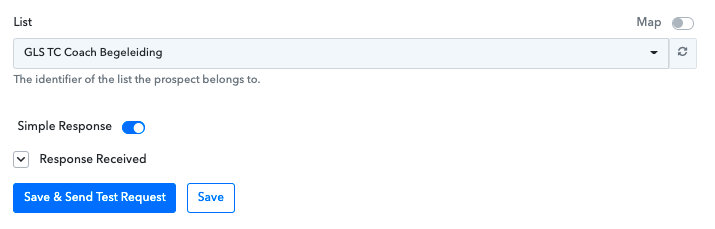
When I make a save & test Request in the coach workflow, the customer is added to the right workflow.
There should be a problem in the Pabbly filter.
Can you see if I did something wrong?
When I filled in under selected label: Line Items Title, and under Value also Line Items Title, it says error.
Only when using Line Items Name, it says success.
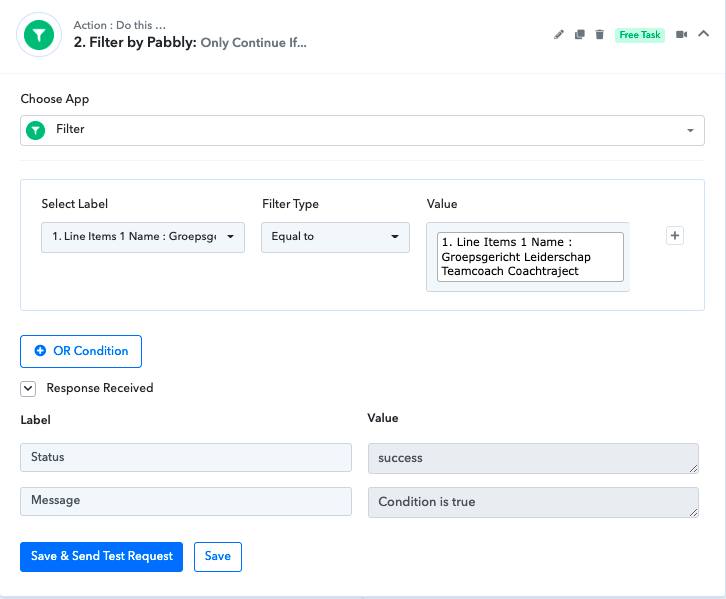
Hey @Jurre
Can you see if I did something wrong?When I filled in under selected label: Line Items Title, and under Value also Line Items Title, it says error.
You need to manually type the name of the product in the Value field of the filter action step.
Hi @Supreme ,
Thanks for your advice.
I manually typed the name, but it's still not working.
I tried both [select Label] Title and Name, and made two test payments... After that, no new contact was added to the right snov.io list.
Am I missing something?
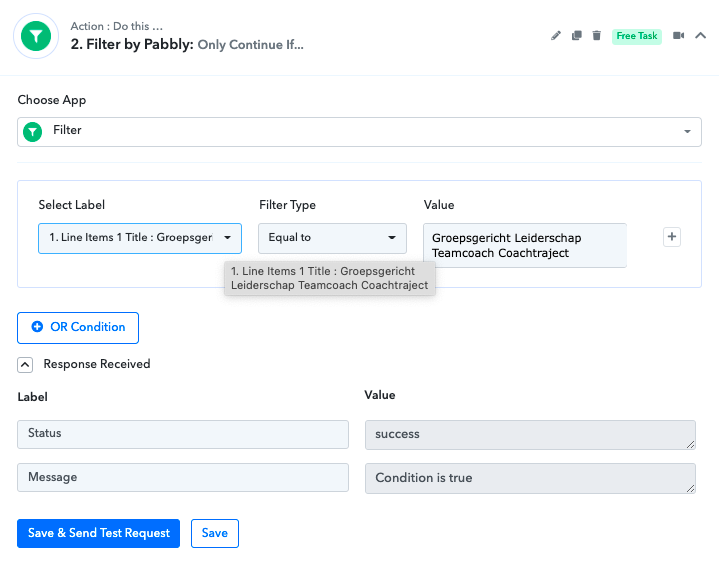
Hey @Jurre
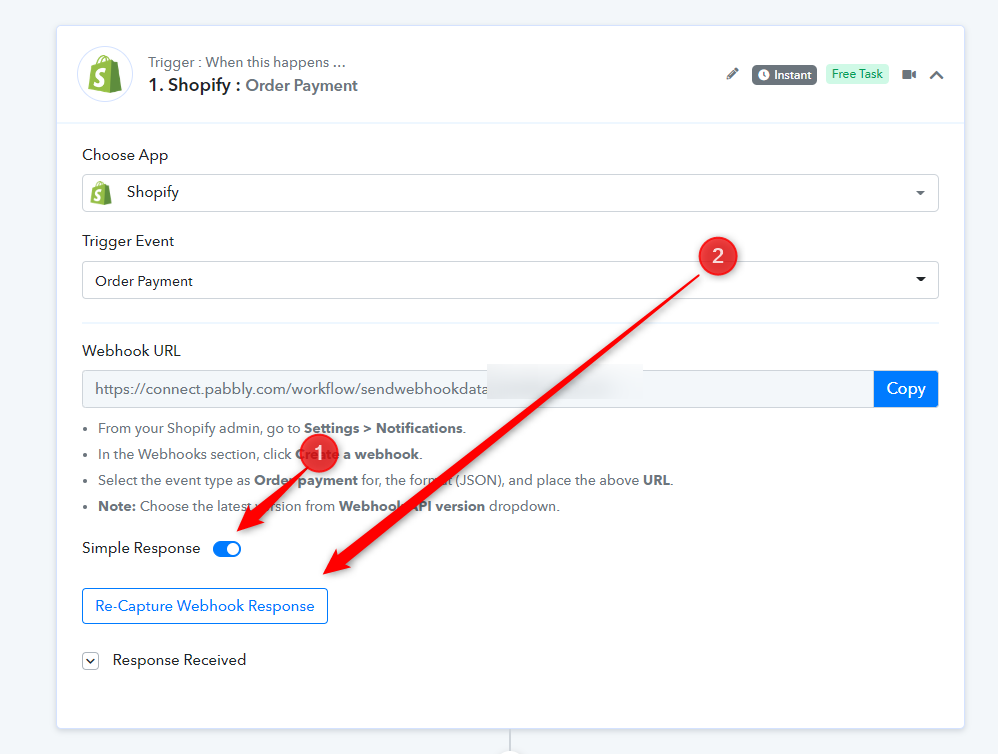
It seems like you are getting the product name in the line Items, so kindly capture the webhook response in advance response by toggling the "Simple Response" button.
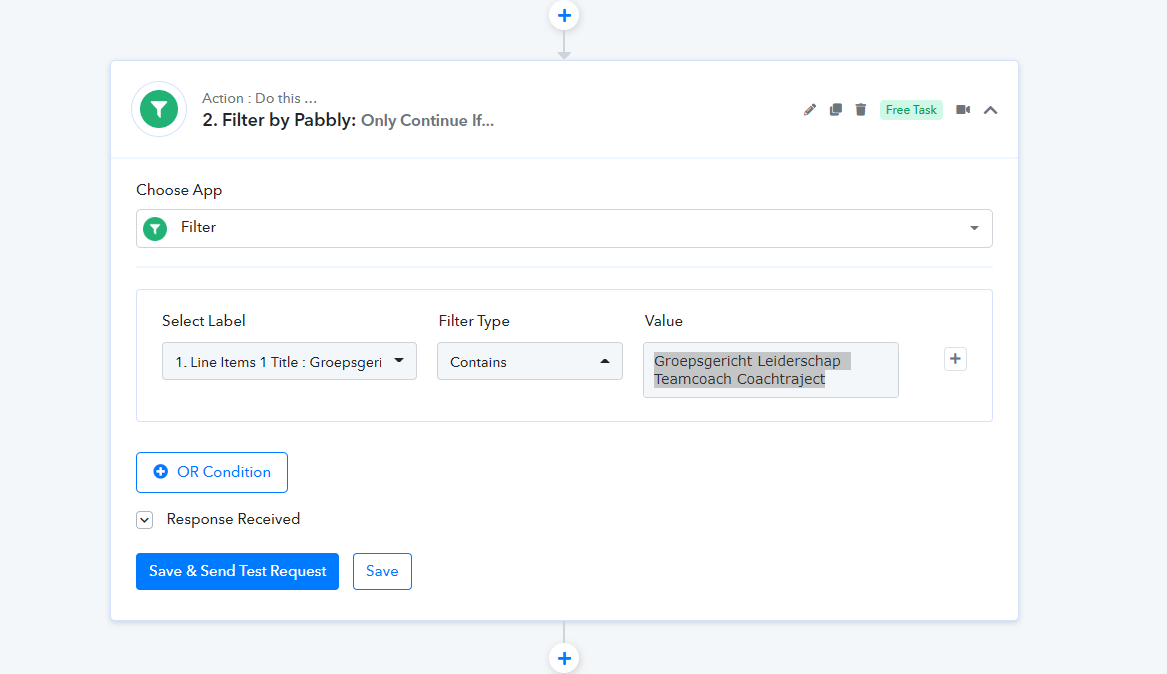
Then you can use the "Contains" filter type in the filter action step.
Thanks again for your help @Supreme!
After following your advice, I receive an error message..
Do you have any other suggestions, or am I too much of a pain in the ass??
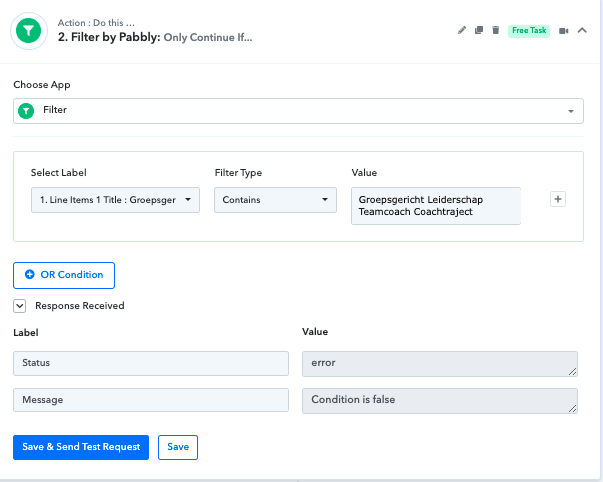
Hey @Jurre
Do you have any other suggestions, or am I too much of a pain in the ass??
While setting up the worklfow initially the label fields do not contain the exact label data and because of that action step is showing the error message.
Kindly try the complete workflow once and then try again.
Hi @Supreme,
This is very strange...
I started setting up the whole workflow again.
And now I cannot enter Line Item 'coach' separately under select label.
What to do?
This I found in The Response received section:
[{"id":866550311766439020,"variant_id":41494876881093,"title":"Groepsgericht Leiderschap Teamcoach Programma","quantity":1,"sku":"","variant_title":null,"vendor":null,"fulfillment_service":"manual","product_id":7197465313477,"requires_shipping":true,"taxable":true,"gift_card":false,"name":"Groepsgericht Leiderschap Teamcoach Programma","variant_inventory_management":null,"properties":[],"product_exists":true,"fulfillable_quantity":1,"grams":0,"price":"9.00","total_discount":"0.00","fulfillment_status":null,"price_set":{"shop_money":{"amount":"9.00","currency_code":"EUR"},"presentment_money":{"amount":"9.00","currency_code":"EUR"}},"total_discount_set":{"shop_money":{"amount":"0.00","currency_code":"EUR"},"presentment_money":{"amount":"0.00","currency_code":"EUR"}},"discount_allocations":[],"duties":[],"admin_graphql_api_id":"gid:\/\/shopify\/LineItem\/866550311766439020","tax_lines":[]},{"id":141249953214522974,"variant_id":41499157659845,"title":"Groepsgericht Leiderschap Teamcoach Coachtraject","quantity":1,"sku":"","variant_title":null,"vendor":null,"fulfillment_service":"manual","product_id":7198635425989,"requires_shipping":true,"taxable":true,"gift_card":false,"name":"Groepsgericht Leiderschap Teamcoach Coachtraject","variant_inventory_management":null,"properties":[],"product_exists":true,"fulfillable_quantity":1,"grams":0,"price":"333.00","total_discount":"5.00","fulfillment_status":null,"price_set":{"shop_money":{"amount":"333.00","currency_code":"EUR"},"presentment_money":{"amount":"333.00","currency_code":"EUR"}},"total_discount_set":{"shop_money":{"amount":"5.00","currency_code":"EUR"},"presentment_money":{"amount":"5.00","currency_code":"EUR"}},"discount_allocations":[{"amount":"5.00","discount_application_index":0,"amount_set":{"shop_money":{"amount":"5.00","currency_code":"EUR"},"presentment_money":{"amount":"5.00","currency_code":"EUR"}}}],"duties":[],"admin_graphql_api_id":"gid:\/\/shopify\/LineItem\/141249953214522974","tax_lines":[]}]
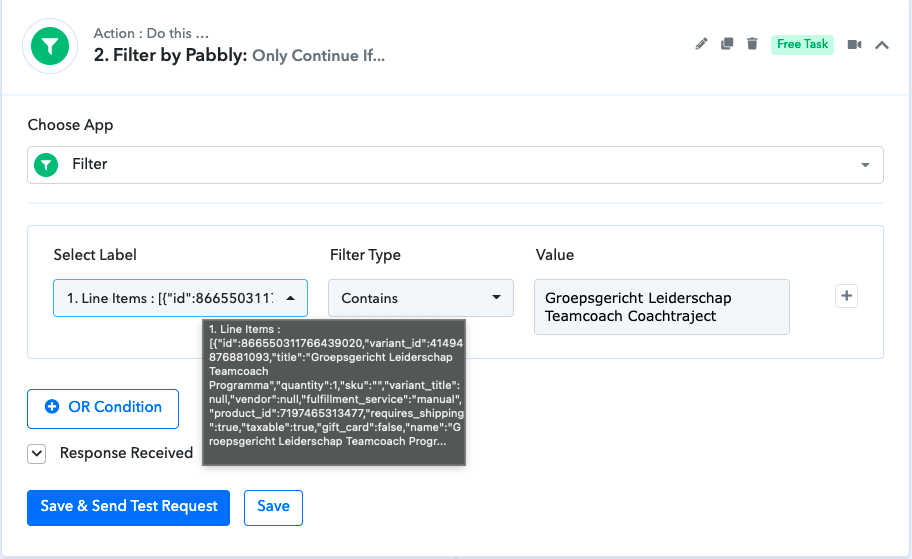
Hey @Jurre
Can you please tell us the filter condition which you want to achieve? Otherwise, the filter condition seems correct to us in the screenshot.
Hi @Supreme,
Some magic happened.
I deleted the filter and performed again.
It works perfectly now!!
After a test payment, the customer appeared on the correct email list in Snov.io.
Thanks for your support last week.(y)