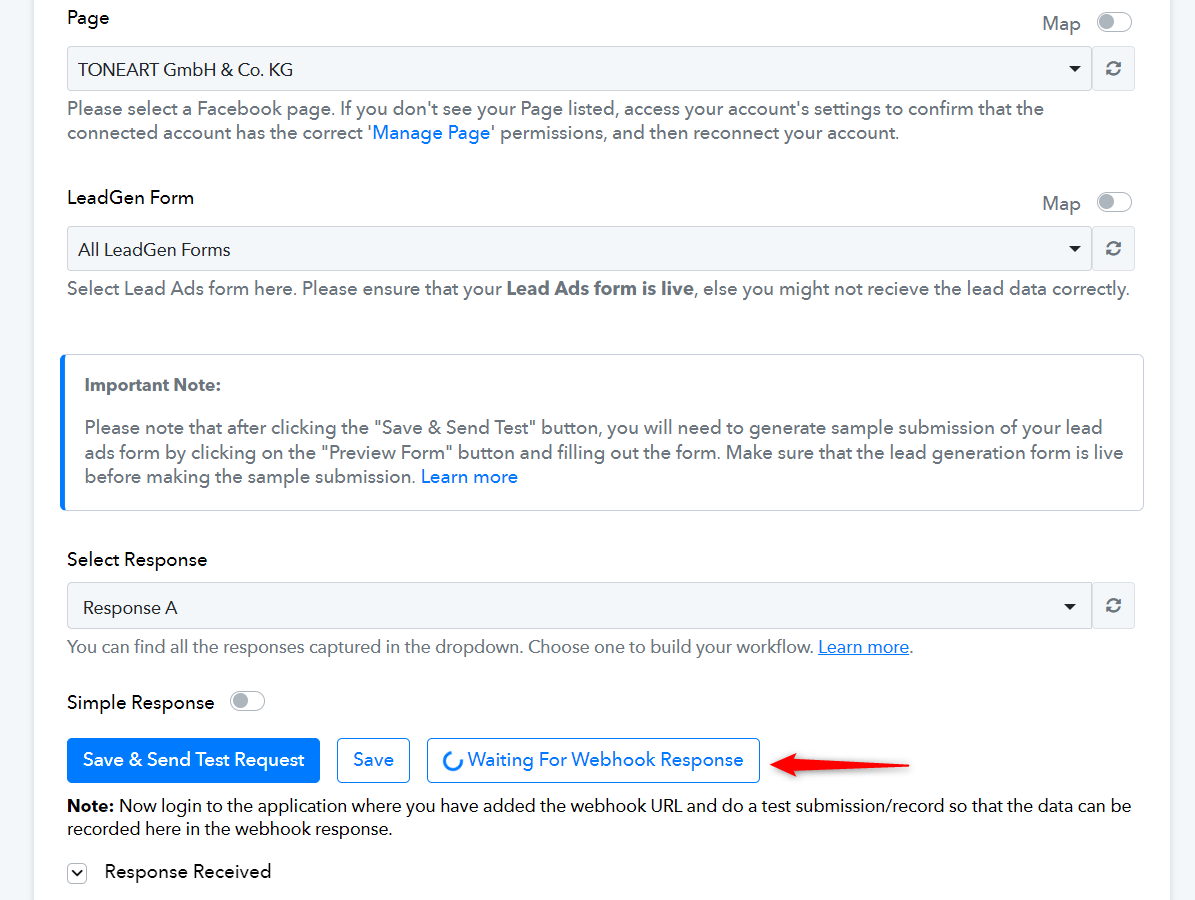
How can we update lead form Fields
Status: Open · Asked by haroonsulehri on · 0 views
Hello Pabbly Team,
I recently created a workflow to get lead form notification email.. But after some days I update lead form fields and now I want to update fields on email but I did not found any option to do that. Could you please help me how can I update and add newly added lead form field.. example I added a company field... I am talking about Facebook ads lead form.. Hope anyone help me quickly. Thanks
Hi @haroonsulehri,
https://connect.pabbly.com/workflow/mapping/IjU3NjUwNTY1MDYzMTA0MzM1MjZkNTUzNjUxMzEi_pc
To capture a new response in your Facebook Lead Ads trigger with updated fields, you need to click on the 'Re-Capture Webhook Response' button and either submit a real lead or wait for one to be captured automatically.
Since you have already clicked the 'Re-Capture Webhook Response' button, all you need to do is wait for a new lead to be captured on your Facebook Lead Ads form, and it will appear in your trigger response.