How do I post videos in Linkedin using Pabbly
Status: Closed · Asked by vinay on · 0 views
How to post videos to LinkedIn, I am doing this already for facebook and Instagram from google sheet.
Hey @vinay
You can try the following screenshot once to pass the Video URL to your Linkedin account.
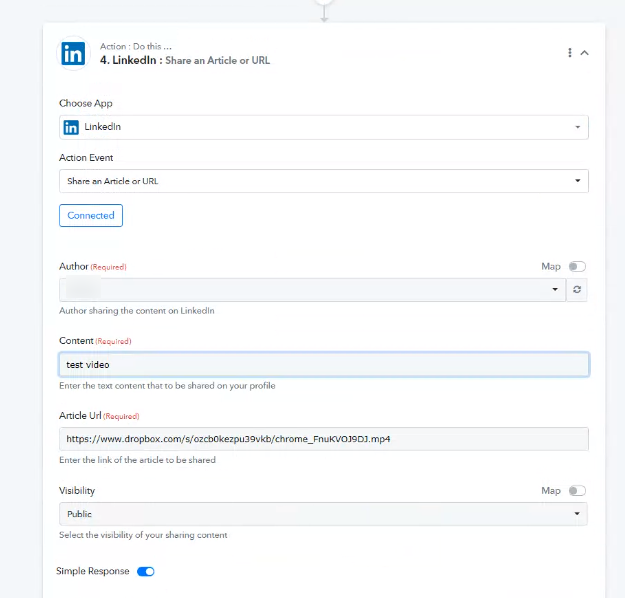
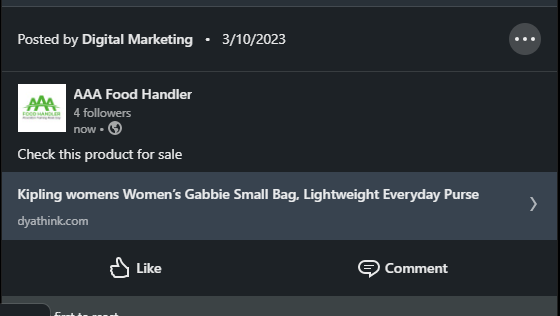
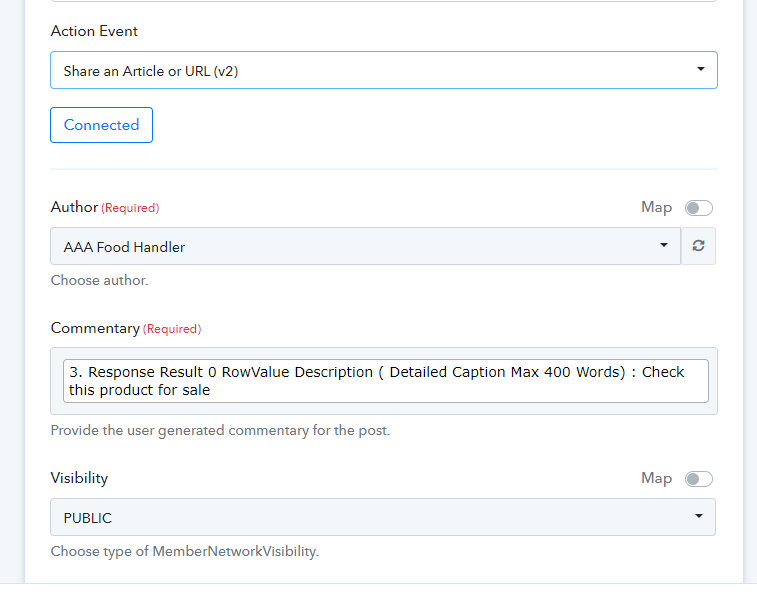
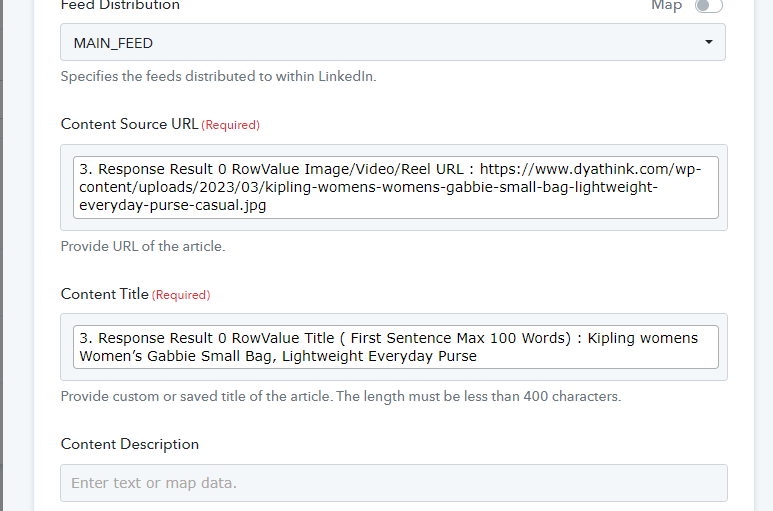
these are the options we get and instead of showing image or video, it is showing just a link, which takes to image/video url.
Note: we are trying to post on a company page
With this action step the video and image will be open in a new tab it will not open in the same post on Linkedin.
Though, our team is checking now that can that image be accessible in the post directly.
What will be right way to post images and posts on Linkedin Company Pages @Supreme because the one you shared only allows to share in the LinkedIn profile, not page
also, please let me know how are you able to use dropbox link for media URLs? Which dropbox plan will I need to use dropbox for the media links if so. as right now, I am uploading media files to my Wordpress website and using the public URL for the posts.
What will be right way to post images and posts on Linkedin Company Pages @Supreme because the one you shared only allows to share in the LinkedIn profile, not page
We are checking the same with our team and will let you know if we get any other option.
also, please let me know how are you able to use dropbox link for media URLs? Which dropbox plan will I need to use dropbox for the media links if so. as right now, I am uploading media files to my Wordpress website and using the public URL for the posts.
Please check with DropBox's plans for the features available as per your need.
Any updates on this @Supreme
Hey @vinay
Our team is currently working on it, and we will notify you as soon as they have an update.
Your patience will be greatly appreciated.
Hello, I was wondering if there is an update on this. I am trying to inline post images/videos as well. The documentation just needs a "media" or "thumbnail" field.
"content": {
"media": {
"title":"title of the video",
"id": "urn:li:video:C5F10AQGKQg_6y2a4sQ"
}
"content": {
"article": {
"source": "https://lnkd.in/eabXpqi",
"thumbnail": "urn:li:image:C49klciosC89",
"title": "prod test title two",
"description": "test description"
}
}
Hey @sbedell
Kindly post the request for the updating which you required on the platform here - https://pabbly.hellonext.co/
Our integration team will look into it and do the modifications on it accordingly.
@Supreme
1. Any update on this? Seems like a no-brainer to have full functionality for something like LinkedIn.
2. Also, the integration seems buggy. Multiple actions don't pull the user field, and therefore the action then can't be used.
3. Also, two of the actions seems to be exacty te same apart from different naming (and I don't mean the v1 & v2 actions, I see those are different)
Please post your concern to add the required integration here - https://pabbly.featureos.app/b/Feature-Request