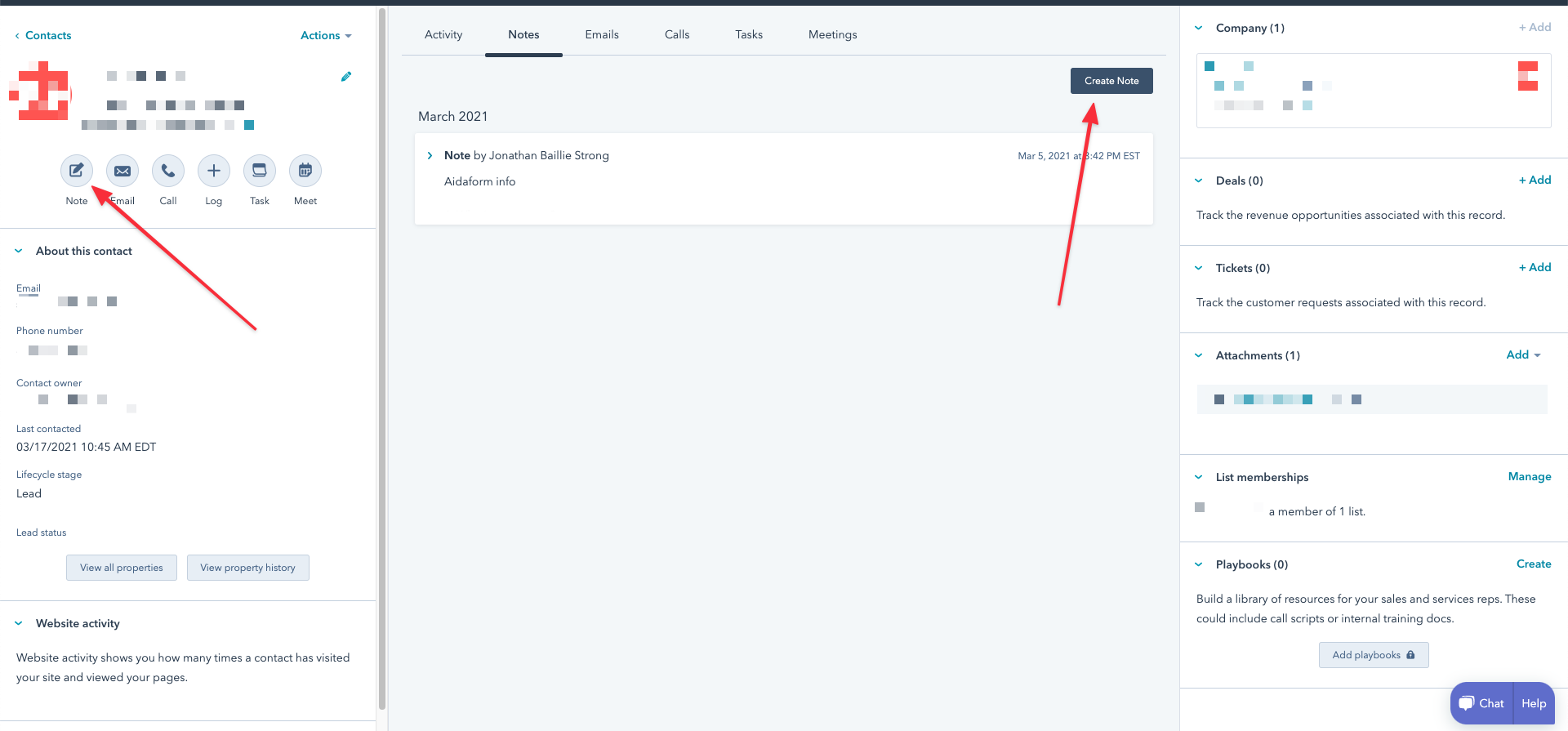
How do we add a note to a contact in Hubspot?
Status: Closed · Asked by jonbstrong on · 0 views
How do we add a note to a contact in Hubspot using Pabbly Connect?
I'm not sure which of these options would achieve what I'm looking for... possibly the "update a contact"? If so, I'm still not sure what the "field" would be called.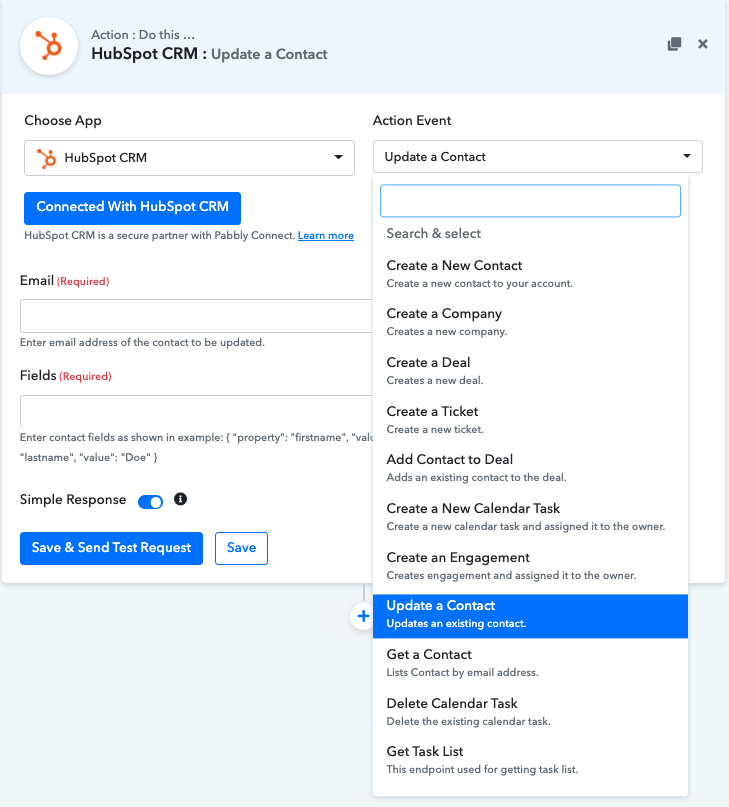
How do we add a note to a contact in Hubspot using Pabbly Connect?
I'm not sure which of these options would achieve what I'm looking for... possibly the "update a contact"? If so, I'm still not sure what the "field" would be called.
I checked out the Hubspot API but didn't found a way to add Note to a contact. There is a chance that I might be missing something.
Screenshot below shows all the fields that I found while adding a new contact.
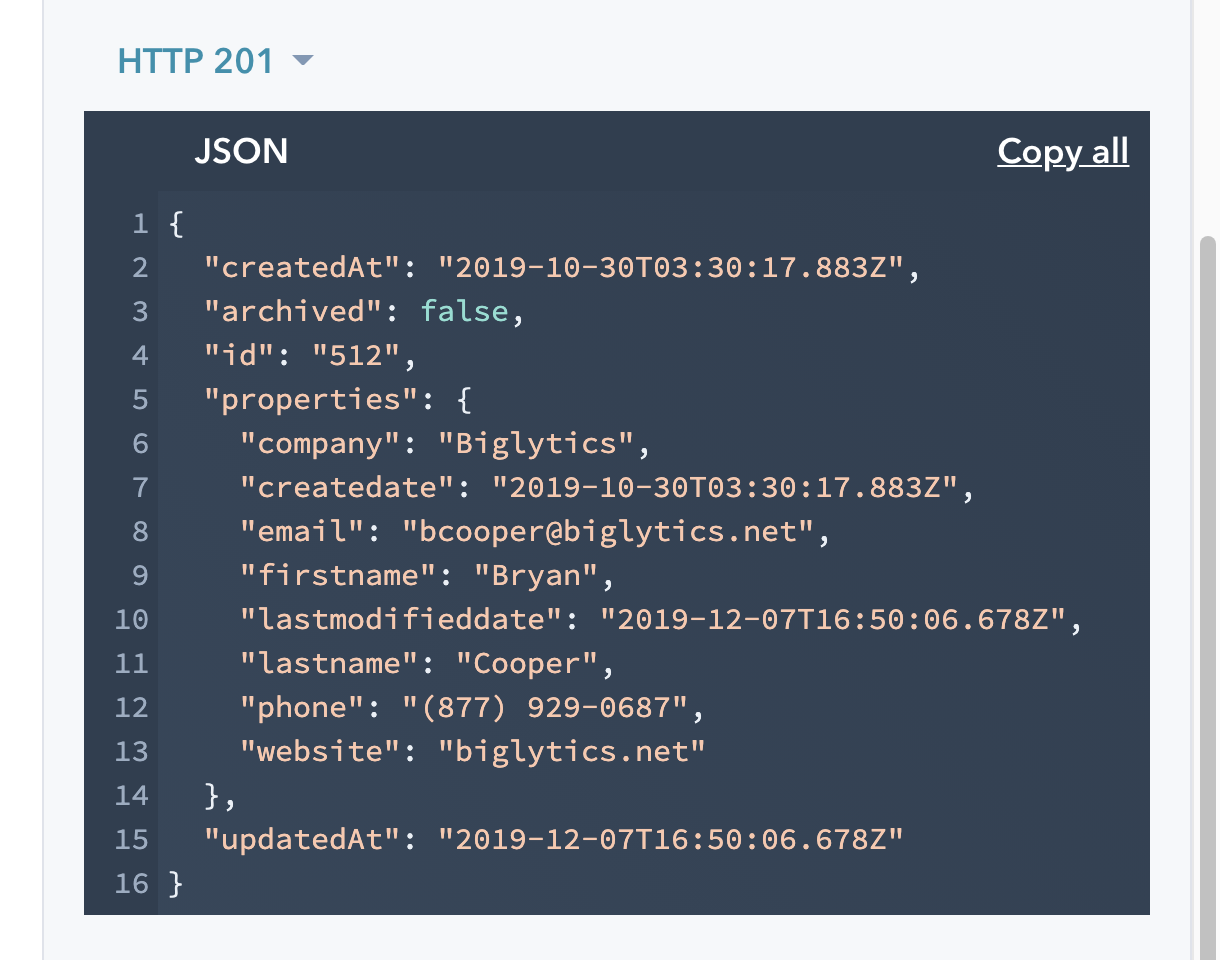
Can you contact the HubSpot team once and ask if they have an API method that supports adding a note to a contact?
If yes, we can add it for you inside Pabbly Connect.
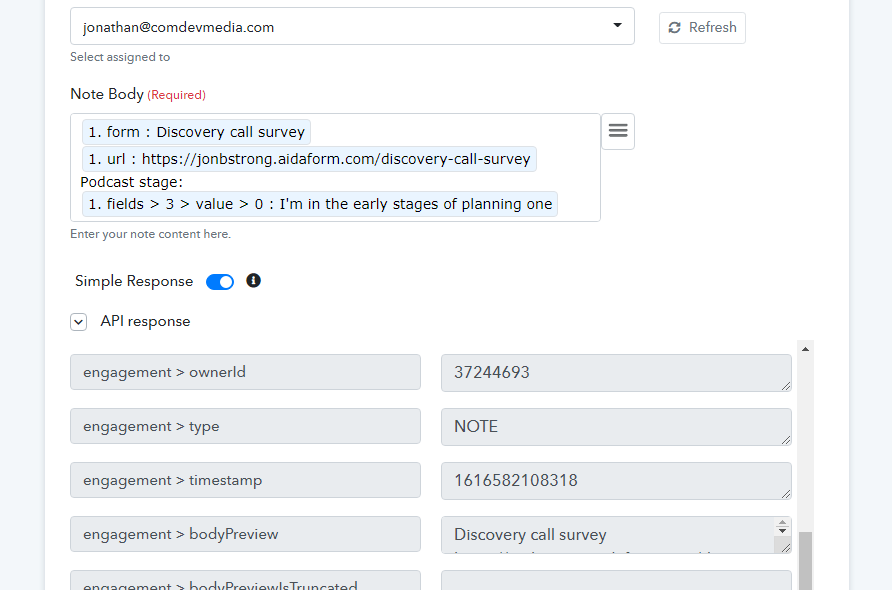
I've realized that actually it's an engagement note that we're meant to create according to Hubspot's API
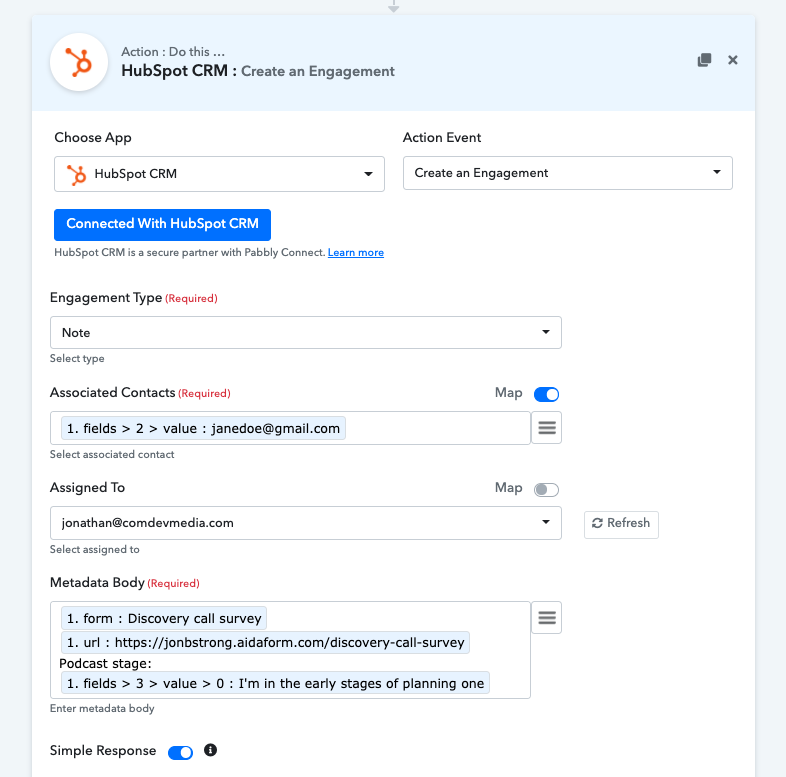
Pabbly allows us to action an engagement note, however when I tried submitting the above, it returned an API error:
Origin DNS error | api.hubapi.com | Cloudflare Error 1016
Ray ID: 634a39c6b24439f5 • 2021-03-23 19:56:54 UTC Origin DNS error
What happened?
You've requested a page on a website (api.hubapi.com) that is on the Cloudflare network. Cloudflare is currently unable to resolve your requested domain (api.hubapi.com).
What can I do?
If you are a visitor of this website:
Please try again in a few minutes.
If you are the owner of this website:
Check your DNS settings. If you are using a CNAME origin record, make sure it is valid and resolvable. Additional troubleshooting information here.
I've realized that actually it's an engagement note that we're meant to create according to Hubspot's API
Pabbly allows us to action an engagement note, however when I tried submitting the above, it returned an API error:
Origin DNS error | api.hubapi.com | CloudflareError 1016
Ray ID: 634a39c6b24439f5 • 2021-03-23 19:56:54 UTCOrigin DNS error
What happened?
You've requested a page on a website (api.hubapi.com) that is on the Cloudflare network. Cloudflare is currently unable to resolve your requested domain (api.hubapi.com).
What can I do?
If you are a visitor of this website:
Please try again in a few minutes.If you are the owner of this website:
Check your DNS settings. If you are using a CNAME origin record, make sure it is valid and resolvable. Additional troubleshooting information here.
Thanks for sharing the detail, we have checked it with our developers and fixed the same. Can you please check it again.
Attachments
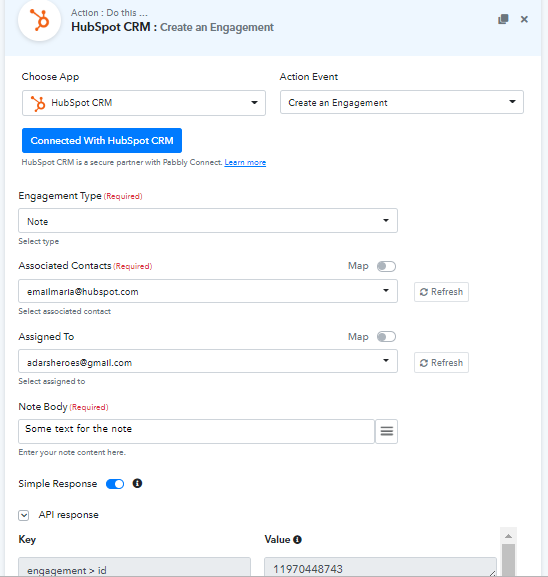
Thanks! This seems to have fixed something.
The problem I am running into now is that in the "associated contacts", the action only seems to accept a subset of the contacts I currently have in Hubspot. When I try to add a not to a recently created contact, I receive this error: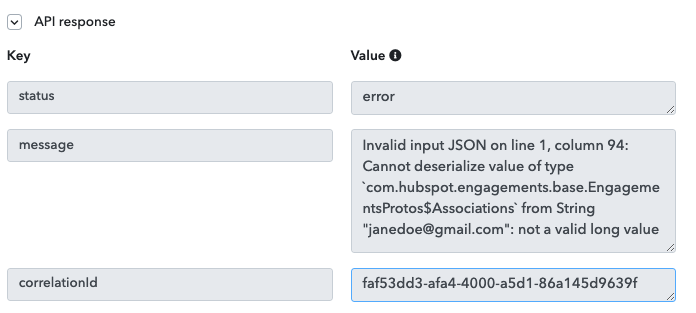
I'm not sure what the criteria for "associated contacts" is...
One thing I notice is that the only contact that I'm able to successfully map the "associated contacts" to were created before mid 2019. I'm unable to map any of my contacts created after that time. This would seem to indicate that the API configuration is out of date?
One thing I notice is that the only contact that I'm able to successfully map the "associated contacts" to were created before mid 2019. I'm unable to map any of my contacts created after that time. This would seem to indicate that the API configuration is out of date?
I just checked with my team and found that, you were mapping the email instead of Contact Id (vid) there.
Please follow these steps:
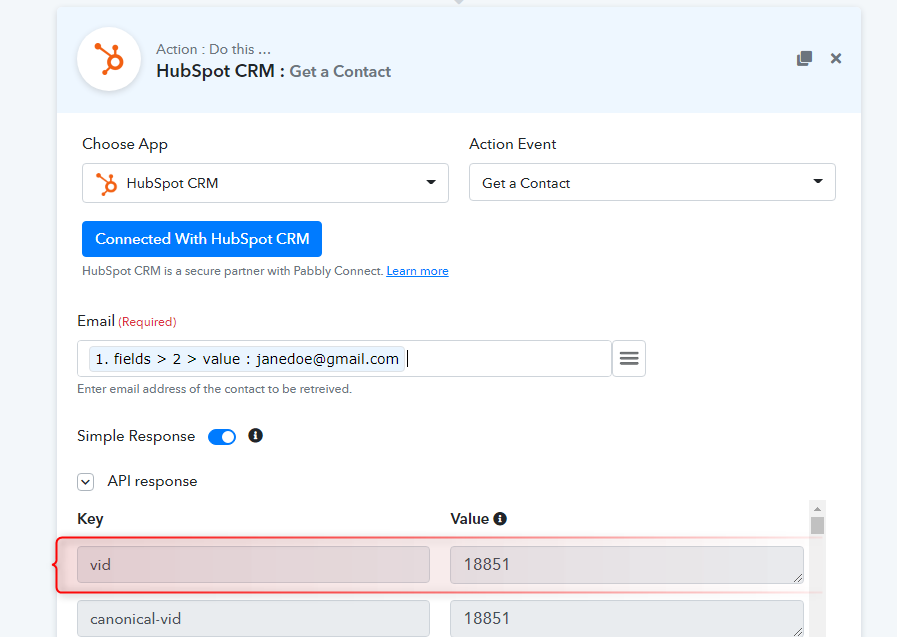
1. Get a Contact by Email, here you will get the Contact ID (vid) in response.
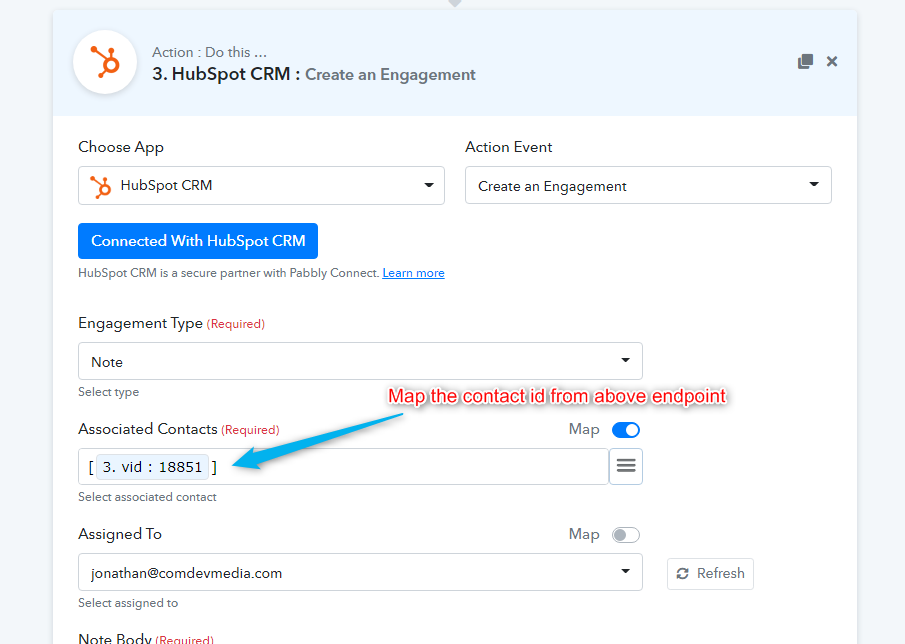
2. Map the vid in Create an Engagement action within the square brackets as shown in the attachment.
Hope that helps.
Attachments
OK that worked! It took a while, but we got there in the end :)