How to Add Product Variations on WooCommerce
Status: Closed · Asked by pulboron on · 0 views
Hello, I'm trying to create product variation on woocommerce. The API seems to be successful but when I check the product, no variations are created..
Is there a step by step tutorial/video that shows how to properly configure this?
Hey @pulboron
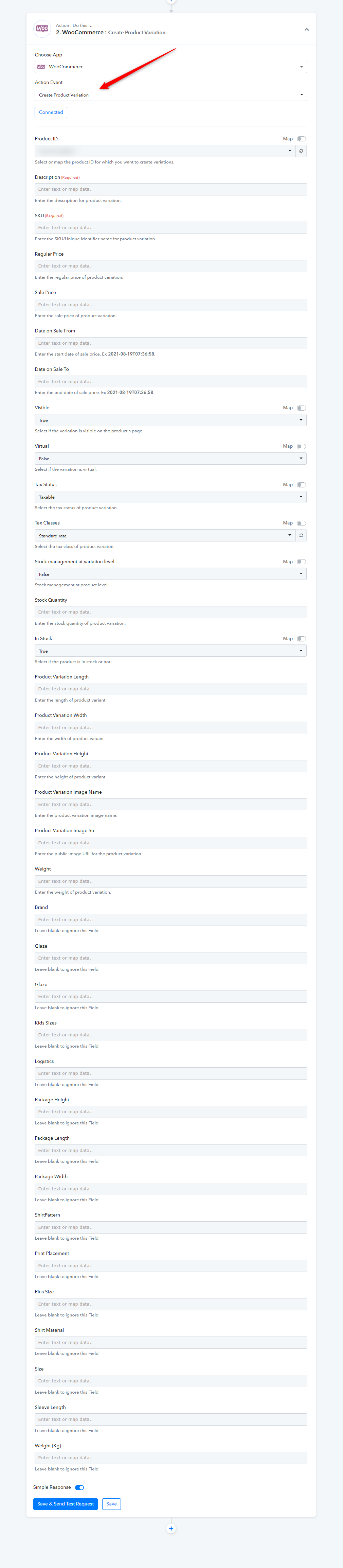
To create product variation while creating a product, you can use the "WooCommerce: Create Product Variation".
As of now, there is no video tutorial is available but you try again with the help of help text written on the fields and let us know if you get stuck at any step further.
Hello, I'm still trying to make the create product variation work. So far, the variations get created but when I look at WooCommerce, it looks like this.
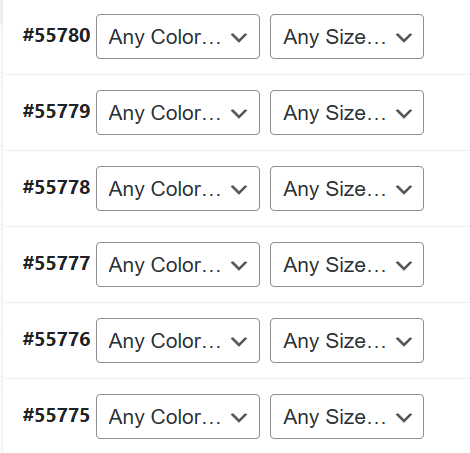
I also set the Regular and Sale Price in the workflow, however, it's not going to WooCommerce.
Hey @pulboron
We have forwarded your concern to our technical team, who are currently looking into it.
Hey @pulboron,
Our team has implemented minor modifications to the "Create a Product Variant" action. Kindly review the updates and notify us if you encounter any further concerns.
Hello, I'm still trying to make the create product variation work. So far, the variations get created but when I look at WooCommerce, it looks like this.
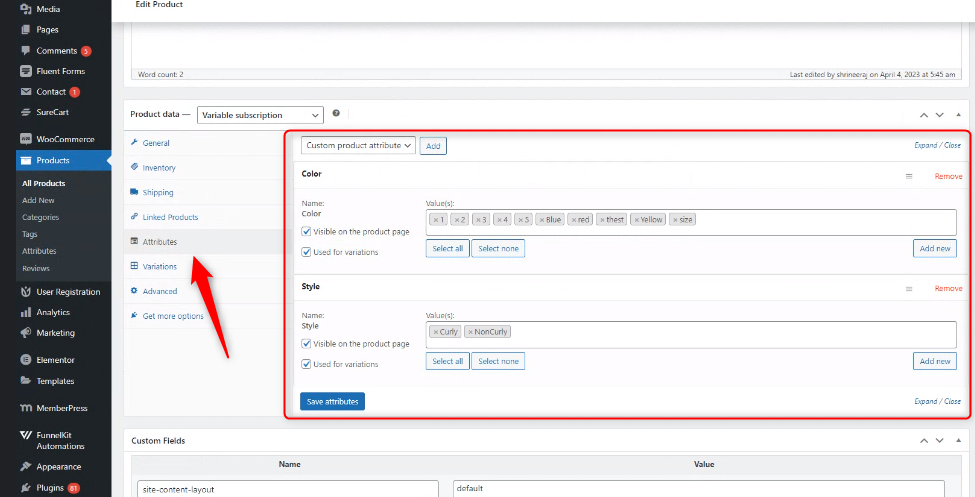
We investigated your concern and before assigning attributes to a product variation, attributes must first be assigned to the parent product.