How to add tags from google sheets to wordpress blog?
Status: Closed · Asked by Nikita Chavda on · 0 views
Hello,
If i've sheet with the data(artcle,categorries, tags, etcc., so how can i add tags and catagories in wordpress blog directly from sheet with automation because i've tried and not working what im expecting:confused: let me know with guide plz.
here is data received from google sheet?

and here in action section for wordpress, received these?
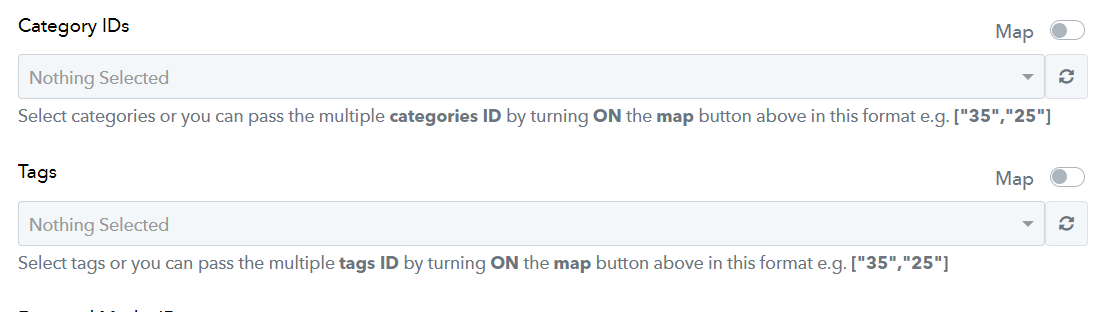
in the tags section, I'm receiving the tags that i already have in WordPress means old tags, not Google sheet tags which I've updated new.
Hey @Nikita92
Can you please share the workflow URL once in which you have tried the same so that we can look into it?
Further, if you are trying to pass the tag name in the Tags field of the WordPress action step then it will not process it, you need to pass the Tags' ID which is already available in your WordPress account.
i wanted to add tags from the sheet while creating WordPress post creation automation
i wanted to add tags from the sheet while creating WordPress post creation automation
To include tags when creating a post, ensure that you activate the map button above using the specified format, for instance, ["35", "25"], which exclusively accepts the tag IDs.
So, kindly include Tag ID in place of Tag name.
