How to add the timestamp of a workflow in a particular format in googlesheet
Status: Closed · Asked by Siddarth Jaiswal on · 0 views
I want to add the timestamp of a workflow in a particular format in googlesheet
Format is: 12/12/2022 18:06:50
I want in Local time zone & in 24 Hr format
These 4 are not in the format which I require in
- {{pc_utc_human_now}}
This function will output the current time in UTC Time Zone.
Example: 09/08/2021 03:29AM - {{pc_local_human_now}}
This function will output the current time in your local time zone. The local time zone needs to be set up in your Account Settings.
Example: 09/08/2021 08:59AM - {{pc_utc_timestamp_now}}
This function will output the current time in UTC Time Zone.
Example: 1631071769 - {{pc_local_timestamp_now}}
This function will output the current time in your local time zone. The local time zone needs to be set up in your Account Settings.
Example: 1631091582
Hey @Siddarth_Jaiswal
Please check the below screenshot and make the changes as per your requirement. You can click on Map On and type the date for format in which you want the date and time.
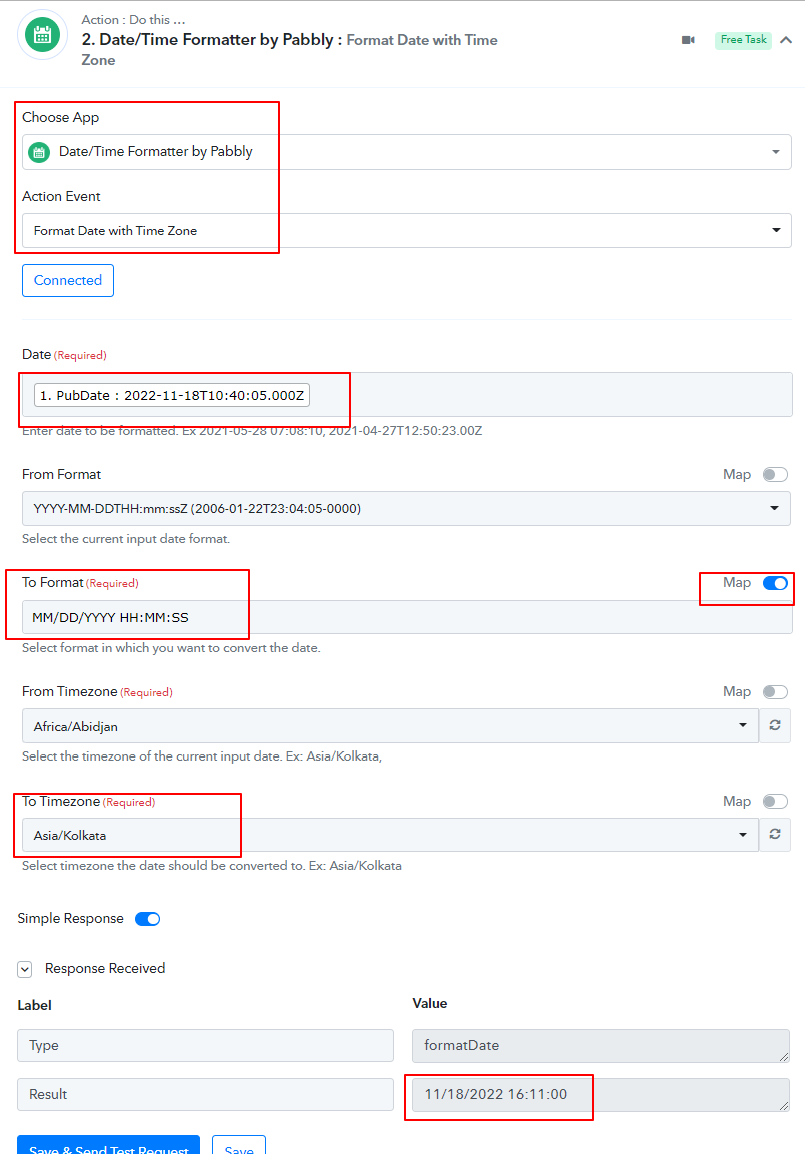
Attachments
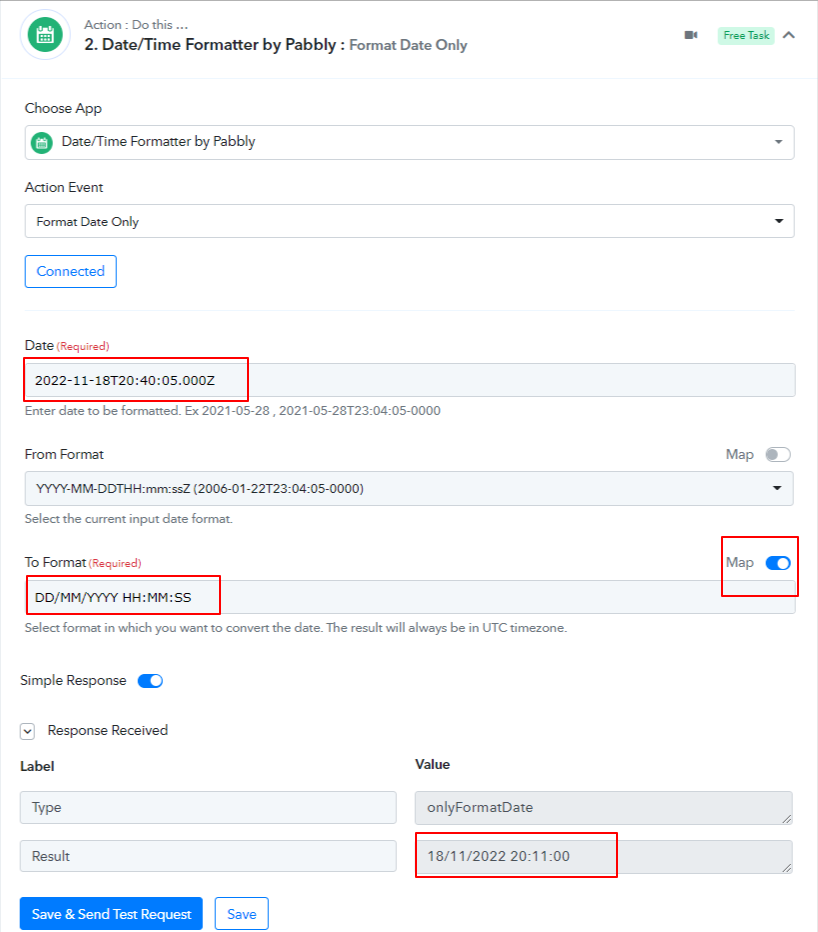
Hey @Siddarth_JaiswalPlease check the below screenshot and make the changes as per your requirement. You can click on Map On and type the date for format in which you want the date and time.
Hi
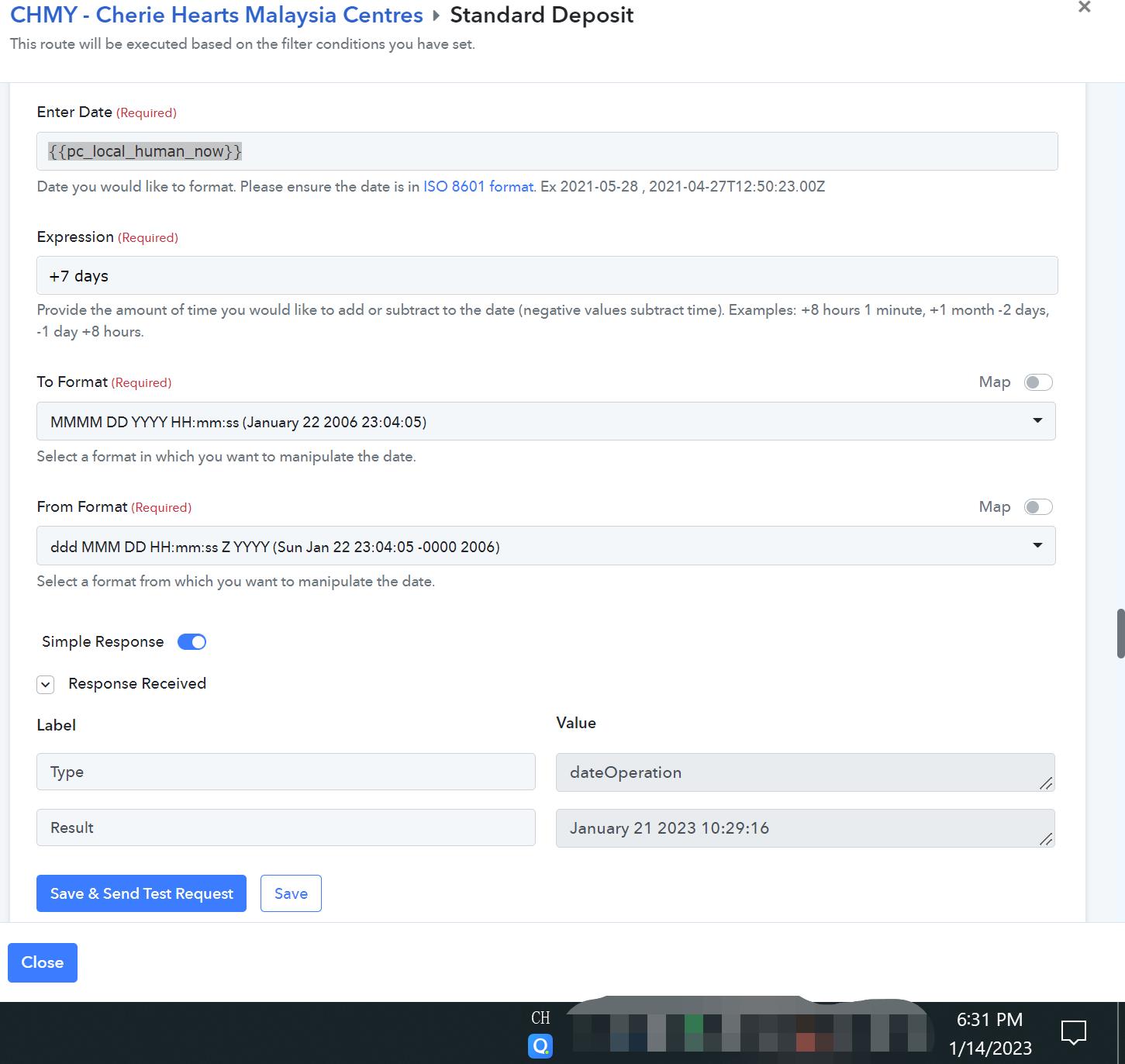
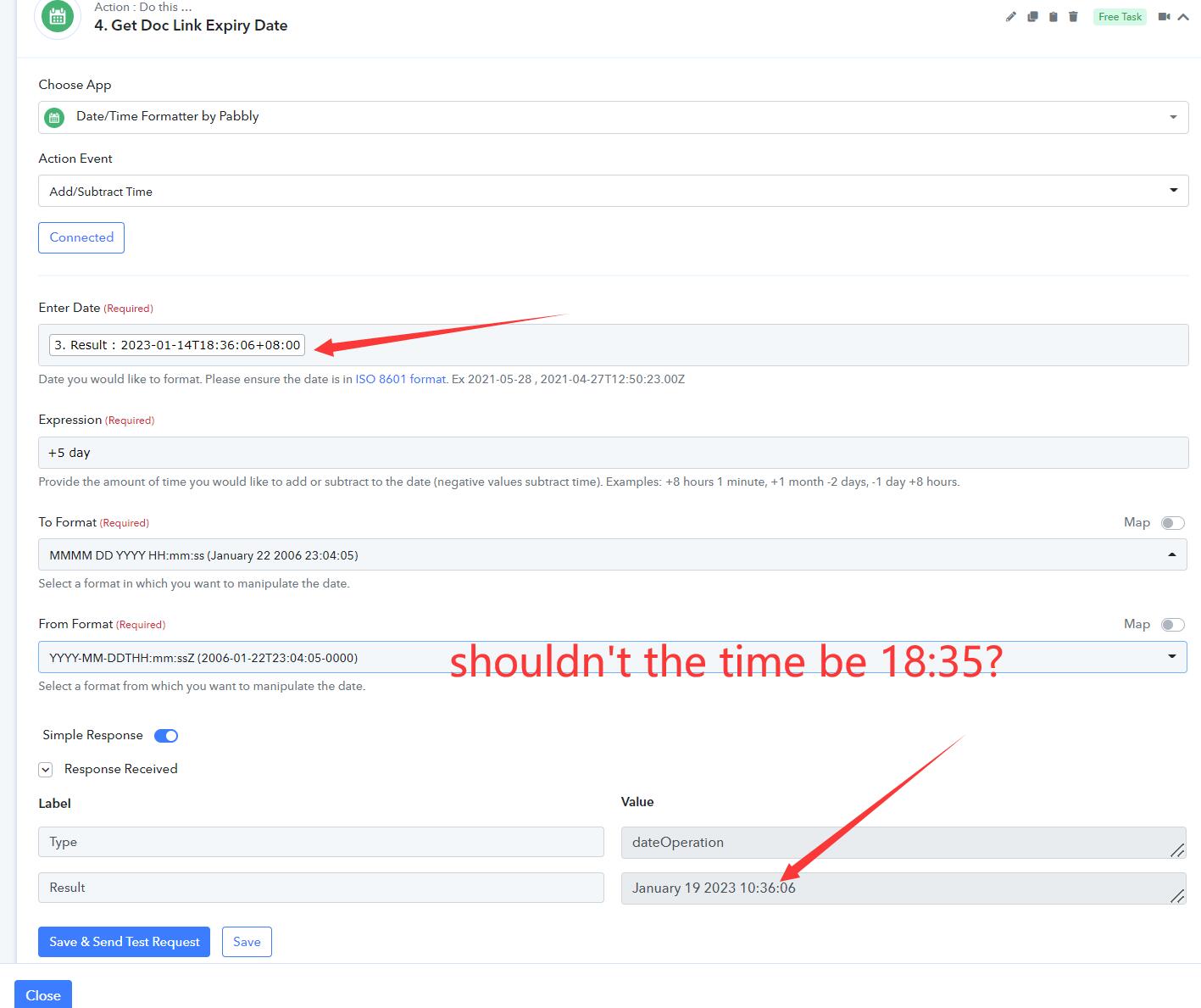
I have used your method, and using {{pc_utc_human_now}} to convert to a local Singapore time. 14 Jan 2023 18:36.
However when i add 7 days to this time, the time is not correct. i.e 19 Jan 2023 18:35?
See attached.
Any advice how to include the the correct time?
Attachments
Hey @ichilddev
Please let me know the workflow name to check the scenario. You might be entering the wrong date and timezone format because of which you are getting this value. Kindly share the details for checking it.
Work Flow Name: Create Deposit
Hey @ichilddevPlease let me know the workflow name to check the scenario. You might be entering the wrong date and timezone format because of which you are getting this value. Kindly share the details for checking it.
Hey @ichilddevPlease let me know the workflow name to check the scenario. You might be entering the wrong date and timezone format because of which you are getting this value. Kindly share the details for checking it.
Hi hi anyupdate?
Hey @ichilddev
We have checked the workflow by name Create Deposit and we did not find any workflow by that name. Also we have check the workflow that we found in your account and we did not find the action step there. Please let me know the actual step to check the scenario.

Thanks
Kunal
Hey @ichilddevWe have checked the workflow by name Create Deposit and we did not find any workflow by that name. Also we have check the workflow that we found in your account and we did not find the action step there. Please let me know the actual step to check the scenario.
Thanks
Kunal
It is V4 Create Deposit PDF &/Or Send Deposit
Attachments
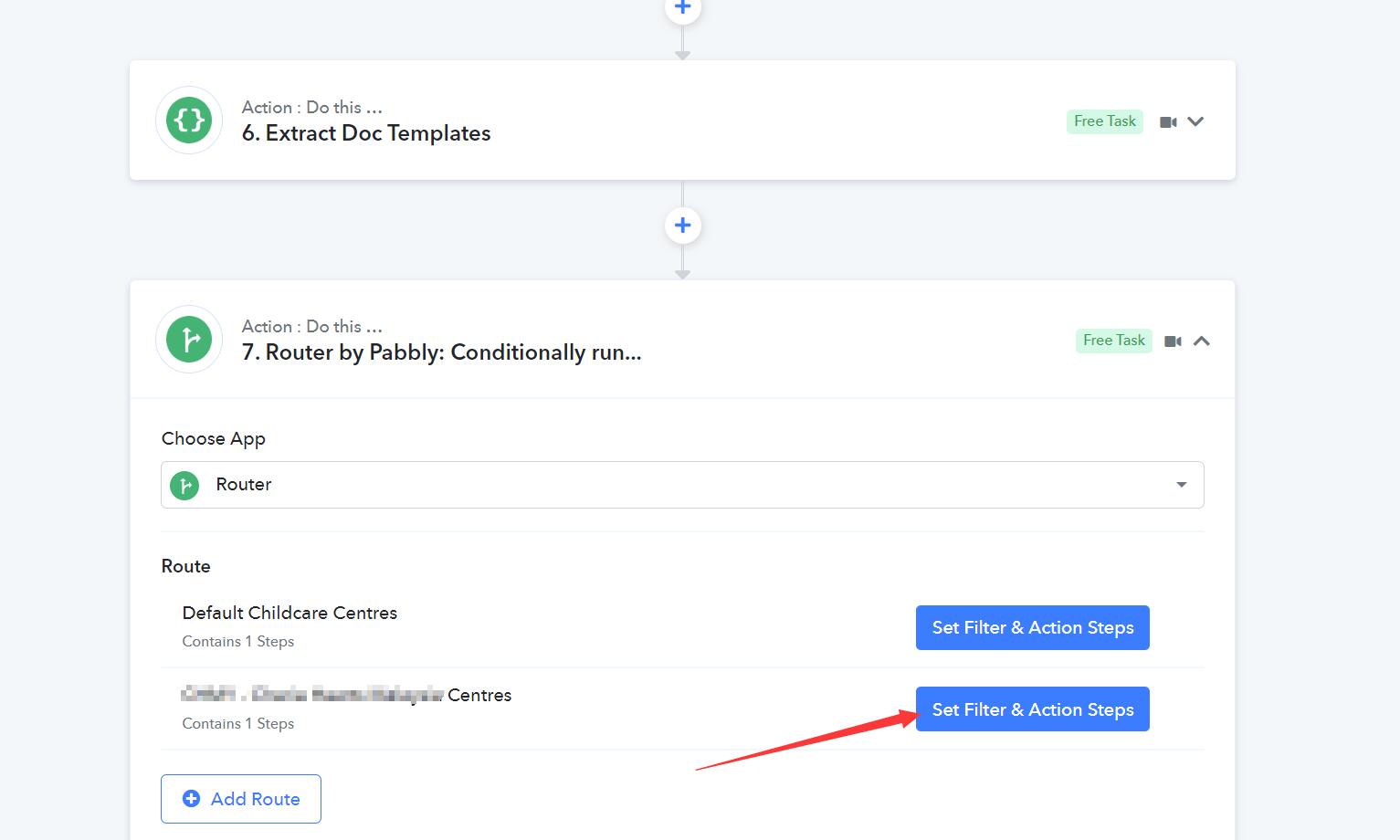
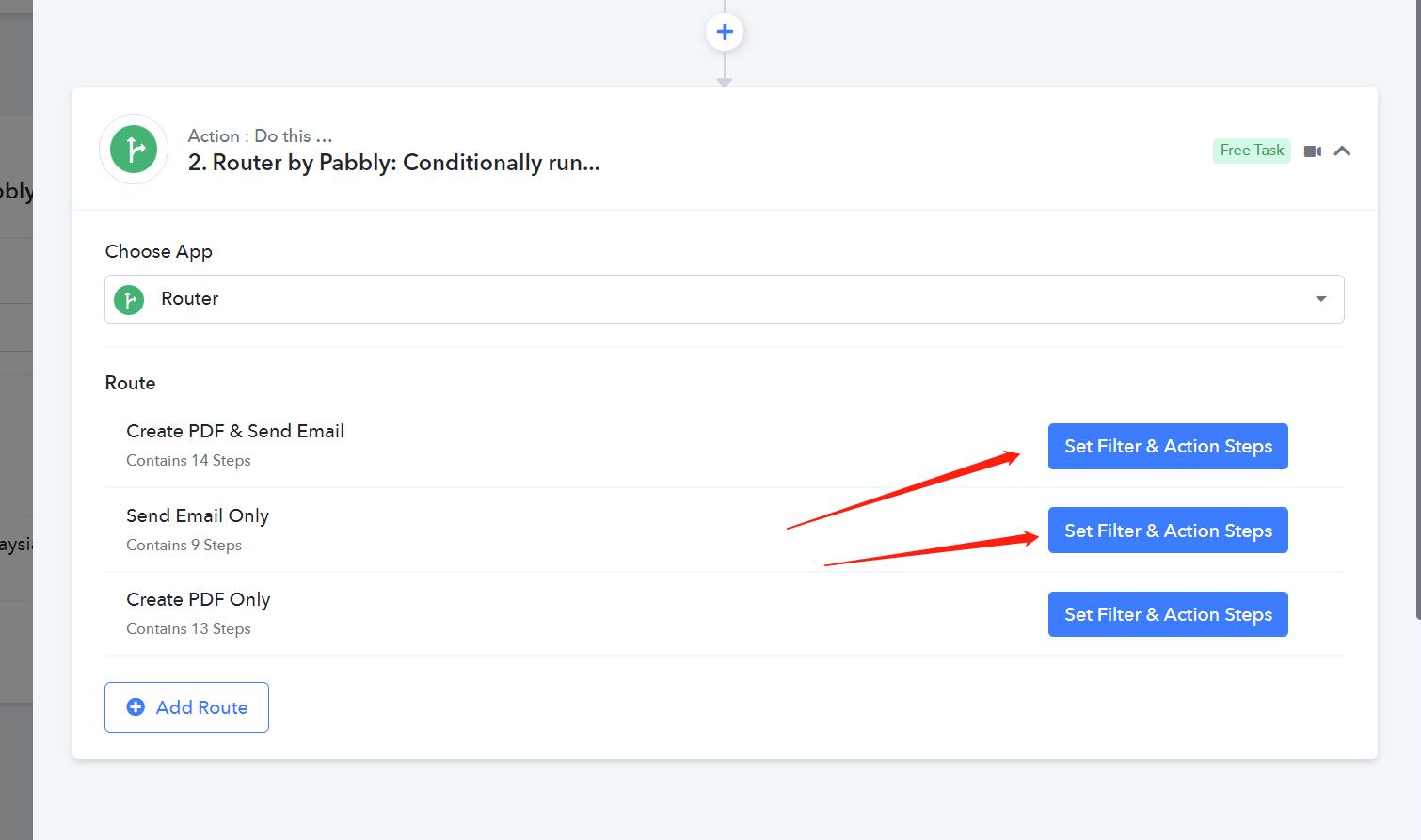
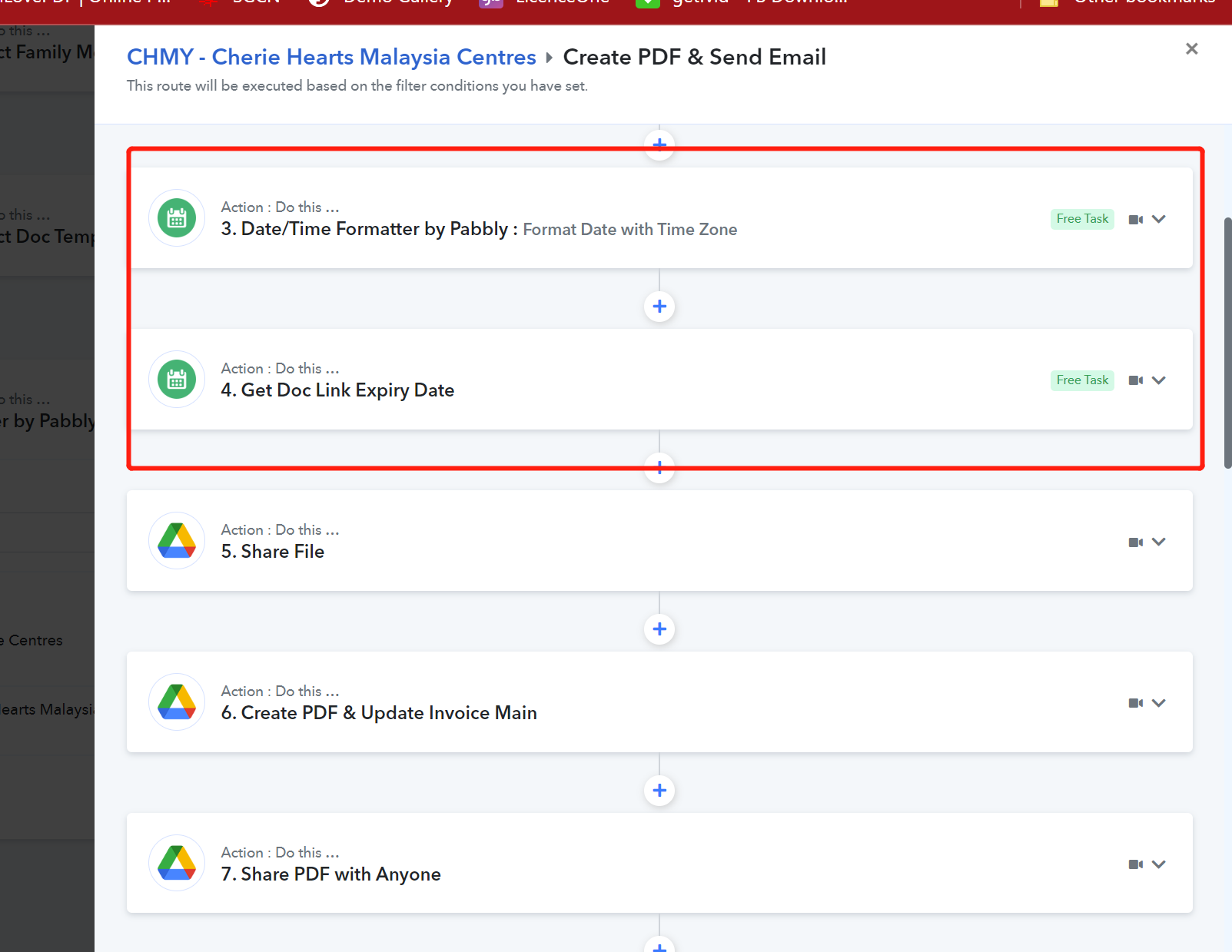
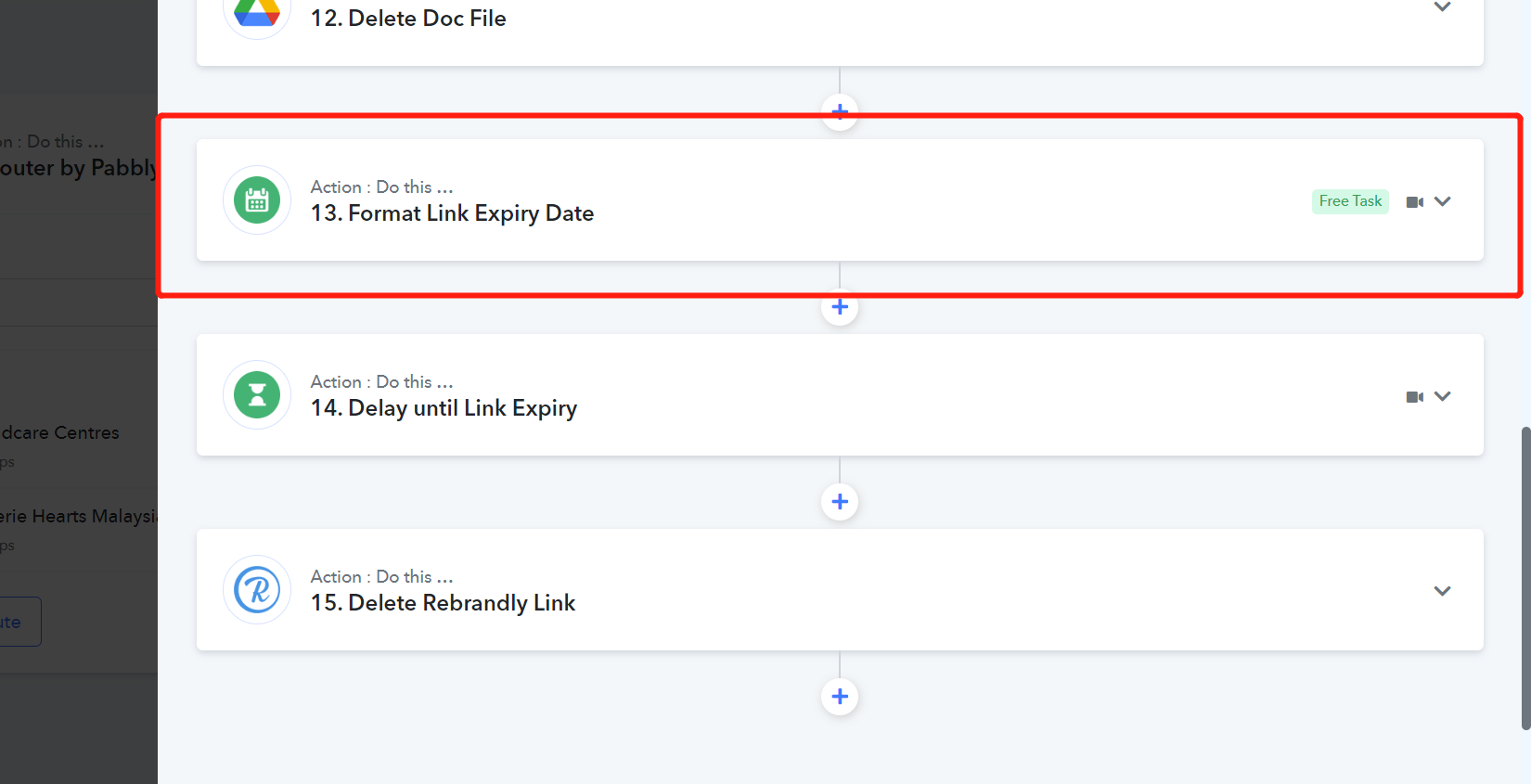
Hey @ichilddev
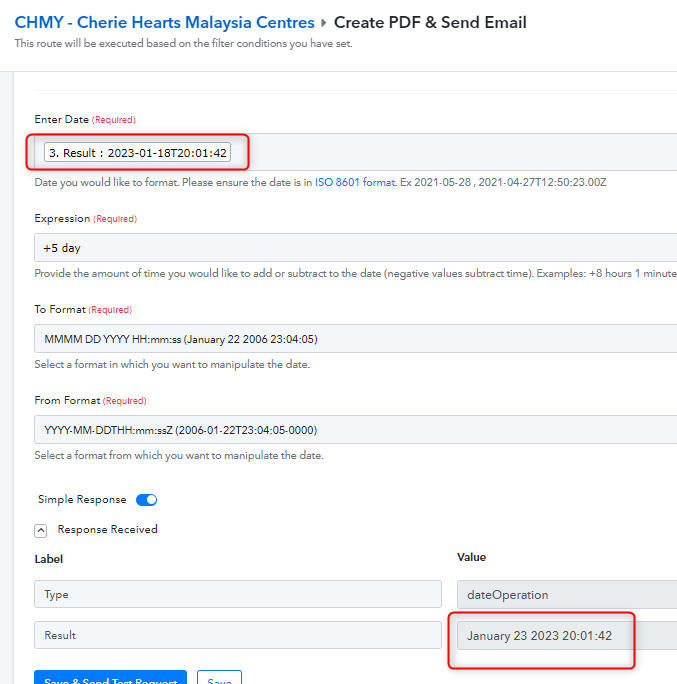
We have corrected the issue in your workflow and it is showing the date and time correctly. Please check the below screenshot:-
Thanks
Kunal
Hey @ichilddevWe have corrected the issue in your workflow and it is showing the date and time correctly. Please check the below screenshot:-
Thanks
Kunal
Oh let me check. Thanks
Hey @ichilddevWe have corrected the issue in your workflow and it is showing the date and time correctly. Please check the below screenshot:-
Thanks
Kunal
Hi We have this issue again. After following your earlier advises, it works when converting to local time. Today it seems off. Please see screenshot.
Attachments
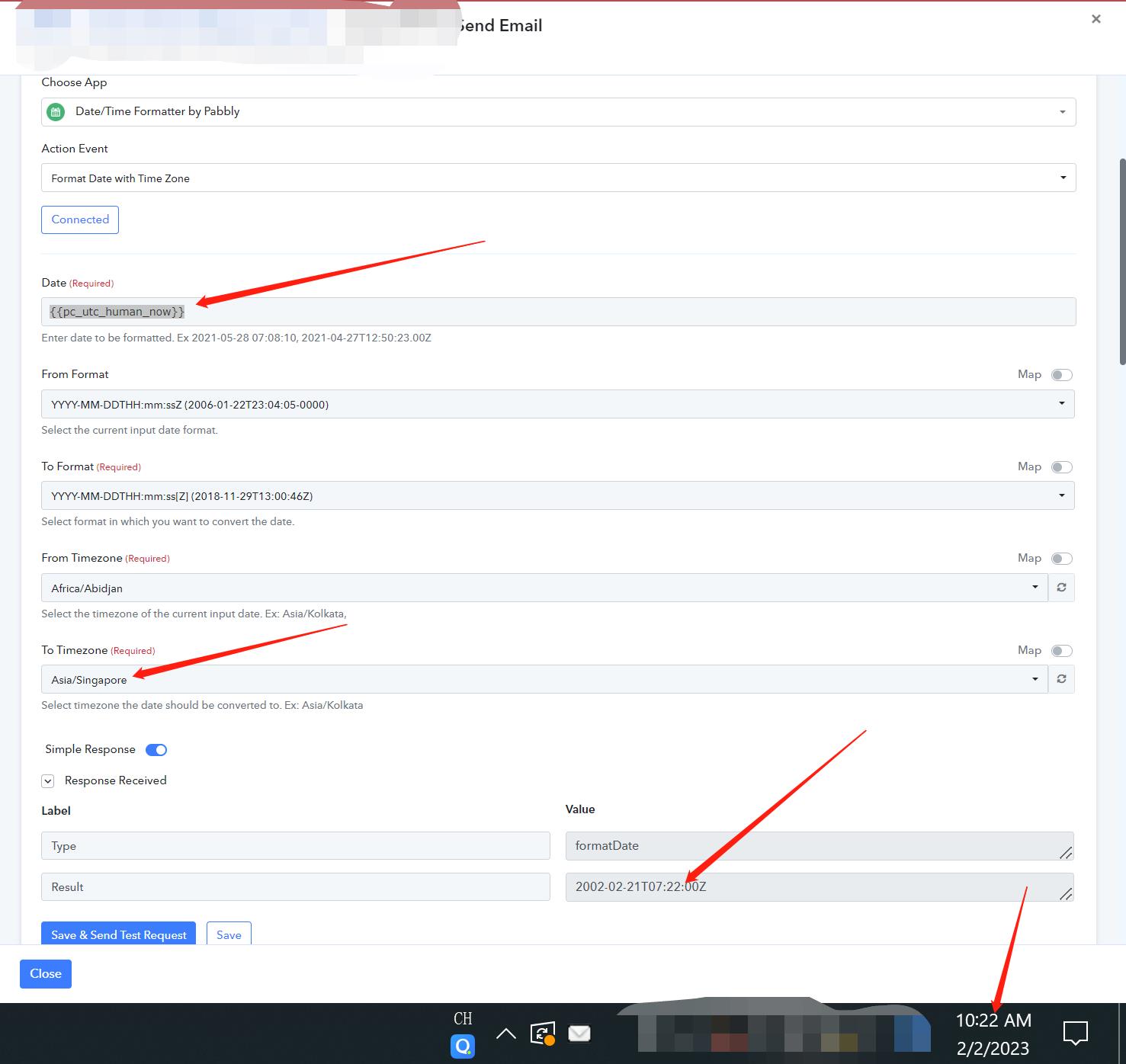
Hey @ichilddev
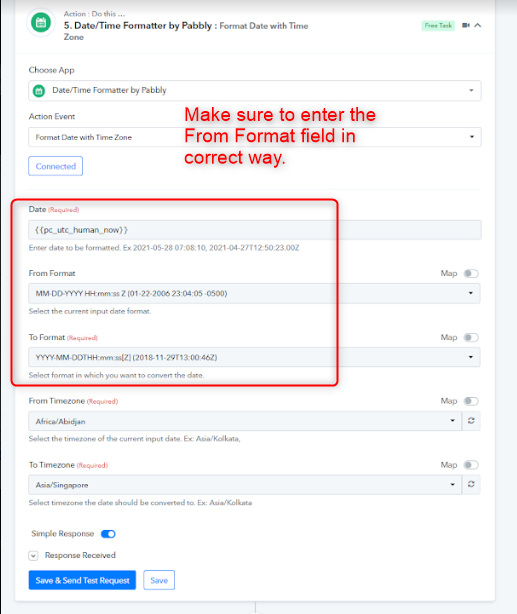
We have corrected the issue. Kindly make sure that you are entering the From Format date correctly.
Thanks
Kunal
Hey @ichilddevWe have corrected the issue. Kindly make sure that you are entering the From Format date correctly.
Thanks
Kunal
Hi Please see attached. The issue still persists and the time is not correct!
Attachments
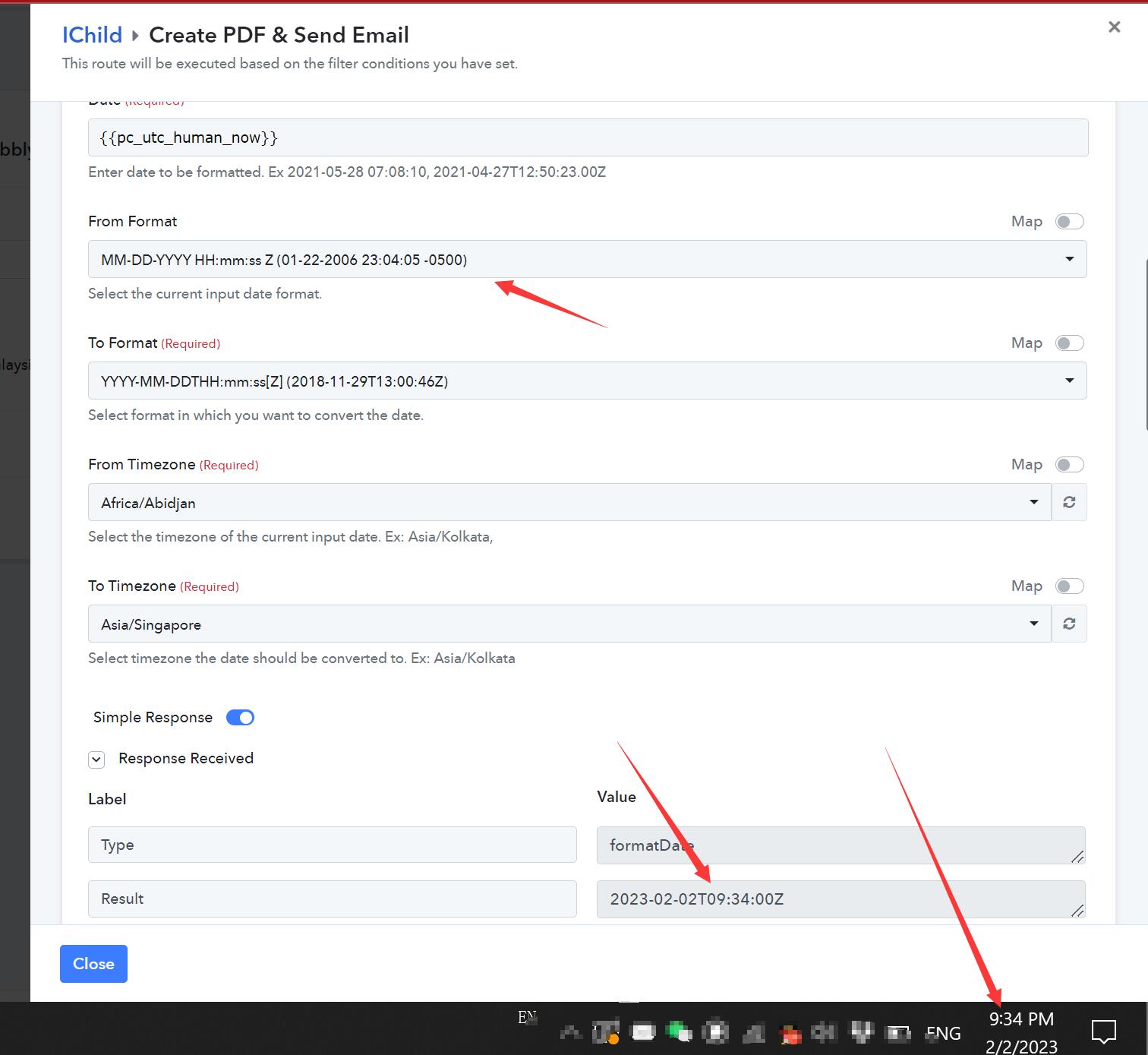
Hey @ichilddevWe have corrected the issue. Kindly make sure that you are entering the From Format date correctly.
Thanks
Kunal
Hi Please see attached.
The result is very inconsistent. At times it shows correctly. Compare the 2 time stamp at SG Time 843am and 914am, time result is not consistent.
Attachments
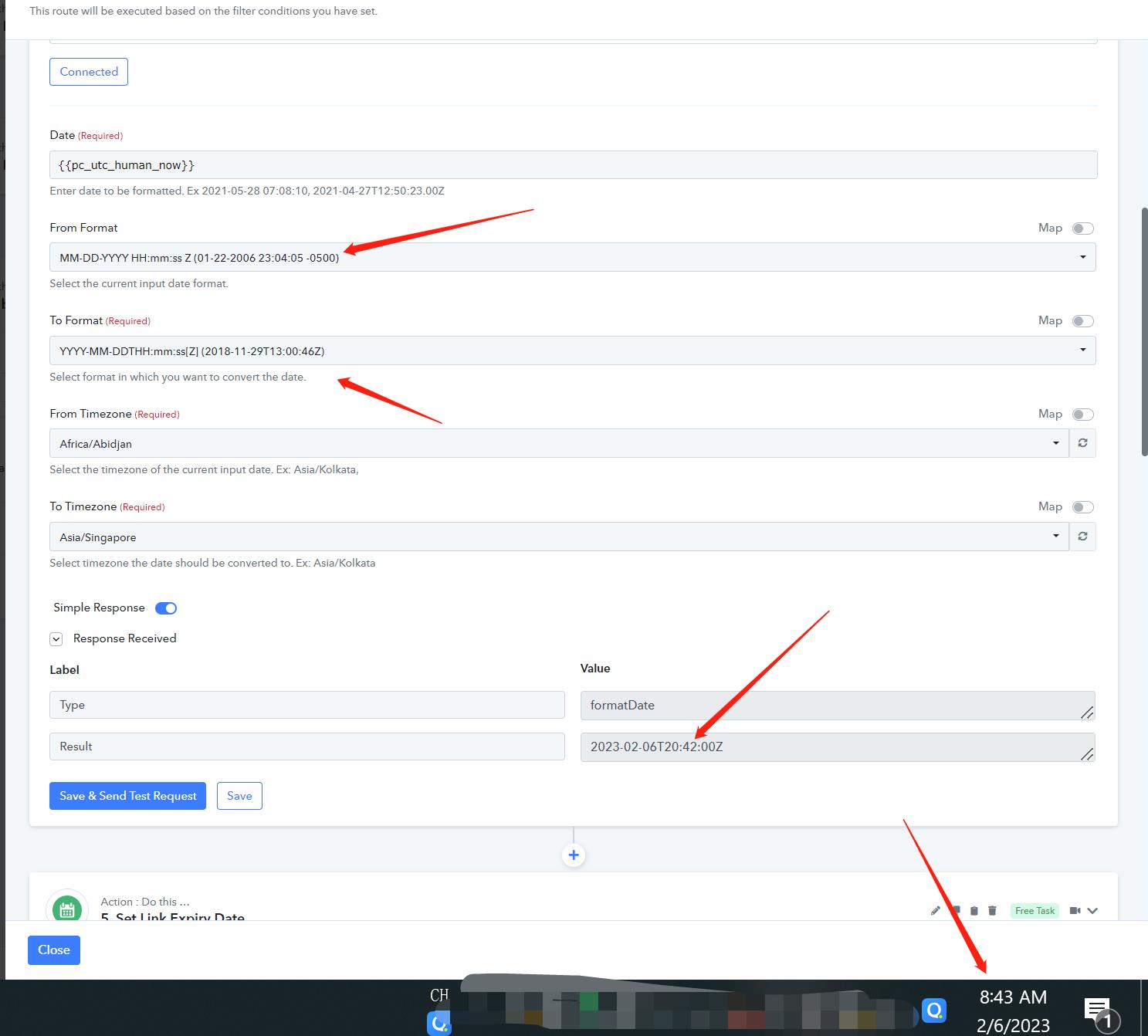
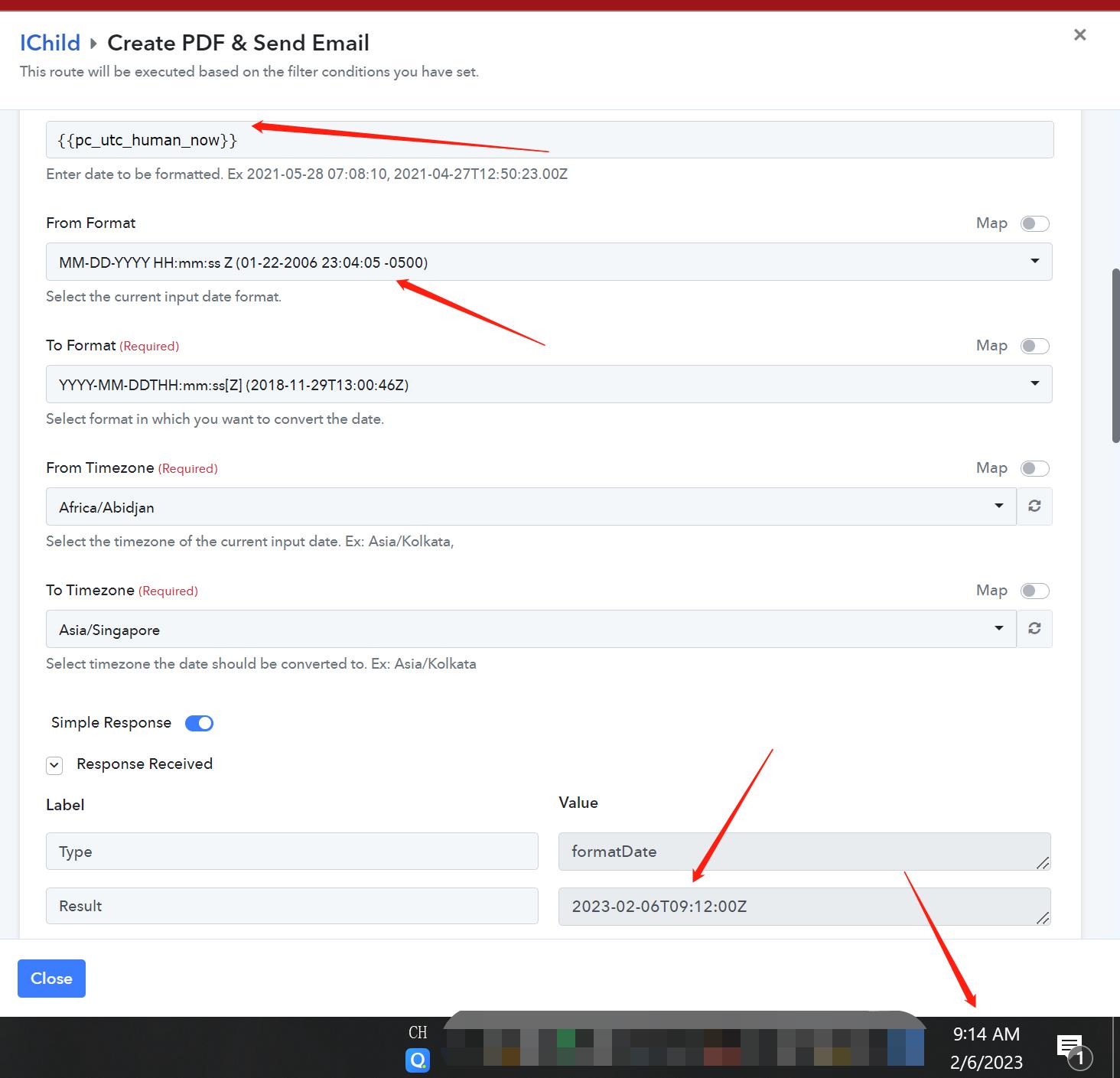
Hey @ichilddevWe have corrected the issue. Kindly make sure that you are entering the From Format date correctly.
Thanks
Kunal
Hi
What happens to the attached configuration when i used {{pc_utc_human_now}} and From TImeZone = Singapore, will the user's actual time be correct if he/she is using the system if not inside Singapore timezone i.e +8:00
Or Should I use UTC instead of Africa? I have used Africa because I have followed one of the advisor in the community.
Attachments
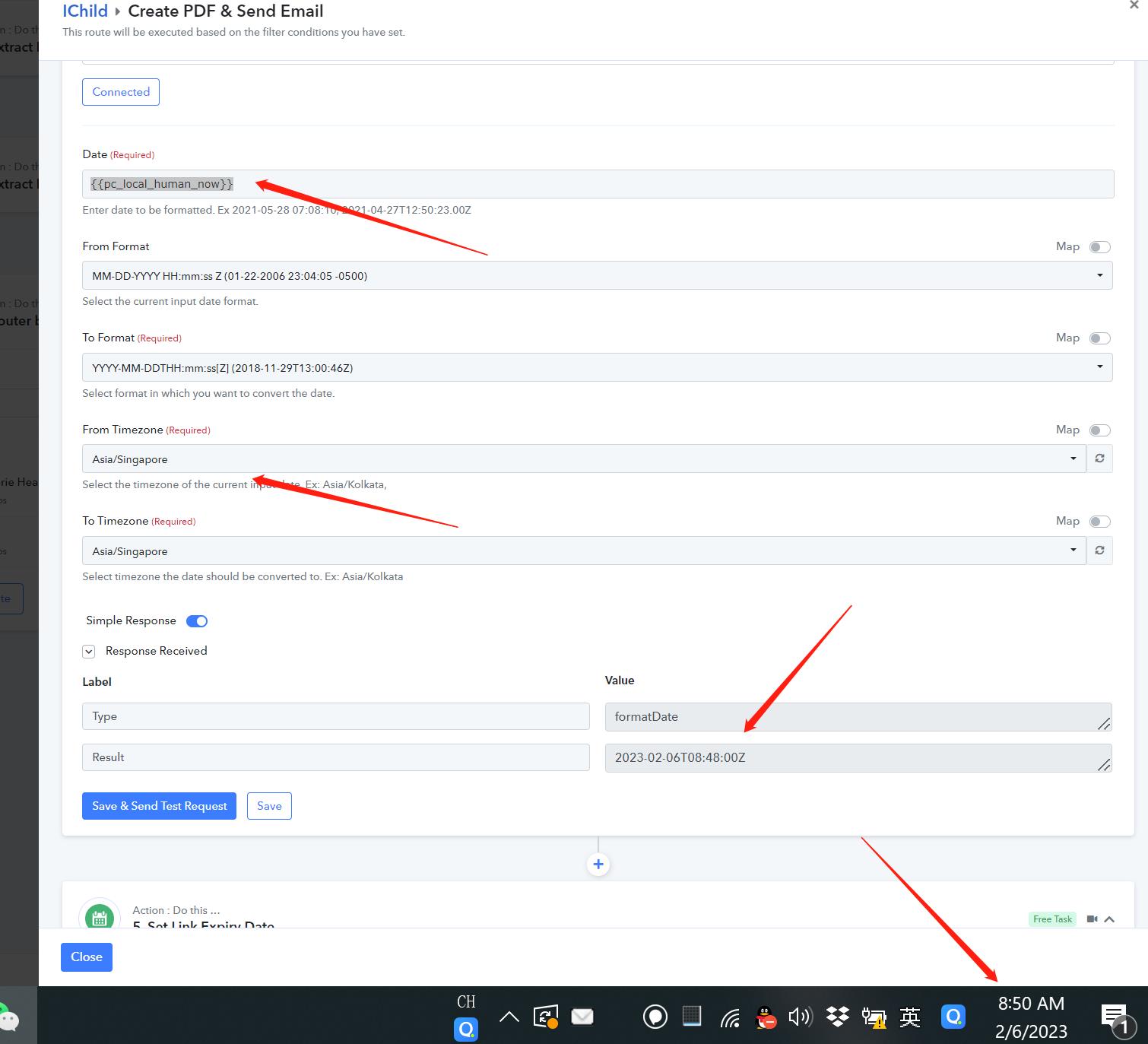
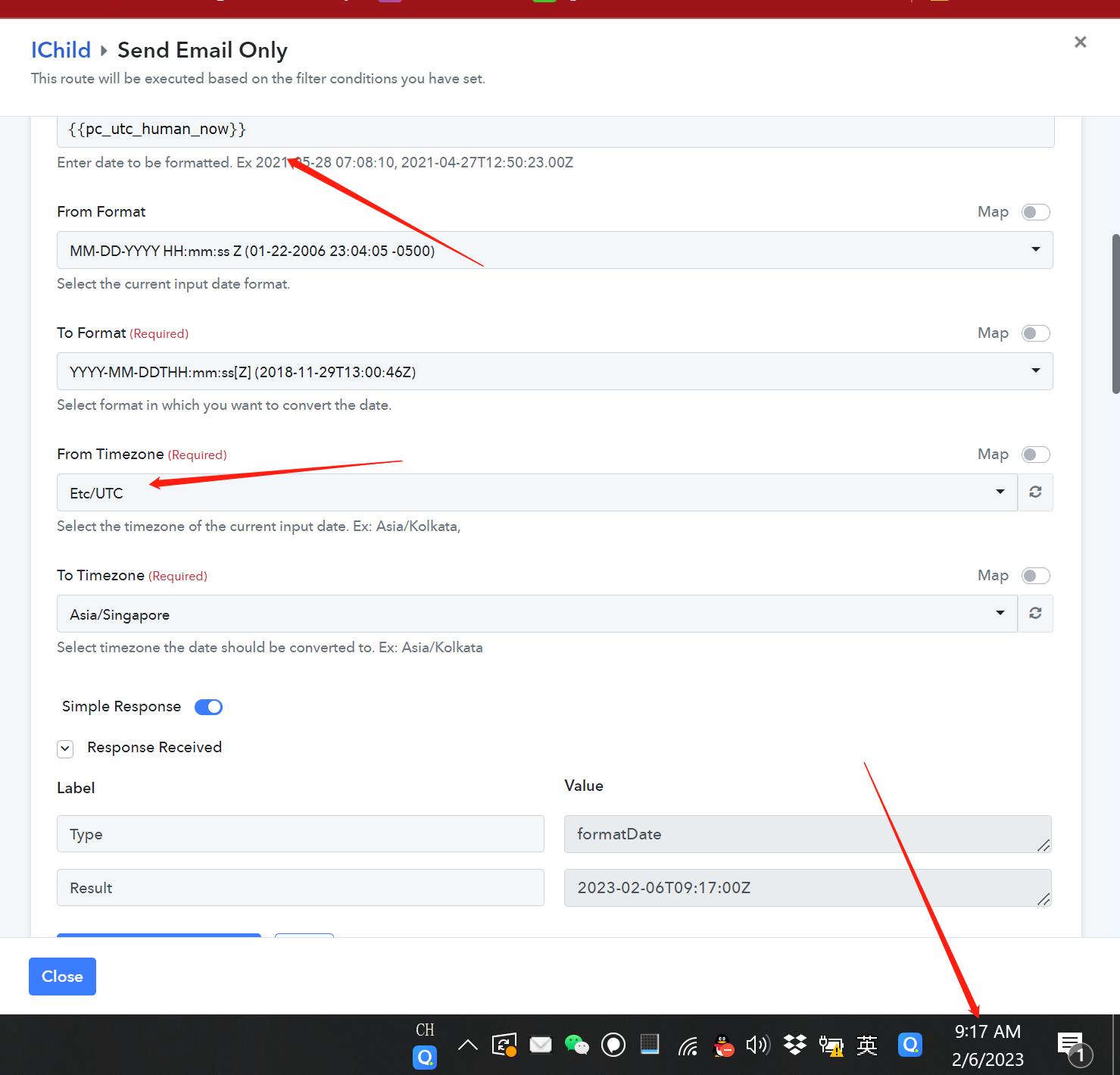
Hey @ichilddev
Please allow me day's time to check the issue with the team and reply back with an update.