How to add wishpond leads with IP address
Status: Closed · Asked by shimrannn on · 0 views
I have tried to add wishpond lead but I am unable to find IP address column in integration , can you please help me how can i update ip address with email address with other data , like name etc , Please guide
I have tried to add wishpond lead but I am unable to find IP address column in integration , can you please help me how can i update ip address with email address with other data , like name etc , Please guide
Looks like you have already figured out how to do that using the "Update Lead" action event -
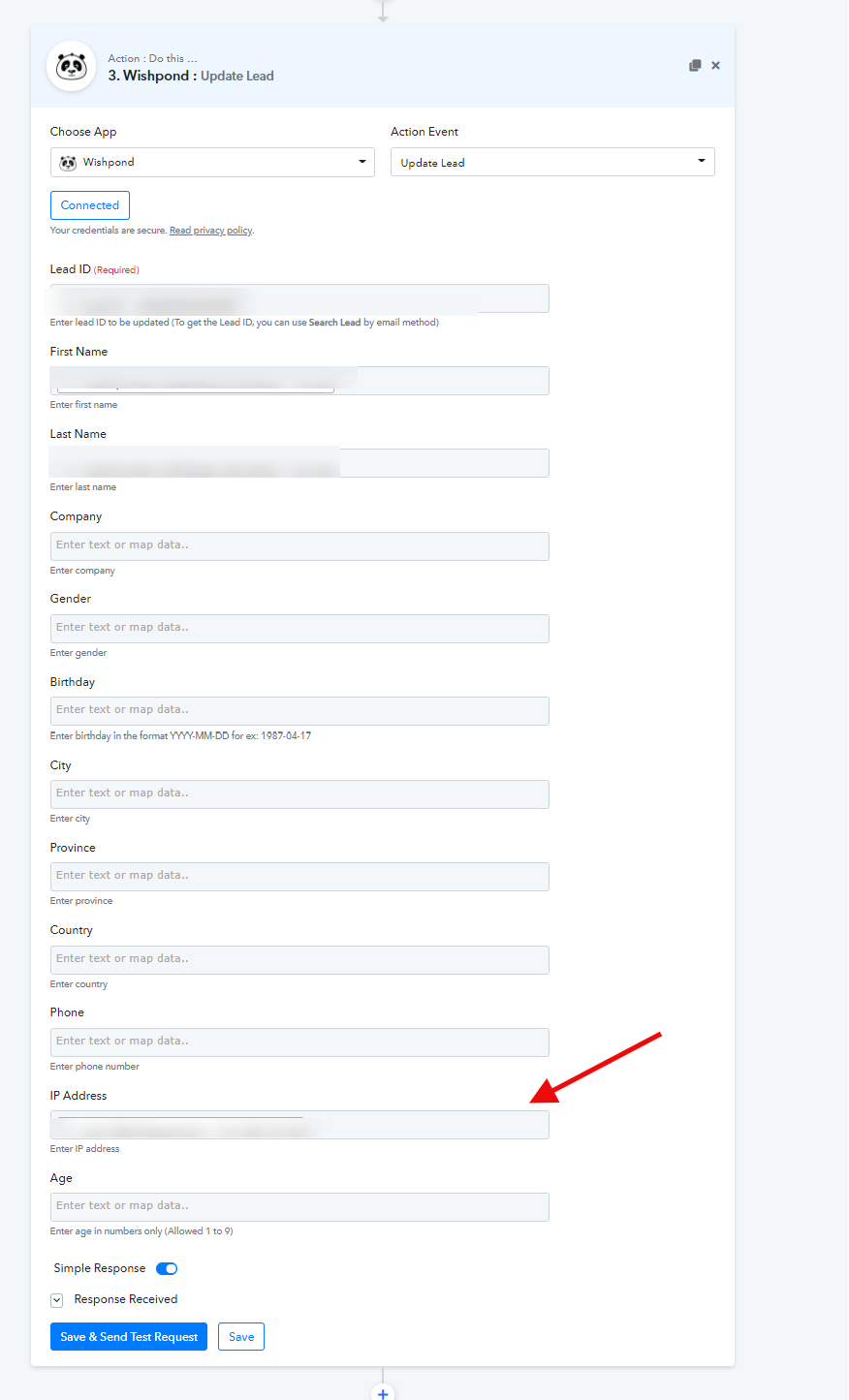
Is there any other way to add the lead with ip address in one step because "UPDATE LEAD" is a new task and first it will search the perticular lead and then it will update so may be it can make mistake ,
I want to know that when pabbly is adding the lead then on the same step can it add IP address too ?
Is there any other way to add the lead with ip address in one step because "UPDATE LEAD" is a new task and first it will search the perticular lead and then it will update so may be it can make mistake ,I want to know that when pabbly is adding the lead then on the same step can it add IP address too ?
We have updated the Create Lead action with all the fields including IP Address. Please reconnect the step and map the desired field.