How to cancel Calendly Appointment?
Status: Closed · Asked by Jithin on · 0 views
Hi,
I want to check a condition based on one of the answers provided in calendly form and if true, cancel the calendly appointment.
I can see that there is an action called "Cancel Event" on Pabbly. It required Event's uuid. I've tried with all urls available but I'm not able to cancel the test appointment.. What should be the value of event's uuid
Could you please help with cancelling an event in calendly. Thank you.
Hey @Jithin
Can you please share the workflow once in which you have tried the same so that we can look into it and can guide you accordingly?
Hey @JithinCan you please share the workflow once in which you have tried the same so that we can look into it and can guide you accordingly
https://connect.pabbly.com/workflow/share/XRUHNVIFUDMASgFsAUpWcQ4aUlYAWVU2Bh9SQAEOAnoATlUuA0IKYF8TBCZWN1IzXhcGbFIOU2tdSQYCAlRSIVNKCA0GGQZbV2RWEwdYXXddPw##
Please check the following screenshot on how you can pass the cancellation UUID in the action step.
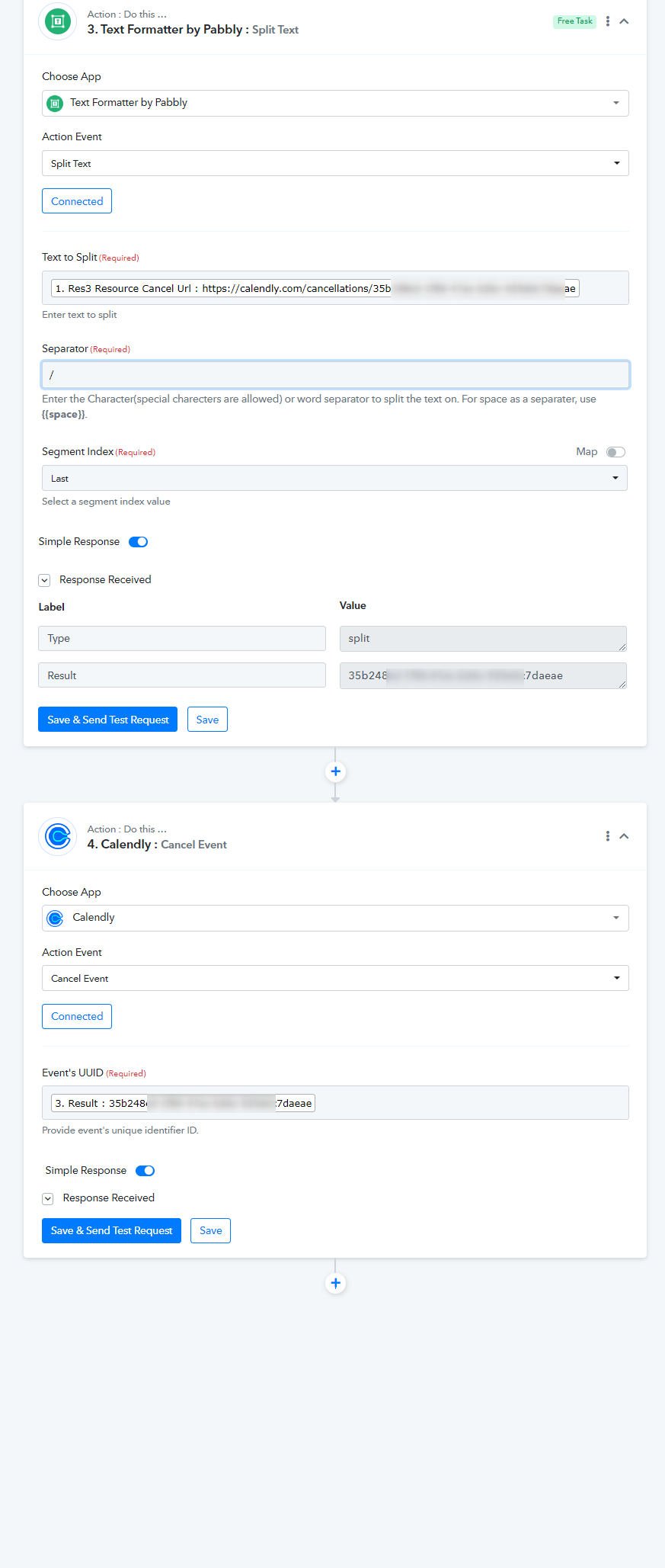
Thank you so much for the clarification. I was using the URL itself. By using the id at the end of the string sorted the problem.
Also please note that in order for this to work, we have to use the "scheduled event URL"
and not the cancellation URL.
This will help me a lot as well.
But I have a question. I noticed that on this specific case there is only one user. But in my case I have about 12 users and round robing calenders, and as I select the calendly account it asks me to select a user.
Does this means I´ll have to create one flow for eah user?
Also when I select one of the users, and click on save and test it keep justshowing waitinf for response. I waited for more than 30 minutes and nothing. 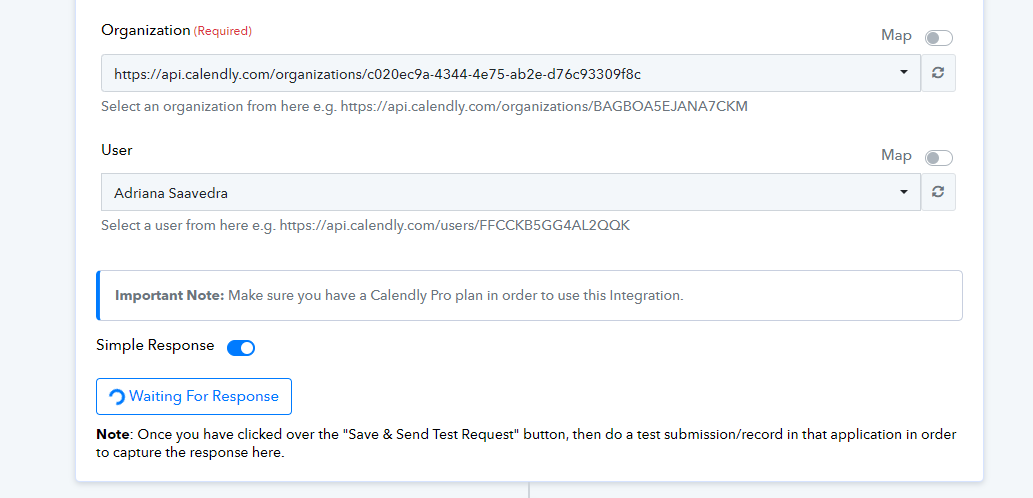
Hey @Renato Drumond
I believe yes, you have to create 12 workflows for all 12 users. Kindly share your workflow name to confirm the same. Also, kindly share your email id through which you have created Pabbly Connect account.
Also when I select one of the users, and click on save and test it keep justshowing waitinf for response. I waited for more than 30 minutes and nothing.
Hi @Renato Drumond
I had 2 users under the account with different time slots. One in AUS and one in US. And I connected the admin's calendly account. And interesting thing is that there was no appoinments connected with the admin's email itself. So whenever I wanted to cancel an event based on a condition, it would just go ahead and cancel the event irrespective of the user connected to that event.
The waiting for response could be because there was no appointment booked for this user. Please try to create a test booking and see if that changes anything.
I hope this helps.