How to convert a text into a date to send reminder, Input is 8 June 2023 8pm ?
Status: Open · Asked by Saurabh Arora on · 0 views
Unfortunately i am able to extract 8 June 2023 8pm as date. It's a text, hence i am not able to convert it into date.
Intent is to send reminders one hour before scheduled appointment time
Hey @Souravarora,
Please grant me access to your workflow by adding me as a team member. This will allow me to gain a better understanding of your issue.
Once you have added me as a Team Member, do let us know the name of your workflow.
Email: arshil.ahmad@pabbly.com
Also, remember to revoke access once your query has been resolved.
Attaching a video for your reference:
Name of the workflow Zoho to Gsheet
Access given
Need to convert text 8 June 2023 8pm
Is it possible for you to capture time as 8 pm instead of 8pm from Zoho CRM?
Arshil https://connect.pabbly.com/workflow/mapping/IjU3NjUwNTZkMDYzNzA0M2M1MjZjNTUzNzUxMzQi_pc
In workflow named qudify to zoho crm. I am using text formater with {{space}}. Hence entry in zoho get derived from it. Cab you suggest how to make it 8 pm from there. If that is done entry in Zoho Crm could be changed as per your suggestion. Thanks
Kindly tell us in which number of action steps you have the date and time in the response, and check the possibility to convert the text to a date format.
And was the date always come in the same format(text)?
So, for time it is step no. 6, 13 & 16 and date is step 7.
Yes all is text as it gets extracted from an email.
We put time as 8pm instead of 8 pm in tool through which we get an automated email as we are using in Text Formatter Split Text {{space}}
Unfortunately i am able to extract 8 June 2023
Please check the following screenshot where we have converted the date and time to a certain format which you can use in the Delay Until action step.
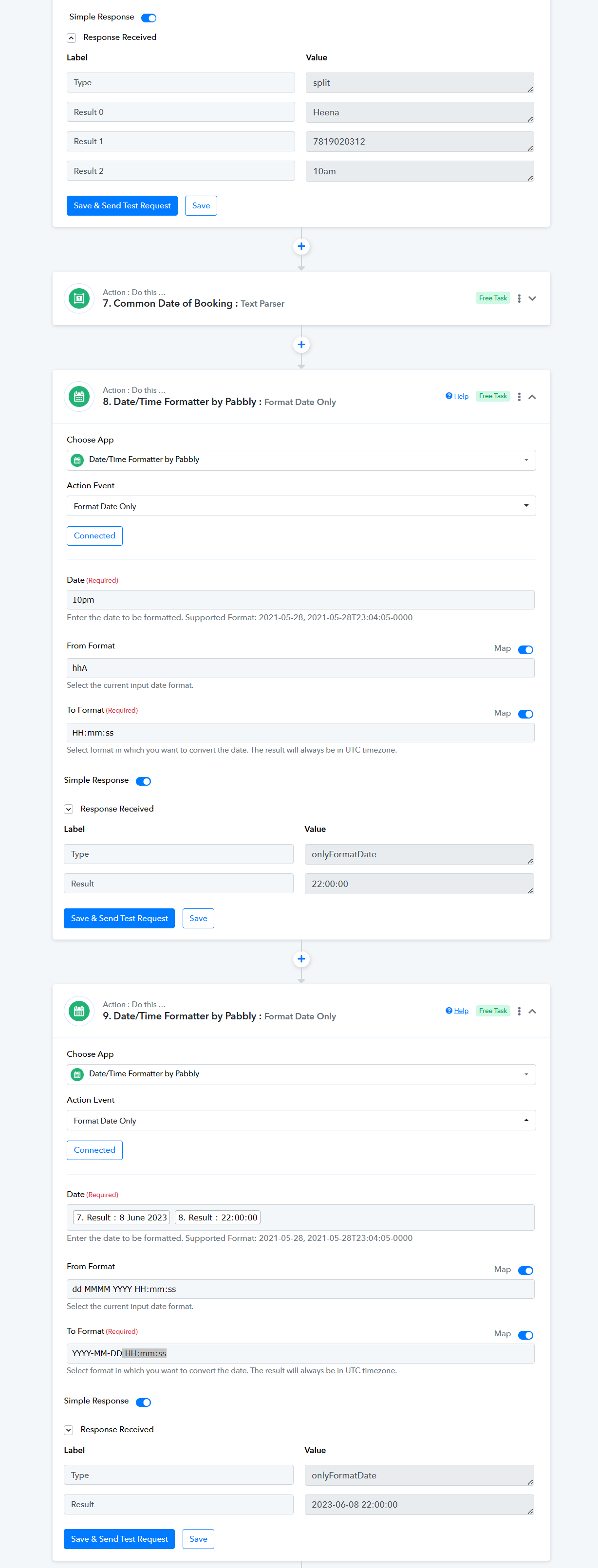
I have changed the format. Now, i want to send a reminder 1 hour before appointment to use delay i want to substract 1 hour from the date. Its not happening. Please help
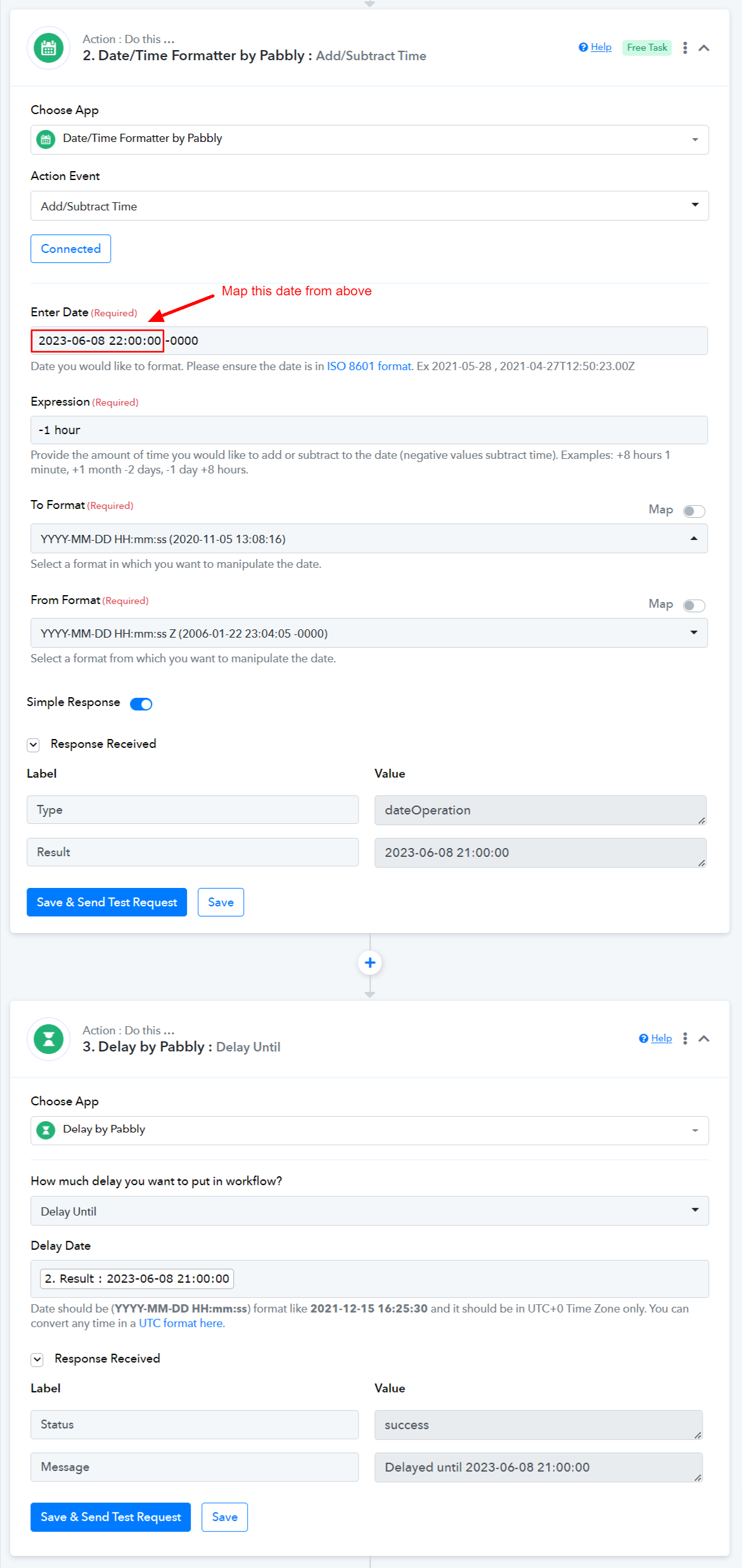
Please refer to the attached screenshot below to understand how you can subtract 1 hour from your current time and utilize that adjusted time in the Delay function.