How to create recurring events when syncing one google calendar to another?
Status: Open · Asked by Scott Greening on · 0 views
I'm setting up an automation triggered by a new event on a Google calendar.
I want to create a corresponding event on another Google calendar.
The automation works as expected when creating one-time events. However, when repeating events are created, it only creates the first occurrence.
How can I set up my automation to check for repeating events and create them when appropriate?
Hi @scottgreening,
Could you please share the Workflow URL where you have tried this?
Hi @scottgreening,Could you please share the Workflow URL where you have tried this?
https://connect.pabbly.com/workflow/share/CEAENlUCUjEETgFrAVIHIAkdUVVUDgkwABlSQFdYVCwHSQd8B0ZdN1wQUXNfGFQ1Vx4EblUKBWEOGgQAA1UBclJICCRSUVIoVRgAM1EUCzgIVgQsVTQ#
Please create a recurring event in your Google Calendar account and capture that event in the Google Calendar trigger step of your workflow setup by clicking on 'Save & Send Test Request'.
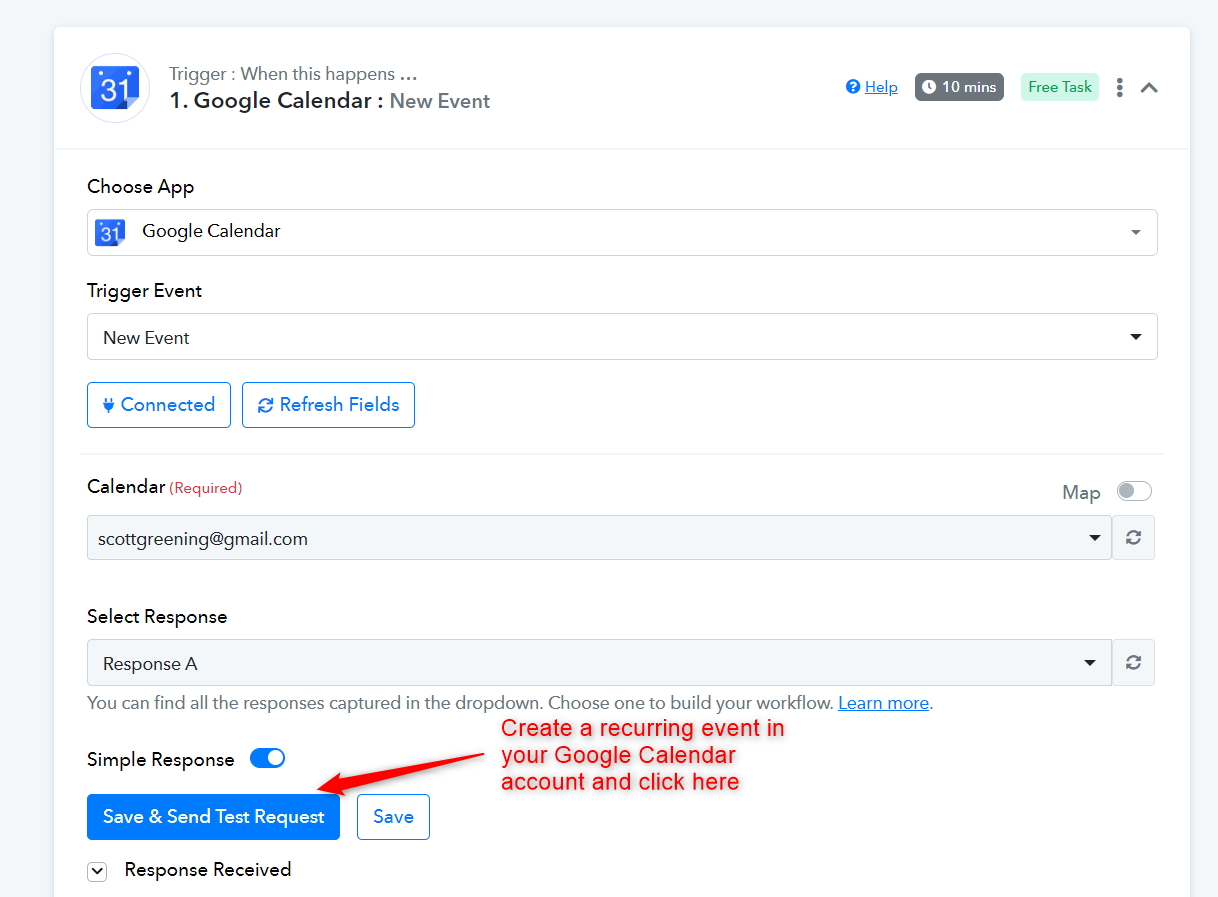
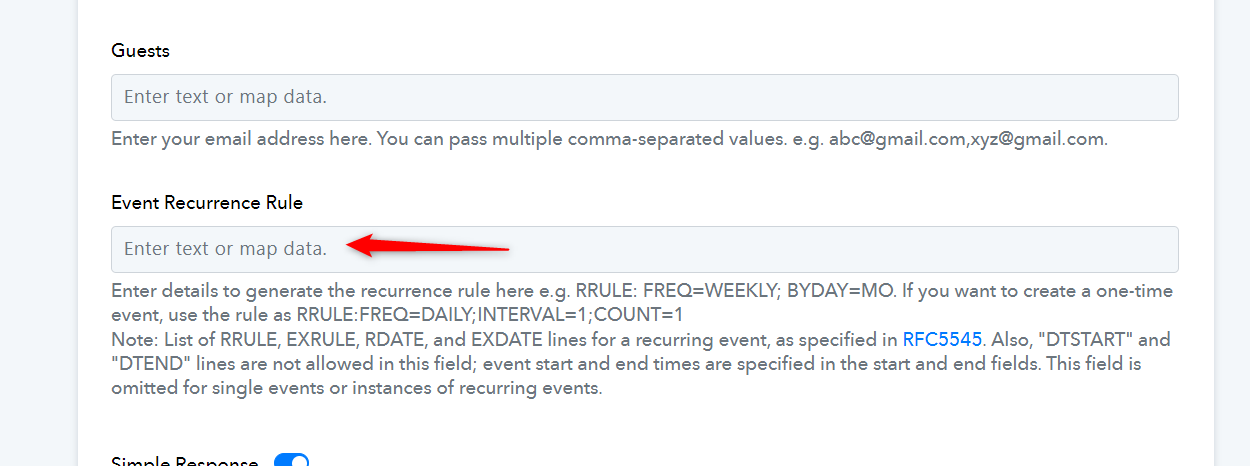
You will then receive a 'Recurrence' field in your trigger response, which you can map to the 'Event Recurrence Rule' of your action step. This will help you create recurring events.