How to create subtask in jira using pabbly connect and google forms
Status: Closed · Asked by cyrilgp on · 0 views
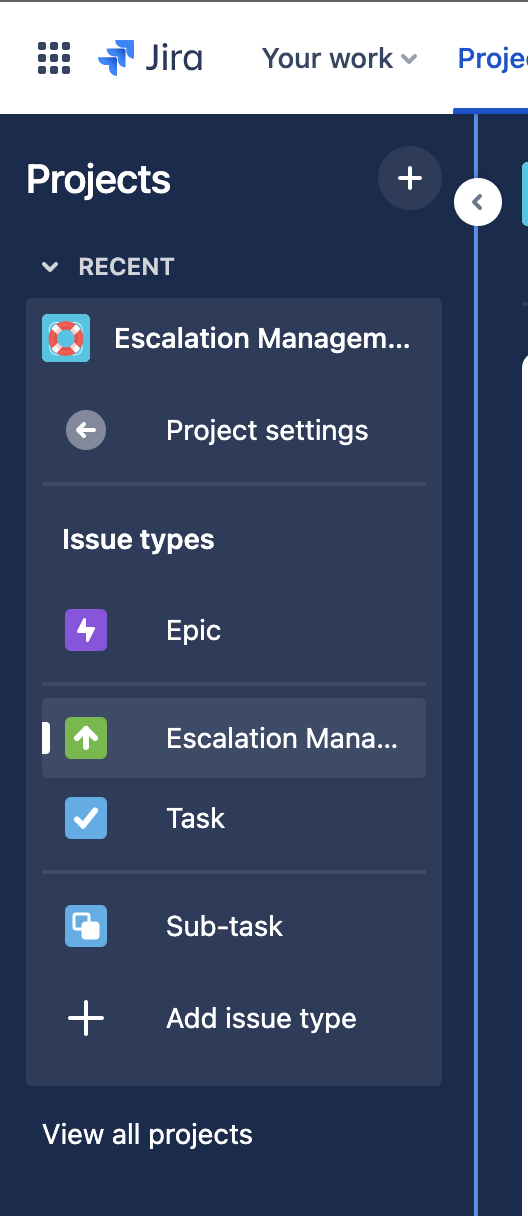
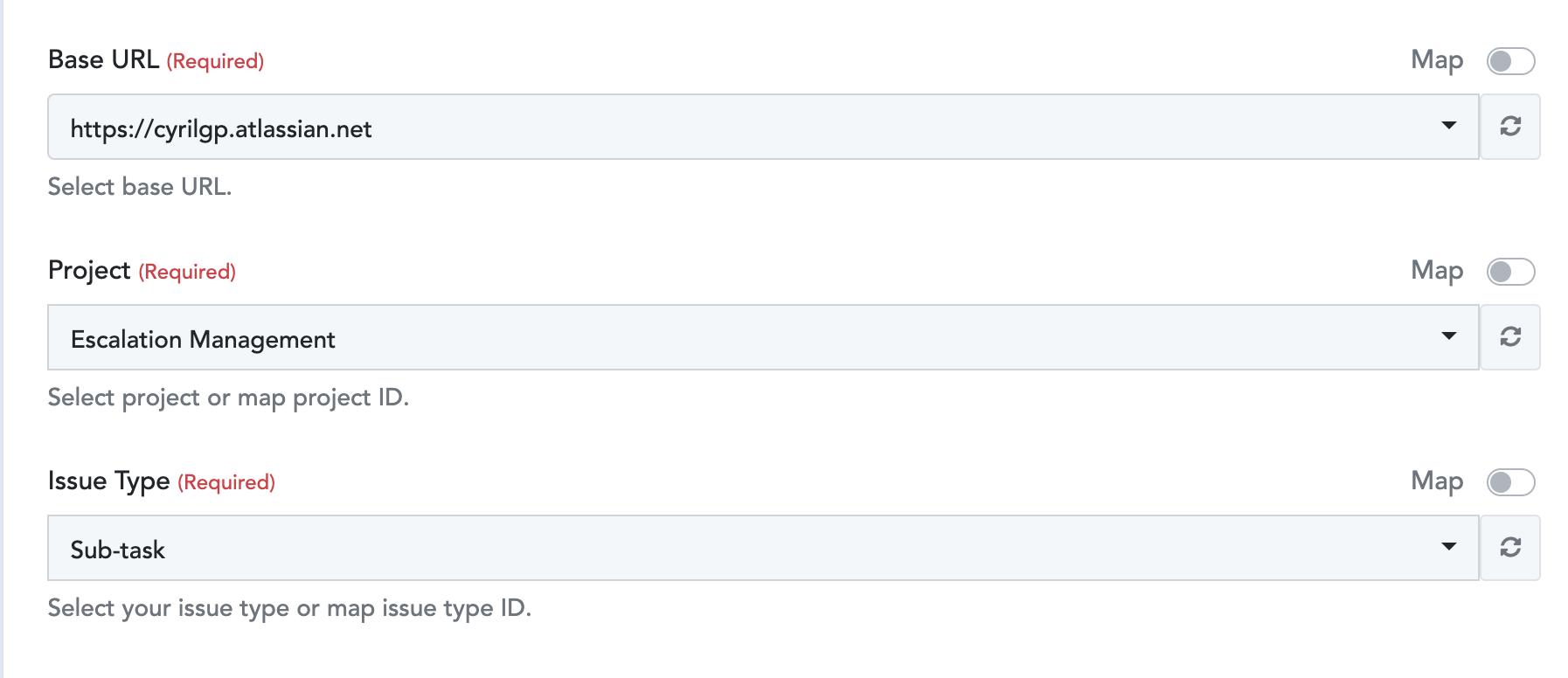
I am testing Jira creation using Google forms, everything works fine. However, I can't to create a Subtasks Jira, When I select Subtasks in the Pabbly connect Jira configuration dropdown when I save I get an error
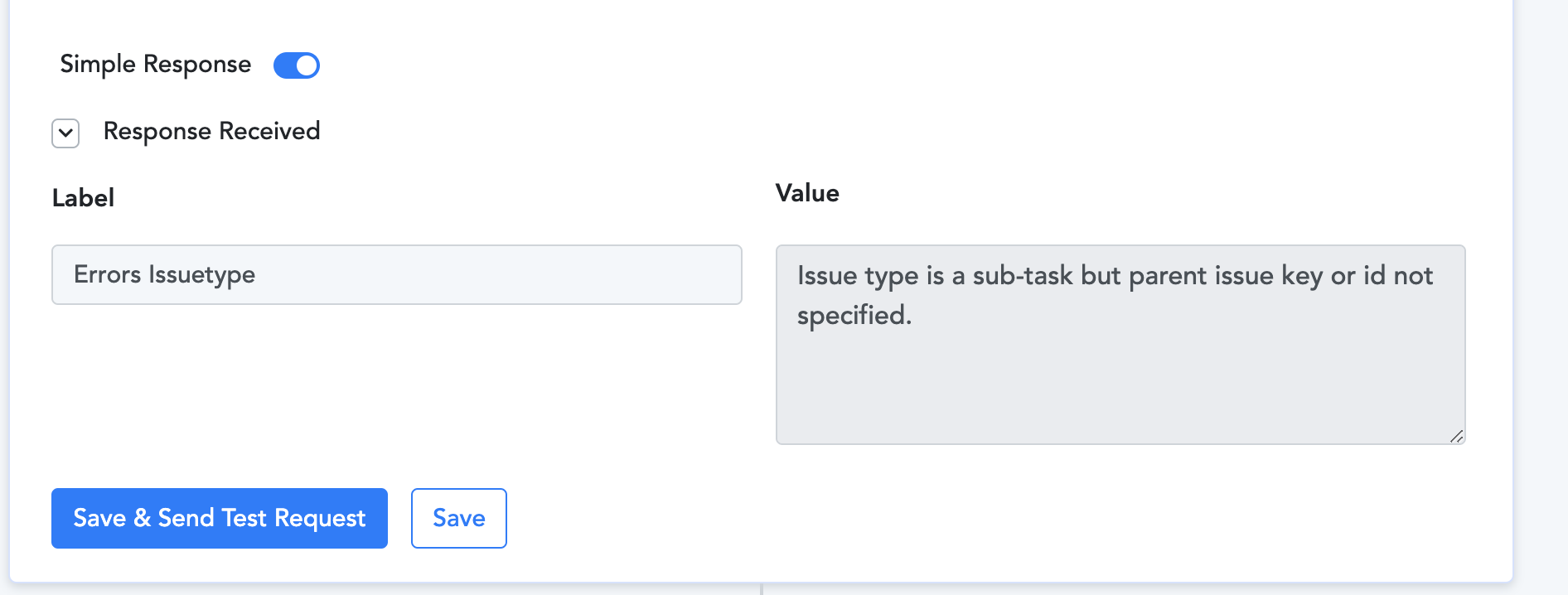
Errors Issuetype = Issue type is a sub-task but parent issue key or id not specified.
How do I get the parent issue Key Id in Jira ? I want to create a subtask ticket so I can associate it with a Task later or even better is I can associate it to a particular parent task that matches a filed like "Customer Name".
Thank you.
Attachments
Hey @cyrilgp
We need some time to check this issue with our team. We will get back to you soon.
[JUSTIFY]This email is to notify you that for the workflow "Gogle Form to Jira" , a recent task was not executed due to following error -[/JUSTIFY]
Task History ID: IjU3NjcwNTY0MDYzMzA0MzE1MjZhNTUzNDUxM2E1MTYzNTQzMyI_3D_pc
Step Name: Jira Software > Create Issue
Connection Name: Jira Software #1
Task Error Detail:
{
"errors > issuetype": "Issue type is a sub-task but parent issue key or id not specified."
}
Hey @cyrilgp
We have forwarded your concern to our Technical Team and our team is currently working on it.
We need some more time to resolve this issue. I will let you know with an update soon.
Thank you, quick assistance on this will help evaluate the product. I appreciate your help.
Hey @cyrilgp
We have made changes to the "Jira Software>Create issue" action step by adding the Parent key field. Henceforth, when creating a sub-task, you will have to enter the parent key.
To proceed, kindly reconnect with your Jira Software account and ensure that all the fields are mapped correctly.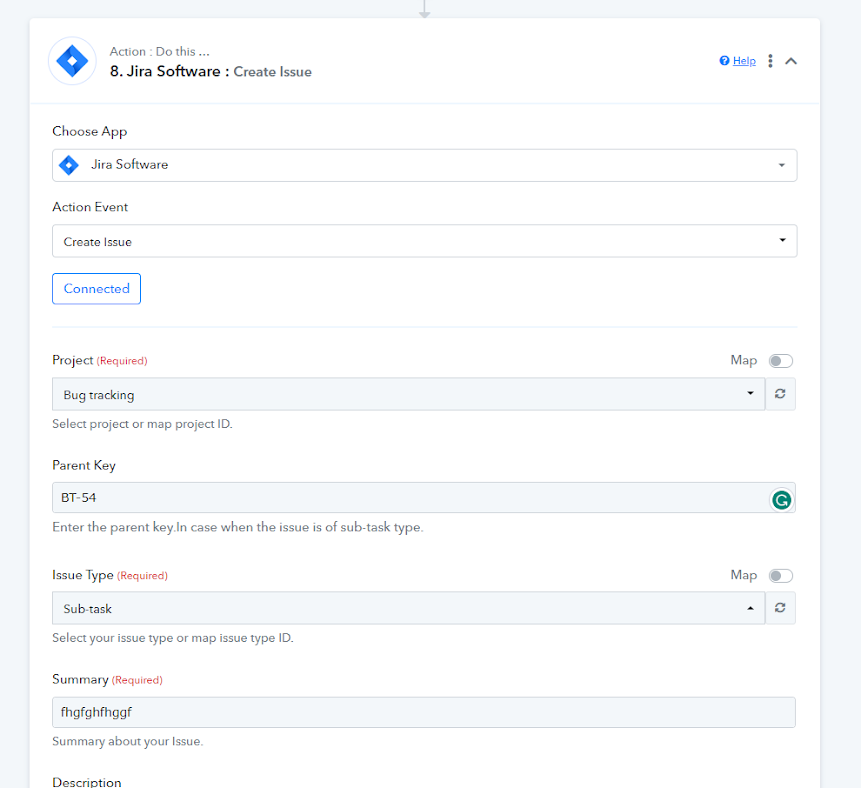
Please let me know if you are still facing the issue.