How to deliver codes through Pabbly when a purchase is made with Paypal
Status: Closed · Asked by madafakaa on · 0 views
Hello, I sell digital gift cards through my website, and I want to automate a delivery, so it is instant over Pabbly.
The thing is I have these values of gift cards: $20, $50, $100, $200, $500, and $1000.
I made a Google Sheet containing all these gift cards, there are like 100 random codes on each gift card
I did connect Paypal and pabble through IPN to notify me about the new order and everything, I'm just stuck on a delivery code because it needs to match the order value and the gift card value.
So for example customer purchases a $20 and $50 order, it gives him a code from the row of $20 gift card and from the $50 gift card row, i don't want it to mix it up, so it doesn't send like $100 instead of $20...
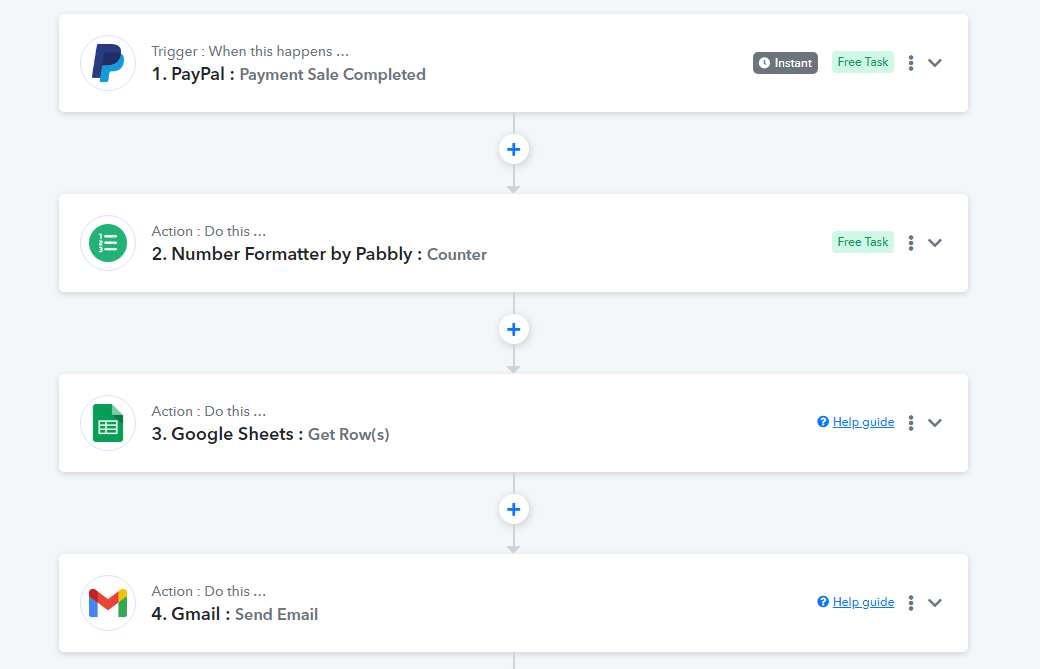
The codes are being delivered instantly via email, so this is how I did it...
FIRST PICTURE INTEGRATION:
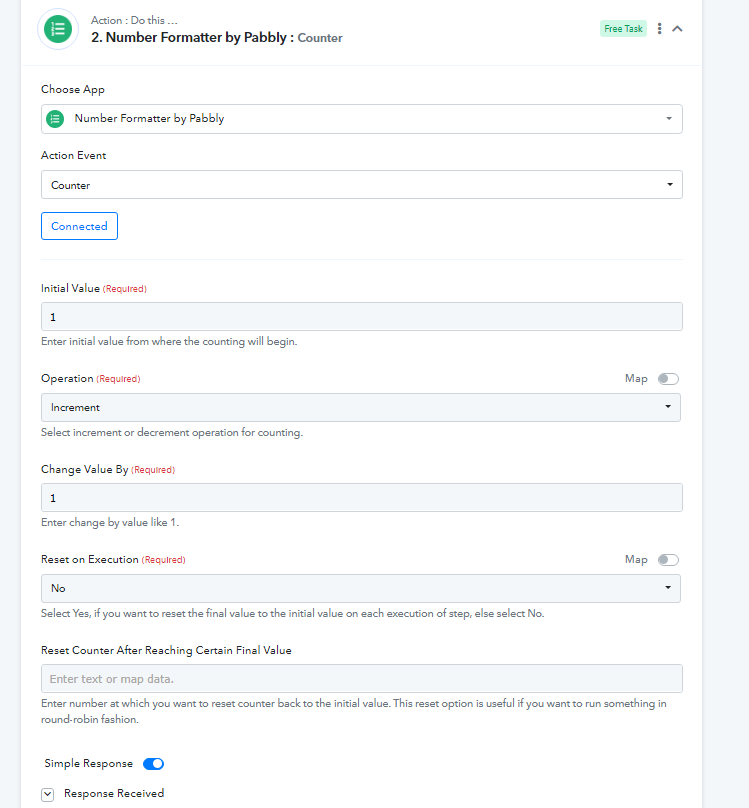
THE SECOND PICTURE, A NUMBER FORMAT, IT SENDS CODE BY CODE FROM ONE FIELD, SO IT DOESN'T SEND THE SAME CODE IN THE SAME FIELD:
THE THIRD STEP IS GOOGLE SHEETS: 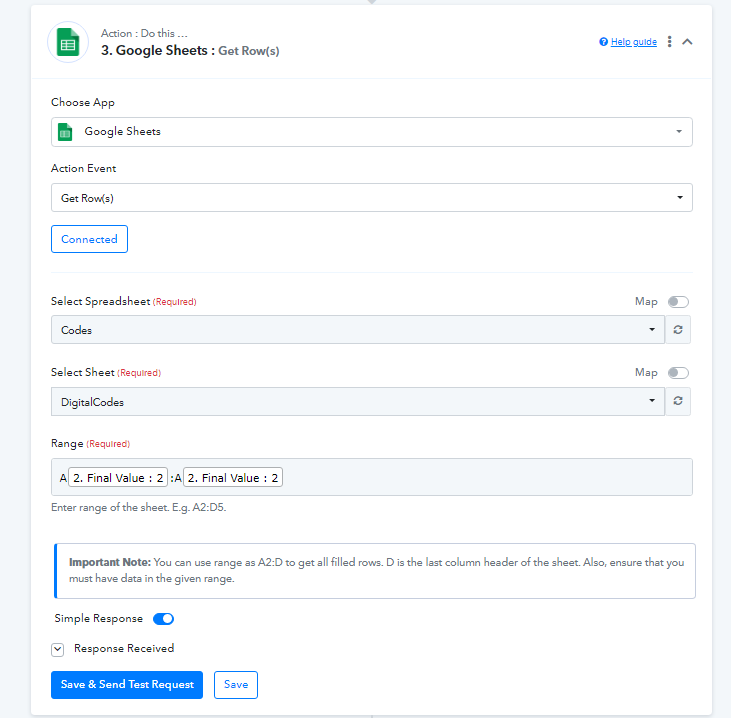
AND LAST STEP IS DELIVERING.
IF ANYONE CAN HELP ME PLEASE CONTACT ME IN PM OR COMMENT IN THE THREAD
Hey @madafakaa
Please refer to the following video tutorial on how you can deliver the coupons from your Google Sheets.
Hey @madafakaaPlease refer to the following video tutorial on how you can deliver the coupons from your Google Sheets.
Yes, I did watch that video, but as I was saying my products have different prices, and each price has to be totally another code... I need help on when a purchase from PayPal receives for example $20, that the customer receives a $20 code, for $50 purchase $50 code...
Hey @madafakaa
In that case, you can try processing the products on the different routes individually by creating the router action step.
Hey @madafakaaIn that case, you can try processing the products on the different routes individually by creating the router action step.
I still don't understand how to process this, please look at my screenshots, and tell me how could I do it, can you do on your Pabble account, or can someone record a video please?
Hey @madafakaa
Please share the name of your workflow in which you have tried the same so that we can look into it and guide you accordingly.
The name of my workflow is "Paypal to Delivery" this is the link to it: https://connect.pabbly.com/workflow/share/CEBQYlMEB2QFT1c6VR4HIA8bCw8HXgRmAxoDEQcIBX1QHgZtBkcOZFwQBG4FSghpURgHbVUKBGQBFQAECV9SIVFIVEEAH1wBVmUARQxTDiQIag##
Also, from your Google Sheets do you have any column to know the coupon code which has to be sent to the product accordingly?
Also, from your Google Sheets do you have any column to know the coupon code which has to be sent to the product accordingly?
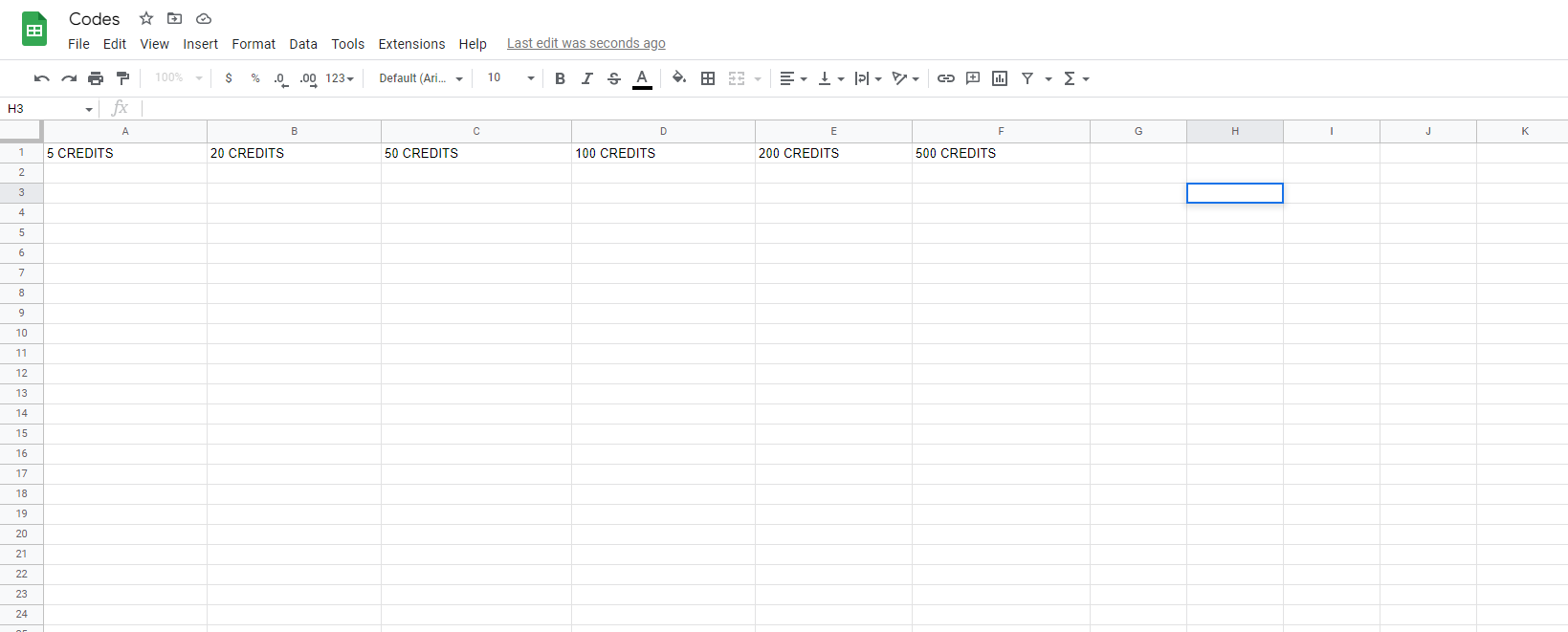
I only have it as this, so as you can see there are from $5 credits to $500 credits.
For your concern, we highly recommend hiring an automation expert who can design such email content for your workflow and manage everything for you - https://forum.pabbly.com/threads/pabbly-connect-experts-and-consultants.22/
And can even find automation experts in our Facebook group as well - https://www.facebook.com/groups/formget.deals/