How to differentiate between new and updated rows from google sheet connector
Status: Closed · Asked by cloud on · 0 views
Hi Team,
I need to create a trigger that will create razorpay payment link on a form submission and send the same to the concerned person over email. I tried to build the same using google sheet connector but the problem is it is sending both the updated rows and new rows alike, I need to bifurcate between new and updated rows. Please help me how can I achieve the same.
Hey @cloud
Sorry, we can't differentiate between a new row and an updated row in the Google Sheets. Kindly check the below videos for Razorpay and Google Sheets automation and let me know if you have any questions or comments.
https://www.youtube.com/@Pabbly/search?query=razorpay%20to%20google%20sheets
Thanks
Kunal
Hey @Kunal,
I have checked the videos that you shared, And non of those videos cover the scenario that I mentioned in my question.
I have mentioned my problem very clearly, Please let me know if it is at all possible using pabbly connect.
Hey @cloud
As you want to send Payment details from the Razorpay to email then you can check the below video. It will give you a basic idea of how you can send detail to the users.
youtube.com/watch?v=l9C3c9c0Fhc
Thanks
Kunal
Hey @Kunal,
Please refer to my question, Razorpay to gmail is the second part of my question. My roadblock is to create a new payment link whenever a user submit a form. Which is not possible as I can not differentiate between new row vs updated row,
I do not want a new link to be created if someone makes some changes on the sheet. It should only be created when a new row is added to it.
Also please rest assured that I have checked the videos, And posting my question here because I haven't find the answers there.
Hey @cloud
Please refer to my question, Razorpay to gmail is the second part of my question. My roadblock is to create a new payment link whenever a user submit a form. Which is not possible as I can not differentiate between new row vs updated row
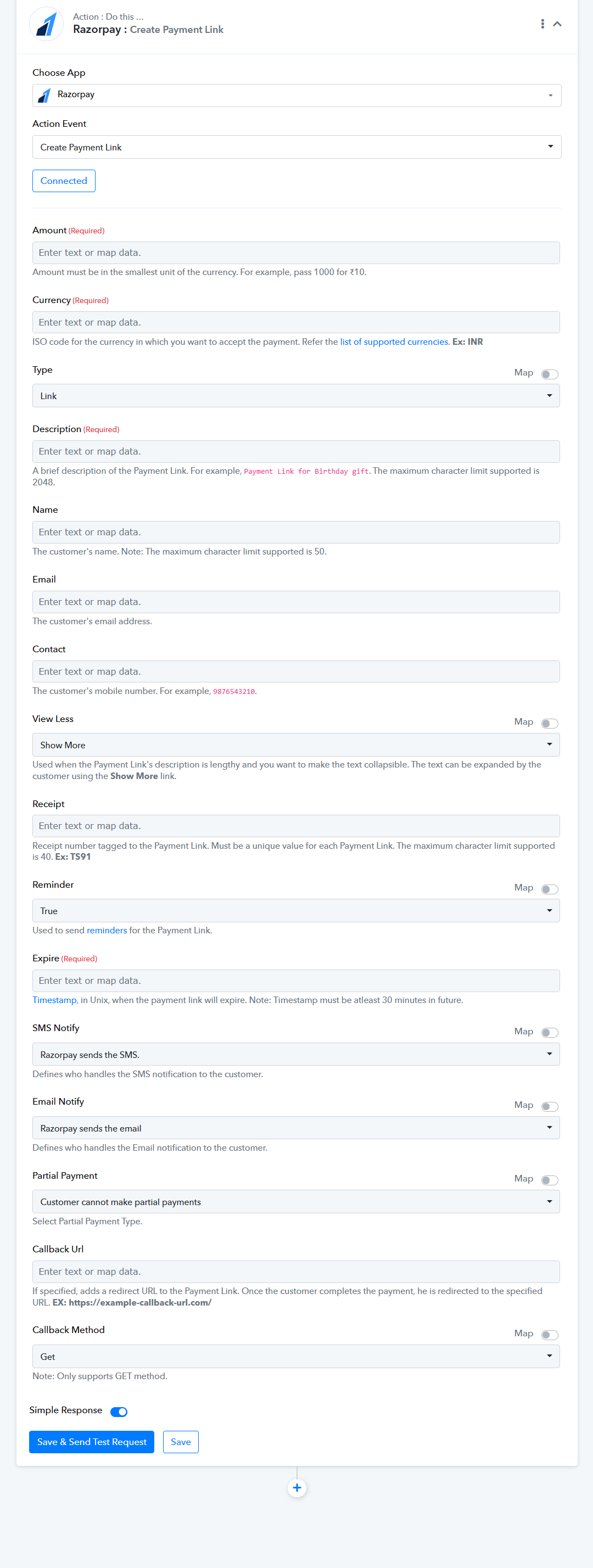
Have you tried the "Razorpay: Create Payment Link" action step to create the payment link after form submission?
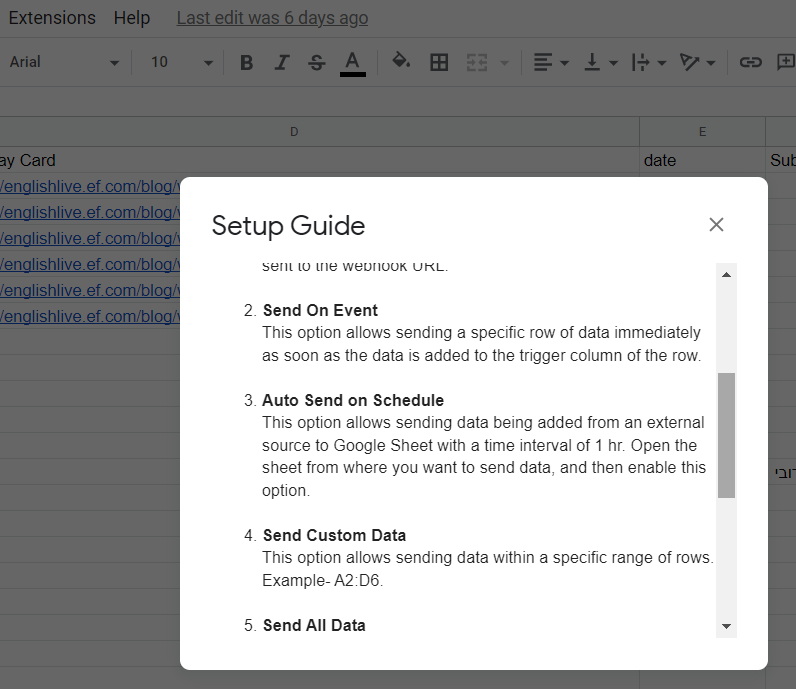
Further, if you want are trying to update a Row from your Google Sheets with "Send On Event" the workflow will fetch the new data to the workflow and if you are getting it from the third-party application then it will only work for New Row.
You can only use "Send On Event" when setting up Google Sheets if the data is coming from a Google application or if you manually enter it. If the data is coming from a third-party application, however, you may need to choose "Auto Send On Schedule" or "Send on Schedule," which will forward the data in exactly one hour.
Additionally, make sure the data was filled up to your trigger column.