How to dispaly Hyperlink on Discord message?
Status: Closed · Asked by Anh Le on · 0 views
I tried both HTML and Markdown format but it doesn't work.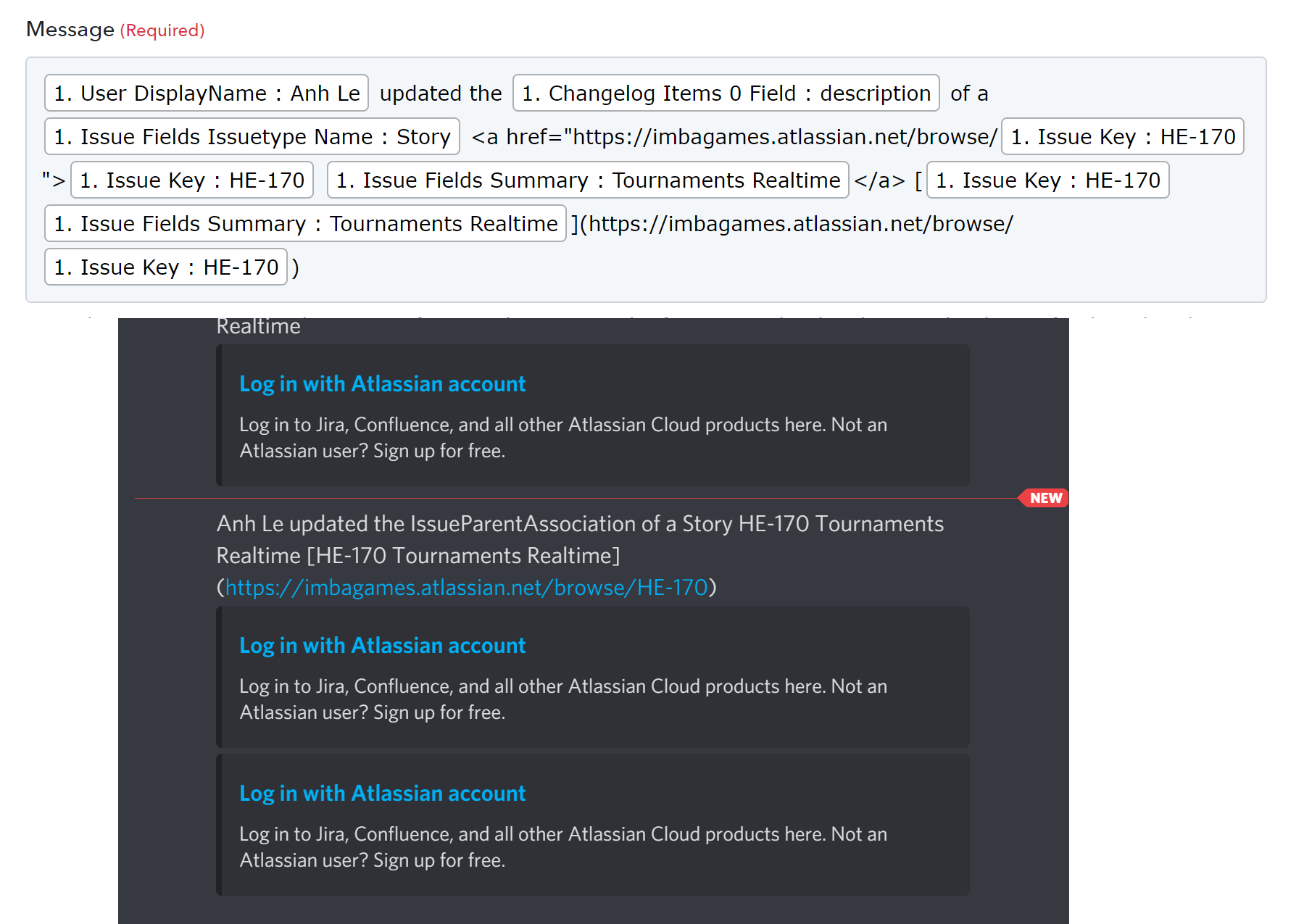
Please check your workflow. We have updated your workflow and now it will be published as shown below -

Thank you. How can I disable the link preview?
Thank you. How can I disable the link preview?
You cannot disable the link preview as that is being shown from the Discord itself.
Hi @Pabbly, I found that I can remove those link previews by adding "<>" to the links. Ex:
https://support.discord.com/hc/en-us/community/posts/360042180911-Link-Preview-Remove-or-hide-preview-on-a-per-image-basis
But when I tried on Connect, it doesn't work.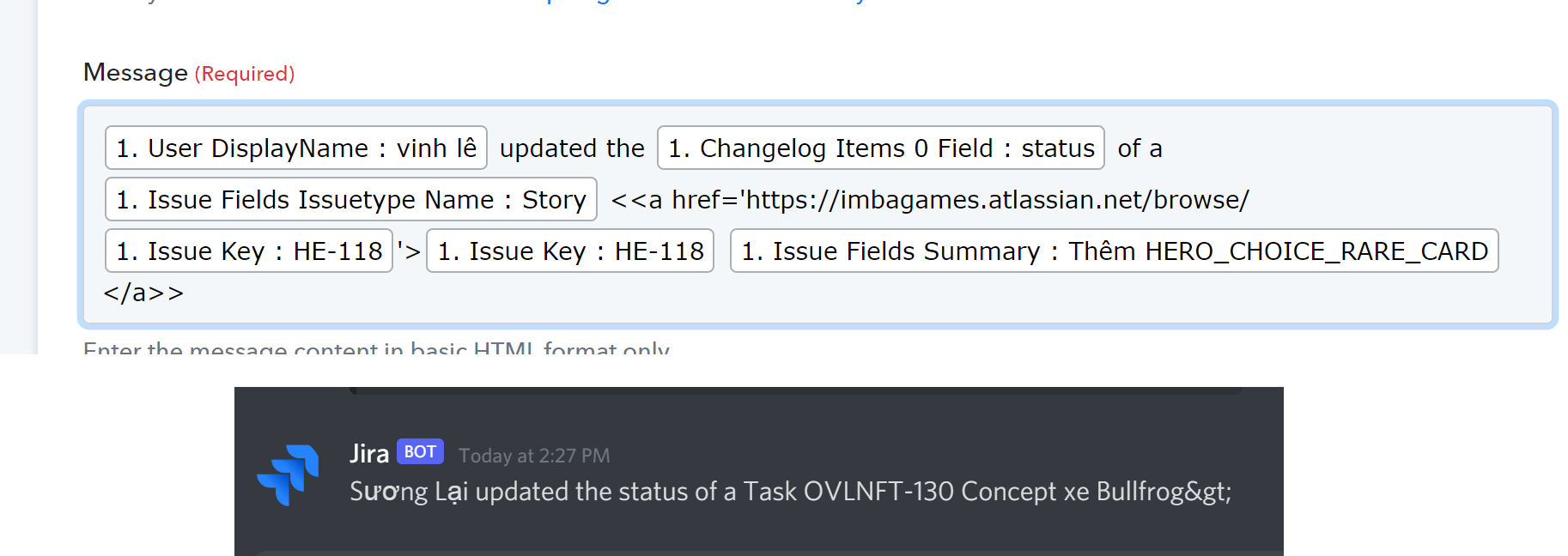
Hi @Pabbly, I found that I can remove those link previews by adding "<>" to the links. Ex:
https://support.discord.com/hc/en-us/community/posts/360042180911-Link-Preview-Remove-or-hide-preview-on-a-per-image-basisBut when I tried on Connect, it doesn't work.
That will not work as suggested to you earlier. We have tried founding a workaround for that but it didn't work out as expected.
That will not work as suggested to you earlier. We have tried founding a workaround for that but it didn't work out as expected.
So what is the solution? Why don't you use the platform format (Markdown) instead?
So what is the solution? Why don't you use the platform format (Markdown) instead?
Hello @JOY,
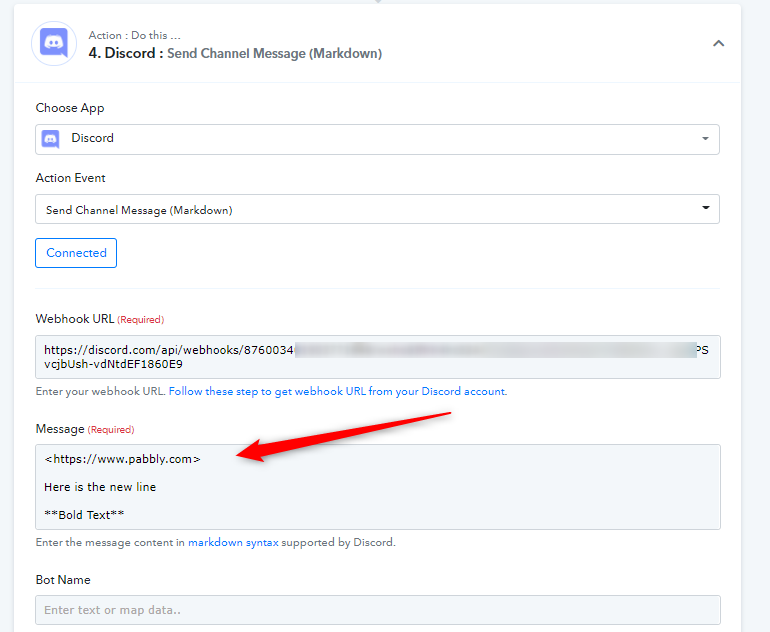
We have added a new action Send Channel Message (Markdown) in Discord integration that will support markdown syntax supported by discord, you can use that instead. Check below screenshots:

I hope that will work for you.