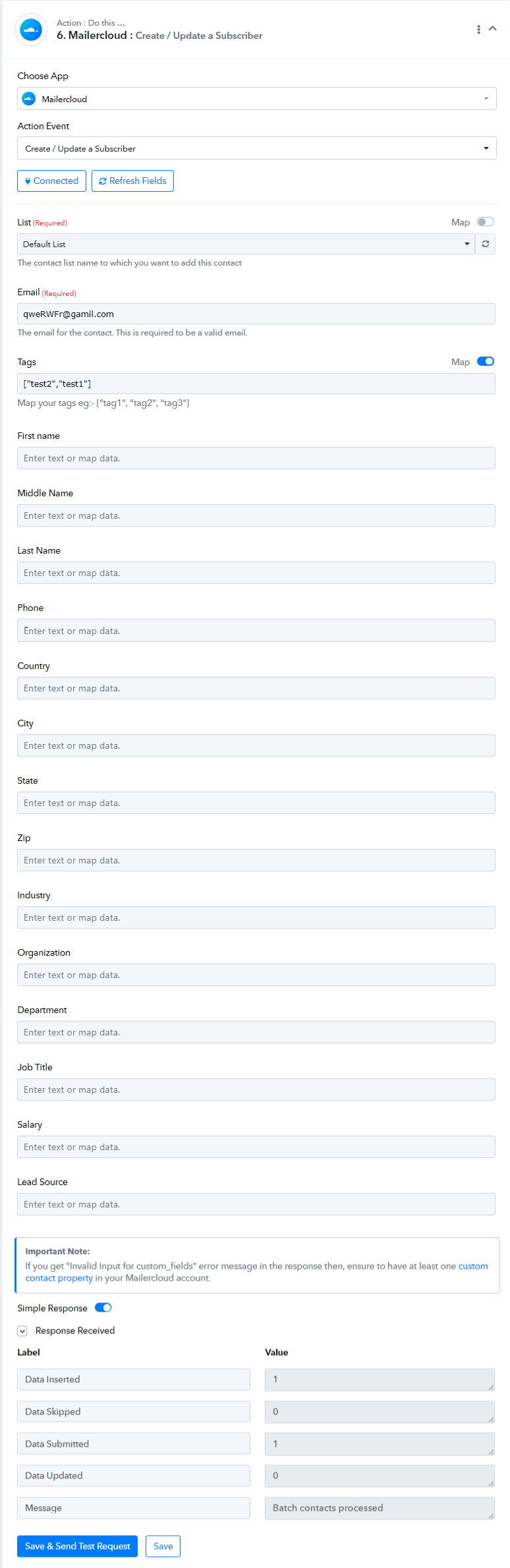
How to fetch tag for mailercloud?
Status: Closed · Asked by lelehelloworld on · 0 views
I can't see any tag field.
I would like to do the following workflow:
A new row in Google sheet -> update contact to Mailercloud
The Tag field is important for me when categorizing the contact.
Hey @lelehelloworld
We have requested our integration team to include the Tag field in the Update Contact action step of the MailerCloud action. Please allow us some time.
Upon investigating the issue, it has been determined that the application is exclusively managed by the MailerCloud support team. In light of this, we recommend that you contact their support team for assistance.
Upon investigating the issue, it has been determined that the application is exclusively managed by the MailerCloud support team. In light of this, we recommend that you contact their support team for assistance.
I tried to communicate with them, but it seemed like they didn't understand. I selected the relevant tag for the response. They asked me to input the tag value according to the description "Map your tags eg:- ["tag1", "tag2", "tag3"]"
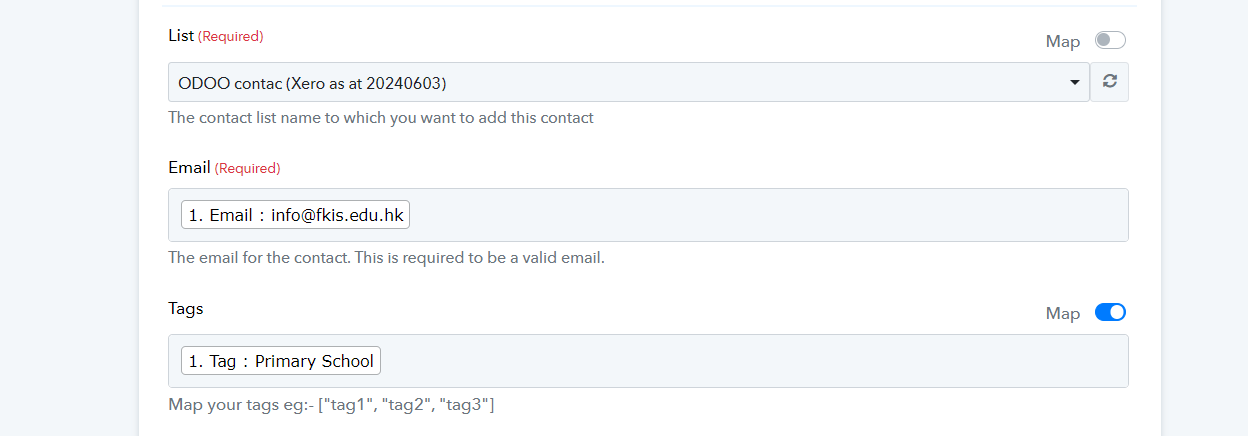
Kindly try passing the tags in such a manner and then let us know if that works for you.

Kindly try passing the tags in such a manner and then let us know if that works for you.
I tried to test it. the message display 'Batch contacts processed'.
But I can't find that contact in Mailercloud contact list.
Hey @lelehelloworld
As previously stated, the application is exclusively managed by the MailerCloud team. We suggest that you contact their support team for further assistance.
Hey @lelehelloworld
Our integration team has implemented minor changes in the action step; we kindly request that you try it out and provide us with your feedback.