How to get data from this array?
Status: Closed · Asked by davidw on · 0 views
I have a JSON object:
[
  {
    "id": 5813007,
    "key": "_order_number",
    "value": "15370"
  },
  {
    "id": 5813049,
    "key": "_stripe_fee",
    "value": "1.14"
  },
  {
    "id": 5813050,
    "key": "_stripe_net",
    "value": "3.54"
  },
  {
    "id": 5813063,
    "key": "_wcpdf_invoice_number",
    "value": "IV-101033"
  }
]
How do I get the values to pass on to the next step in Pabbly?
Hey @davidw
To convert the JSON array in the response into key-value pairs for use in another action step, please use the "JSON Extractor by Pabbly" action step.
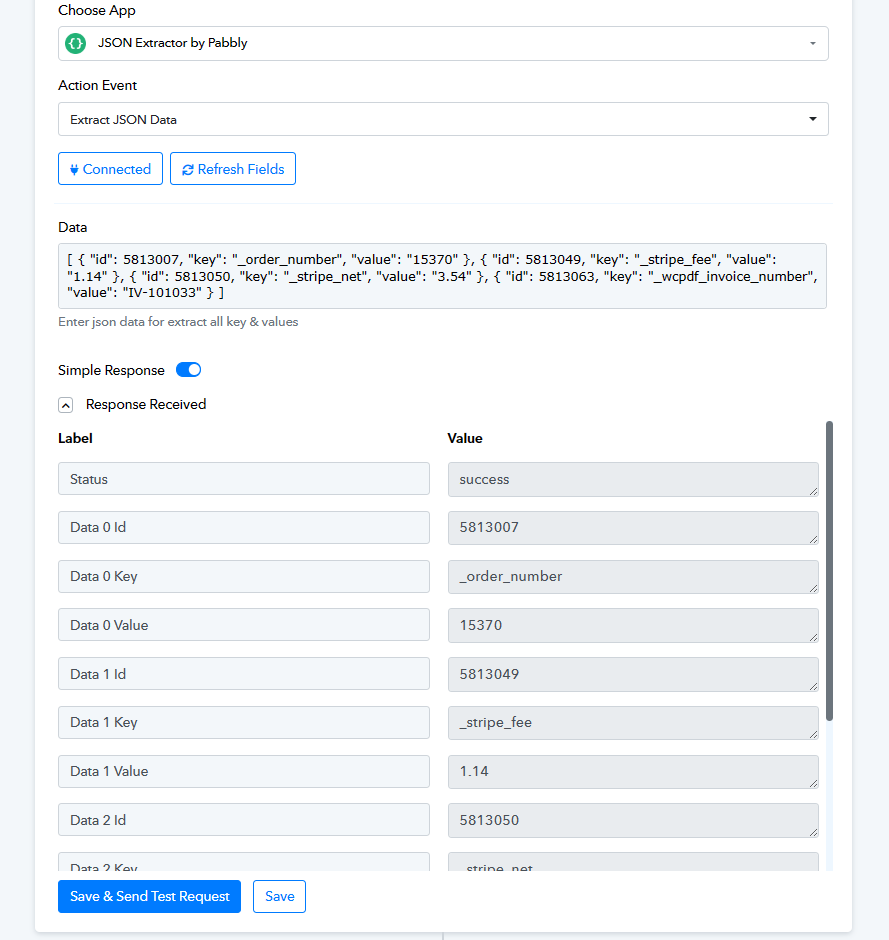
Thanks, but I can't use this method because the array may not be the same length or in the same order every time. I figured out a JavaScript method. When the code is inline, it works:
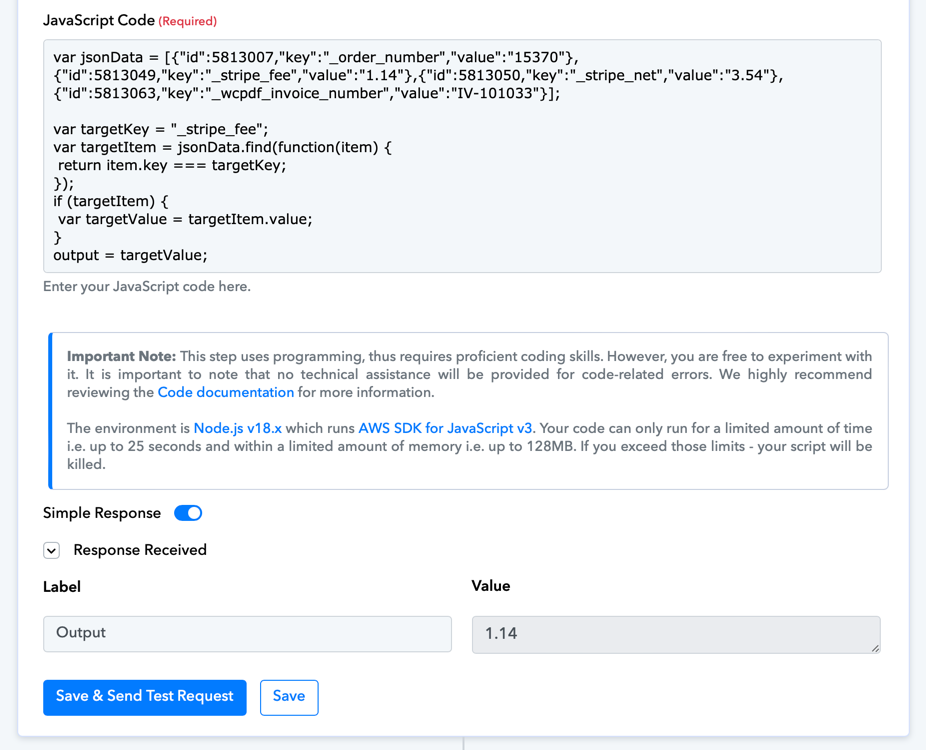
But when I replace the JSON with the variable from the previous step I get an error: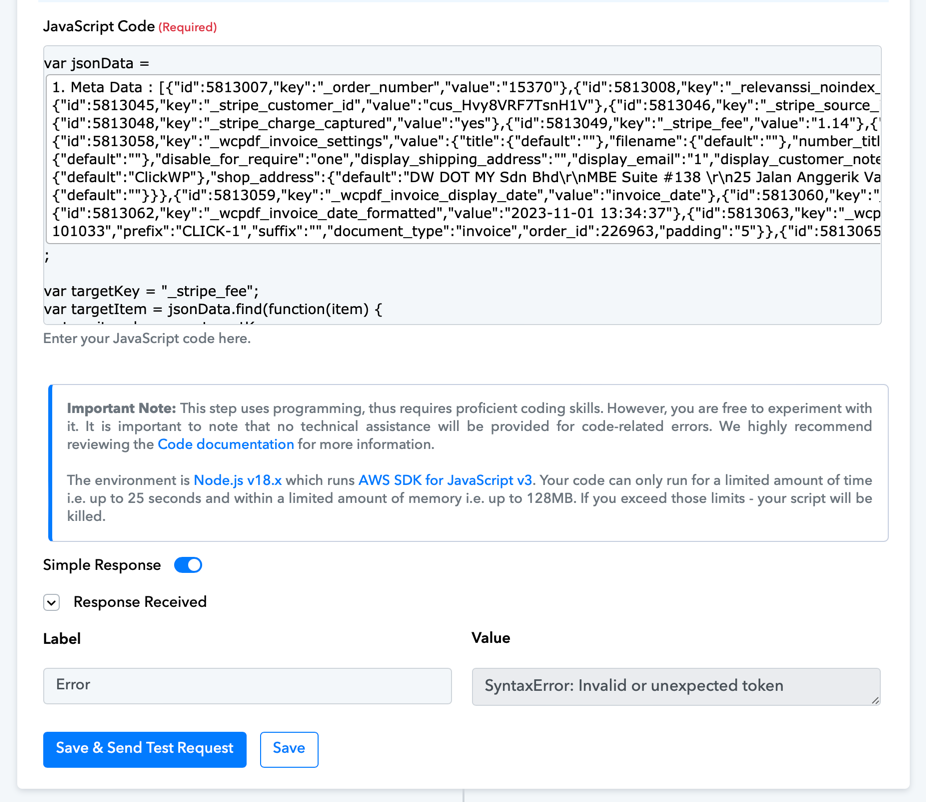
Why is there a difference with the 2? The only difference is I have substituted the JSON object with the token from the previous step.
Could you please provide the URL of the workflow where you've attempted the same?
I figured it out. The problem was addressed in the first Troubleshooting problem on https://forum.pabbly.com/threads/javascript-code-by-pabbly.9884/