How to leave "Group" and "Assignee" field blank Zendesk connections
Status: Closed · Asked by quangnguyen on · 0 views
In my Zendesk work flow, when new tickets come to the board, it should be in "New" status which is not assigned to anyone. But now the connection asks me to choose at least one group, then it assigned to a person by default. How to leave these fields blank. Thank you very much for your help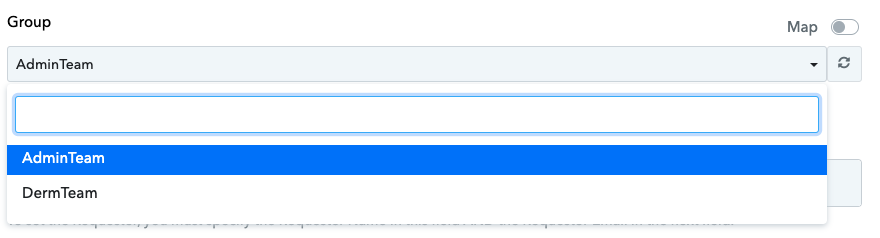
Hey @quangnguyen
Could you please attempt to reconnect the action step once, and then make an attempt with the field left empty? We've made some minor adjustments to the field.
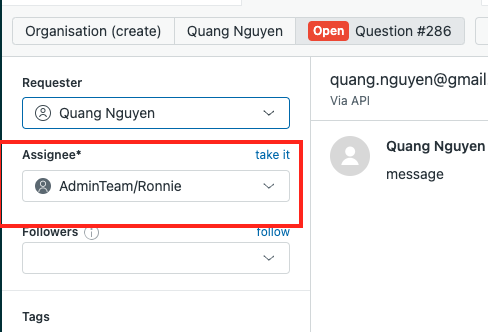
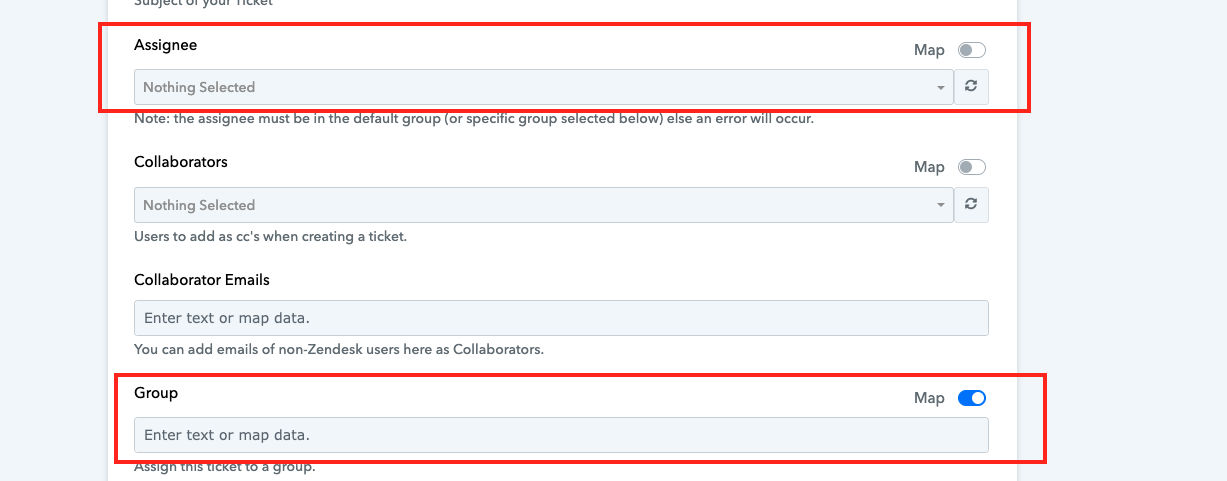 it still does not work @Supreme , could you please check if I set up correctly.
What I did:
- Re-capture the response in step 1
- Leave the fields blank as screenshot
- Save and send
I also remove "Create ticket" step and connect again, also got problem.
According to the Zendesk API specifications, it is essential to provide values for both the "Group" and "Assignee" fields when creating tickets. Therefore, we strongly advise reaching out to the Zendesk support team for further assistance.
After checking, https://connect.pabbly.com/workflow/mapping/IjU3NjUwNTZmMDYzZjA0Mzc1MjY4NTUzNDUxMzMi_pc only this workflow works as intended.
Could you please check the differences in the backend
https://connect.pabbly.com/workflow/mapping/IjU3NjUwNTZmMDYzZjA0MzA1MjZkNTUzYzUxMzUi_pc
Issue resolved, Thank you and sorry it is because my configuration