How to make a numbered list un-numbered?
Status: Closed · Asked by Pabblynaut on · 0 views
- Bob
- Karen
- Rob
- Hans
- Robert
- Hans
- Elsa
- Peter
- Bjorn
- Nina
How can I get Pabbly to instead format it like this:
Bob
Karen
Rob
Hans
Robert
Hans
Elsa
Peter
Bjorn
Nina
Also, the number of lines varies, so one input could have 7 rows, and one could have 23.
Any help is appreciated!
Hey @Pabblynaut
Currently, there is no dedicated action event available to convert the line item numbering to plain text in every new line.
Though you can try the "Text Formatter by Pabbly: Extract Pattern" action step to extract the desired data with the help of a certain regex which is available online.
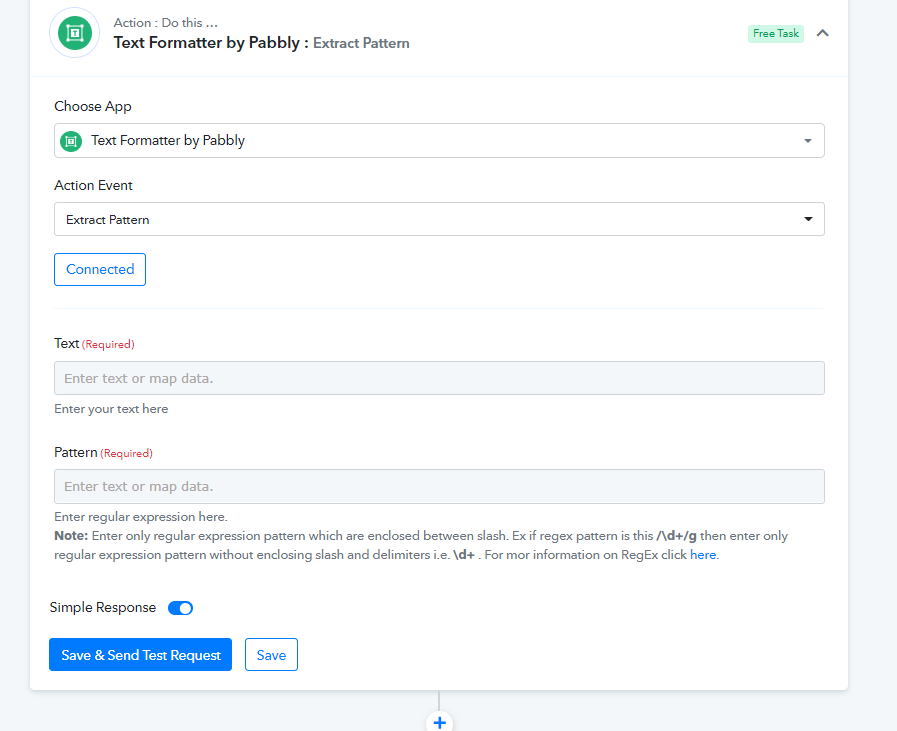
Any solution that works is fine with me, but what kind of regex and where do I put it, I wonder :-)
Any solution that works is fine with me, but what kind of regex and where do I put it, I wonder :)
You simply need to pass the regex in the Pattern fields which you can search online and pass the content from where you want to extract the data.
I don't know anything about Regex, but I managed to make this work inside Google Sheets by using this formula:
=REGEXREPLACE(REGEXREPLACE(REGEXREPLACE(REGEXREPLACE(REGEXREPLACE(REGEXREPLACE(REGEXREPLACE(REGEXREPLACE(REGEXREPLACE(REGEXREPLACE(F3,"9. ",""),"8. ",""),"7. ",""),"6. ",""),"5. ",""),"4. ",""),"3. ",""),"2. ",""),"1. ",""),"10. ","")But this only works inside Google Sheet, and not when I paste it into "Pattern" inside the Pabbly text formatter. Any advice on how to use it also there is highly appreciated!
Hey @Pabblynaut
I am afraid to say that there is no other possibility to convert the numbered row into a non-numbered one with the Text Formatter action step.
Hey @PabblynautCurrently, there is no dedicated action event available to convert the line item numbering to plain text in every new line.
Though you can try the "Text Formatter by Pabbly: Extract Pattern" action step to extract the desired data with the help of a certain regex which is available online.
Can you please check if this regex work
^\d+\.\s If works please let me know.
Can you please check if this regex work^\d+\.\sIf works please let me know.
That code gave only this as a result for the list in the original post:
1.