How to make Slack bot to send message to private channel?
Status: Closed · Asked by lelehelloworld on · 0 views
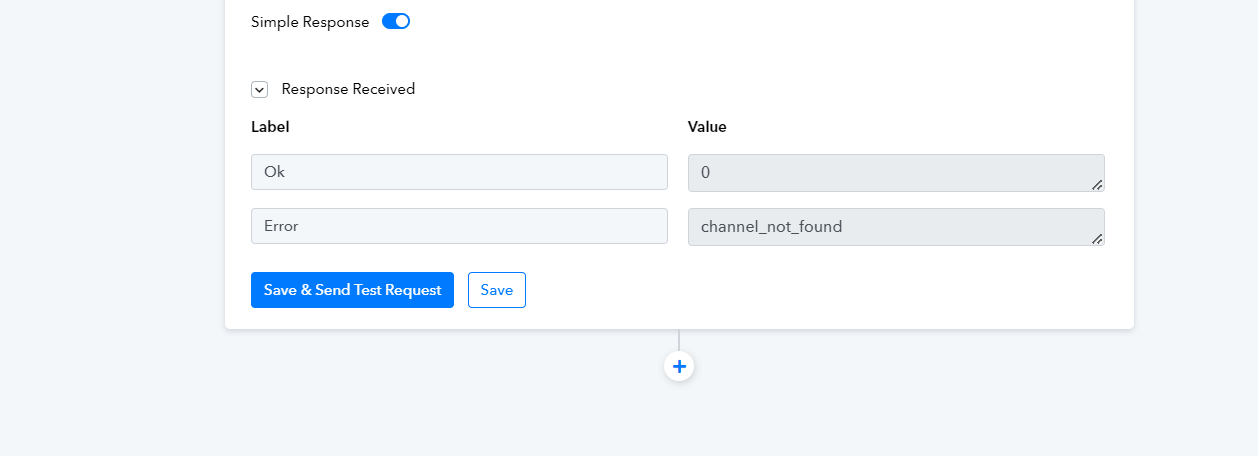
I got this error now.
Hey @lelehelloworld
To communicate messages through a private channel on Slack, it's essential to utilize the user token type during the Slack connection process.
For comprehensive guidance on employing the appropriate token type ("bot" or "user") based on specific action event types, I recommend referring to the Slack Authorization Tokens documentation provided here-
- https://forum.pabbly.com/threads/slack-authorization-tokens.1562/
Hey @lelehelloworldTo communicate messages through a private channel on Slack, it's essential to utilize the user token type during the Slack connection process.
For comprehensive guidance on employing the appropriate token type ("bot" or "user") based on specific action event types, I recommend referring to the Slack Authorization Tokens documentation provided here-
- https://forum.pabbly.com/threads/slack-authorization-tokens.1562/
Thanks, it works now. BTW, I have another question. My current workflow is: Google(New or Updated Spreadsheet Row) -> Slack (send channel message). If I want to send message about the whole spreadsheet by schedule (likes everyday), but not only triggered by new row or updated, how should I do this?
If I want to send message about the whole spreadsheet by schedule (likes everyday), but not only triggered by new row or updated, how should I do this?
In relation to your inquiry, I highly recommend reviewing the concluding segments of the provided video lessons. These segments detail a method whereby you can effectively utilize the same logic to transmit a singular data row to the workflow on a daily basis.