How to remove sharing access for all in Pabbly?
Status: Closed · Asked by Jeffrey Yu on · 0 views
There's a helpful feature in Google Drive to "Share a File With Anyone" which I'm using.
But I need the reverse function, which is to restrict access from everyone. The only relevant feature, though, is "Remove File/Folder Access" for an individual user.
Is there anyway to do this? Perhaps with the Share A File Advance action?
Hey @JeffreyYu
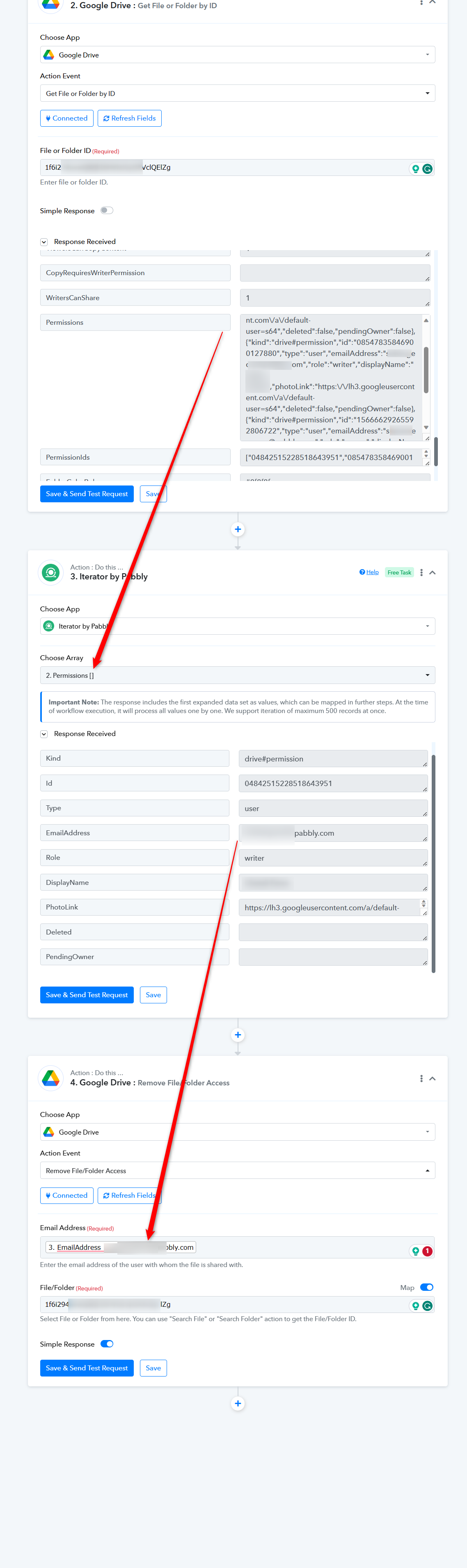
At the moment, the desired action in Google Drive is not accessible. However, if you incorporate the following workaround into your workflow, you will be able to revoke access for all the individuals with whom you've shared the file or folder.
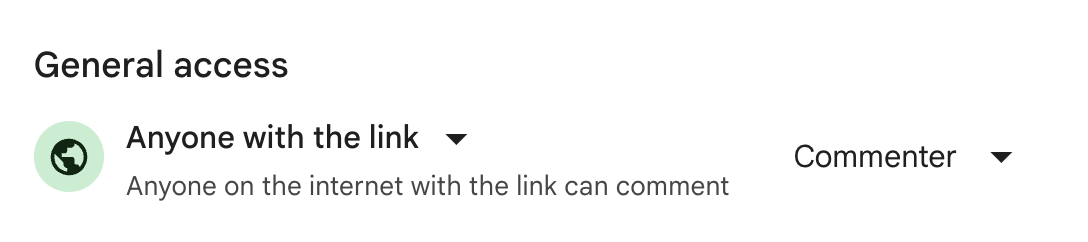
Oh interesting! What if its a random email address accessed from incognito? As in, it's not associated with any particular email address, but instead I had just shared it with everyone?
I'm trying to access this google doc from our website (when the user isn't necessarily logged into their gmail account). Would file advance let me do that somehow? or is it simply not possible to change the general access to a certain organization? (instead of anyone)
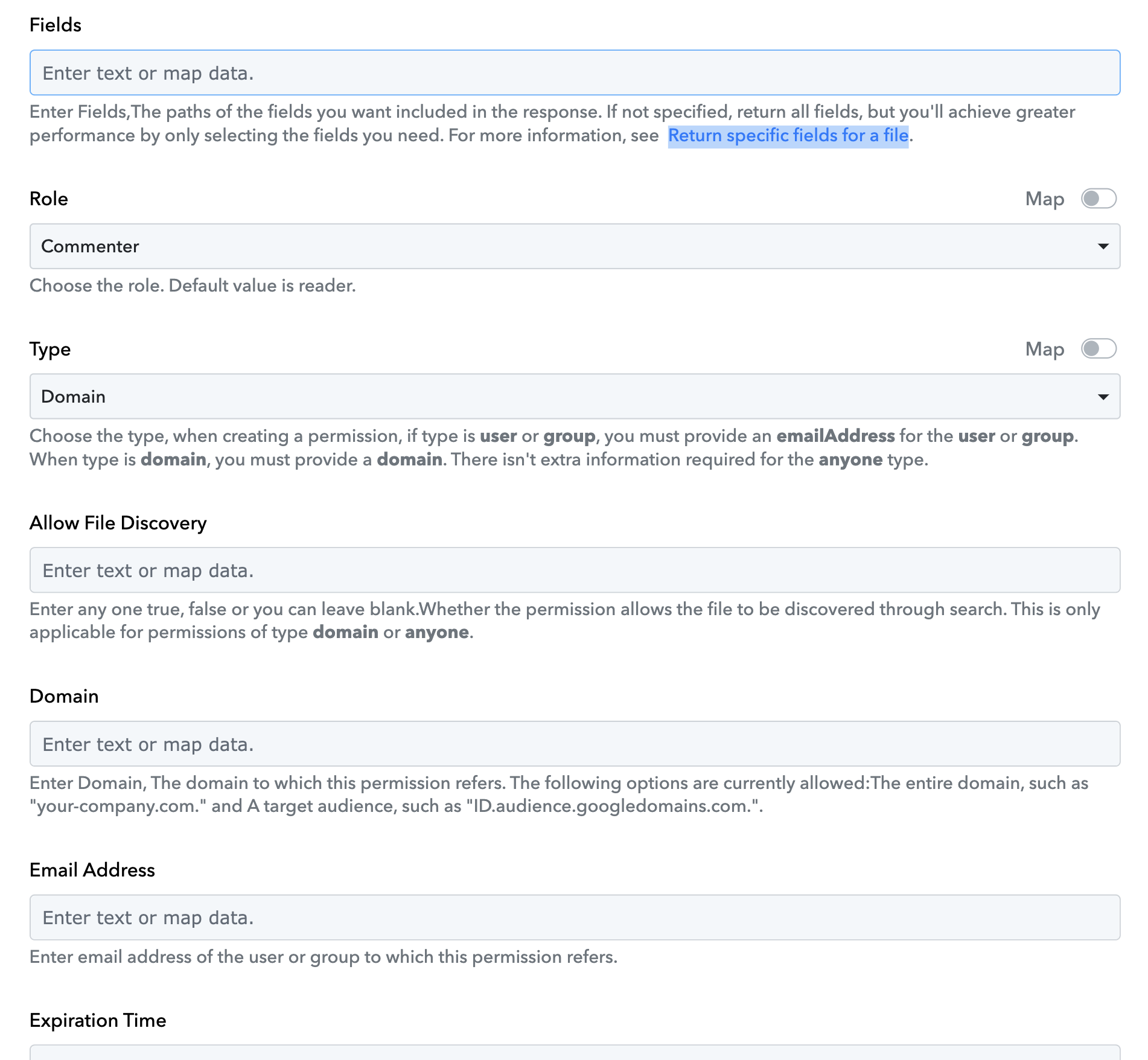
It looks like Share File Advance lets us update the domain permissions?
Oh, I see the issue. Once you add an "anyone can view" link, then there's no way to Restrict it. That would be an important feature to implement -- where can I request it?
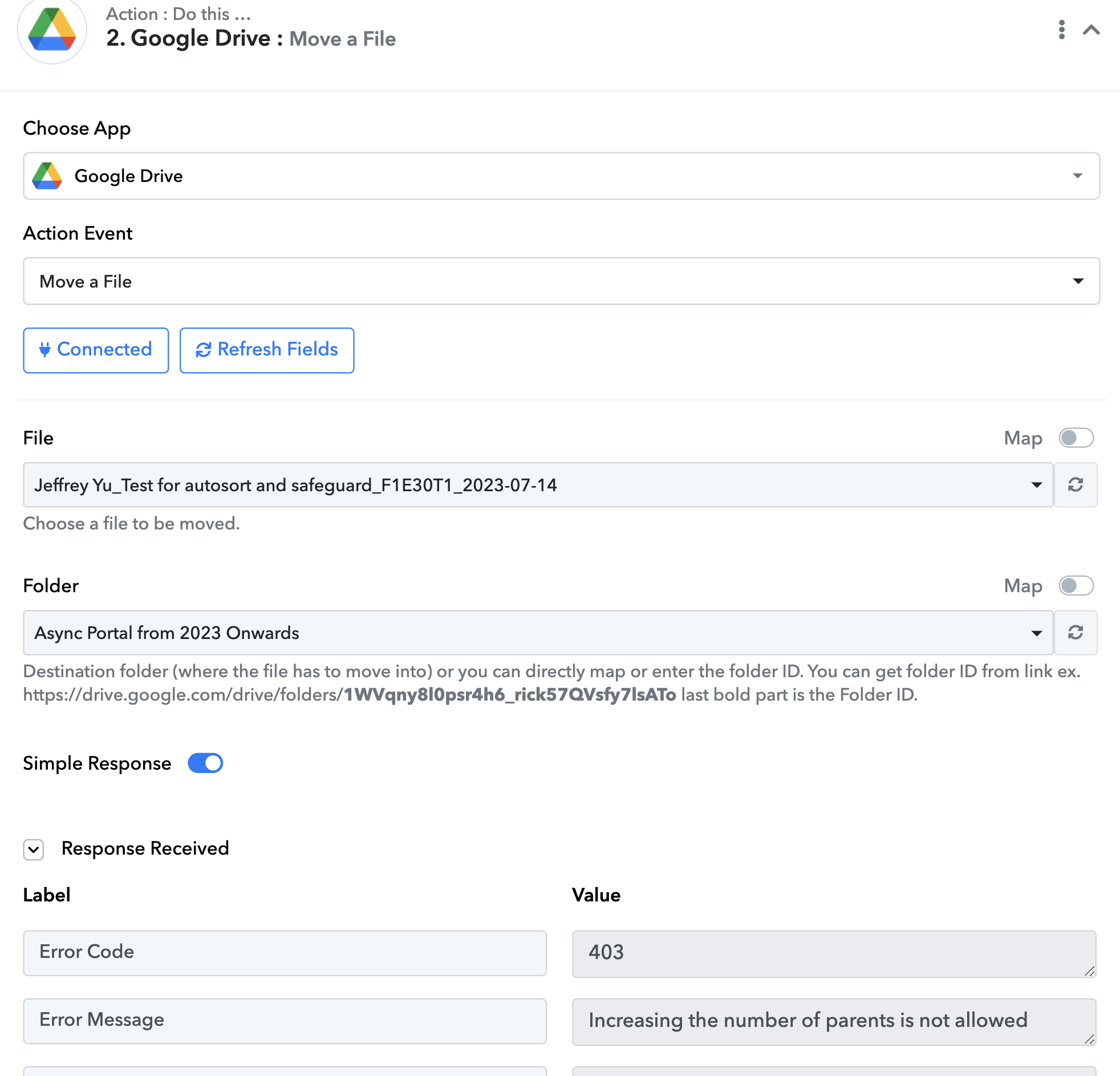
I thought of a potential workaround: moving the file into a folder with "anyone can view" permissions, and then into a folder with limited access. But when I try to do that, I get an error saying "increasing the number of parents is not allowed." Is this an issue on Pabbly's end?
Hmmm ... I tried to think of a third workaround, which would be to simply create a temporary copy of the Google Doc. But when I try to copy the file using the Google Drive action step, it doesn't copy over the suggestions from the original. Is there a way to get around this?
In sum, there are three workarounds, each which don't work.
1. Share a File with everyone --> Pabbly Connect cannot Remove a Link, and "restrict" access after sharing with everyone
2. Move the File into a folder with different sharing permissions --> You can't change the parent ID of the file and move between folders.
3. Create a temporary copy of the Google Doc in a folder with different sharing permissions --> Comments and suggestions are not copied over.
Are there any workarounds I'm missing for each of these?
Never mind, I figured out a workaround! I just have to change the user I'm logged into as for the second option. Then I can just move between folders, and let those folder permissions take effect!
Hmmm ... I tried to think of a third workaround, which would be to simply create a temporary copy of the Google Doc. But when I try to copy the file using the Google Drive action step, it doesn't copy over the suggestions from the original. Is there a way to get around this?
Regrettably, I couldn't identify an alternative solution to restrict the overall permissions of the file or folder as per your request.
I figured out a workaround! I just have to change the user I'm logged into as for the second option. Then I can just move between folders, and let those folder permissions take effect!
That's a great idea, I hope this workaround might work for you.
Hi, I was unable to change the user I'm logged into as, so I'm returning back to the issue of moving files between folders.
When I try to use "Move a File," it says Increasing the number of parents is not allowed.
Is this a bug within Pabbly? Pabbly says that this function is designed to move a file between folders, which I'd assume means removing the previous parent ID and adding the new one.
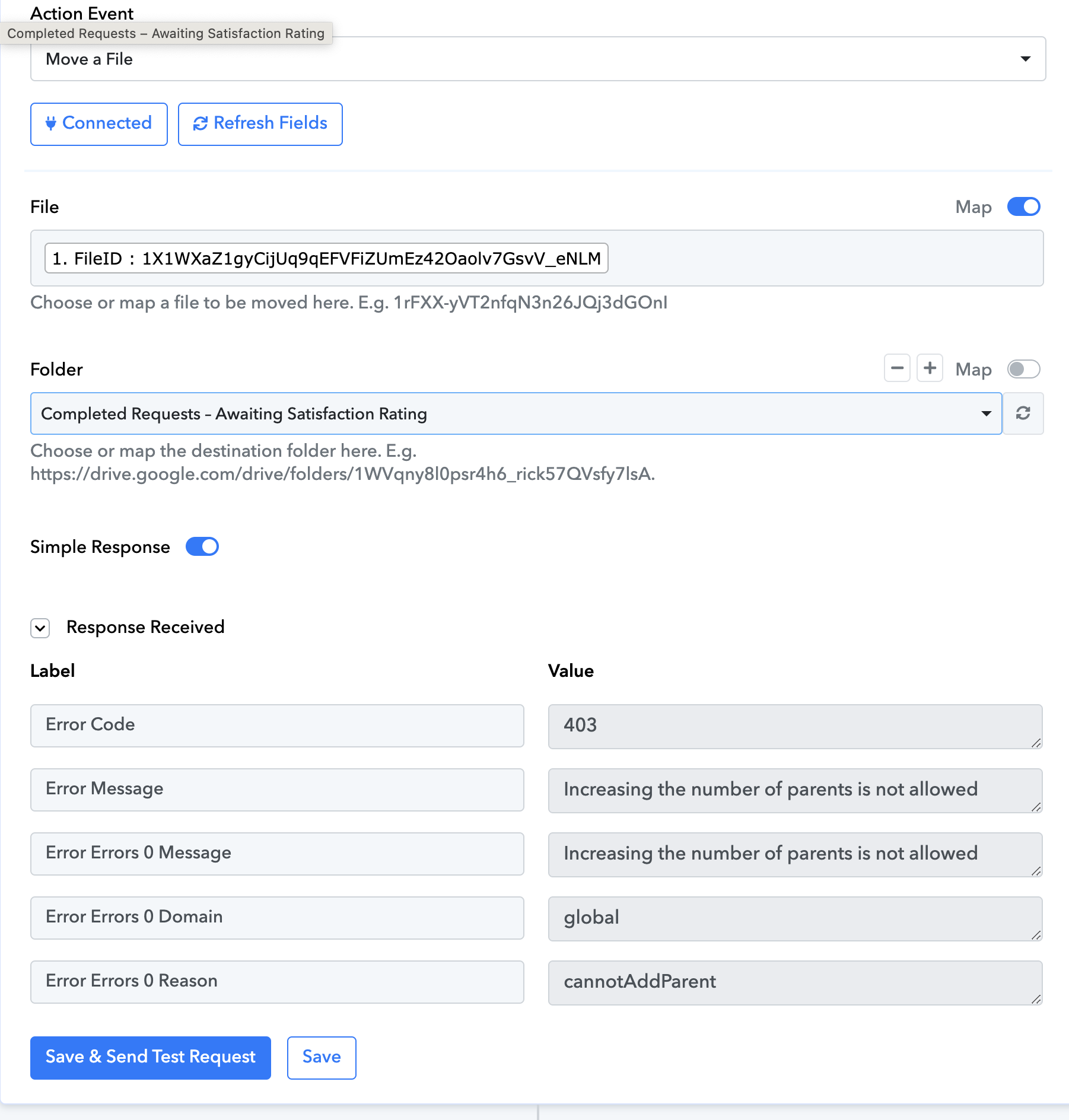
Could you please share the workflow URL once in which you have tried the same? Also, explain the function of the Move a File action step in your workflow.
Hi Supreme!
I actually figured out how to do this in another app we use (ReTool), so I don't need this functionality anymore for Pabbly!
That being said, I think this is still a bug on Pabbly's end, so I'll provide the information for future users. The workflow URL is https://connect.pabbly.com/workflow/mapping/IjU3NjUwNTZiMDYzZjA0MzY1MjZiNTUzZDUxMzEi_pc. The function of the Move a File step is to move a file from folder A, which is "only people at our company can EDIT", to folder B, which is "anyone with the link can COMMENT." Since there's no in-built way in Pabbly to share it with everyone with comment-access (there's only view-only access), this was the workaround I found to transfer the permissions from the parent folder to the child item.
I managed to get it to work in ReTool by modifying the parent attributes successfully, so I think this is just a bug on Pabbly's end.
Jeff
Thank you so much @JeffreyYu for letting us know about the solution, I hope this will help other users as well.