How to return values in an array if another value is true?
Status: Closed · Asked by greco26 on · 0 views
I have the following json with 3 separate records. Currently I am using Pabbly Iterator to iterate through the outer array and then another iterator step to iterate through the nested array. I then take the data in the second (nested) array and put each record into Google sheets just to find out which record has "isUS"==true. If true, then return the "conid" of the same record so that I can use it in the next Pabbly step.
I feel is there is a much easier way for me to extract the correct conid than this process I just reviewed. Ideally I can accomplish this all within Pabbly. Let me know if there is a better way within Pabbly to do this. Thanks!!
[
{
"name": "ANGLO AMERICAN PLC",
"chineseName": "英美公司",
"assetClass": "STK",
"contracts": [
{
"conid": 45024954,
"exchange": "LSE",
"isUS": false
}
]
},
{
"name": "AMERICAN AIRLINES GROUP INC",
"chineseName": "美国航空集团公司",
"assetClass": "STK",
"contracts": [
{
"conid": 139673266,
"exchange": "NASDAQ",
"isUS": true
}
]
},
{
"name": "AVIAAM LEASING AB",
"chineseName": "AviaAM租赁集团",
"assetClass": "STK",
"contracts": [
{
"conid": 285940697,
"exchange": "VALUE",
"isUS": false
}
]
}
]
Hey @greco26
Could you please let me know the workflow name where you have tried the above scenario?
Hi, the name of the work flow is Simple-STRAT Workflow. I using a router so the particular route is call IBRK NEW.
Basically, I want to know how I can find the record in the nested array and return the conid of the record only if isUS is true.
@Kunal
Hey @greco26
I have implemented the code by python in your workflow and implemented the logic when IsUS == true then it will return the conid that you can use in the next step. Kindly check the below screenshot:-
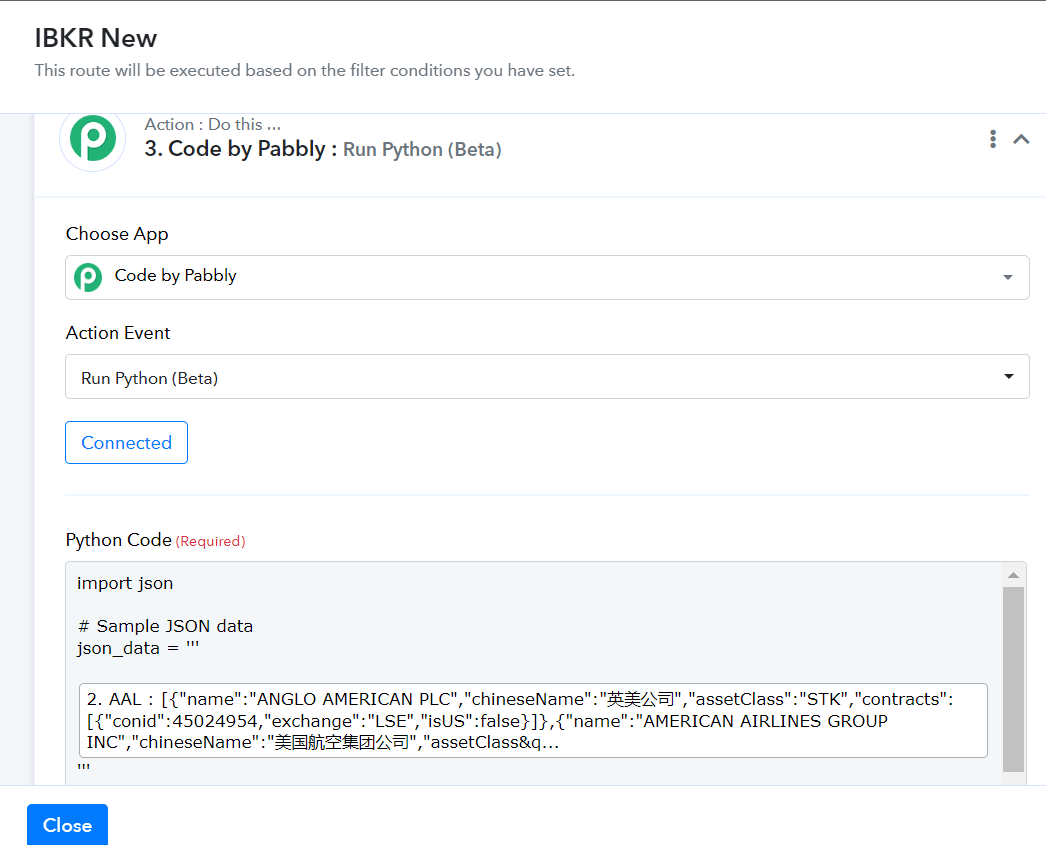
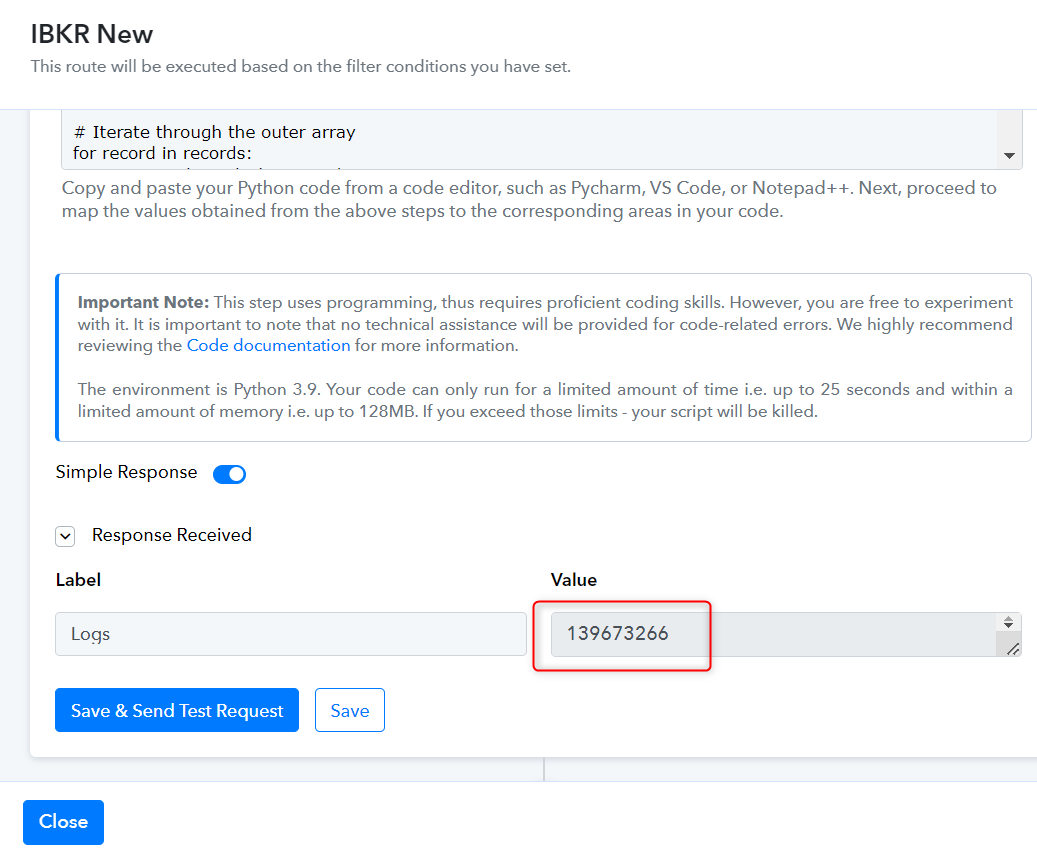
You can use the conid in the next steps. I also deleted the iterator steps as these steps are of no use in the workflow.
Kindly check and let me know if you have any question or comments.
Thanks
Kunal
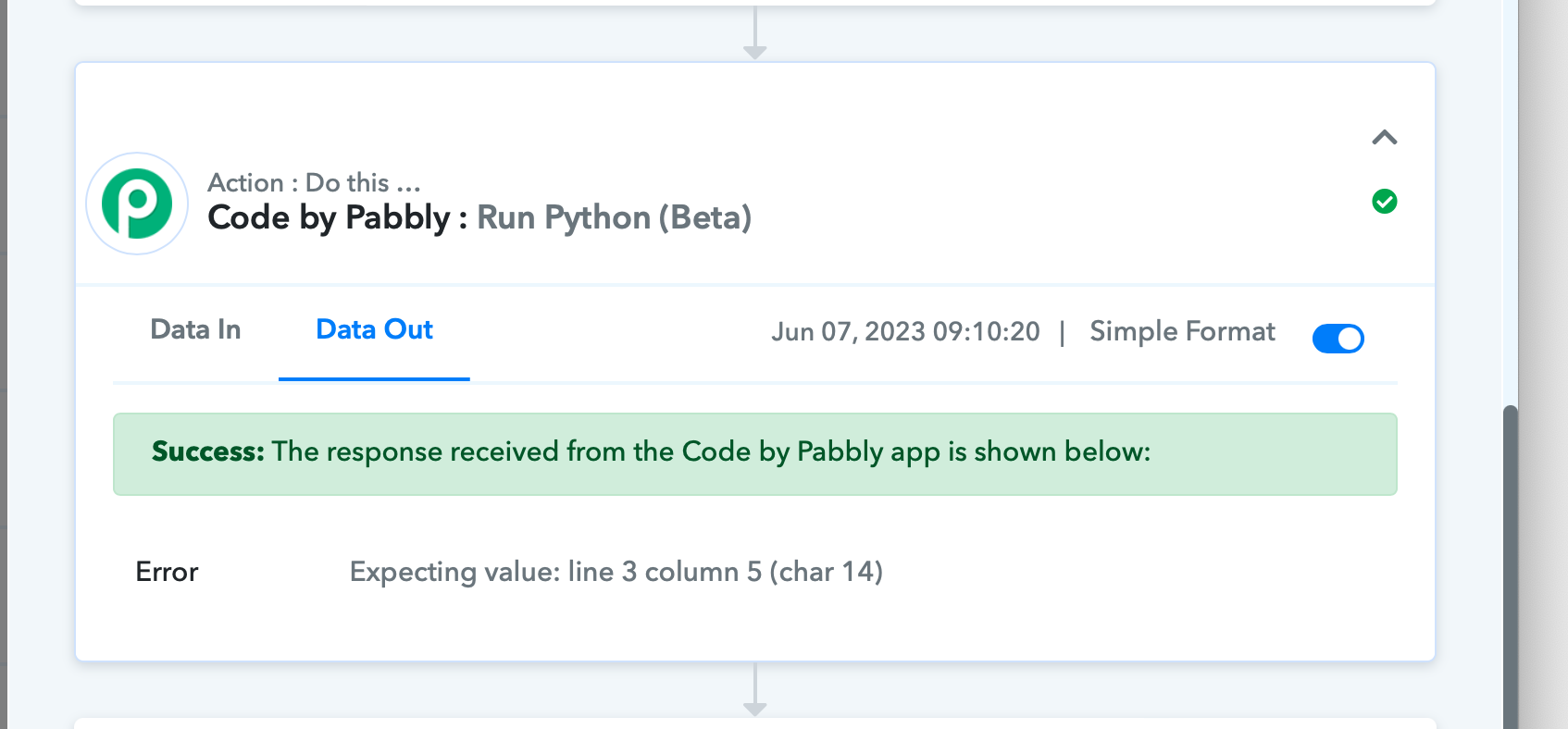
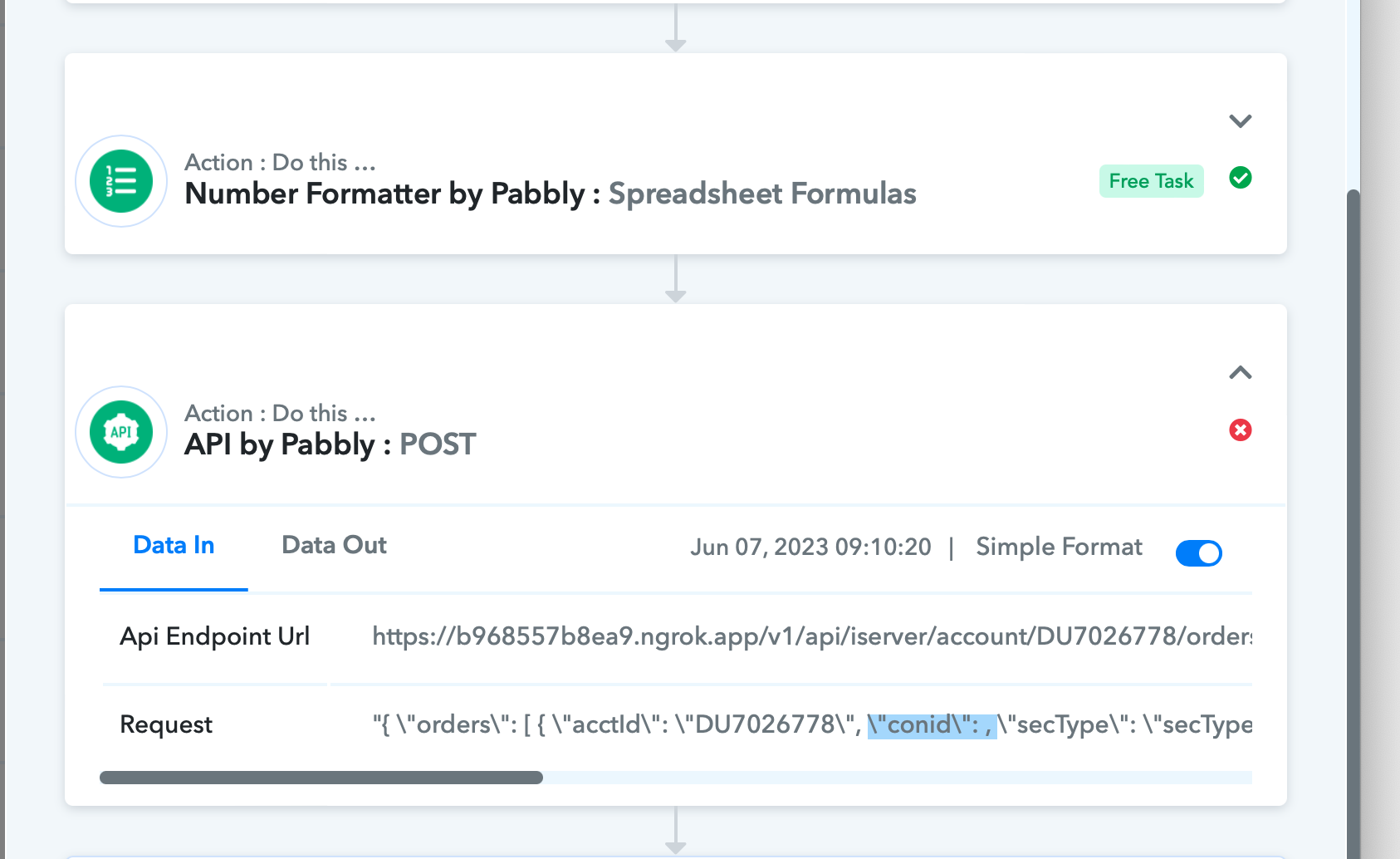
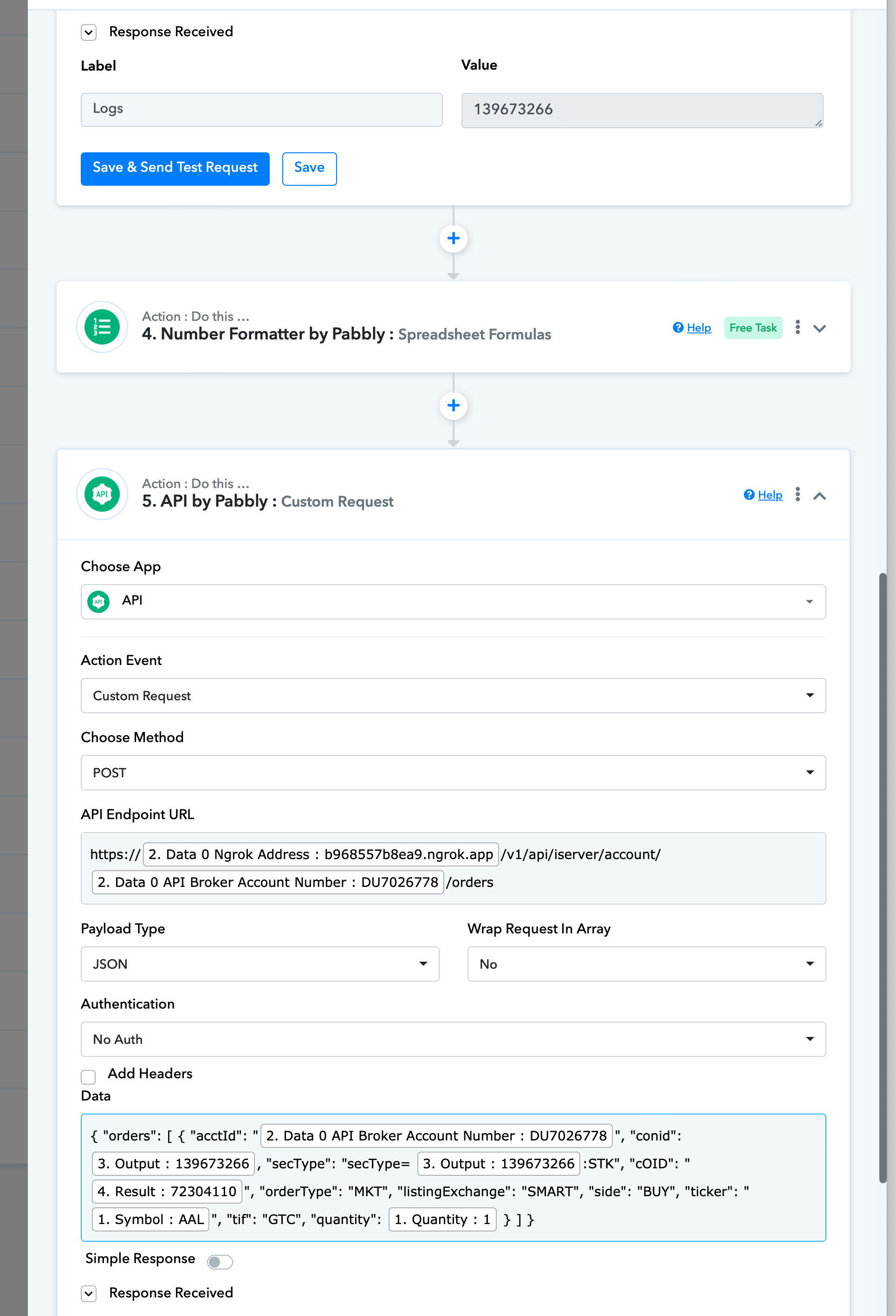
Hi, while the value is properly being returned in the code step, it is not being passed in the next steps. Please see the error below. Thanks,
Hey @greco26
We have checked the issue and found that Python code was passed to the code by the Pabbly module as a blank string that's the reason it got failed for this record. Kindly monitor the scenario for a couple of days and let us know if you got the same issue in any other data.
Hi @Kunal
I've continued to test it all day today with different records and it come back blank still. Why would the value show in the output however not get passed along to use in the next step?
@Kunal
If Python is giving issues, perhaps we can try in Java?
If Python is giving issues, perhaps we can try in Java?
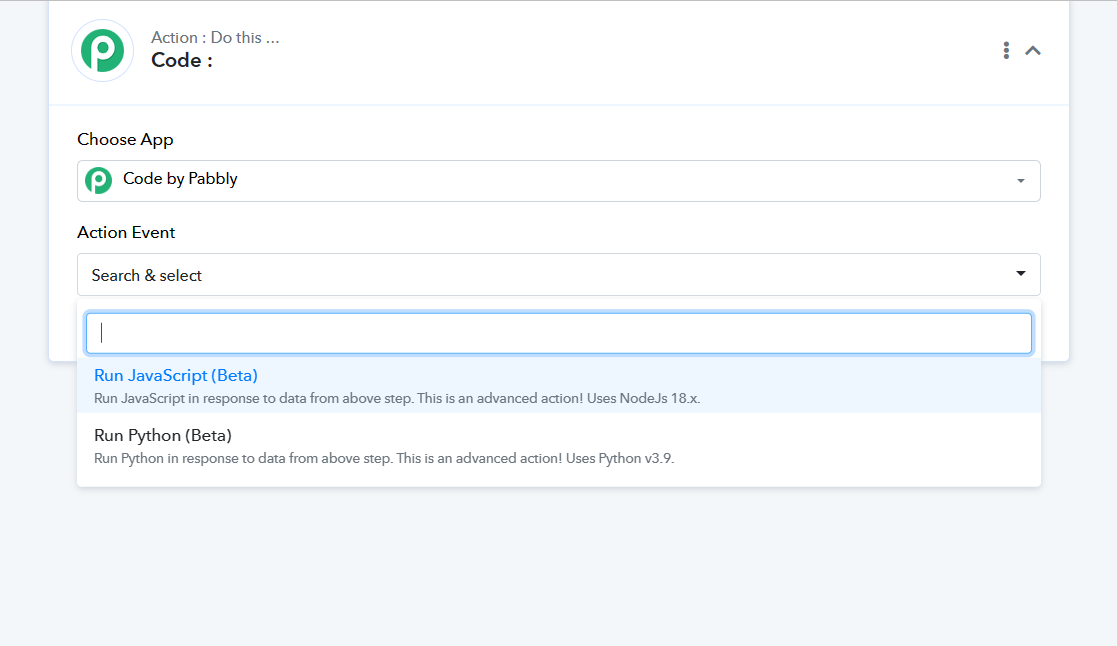
You can try the same in the Java Script in the Code action step.
@Supreme
Yes, I just dont know how to write Java.
Yes, I just dont know how to write Java.
In that case, we recommend you get in touch with a Java Script developer for your requirement.
Yes and perhaps Pabbly can figure out why Code by Pabbly isn’t working properly for the existing Python code since it’s providing the exacted output already.
Proficiency in coding is essential for successfully executing this step, as it relies on programming skills. However, we encourage you to explore and experiment with it freely. It's important to keep in mind that no technical support will be available for code-related errors.
To ensure a smooth experience, we highly recommend thoroughly reviewing the comprehensive Code experience, which provides valuable insights and detailed information to assist you in your coding journey.
I figured a way to get the data into google sheets and then select the correct cell with the data I need. Now, the problem is that Iterator sends the data for each loop it runs. I reviewed the following post however I'm still not clear on the final explanation and how to only have the data sent one time in the next steps of the flow instead of n of times.
FYI, I have hit dead ends all day trying to figure out how to get this working. I moved away from Python and Java because I dont know them and I know I should be able to get this to work without any coding.
The name of the flow is Simple-STRAT Workflow and the Route is IBKR New. I run test data to the flow from Test Order flow. The main record the flow uses is the Symbol (stock market ticker). I have 2 iterators running back to back because I have a nested array which I also need to iterate. I am able to iterate through the arrays and push the data from all the arrays to sheets.
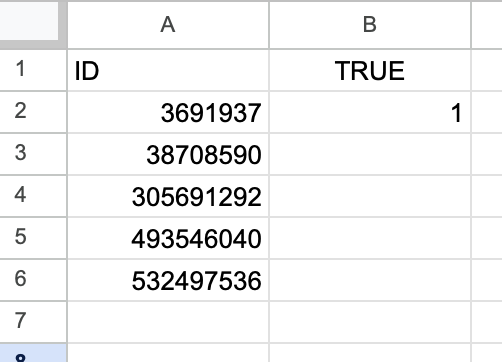
Then the next step the process is im doing a sheets lookup from Pabbly, finding the row that is 'True' and returning the ID in that row (3691937 in the example below) then inserting that into the next step which is to send a Post request. This is where things break for me. 1) 5 Post requests are being sent instead of just 1. Im sure it's because of my iterator setups so im hoping a filter or something can help me with that. 2) the row value record im pulling from sheets is blank when it comes back to Papply just like the Python script was returning.
The odd thing is that when I send a test record for the Post request from the Pabby flow, it works. When I send live data, the record coming from sheets is blank. Im working if it has something to do with the iterator still running while its pulling the record.
Any help would be super!!
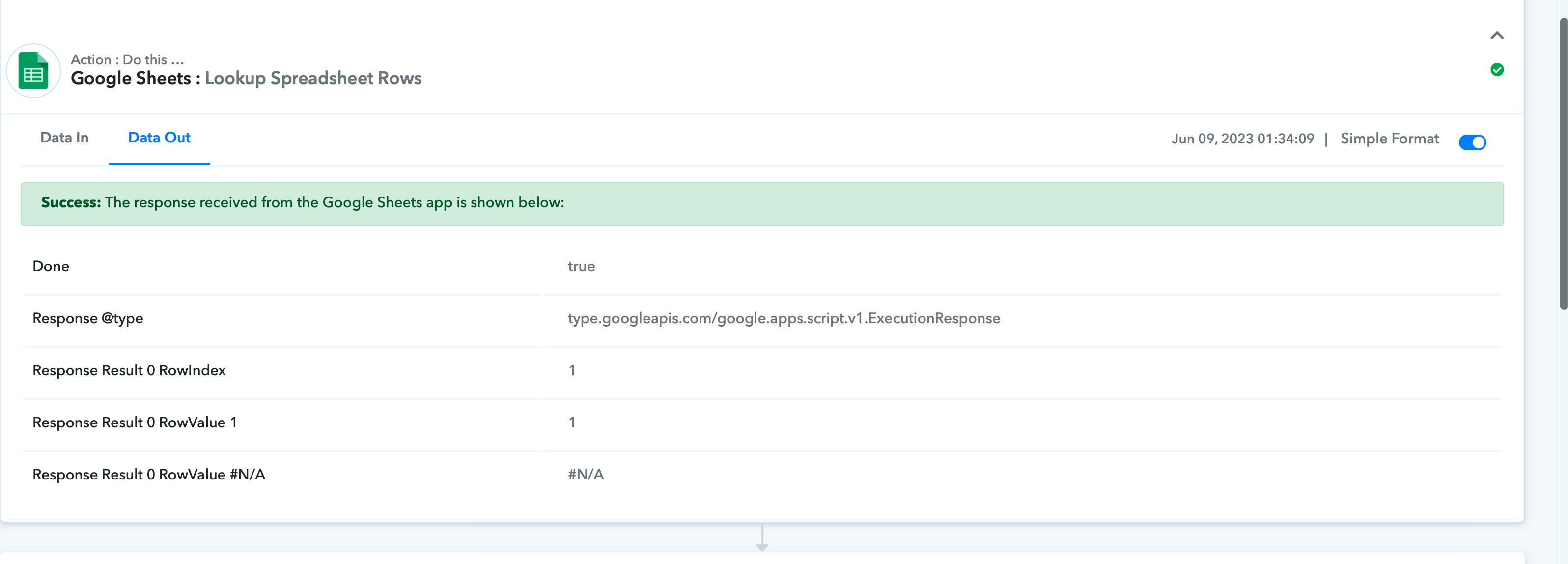
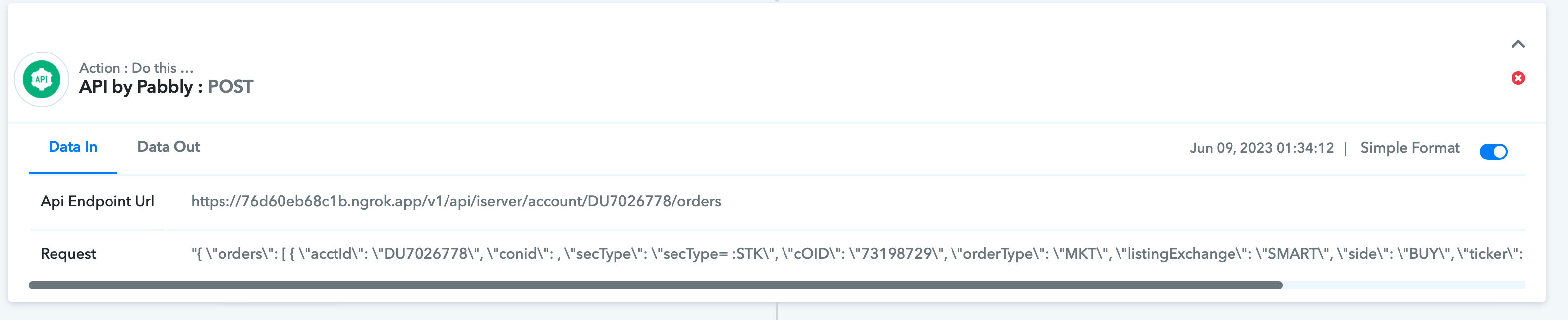
TEST RECORD WORKS FINE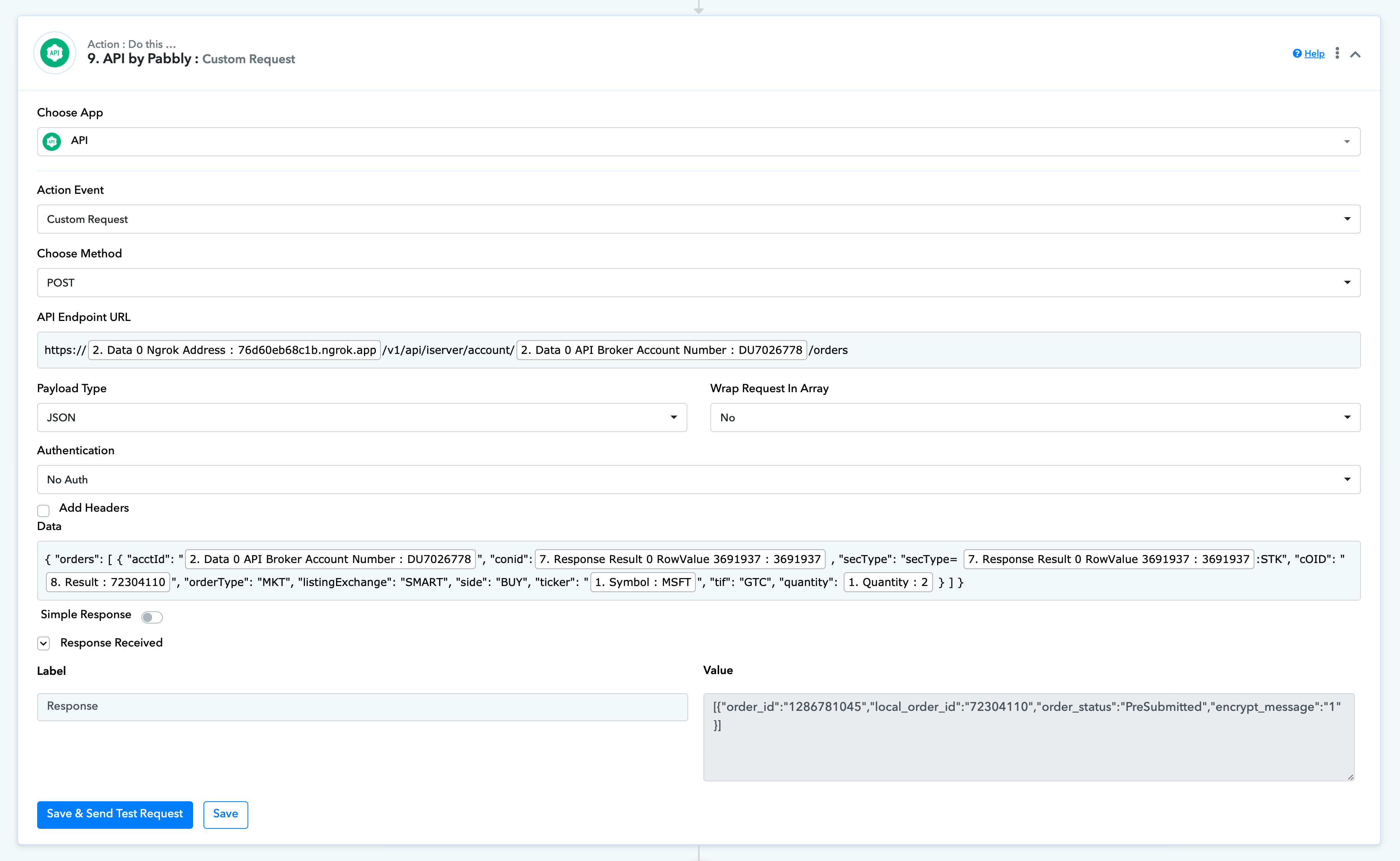
The odd thing is that when I send a test record for the Post request from the Pabby flow, it works. When I send live data, the record coming from sheets is blank. Im working if it has something to do with the iterator still running while its pulling the record.
Can you share the task history ID in which you have noticed the blank response from Google Sheets?
Certainly. Here are 2. I have many more if needed.
IjU3NjAwNTZiMDYzMDA0M2M1MjZmNTUzMjUxM2E1MTYyNTQzMiI_3D_pc
Task History ID -
IjU3NjAwNTZiMDYzMDA0M2M1MjZmNTUzMjUxMzY1MTY2NTQzNSI_3D_pc
Please allow us sometime, we are currently looking into it.
No problem. Thank you so much! If you can also help me better understand how to implement a filter to control the iterations, that would be great as well. I wasn't able to understand clearly from your post I mentioned earlier in this thread. thx!
Certainly. Here are 2. I have many more if needed.IjU3NjAwNTZiMDYzMDA0M2M1MjZmNTUzMjUxM2E1MTYyNTQzMiI_3D_pc
Task History ID -
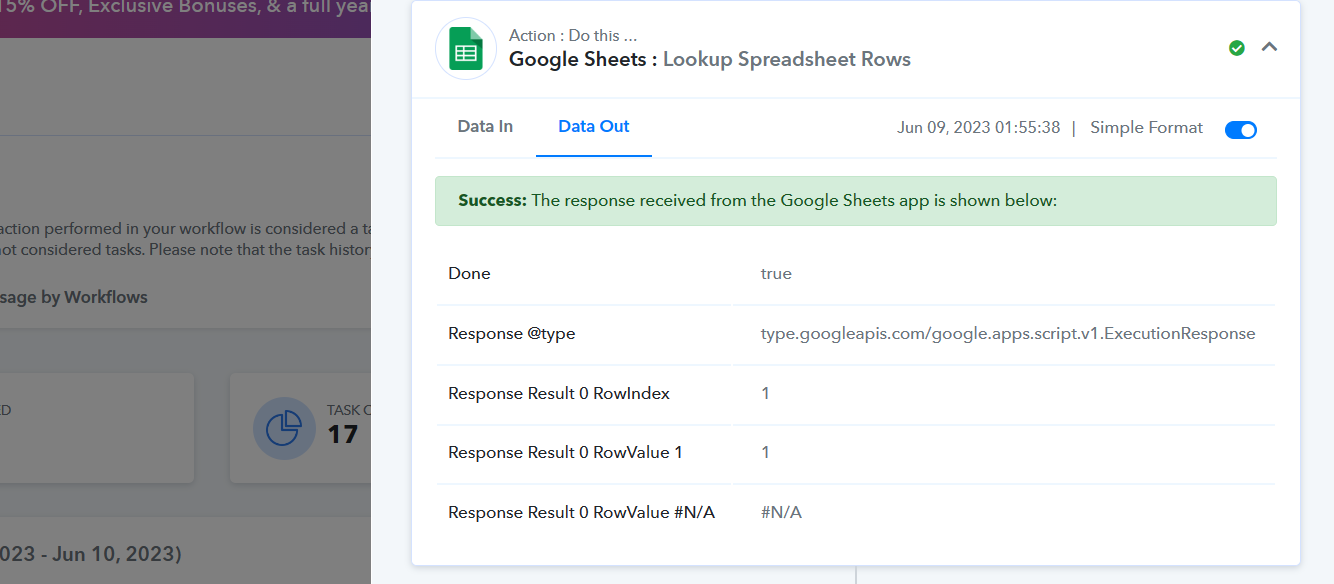
We couldn't find the empty data in the history of the task where you are getting the empty response from Google Sheets.
Further, we can see in the Google Sheets: Lookup SpreadSheets Row action step you arent getting the data that you have mapped in the API by Pabbly action step and that's why you are API by Pabbly request wasn't running.
Also, for a better understanding of the Fitler action step, you can refer to the following video lesson.
@Supreme
Perhaps I have not explained the issues to you properly therefore I have created 2 videos to show you (part 1 cut off so I had to continue with part 2 video). Also, I understand how to use Pabbly Filter however please refer to an earlier post in this thread about the context I was looking to use it in with relation to Iiterator. I have included this issue in my following videos.
Video Part 1 - https://drive.google.com/file/d/1ByzBDwxn6AKgArJ9jS_zI1fhBROrGzR0/view?usp=share_link
Video Part 2 - https://drive.google.com/file/d/1_47I17tcXZFBlATYYUu_XBqaG4pR_ojS/view?usp=share_link
We advise working with an automation specialist who can create such automation for your operation and oversee everything. - https://forum.pabbly.com/threads/pabbly-connect-experts-and-consultants.22/
And can even find automation experts in our Facebook group as well - https://www.facebook.com/groups/formget.deals/
Thats unfortunate as I feel like I'm so close to getting it to work. I will look to hire someone I suppose. In the meantime, can you help explain this post of yours in more detail as I believe this something I need to understand as well.
The Iterator action step in Pabbly Connect is created to operate by continuously retrieving data from the specified source until there is no more data left to receive one by one. The iterator will keep running until it has obtained all information accessible.
The next action(s) in the process will be started once the iterator has started retrieving data one at a time that is currently available. The iterator can also be set to halt after a predetermined number of iterations or when a particular condition is satisfied with the help of the Filter action step.
Can you explain this filter action step and how to use it to control the Iterator’s predetermine number of iterations? This is the basis of my question. Thanks!
The iterator can also be set to halt after a predetermined number of iterations or when a particular condition is satisfied with the help of the Filter action step.
For a better understanding of the Filter action step, you can refer to the following video tutorial.
youtube.com/watch?v=dhTiB4h9lKg
Further, if you are looking for a workaround to use Filter along with the Iterator step you can recommend hiring an automation expert who can create or manage the filter condition according to your iterations.
Really? @Supreme? I just need an explanation on how to control the looping that Iterator does in conjunction with using Pabbly Filter as you referenced in a similar discussion with someone else looking for the same. I've been using Iterator and Filter independently just fine. What is not discussed within any video that I can find, including all the generic ones you send, is how to control the looping of Iterator by using Filter expecially when I need to run 2 Iterator instances within the same workflow. That is all I need to know at this point. I dont understand why I have to hire an expert just for them to explain to me how combining the two features can control the looping. Thats really bad tech support if thats the case. I started this ticket June 6th and I am still trying to get answers but I feel like I keep getting blown off.
What is not discussed within any video that I can find, including all the generic ones you send, is how to control the looping of Iterator by using Filter expecially when I need to run 2 Iterator instances within the same workflow.
The Iteration logic and the filter step always depend on the user's use case, so it is not possible to cover all the n number of logic in a single video. Since you have a different logic to stop the iteration with a certain condition and that's why we have recommended you to prefer to get in touch with an expert who can build the specific logic according to your need. Our scope of support is limited to help resolve the error and bugs for all our customers.
@greco26 Were you able to get this solved?
Instead of exporting to Google Sheets, could you use Router after the iterator step to "If isUS = 1" then have the Conig value post via API?
Instead of exporting to Google Sheets, could you use Router after the iterator step to "If isUS = 1" then have the Conig value post via API?
Can you please create a new thread and elaborate on your concern briefly, so that we can look into it?
Can you please create a new thread and elaborate on your concern briefly, so that we can look into it?
I don't need you to look in to anything. I was responding to greco26 to see if I could help him.