How to run the same workflow with 50 variations from Google Sheets
Status: Open · Asked by fisto on · 0 views
I have the following POST request I want to send, but I need to change 2 variables for each request inside the text snippet. I need to send the text snippet 50 times, with 50 sets of variables.
I assume I would put the 50 sets of variables into Google Sheets, but I don't know how to execute this with Pabbly.
Here is the text snippet:
POST '/settings/taxes/rules',
{
"id": "bc",
"name": "BC",
"priority": null,
"origin": null,
"categories": [],
"shipping": false,
"product_classes": [
"standard"
],
"account_classes": [],
"rates": [
{
"name": "GST & PST",
"country": "CA",
"rate": XXXXXX VARIABLE 1 XXXXXXXX,
"state": "XXXXXX VARIABLE 2 XXXXXXXX",
"zip": null,
"$locale": {
"en-US": {
"name": "GST & PST"
},
"fr": {
"name": ""
}
}
}
]
}
Hi @fisto,
You can have the 50 set of variables in your Google Sheets spreadsheet.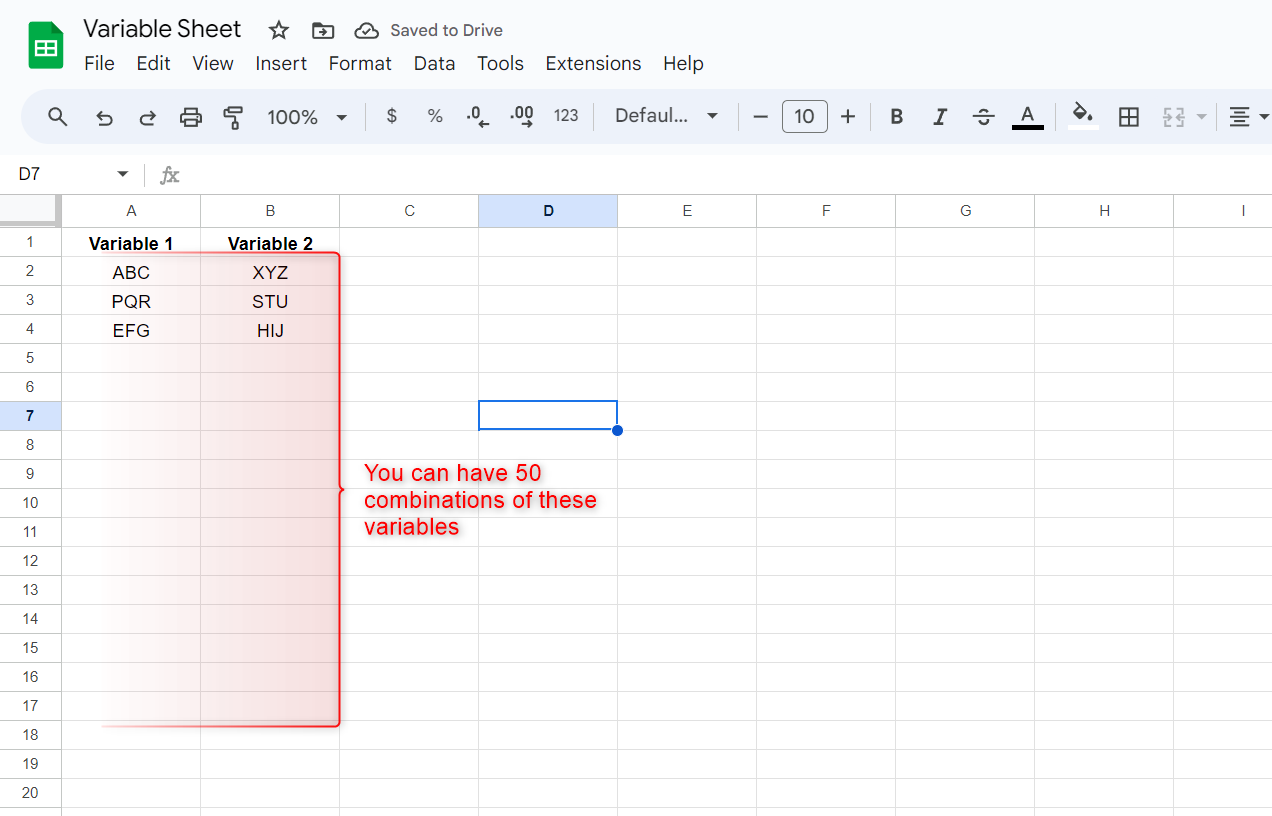
You can then set up a Google Sheets trigger step and use the API by Pabbly module as your action step to execute the endpoint. Then, use the 'Send All Data' feature to send all 50 sets of variables to Pabbly Connect.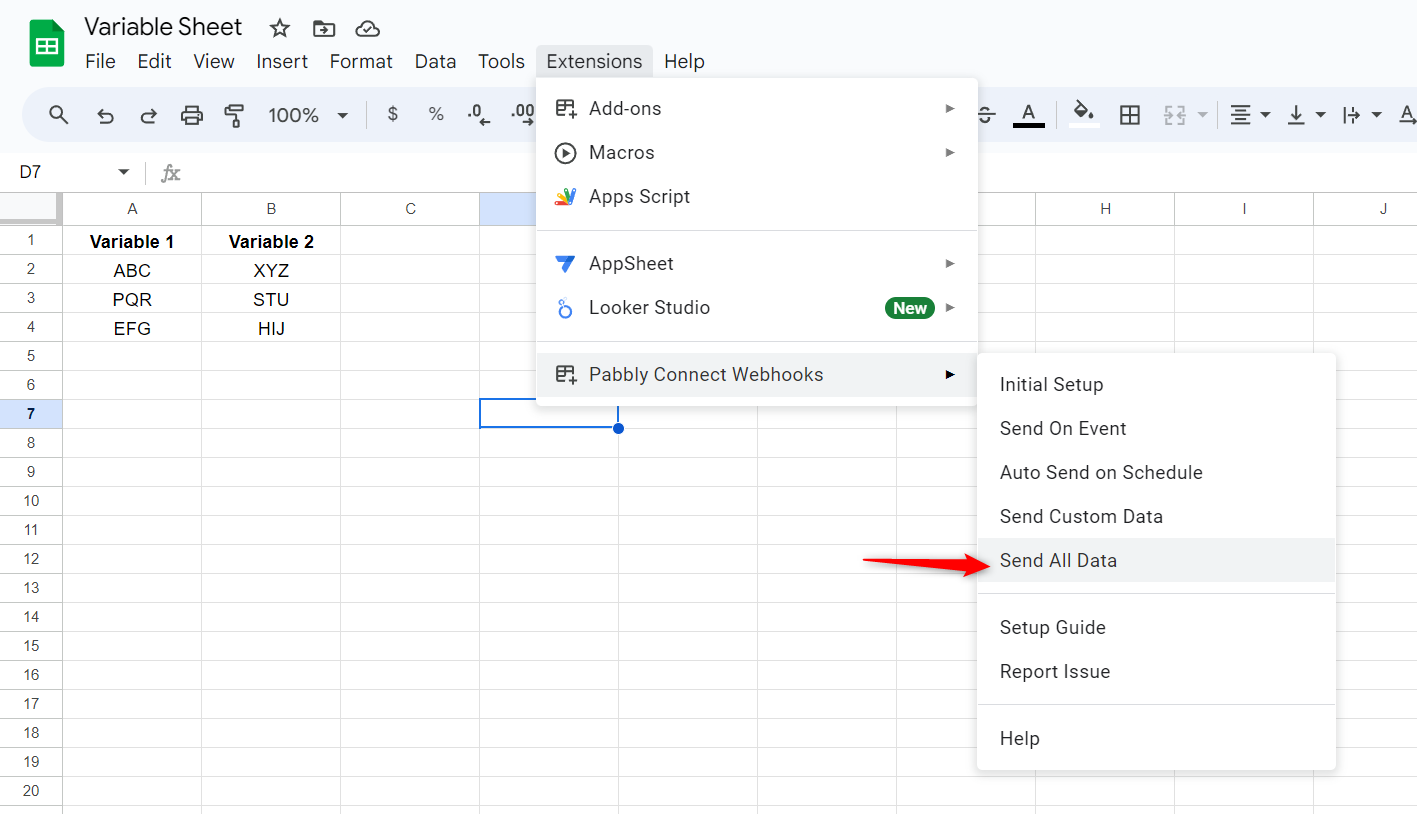
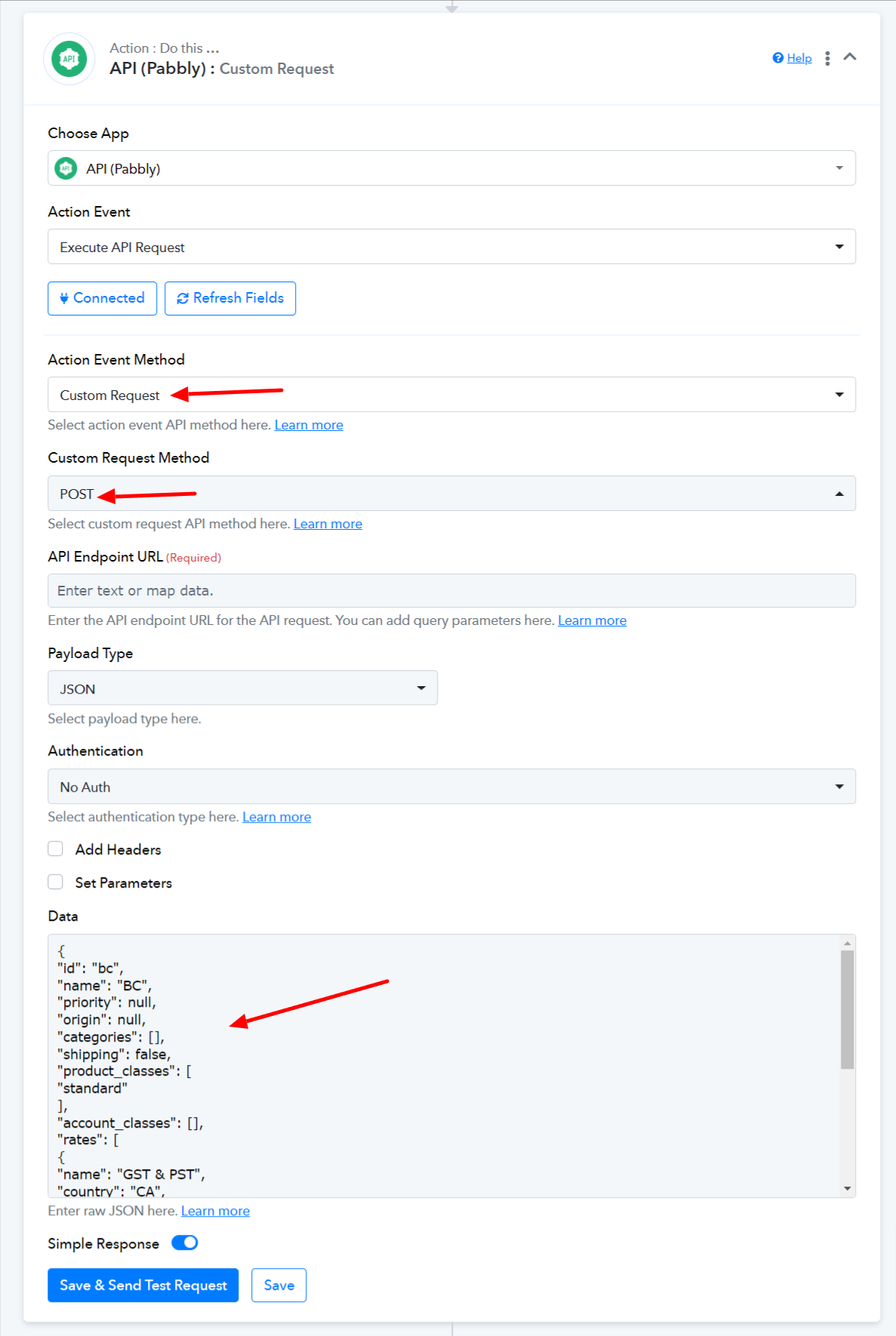
Can you help me with where I would put the code snippet? I assume I have to create a POST API in pabbly, but beyond that I don't know what else.
Thank you
You can create a custom POST request and enter the JSON into the data field.