How to schedule a Google calendar event in a specific time
Status: Closed · Asked by Ori D on · 0 views
Hello,
Perhaps someone in the community or in Pabbly connect supporters can guide me on how to do this workflow.
What I want to do is to create an event on Google calendar in a particular local time (not UTC). For instance, if a prospect fills a form between 00:00 and 7:59, an event would be created at exactly 8:00 local time. If the customer fills a form between 8:00 and 18:59, the event would be created automatically at the same time. Lastly, if the customer fills the form between 19:00 to 23:59, I want to create an event at 8:00 the day after local time.
I attempted to adjust the time and date to my local timezone, perform time calculations such as addition or subtraction, and apply filters to display only remaining time and decline dates. But nothing had worked for me. I also watched this video:
youtube.com/watch?v=4fSNuwlWRew
. Apparently there is no option to schedule a workflow which could have solved my problem.So, I'm asking is there a way to schedule a Google calendar event in a specific time? If there isn't, how can I create a workflow that is the easiest and close to what I need?
Thank you in advance,
Hi @Ori D,
Could you please confirm what your local time zone is? Also, share the Workflow URL in which you have tried these steps that you are mentioning.
Yes,
I'm from the Jerusalem timezone. (+2 UTC)
This is the URL: https://connect.pabbly.com/workflow/mapping/IjU3NjUwNTZlMDYzMzA0Mzc1MjZhNTUzNTUxMzYi_pc
Sorry if the workflow would look a bit complicated. I try to simplify it. That is why I refer to you.
Please check out the workflow shared below, which could help you create events according to the conditions you mentioned above:
https://connect.pabbly.com/workflow/mapping/IjU3NjUwNTZlMDYzMzA0MzA1MjZhNTUzNzUxMzMi_pc
I assume that the date/time received from Formaloo is in accordance with your local time (Jerusalem). If not, please let me know, and I will make some adjustments.
===========================================================================================
Before adding these steps to your workflow, I need you to click on the 'Save & Send Test Request' button in the Google Calendar action step of your Route 1 (00:00 to 07:59) and check if the event is being created at 09/11/2023 08:00 Local Time (Jerusalem) in your Google Calendar.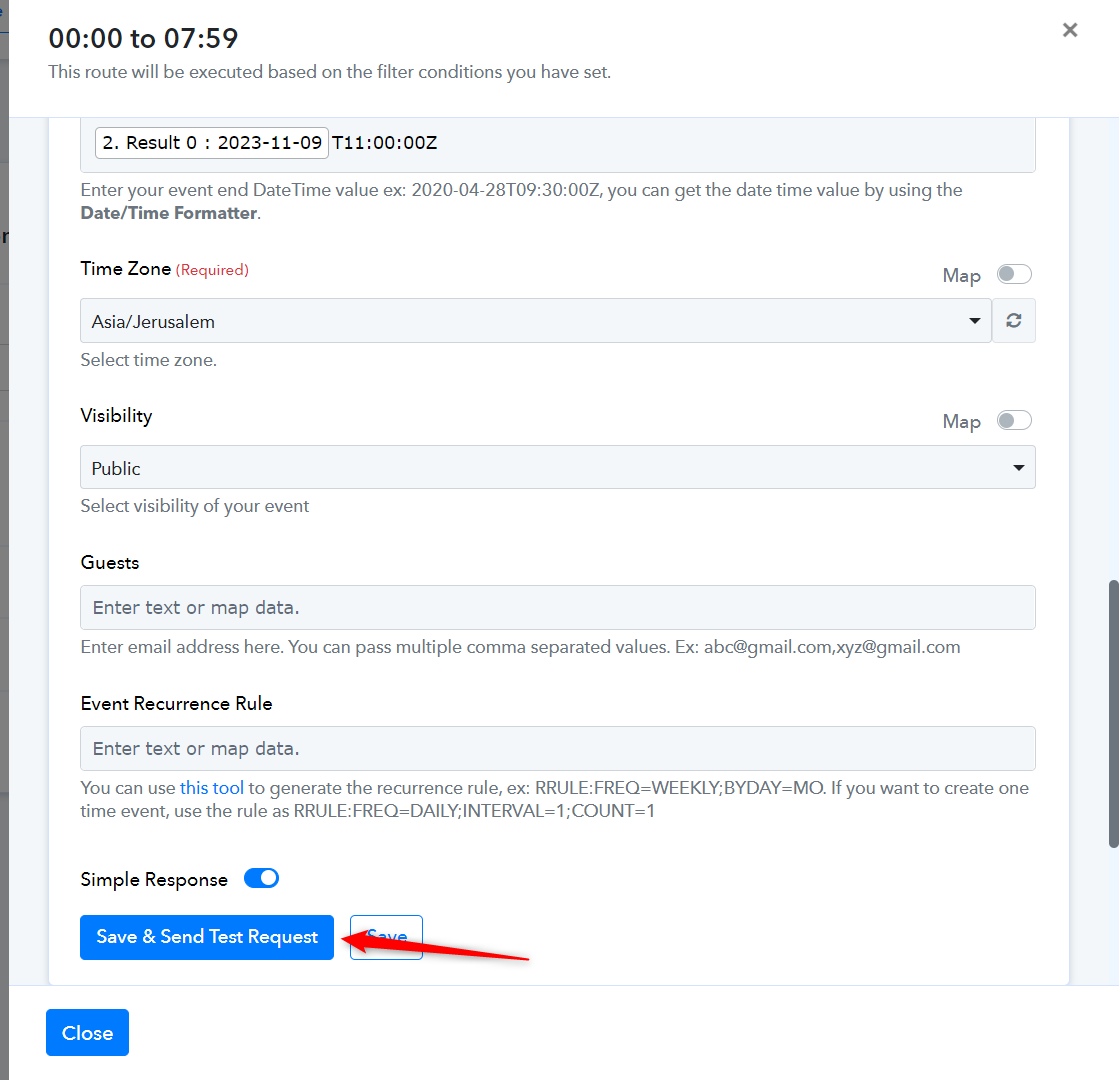
Formaloo's scheduling timezone is in UTC, not in the Jerusalem timezone. So we need to kindly do the adjustments.
Thank you for trying to help, but it does appoint the event at 12pm and not 8am as it should.
Attachments
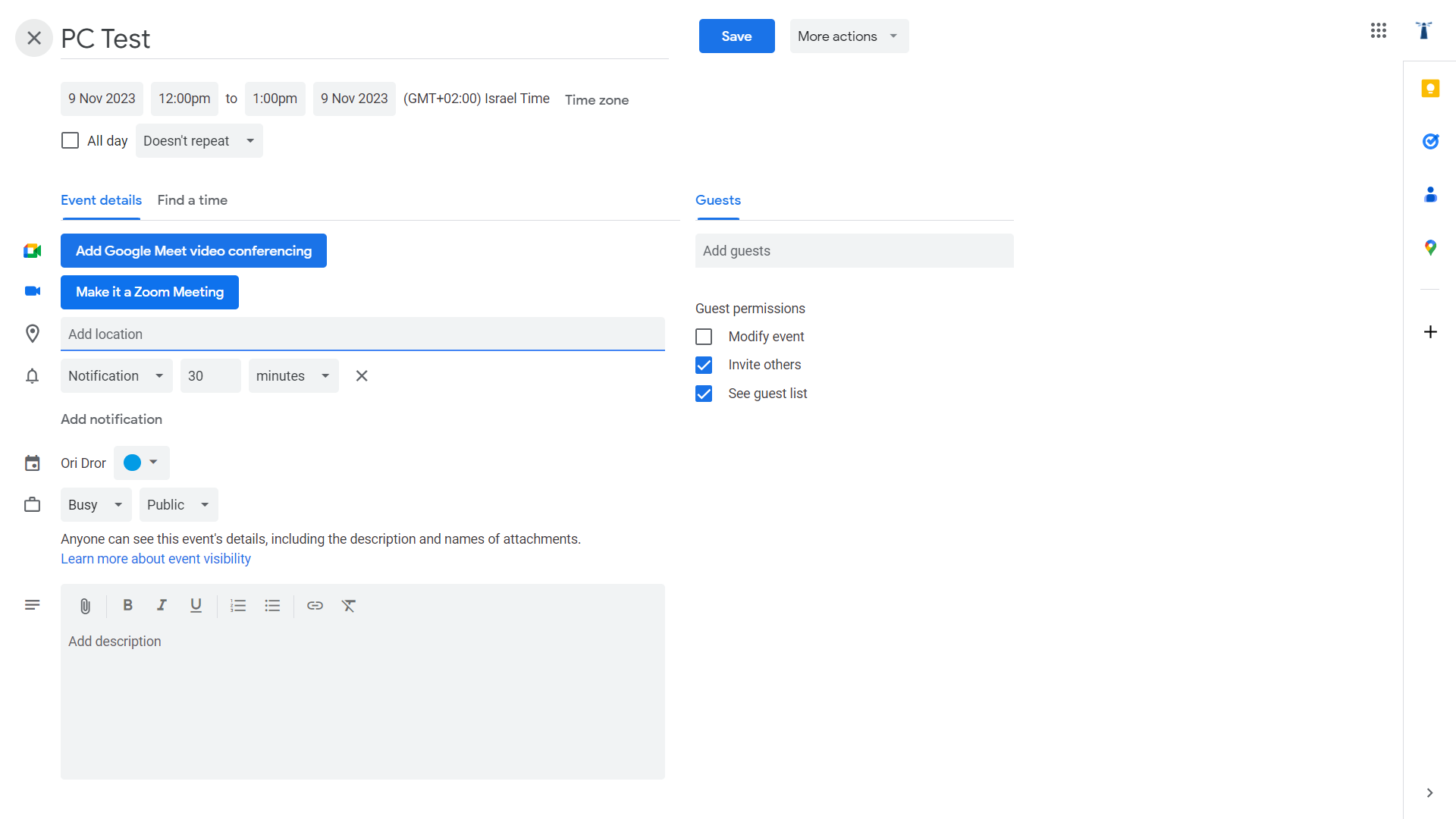
I have made some adjustments to your workflow. Please click 'Save & Send Test Request' again to check if the events are now being created at their specified times.
It worked. Thanks a lot! Can you please kindly tell me how did you do that? You have used the text formatter twice. What was the logic behind doing that?
The 'Greater than' and 'Less than' conditions operate on absolute values; they don't work with time. Therefore, we needed Text Formatter to get the Hour value, which could then be used in the Filter step. Otherwise, if we simply map the time without formatting (e.g., 12:00:00), it won't function properly because it's not supposed to work in that manner.
Thanks a lot!