How to schedule Telegram Polls from Google Sheet at specific intervals?
Status: Open · Asked by quoramedia on · 0 views
[Note: We have already connected Google sheet with Telegram Poll watching your Youtube video successfully. Workflow URL provided]
Requirement
Our Google sheet has 100 rows of "Telegrarm Polls". We want to post 1 row [i.e. 1 Telegram poll] at intervals of 15 mins between 9 AM to 10 PM everyday till period of 3 months.
Please give the required workflow WITH CLEAR STEPWISE SCREENSHOTS. It's very confusing out here. Please.
Hey @quoramedia
Based on the use case you have shared with us, I have prepared a workflow that I believe will be helpful to you. Please find the link to the workflow below.
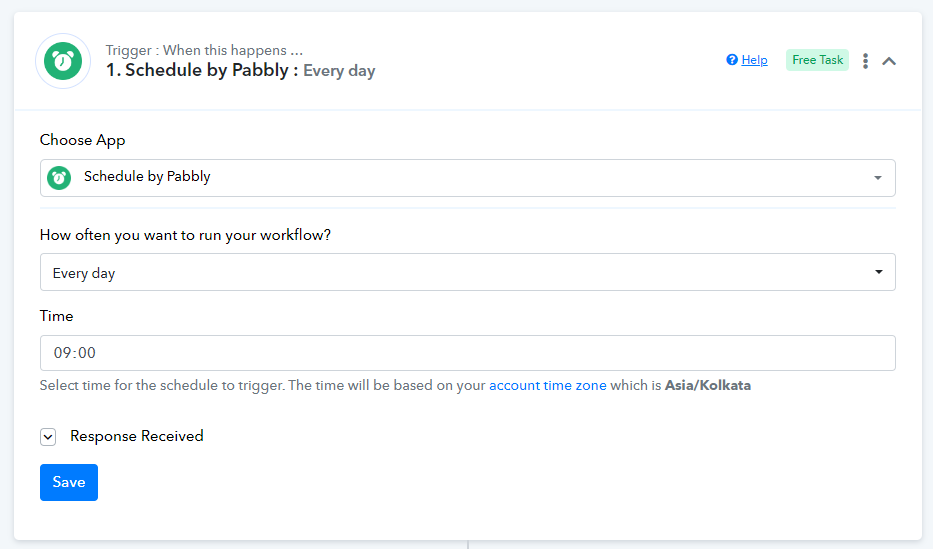
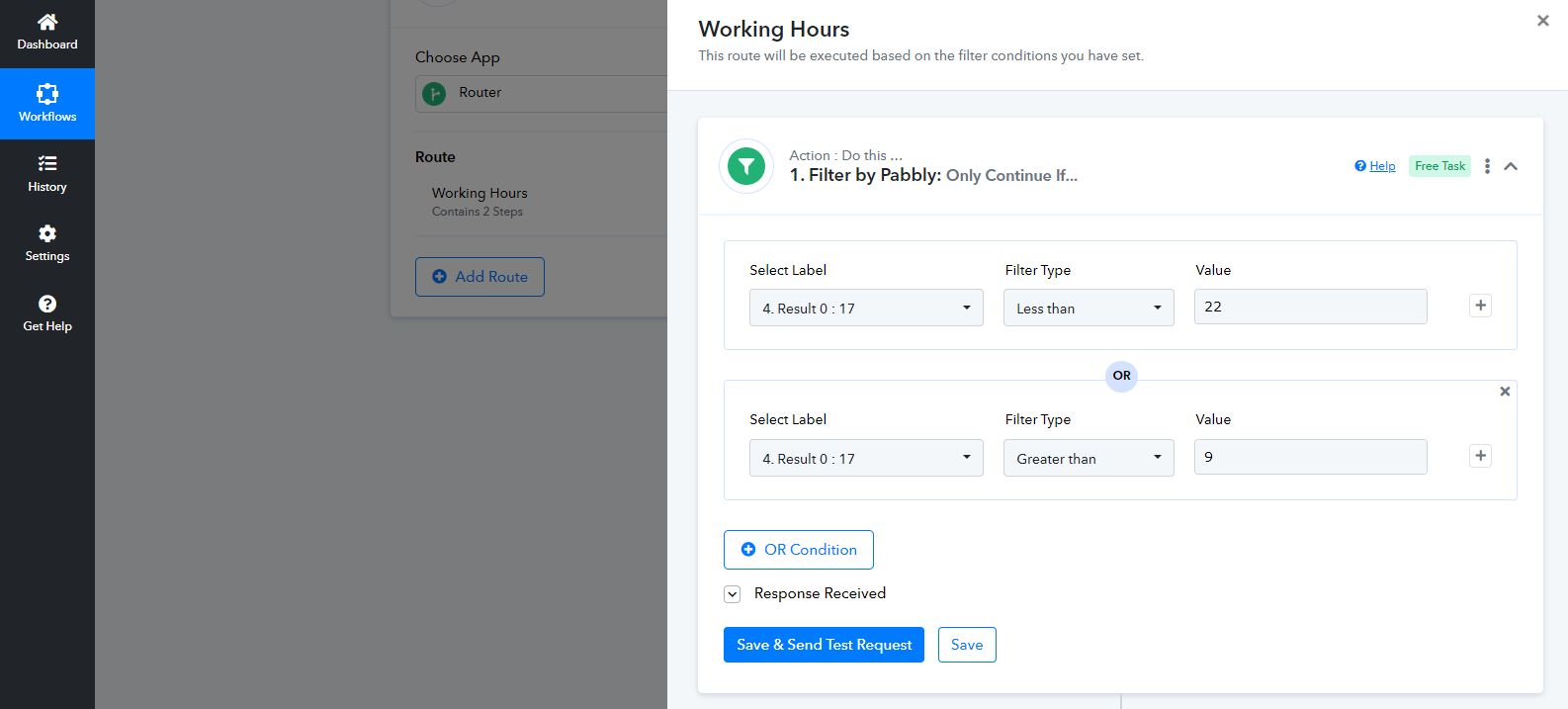
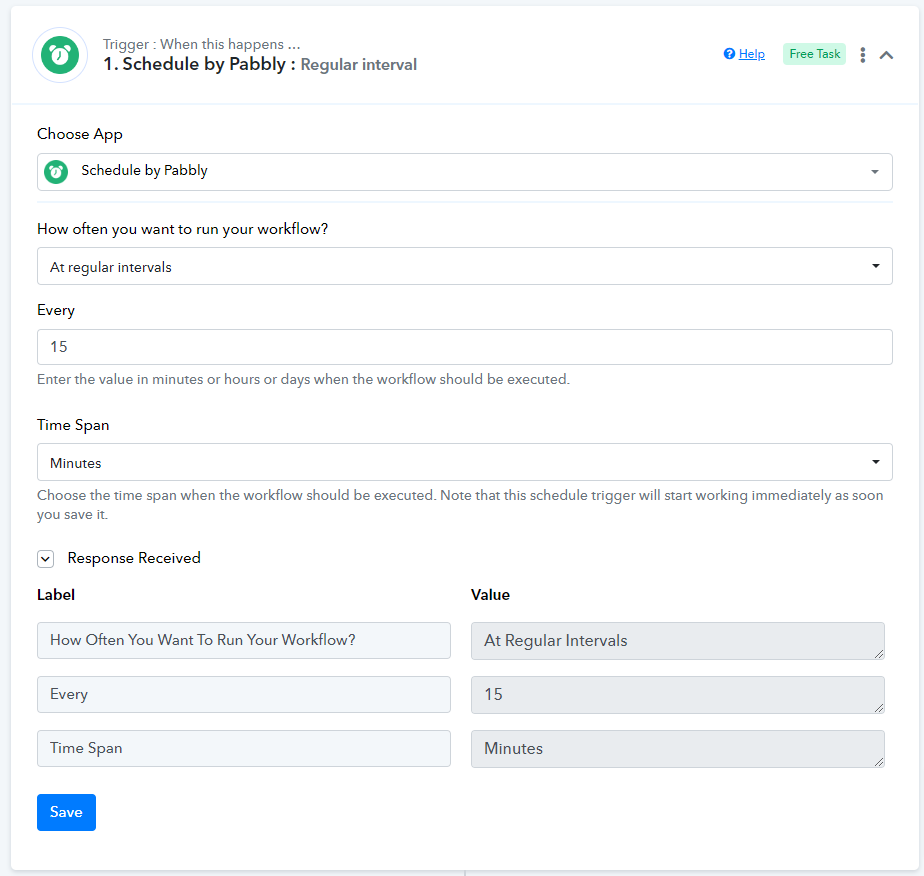
This workflow has been designed to automate the process of Telegram Polls from Google Sheets at specific intervals. The workflow consists of scheduling the trigger in every 15 minutes. you have to use the router in your workflow in which you have to set the filter condition that your workflow will only run between 9 AM to 10 PM. I have also added a Counter step that resolves your issue.
Please take a look at the workflow and let me know if you have any questions or if you would like me to make any changes. Also, please make sure to test the workflow thoroughly before using it.
Arshita,
Its difficult to understand. Also I can't see any Telegram bot.
1. What is happening at every step?
2. How to add Telegram bot? Please add the telegram bot to create polls.
Hey @quoramediaBased on the use case you have shared with us, I have prepared a workflow that I believe will be helpful to you. Please find the link to the workflow below.
This workflow has been designed to automate the process of Telegram Polls from Google Sheets at specific intervals. The workflow consists of scheduling the trigger in every 15 minutes. you have to use the router in your workflow in which you have to set the filter condition that your workflow will only run between 9 AM to 10 PM. I have also added a Counter step that resolves your issue.
Please take a look at the workflow and let me know if you have any questions or if you would like me to make any changes. Also, please make sure to test the workflow thoroughly before using it.
Hey @quoramedia,
1. What is happening at every step?
Step 1: We have added a scheduler to the workflow to make sure that your polls are sent every 15 mins.
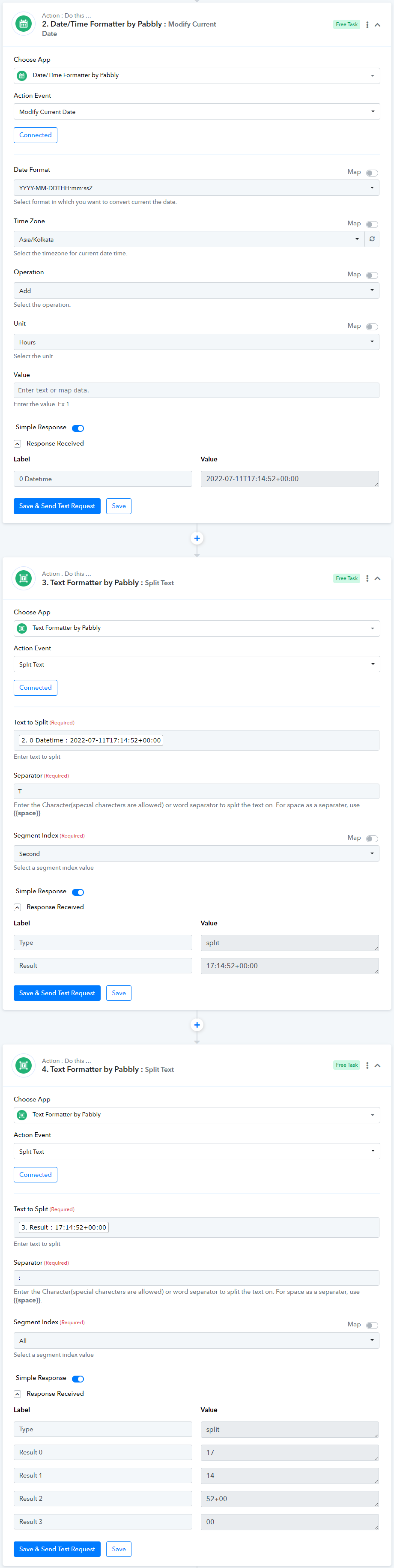
Step 2 to 5.1 (Router: Filter) : As you want the polls to be paused at 10 AM, these steps will ensure that your automation works only between 9 AM and 10 PM.
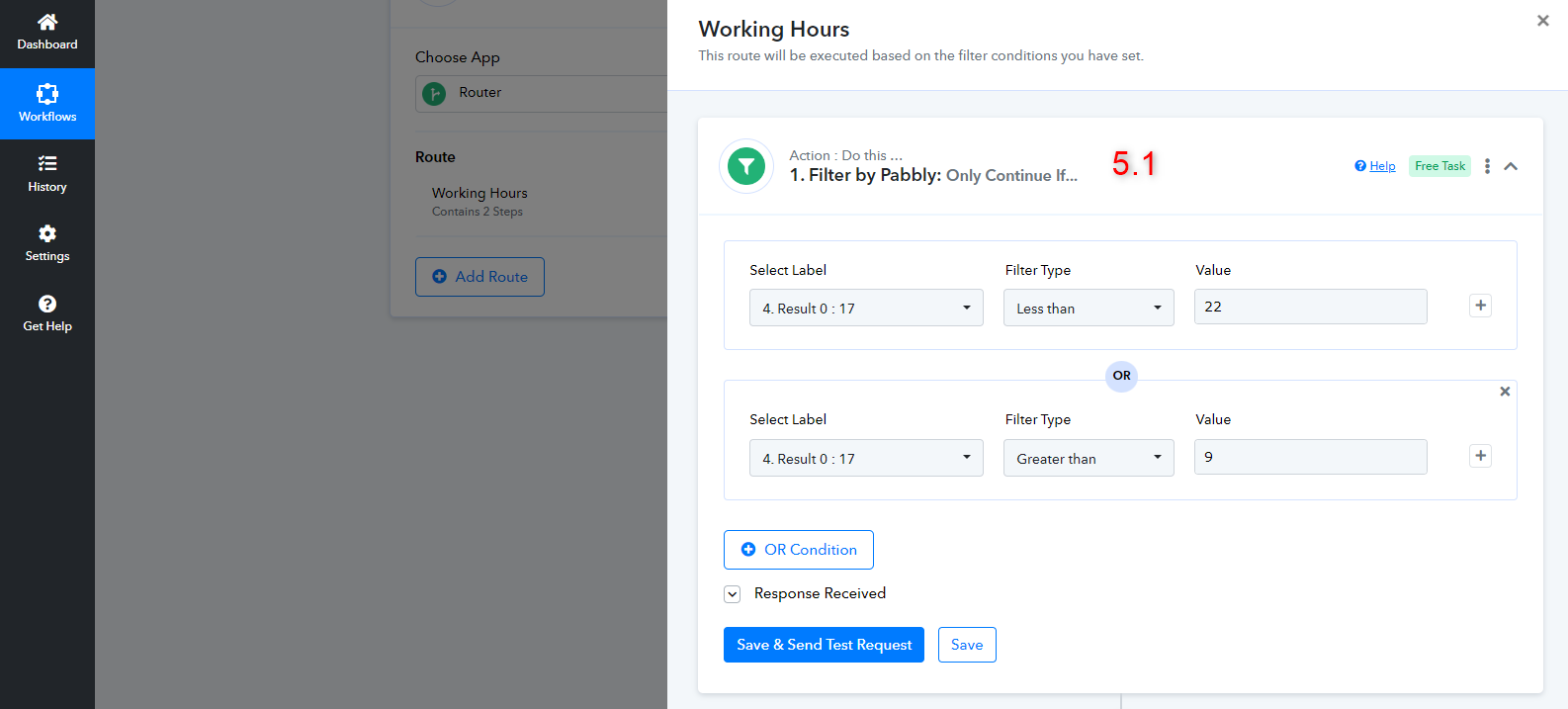
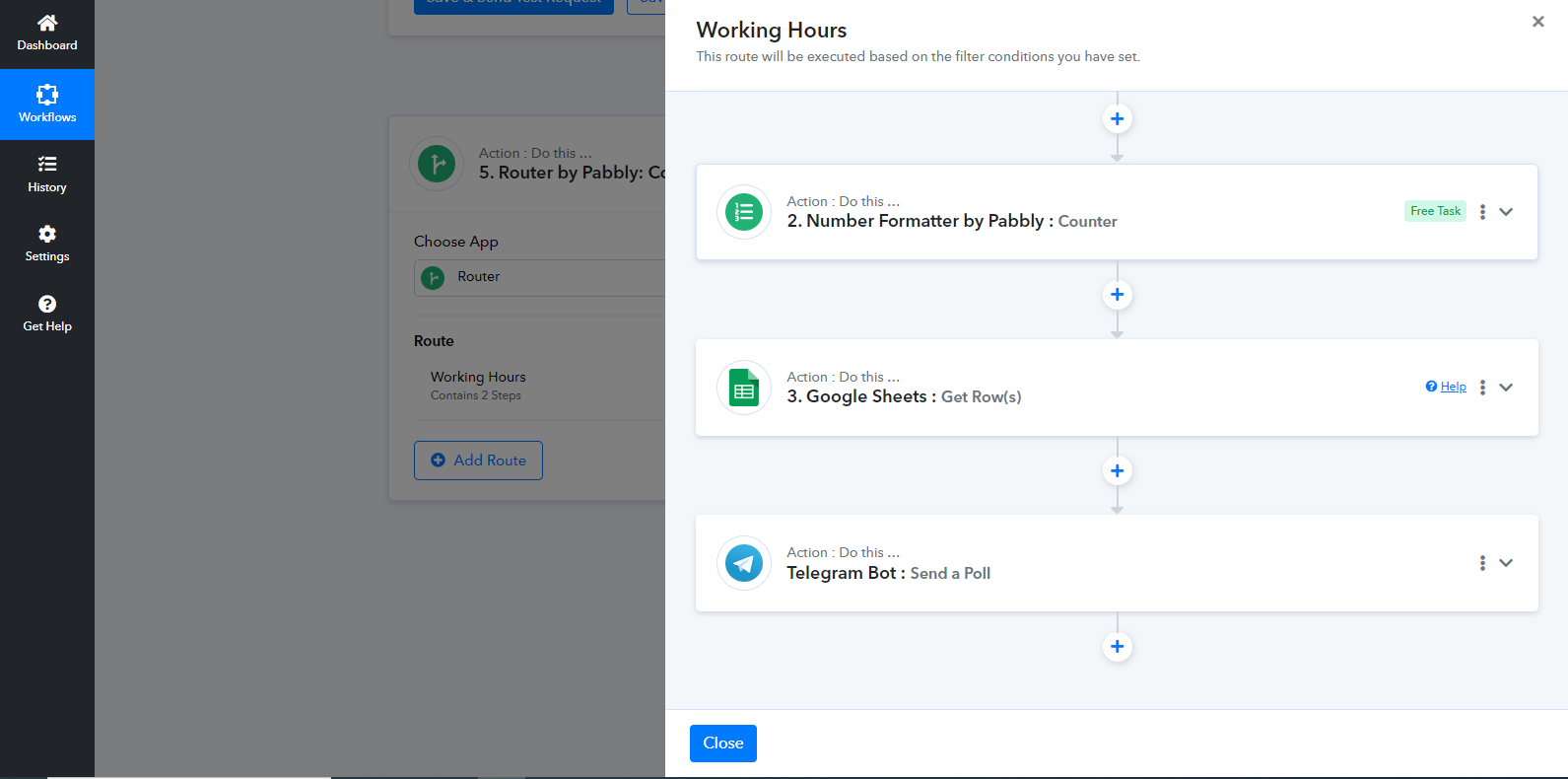
Step 5.2 and 5.3: Since your Google Sheets spreadsheet already has 100 rows of polls, these two steps will ensure that those polls are executed one by one, starting from the first poll of your spreadsheet.
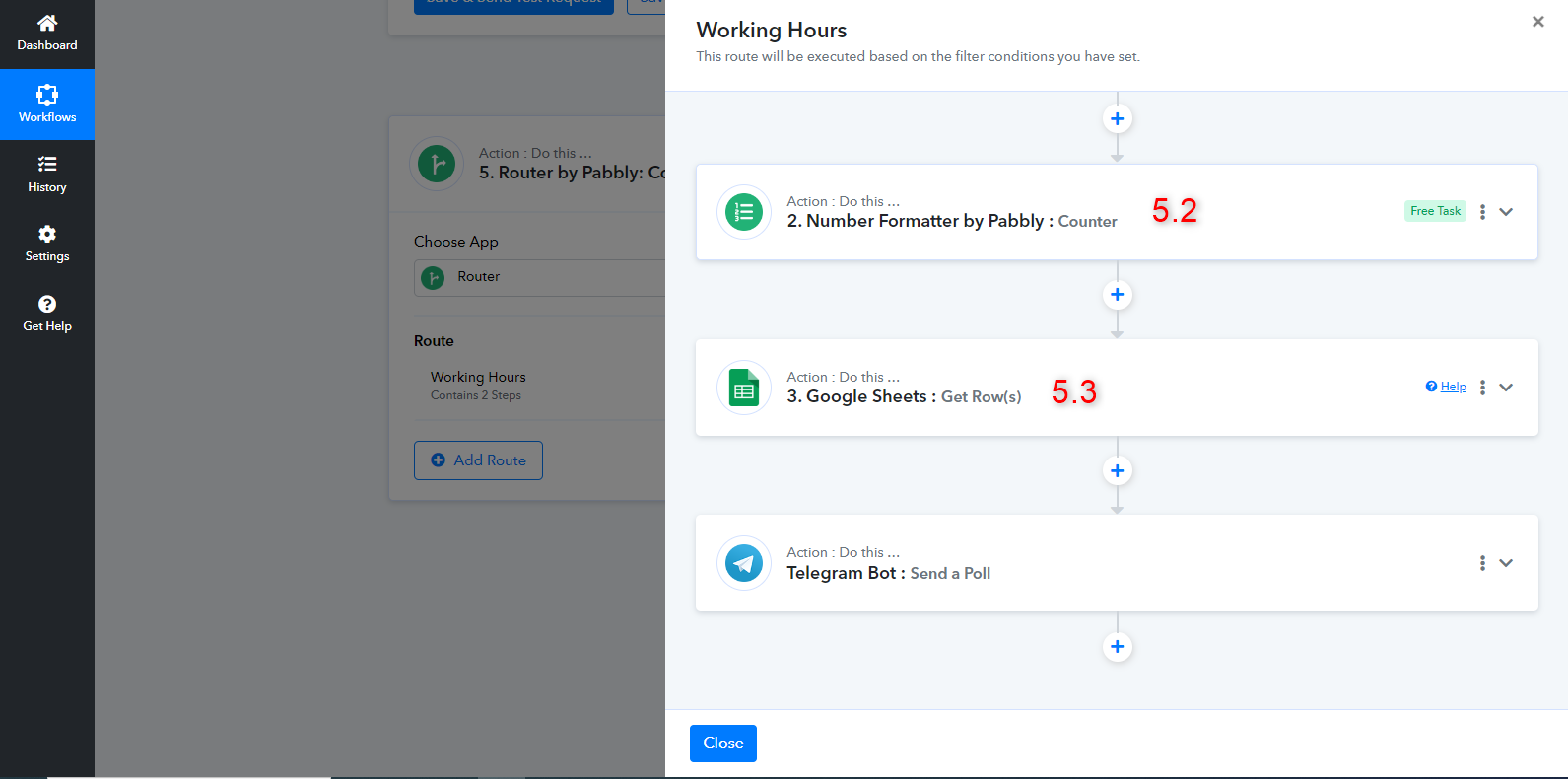
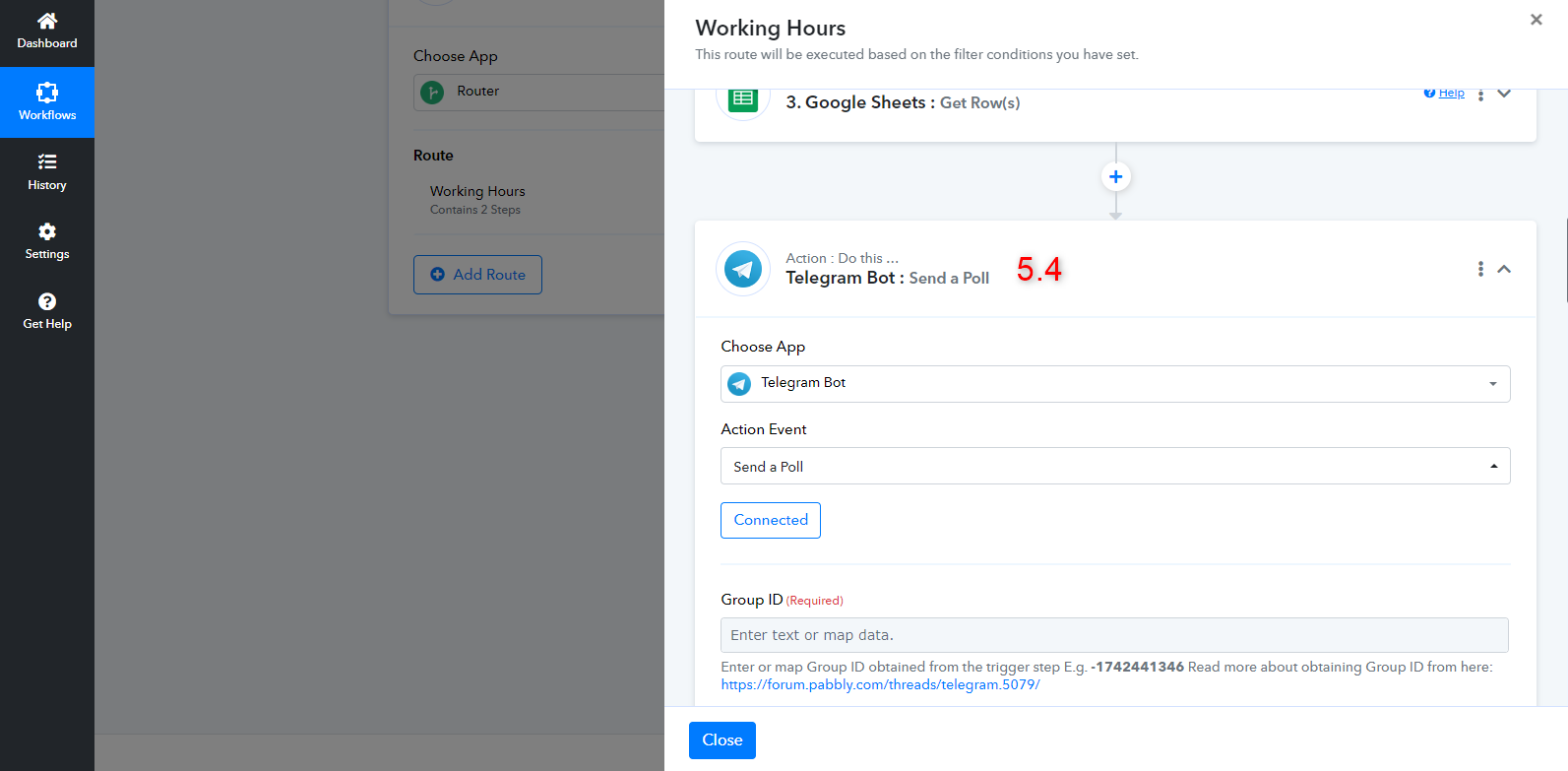
2. How to add Telegram bot? Please add the telegram bot to create polls.
Step 5.4: You need to add Telegram Bot: Send a Poll action event in this step.
Attachments