How to select certain text and extract from JSON format?
Status: Closed · Asked by Now or Never Fitness on · 0 views
Hi I'm using the lookup feature in Pabbly to get multiple rows and update at another sheets.
Lookup results
[{"rowIndex":2,"rowValue":{"frontly_id":"1","WOSetID":"1","exericiseID":"1","workoutID":"1","set":"3","noReps":"10-15","RIR":"3","Archived":"TRUE"}},{"rowIndex":3,"rowValue":{"frontly_id":"2","WOSetID":"2","exericiseID":"2","workoutID":"1","set":"3","noReps":"10-15","RIR":"3","Archived":"TRUE"}},{"rowIndex":4,"rowValue":{"frontly_id":"3","WOSetID":"3","exericiseID":"3","workoutID":"1","set":"3","noReps":"10-15","RIR":"3","Archived":"TRUE"}},{"rowIndex":5,"rowValue":{"frontly_id":"4","WOSetID":"4","exericiseID":"7","workoutID":"1","set":"3","noReps":"10-15","RIR":"3","Archived":"TRUE"}}]
Then, Im using Data Transformer (Line Itemizing) to and return this result.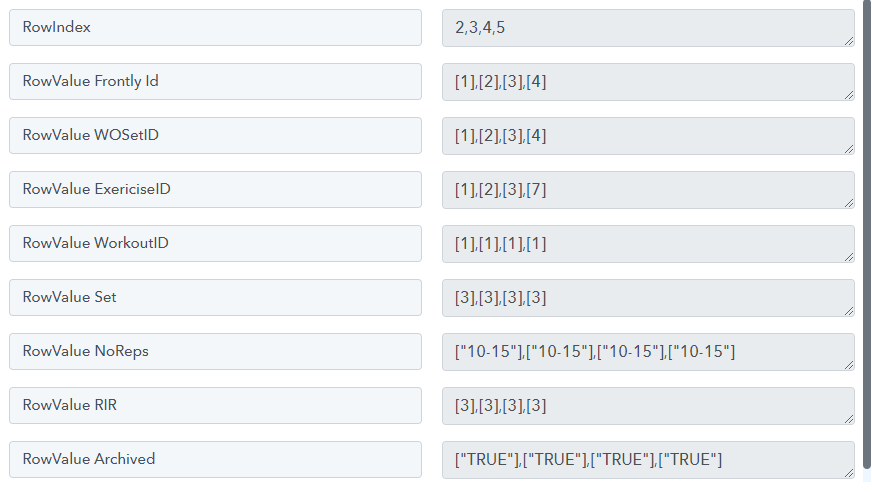
Lastly when I want to update another sheet using "Google Sheets - Add Multiple Rows". It return this error.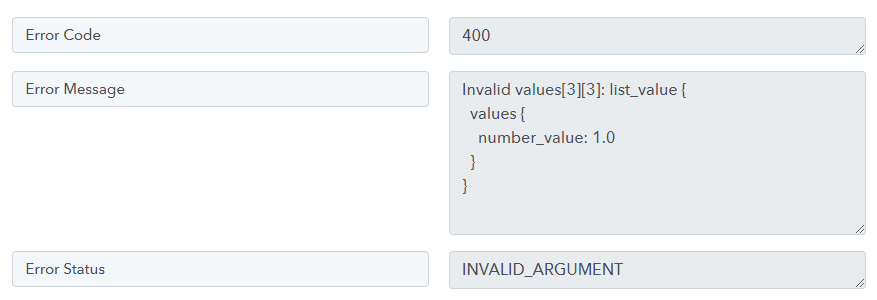
My expected result is to update those lookup results without changing any format to another new sheets.
Is it because of the result return in list format, and couldn't be updated in Google Sheet? Any solution on this?
Thank you
Please be aware that we may need to access your Pabbly Connect account to assist you effectively. If you're comfortable with this, please grant us permission by stating in your next email: "You have my permission to log into my Pabbly Connect account, and edit workflow {If required}. Here is the registered email address associated with it."
Manthan
P.S. - Do check our Pabbly YouTube Channel where we have more than 7400+ automation tutorials.
Hey @elvisleePlease be aware that we may need to access your Pabbly Connect account to assist you effectively. If you're comfortable with this, please grant us permission by stating in your next email: "You have my permission to log into my Pabbly Connect account, and edit workflow {If required}. Here is the registered email address associated with it."
Hi Manthan,
I had granted the access, may I know is there any update on this?
Hey @elvislee
To input multiple comma-separated values into Google Sheets in a single action, you can directly pass the data from your Lookup Spreadsheet response or from the Get Rows action, wherever you wish to transfer the data, rather than using a JSON Transformation action step.
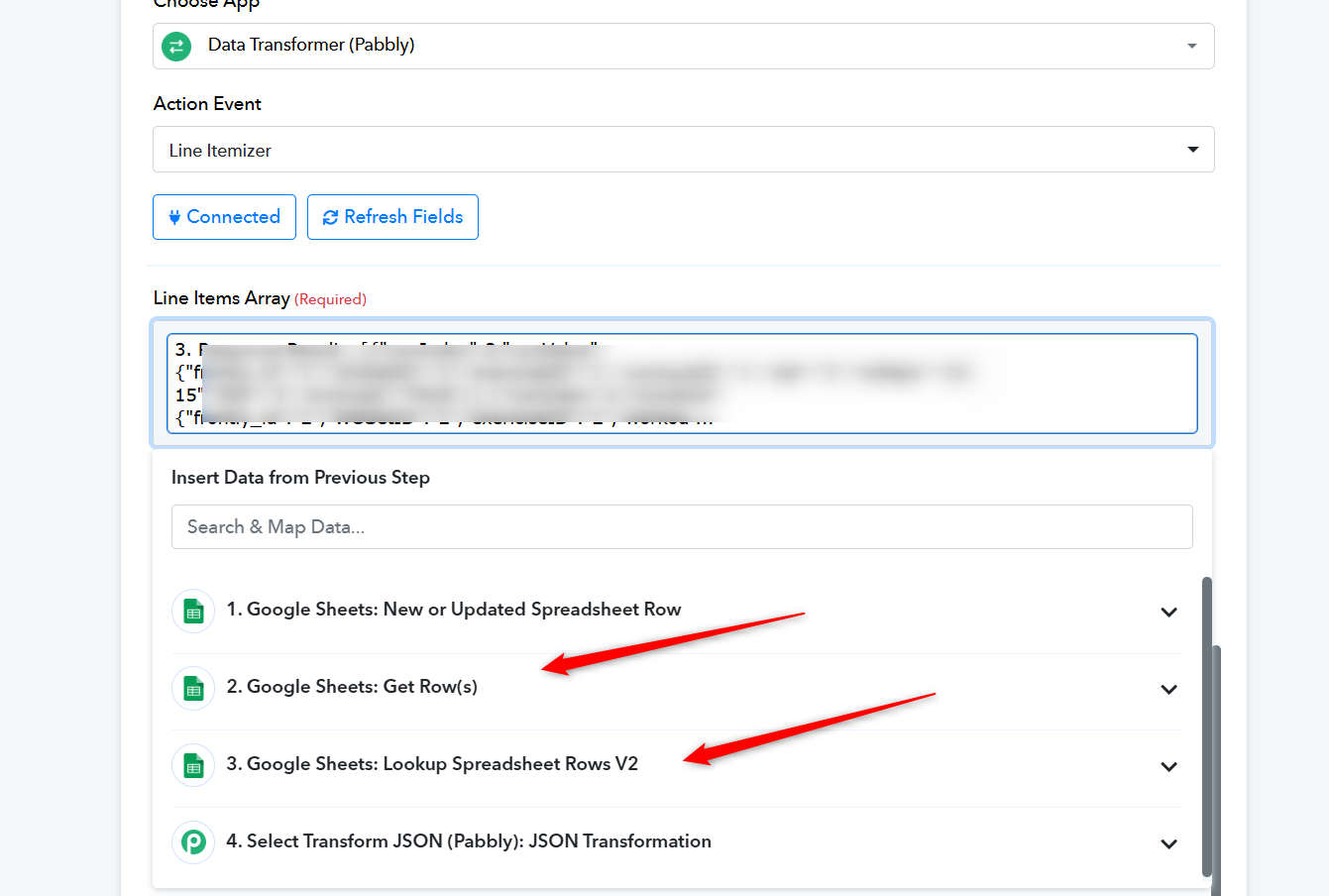
For the reference on the same, please check the following video lesson -
Hey @elvisleeTo input multiple comma-separated values into Google Sheets in a single action, you can directly pass the data from your Lookup Spreadsheet response or from the Get Rows action, wherever you wish to transfer the data, rather than using a JSON Transformation action step.
For the reference on the same, please check the following video lesson -
Hi Supreme,
Thanks for the video provided, but the result return in list form. This is the error code that shown when using "Google Sheets -> Add Multiple Rows".
Sample Data: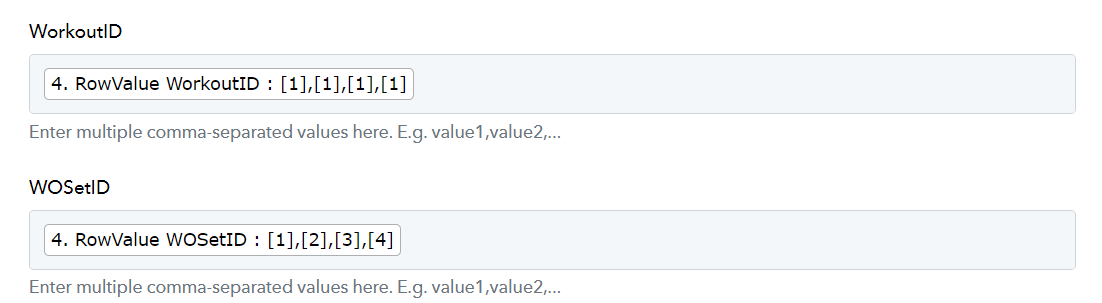
Error: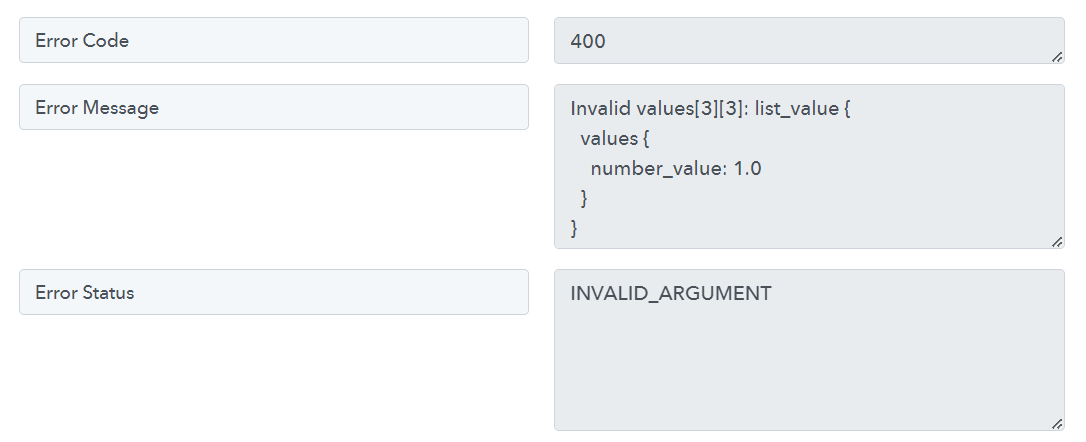
Please check the fourth step of the Python guide to obtain the line itemizer items' values in a comma-separated manner.
I hope this will work now please map the values accordingly.
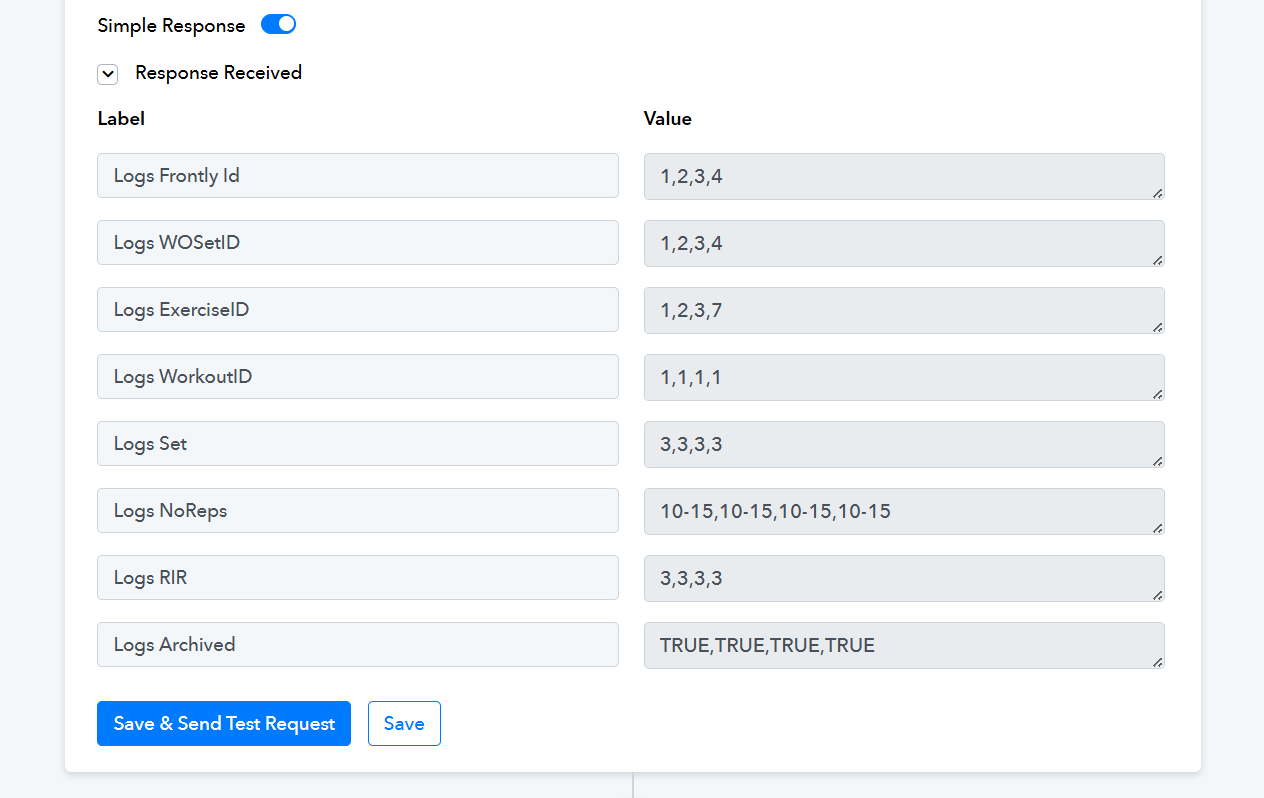
Please check the fourth step of the Python guide to obtain the line itemizer items' values in a comma-separated manner.I hope this will work now please map the values accordingly.
Thanks alot!! This solve my problem.