How to set GCLID (url parameter) in the address1
Status: Closed · Asked by Nbfcadvisory on · 0 views
Here I've set gclid in address 1 line but in the close crm it's not showing in address 1 line
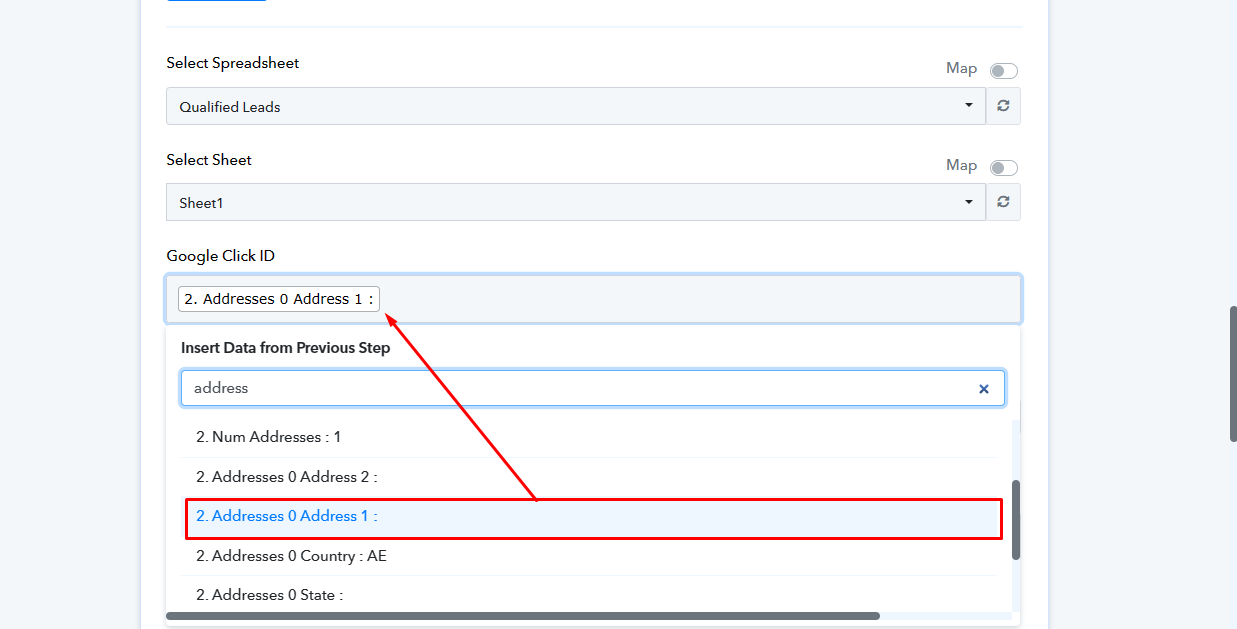
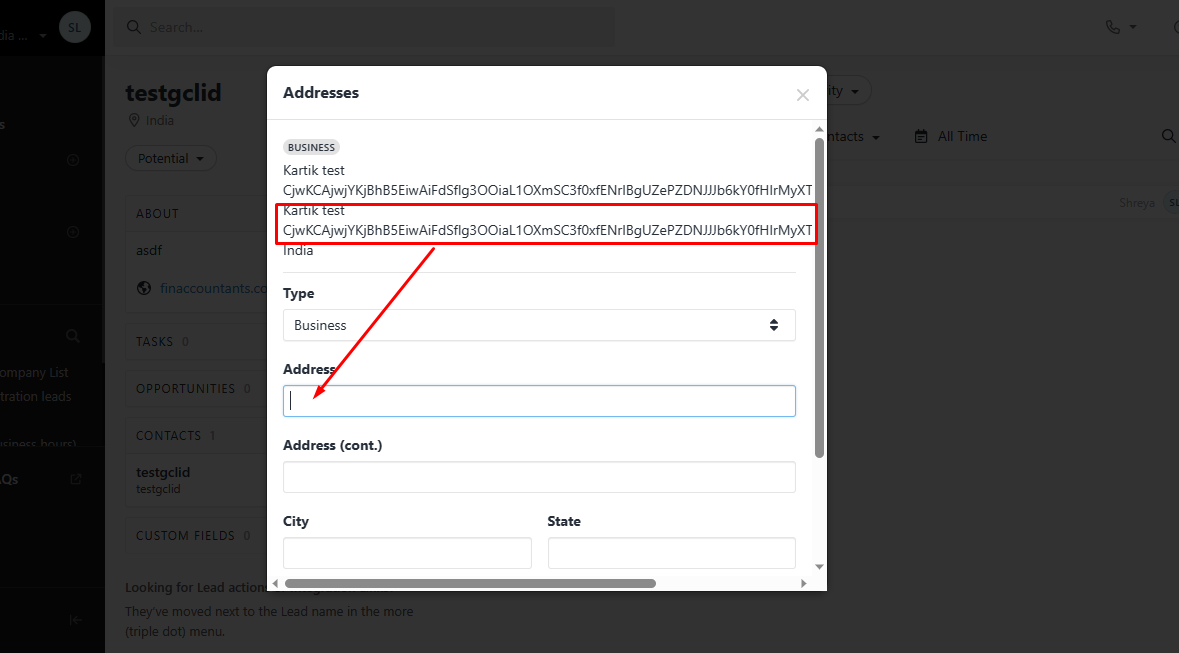
Hey @nbfcadvisory
The GC-ID appears to have been moved beneath the Zipcode column in the Address label. And, because the "Close: Get Lead" action step only receives data from the Close once it has been sent by their application, we only show that information.

Actually, it was earlier I was used zip code field for gclid but that won't work so later I used address 1 line for gclid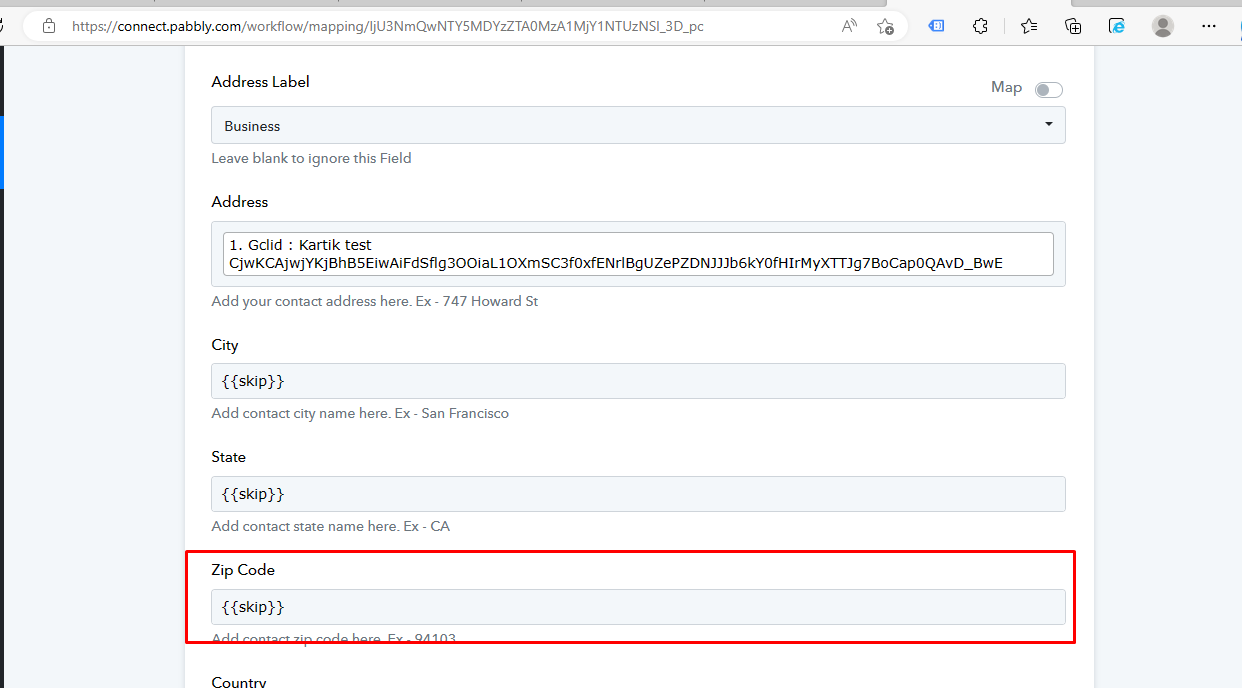
I've skipped the zip code from main lead from close lead and map that field in the above mentioned workflow
Please check the address from your end, since the action step here only brings the data from the Close account. So, it is highly possible that you have passed the GC-ID in the ZipCode.
If you are still having issues in the address field then kindly check with the Close team.