How to set GoogleCloudPlatform ID in Google Sheets AppScript ?
Status: Open · Asked by k2trix on · 0 views
How to set GoogleCloudPlatform ID in Google Sheets AppScript ?
I'm using appscript with google sheets in order to use custom functions on the spreadsheet.
In order to avoid OAuth2.0 authorization for every new copy of my sheets template file used by my team.
I need to set the gcp id value into google appscript wich is linked to the sheet file.
Can you help me ? i cannot find either in sheets/drive actions in Pabbly a way to create this automation.
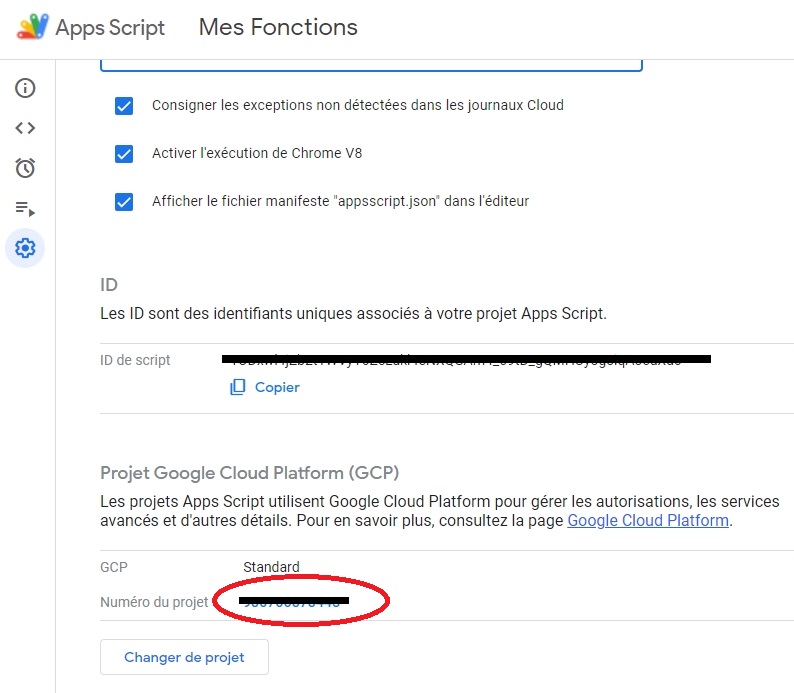
Thanks by advance
Friendly, Matthieu
My workflows creates a copy of a spreadsheets template file i created.
Sets a specific name to the spreadsheet.
Shares the file with anyone with link.
The new file has the same appscript content, but many of my Sheets AppScript functions cannot be used, because the GCP number isn't set.
I have to set it manually, you know how inconfortable it is ;)
I have taken note of your concern. Please allow me some time to discuss this with my team. I will get back to you as soon as possible.
Hey @k2trix,
Please review this document, which may assist you with your concern.
https://developers.google.com/apps-script/guides/cloud-platform-projects