HOW TO SET UP OPT OUT FOR WHATSAPP API MESSAGE AND GOOGLE SHEET
Status: Closed · Asked by measured1 on · 0 views
Hello,
how do I set up whatsapp opt out / unsubscribe link for whatsapp API template message and also automatically delete entry from Google sheet
Hey @measured1
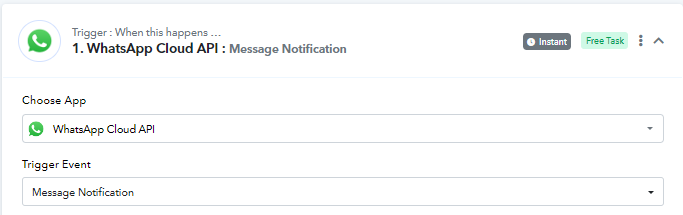
You can execute this by setting up your WhatsApp Cloud API template so that it has a button for Deletion or Unsubscribing. And you get any keyword such as "Delete" or "Unsubscribe" in the response. Then you can add trigger step WhatsApp Cloud API with trigger event message notification. Follow the instructions in this video -
youtube.com/watch?v=RIhQ_s4nwzs
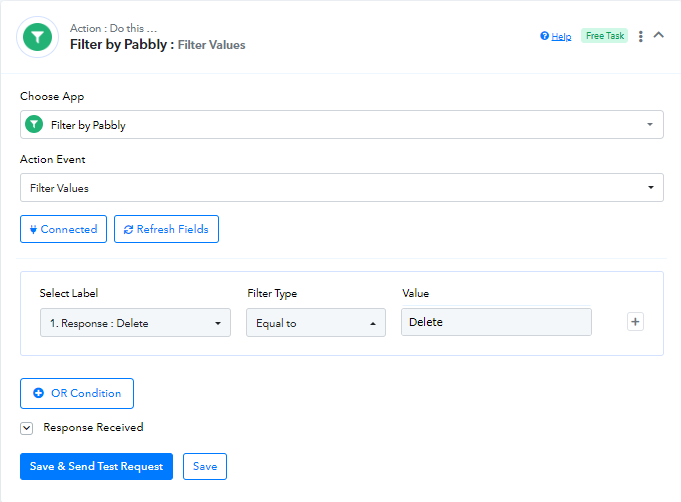
Now, for the next step you can add Filter by Pabbly and map it so that the workflow will only proceed if there is confirmation from the user.
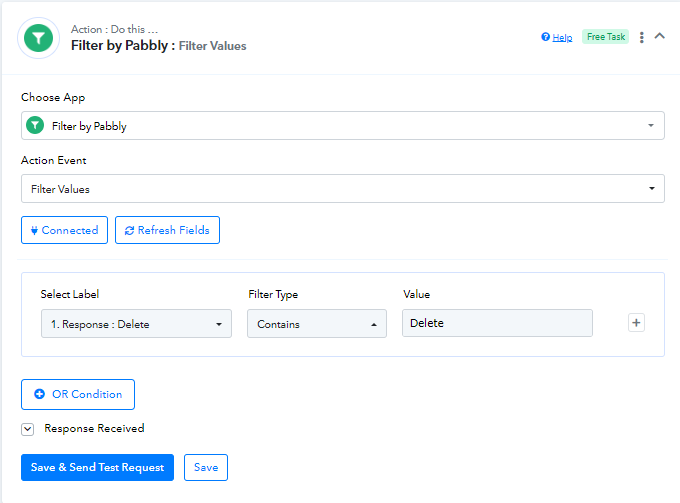
Now you can follow the steps for deleting a Google Sheet row in this video from 10:09 minutes -
youtube.com/watch?v=UV1qOKlftvA:609
Attachments
Thank you so much
Hello, with filter by pabbly, I can't seem to be able to fine the response option
What do I do
Hello, with filter by pabbly, I can't seem to be able to fine the response option
What do I do
Hey @measured1
You can click on the "Select Label" option in the filter and then you can map any response from the previous step, i.e. WhatsApp Cloud API.
Also, Kindly let us know your workflow name or ID, and the account by which you are using Pabbly Connect so that we can assist you better.