How to stop scheduled email?
Status: Open · Asked by Akiladevi Shanmuganathan on · 0 views
Dear Pabbly support team,
I have a question. This is about 2 different workflows. I created a workflow to send emails to the client and host as soon as a Calendly appointment is made. Another workflow is to cancel a Calendly appointment.
Workflow 1: When a Calendly appointment is made, send an email to the client and host immediately to confirm the meeting, another scheduled remainder email goes to the Host 3 hours before the meeting time.
Workflow 2: When a Calendly appointment is canceled by a client, the meeting cancelation email will be sent to the Host.
When the cancelation email is received, the Host understands that a particular meeting got canceled. But the problem is when the host receives the scheduled remainder email they get confused.
Please help me to stop this scheduled email as soon as the client cancels the appointment. Your earlier response is most appreciated.
Thank you,
Akila.
Hi @Akiladevi,
Workflow 1
You can add the 'Get an Event' action step along with a filter to your workflow. This way, you will be able to check the status of the meeting before sending the email. Set your filter so that if the meeting is canceled, the next step of sending the email won't execute at all.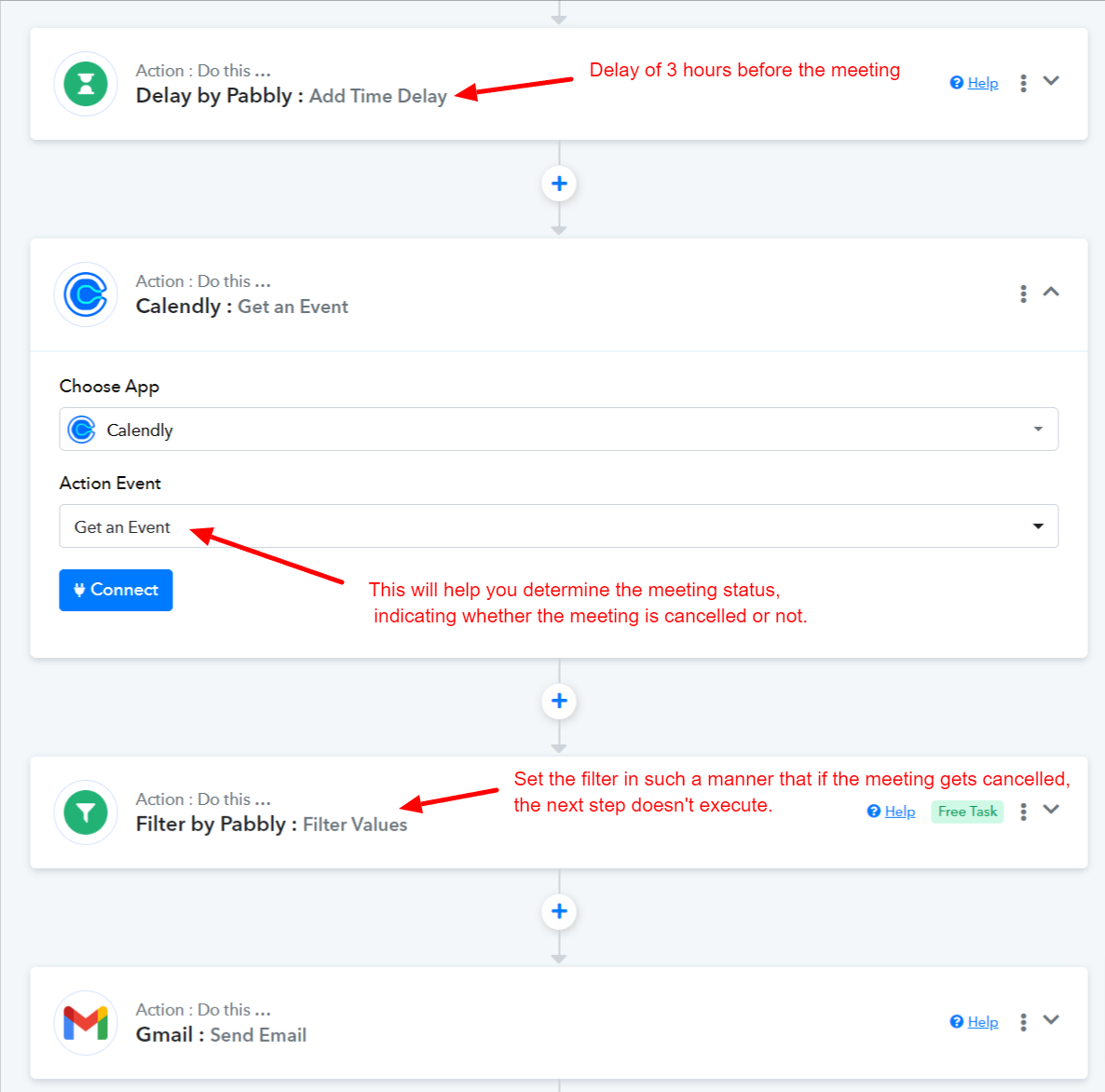
Hi @ArshilAhmad , Could you please help me with the above work flow that you suggested to implement? You asked to get the event status from Calendly, if the status of the event is not canceled then I send an email. I tried to get the status of the calendly event through Get Event option. The Event Id is asked as reference to find the event. When I mapped Event id from the trigger that we received, it doesn't work.
Workflow link is : https://connect.pabbly.com/workflow/mapping/IjU3NjUwNTZkMDYzMTA0M2M1MjZjNTUzYzUxMzAi_pc
Email of the workflow is [email hidden]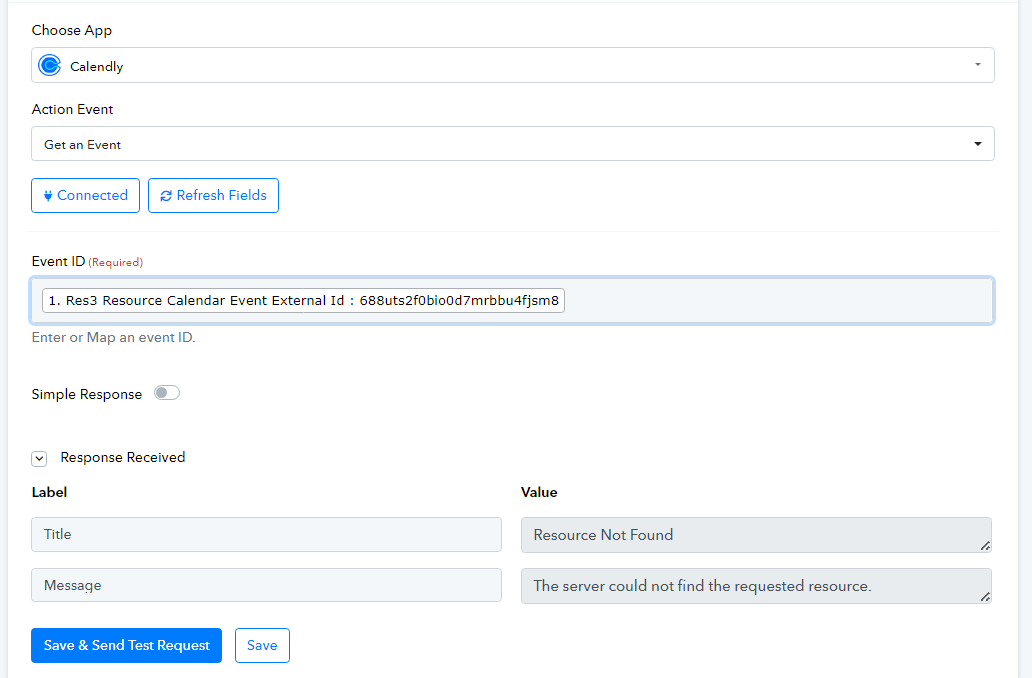
I also tried "Resource Location Data Id" and "Payload scheduled event location data id" as imput for "Event ID" but it does not work. Please help me with this.
Thanks in advance.
Akila.
We've arranged a task in your workflow to find out what kind of event is coming up in your schedule.
Please check that out.
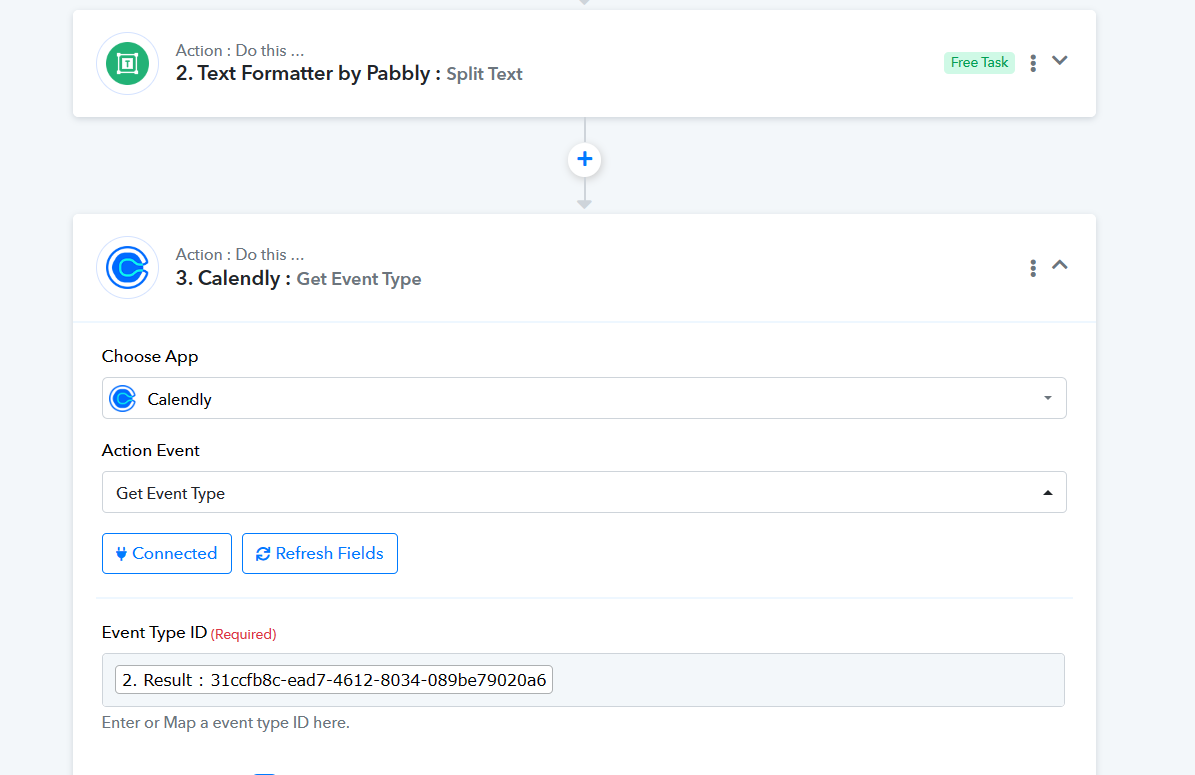
@Supreme thank you so much for replying. When we get Event type from calendly, how to know that the appointment is still active. Is it from the response received that says "Resource Active" value is 1?
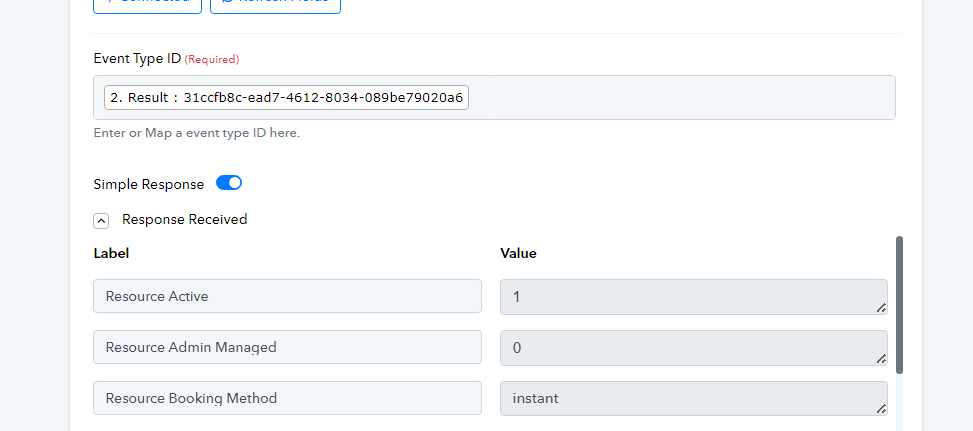
thank you so much for replying. When we get Event type from calendly, how to know that the appointment is still active. Is it from the response received that says "Resource Active" value is 1?
Please cross-check it from your Calendly account, for the same.
As per the API reference it should be active.
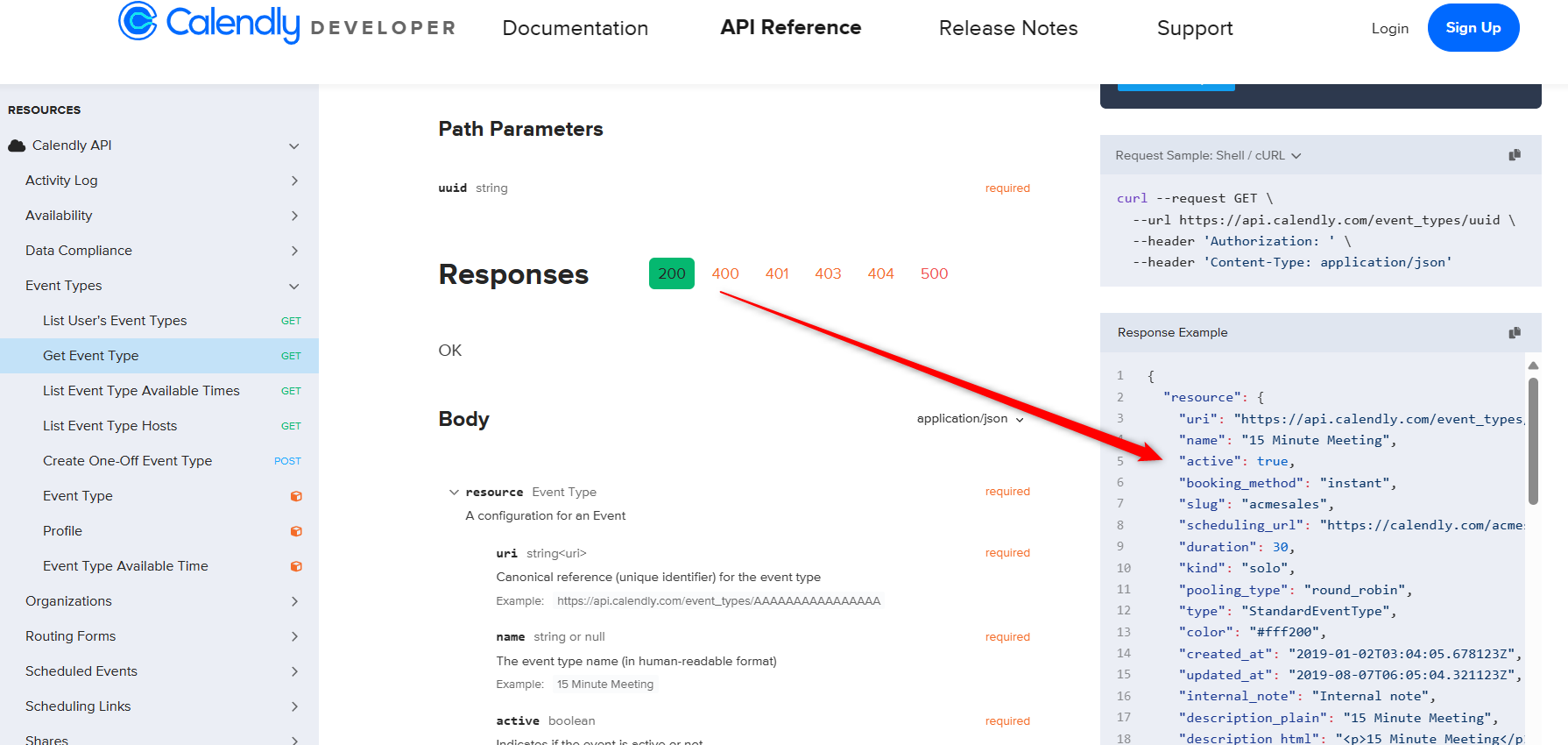
Thank you @Supreme I will try and let you know