How to sum the amount of sales calls in a specific Google sheet cell from a CRM
Status: Closed · Asked by Ori D on · 0 views
Hello,
I have another question that I'd be much grateful for your assistance.
The flow may be a bit complicated, so I'd try to simplify it.
I want to create a system to track my sales calls, scheduled meetings, completed meetings, and closed deals.
So when I complete a task on Flowlu CRM it will send a webhook to a Google sheet. For instance, when I had a sales call, it should calculate one sales call inside the column of the sum of the entire sales calls I made that day. So at the end of each day, it will sum up the amount of all the sales calls I made.
The challenges here are:
How can I calculate the number of sales calls on the same cell inside the Google sheet?
How could I calculate each day separately? I assume that I'll have to use a router and a time formatter to get the current date.
By the way, this is workflow I've been trying to create: https://connect.pabbly.com/workflow/mapping/IjU3NjUwNTY5MDYzZTA0Mzc1MjZlNTUzNjUxMzci_pc
Hope that it makes sense what I ask for.
Ori
Hey @Ori D
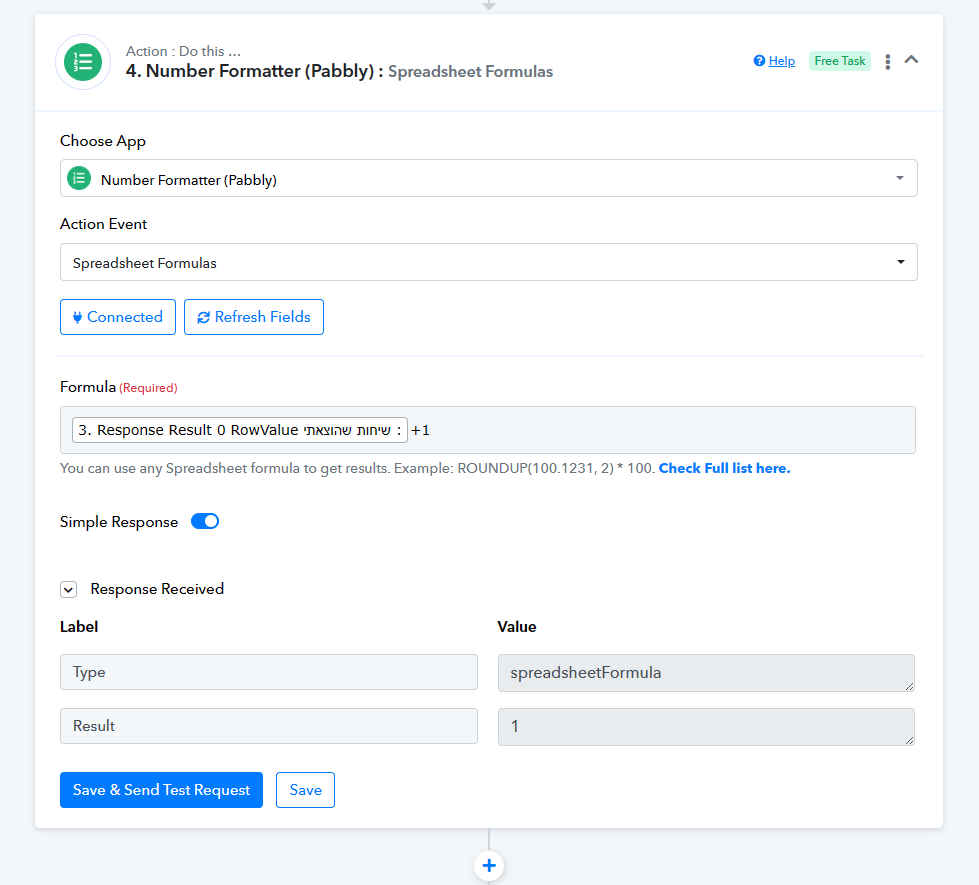
Regarding your concern about updating the number of calls in your Google Sheets dynamically, we have added the Number Formatter action step which will add the number of calls by 1 with the respective leads count from Google Sheets.
Please review that in your workflow once and let us know.
Thank you vey much. This is excatly what I was looking for