How to update custom fields in zohobooks
Status: Closed · Asked by drdaga on · 0 views
Hello i needed to custom fields in zohobooks invoice via pably connect ??
Hey @drdaga
Kindly post the submission to our platform here - https://pabbly.hellonext.co/
Our tech team will look into it and add the support of custom fields in the Zoho Books "Create Sales Invoice" action step.
Hey @drdaga
On the "Zoho Books: Create Sales Invoice" action step, our integration team has implemented support for custom fields.
Kindly give it a try and let us know how it works for you.

actually i needed in UPDATE SALES INVOICE
Please post the submission to our page at https://pabbly.hellonext.co/.
Our integration team will look into it and add it accordingly.
Hey @drdaga
We have added the custom field support in the "Update Sales Invoice" action step.
Kindly check that out and let us know if that works for you.
Not able to update all custom fields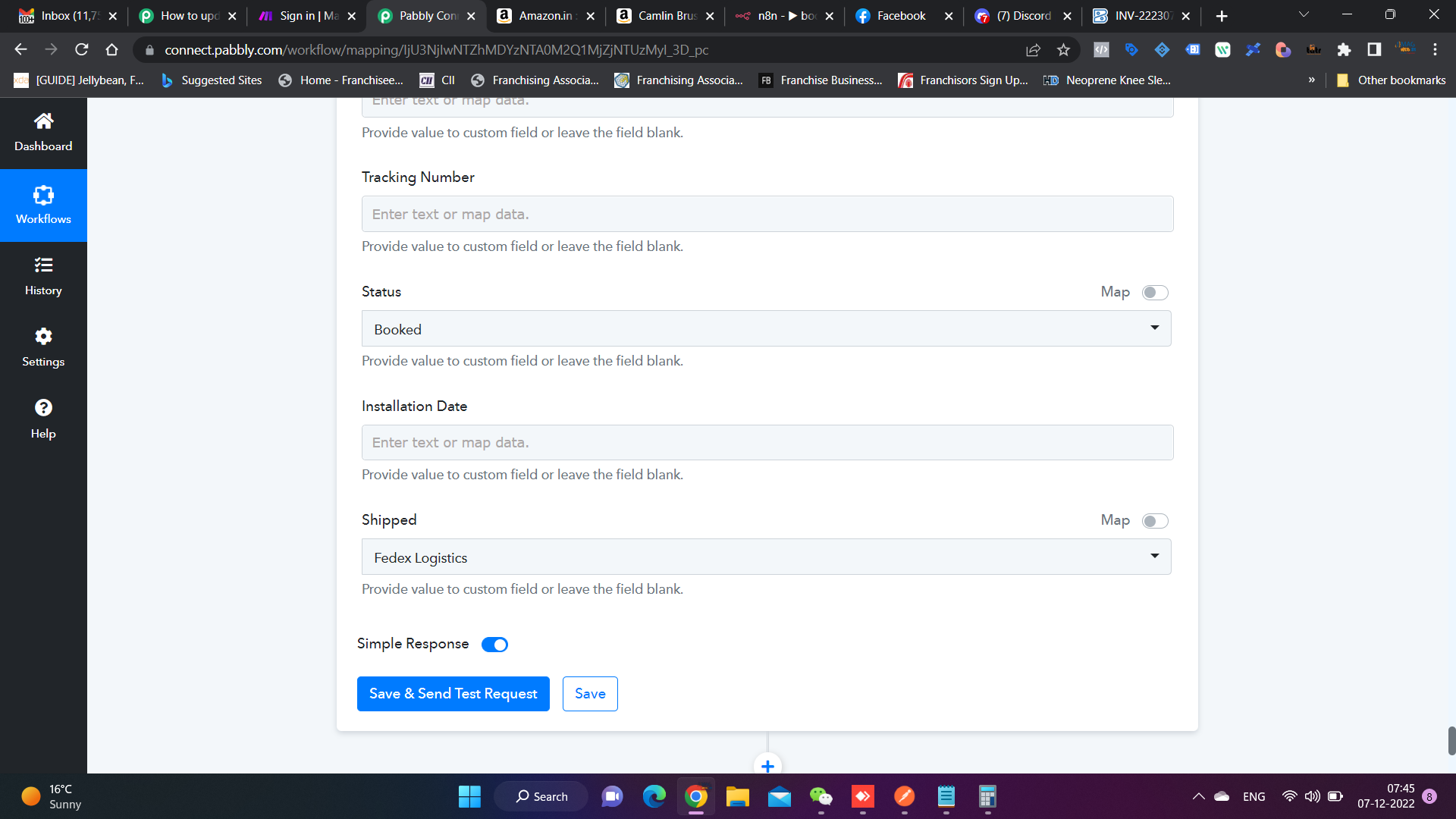
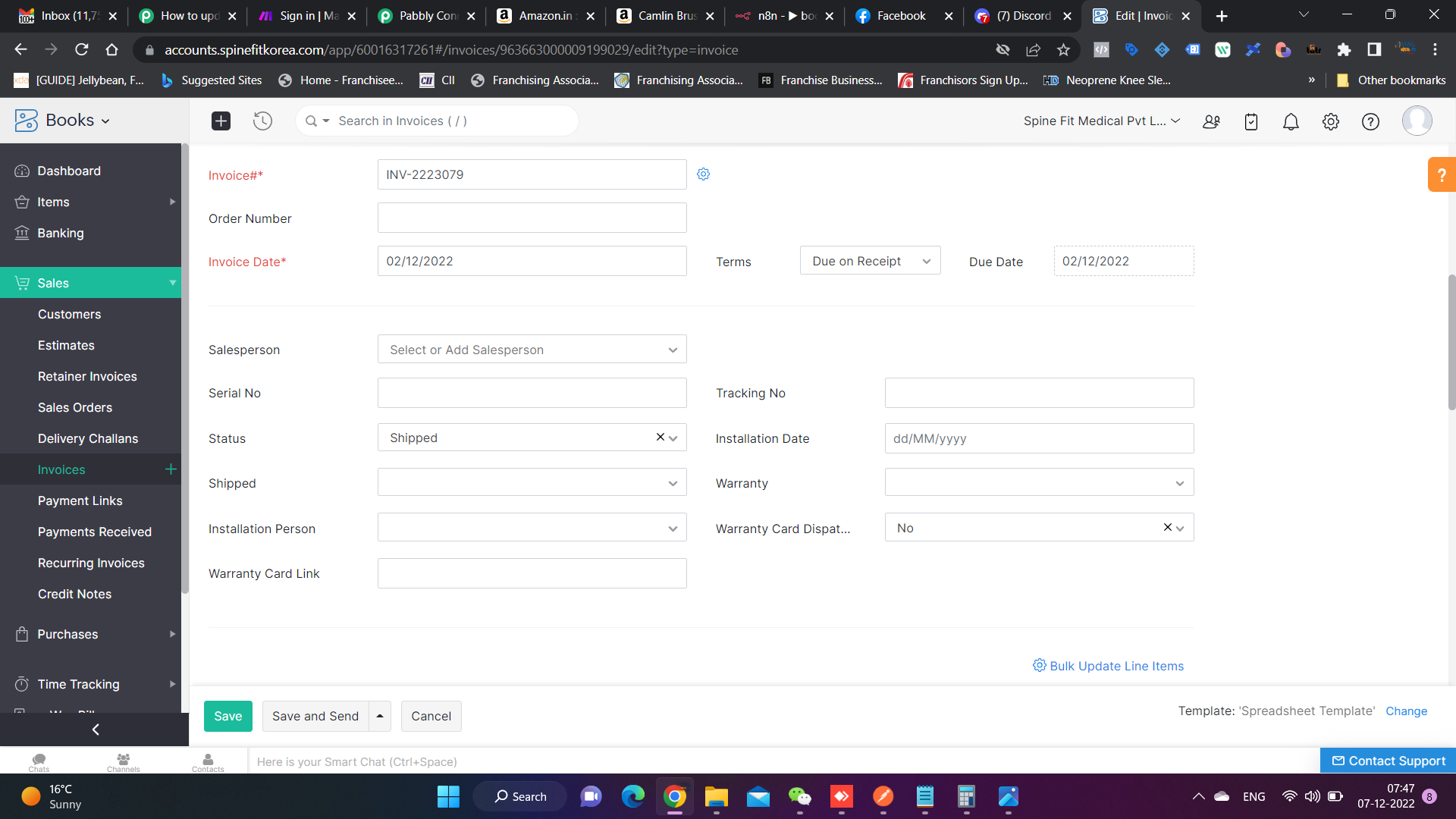
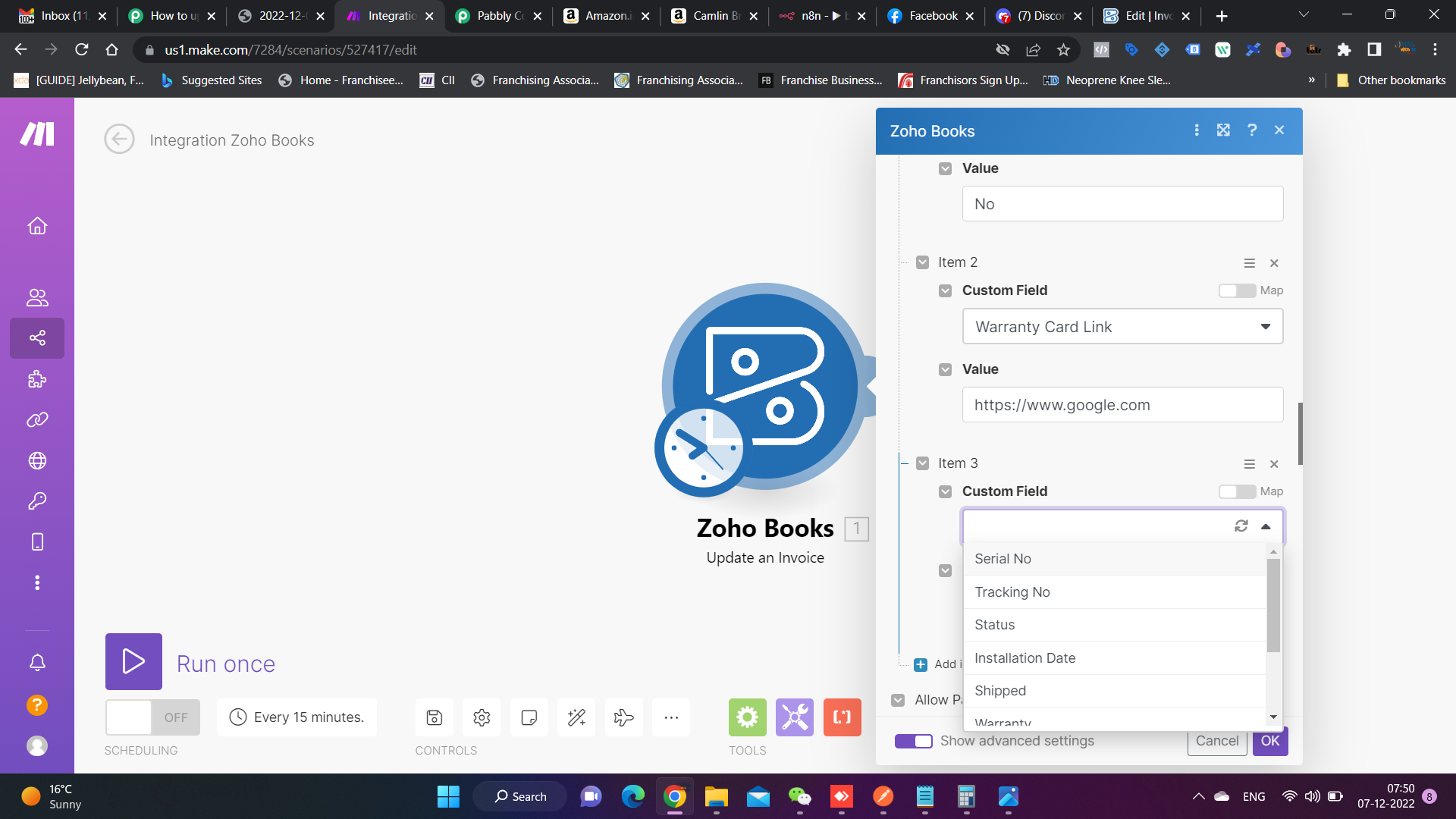
Not able to update all custom fields for reference i am sharing make.com integration
Please allow us some time, we are currently looking into it.
Shall notify you with an update soon.