How to use TEXT FORMATTER
Status: Closed · Asked by Tobia D'Odorico on · 0 views
Good morning, I'm new so please forgive me if I ask "stupid" questions"! :)
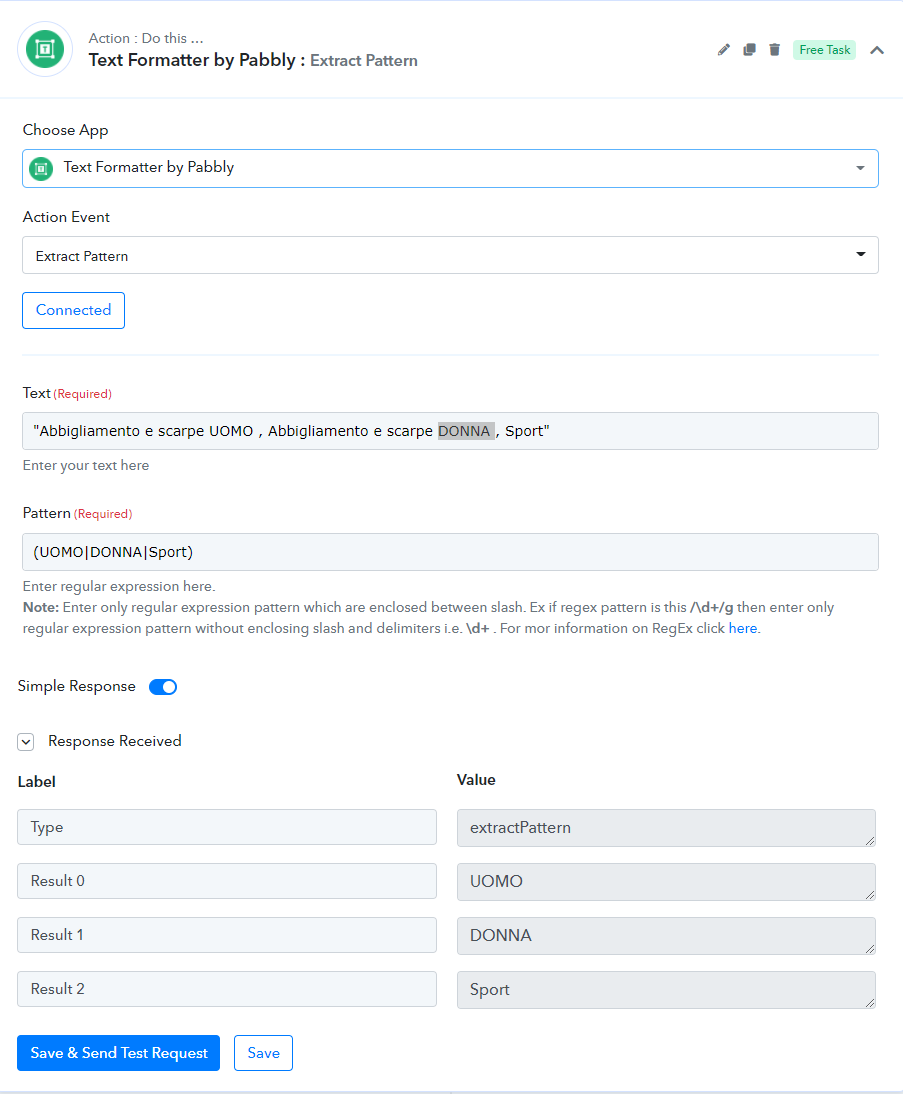
I'm building a workflow and at a certain point I've to find, inside a string like this "Abbigliamento e scarpe UOMO , Abbigliamento e scarpe DONNA , Sport", the words UOMO or DONNA or Sport.
But not always the string is like that one up. So my issue is that: if a word isn't find the result I'd like to be blank.
I'm not able to solve it could some one help me?
Thanks in advance
Tobia
Try this and see it works for different text or not -
Here I'm
thanks for your skill: but works partially.
The issue is that if I find only one or two results and the third is blank at the end of the work flow I have to create a TXT file with a specific location for each result.
So if I find for example "UOMO" and "SPORT" these datas have to placed in specific fields named tag3= and tag5= (tag4 is only if found "DONNA" as result)
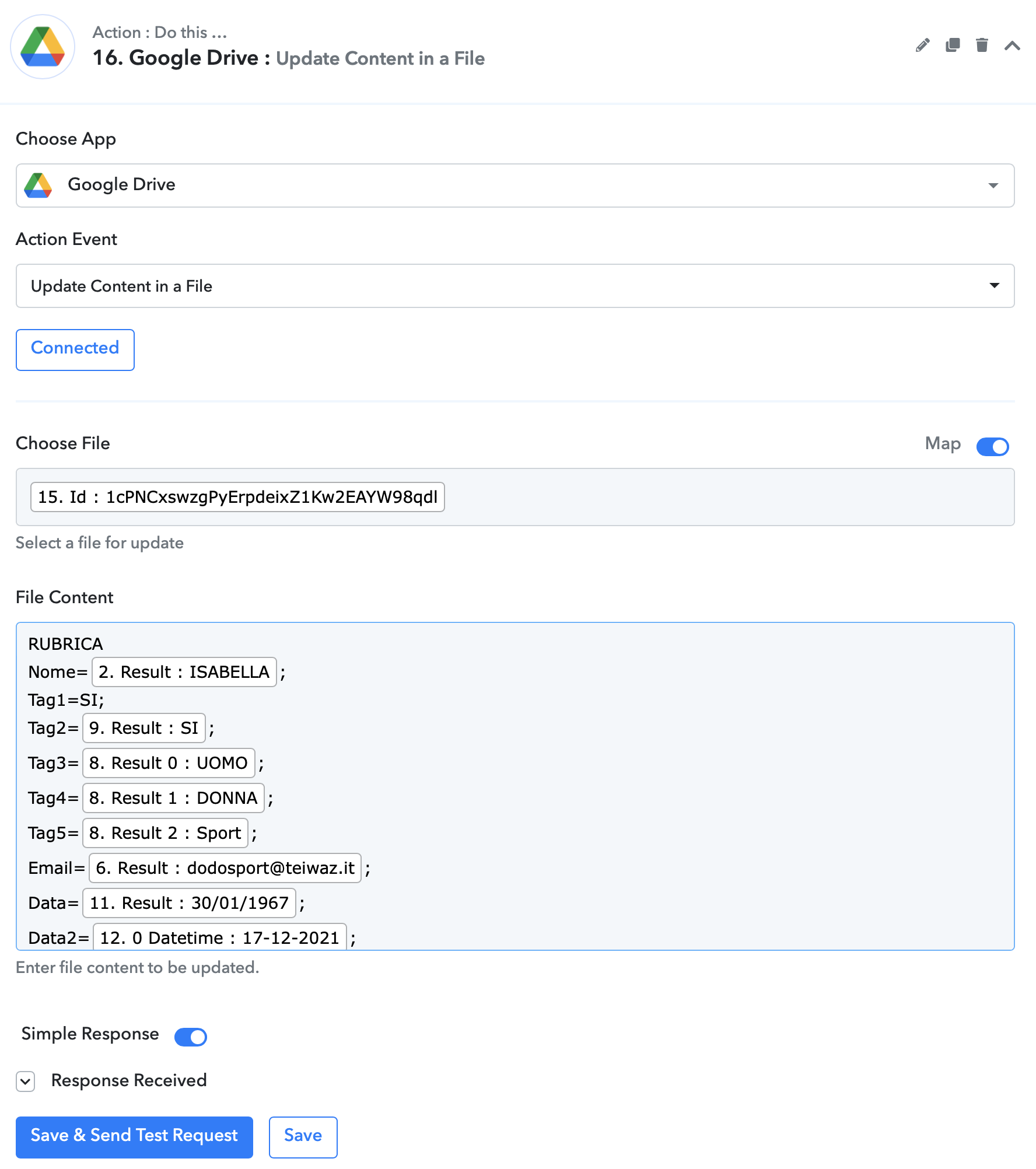
Now the result of the work flow is that results are not placed in the right fields.
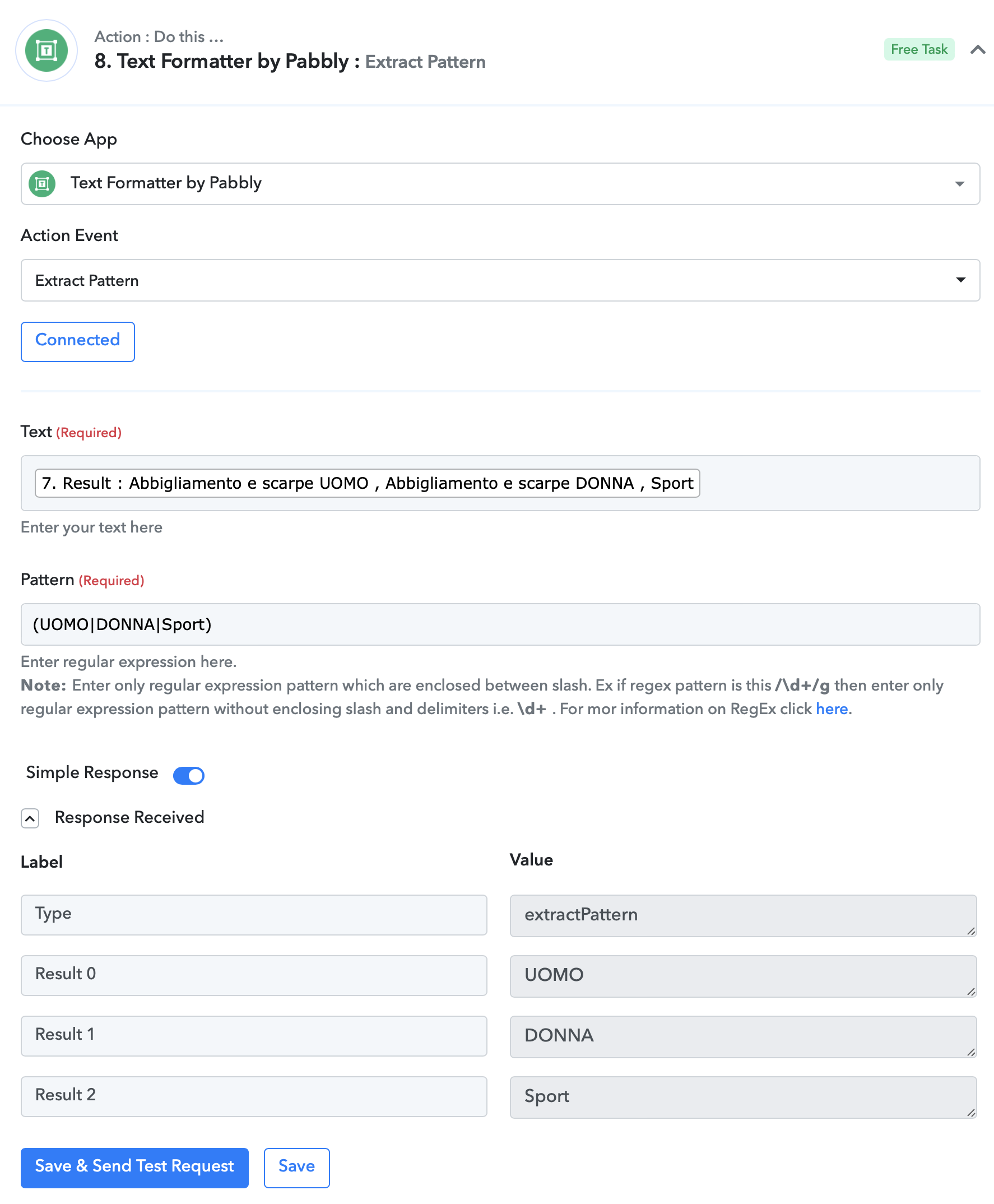
I attach 2 screen shots so you can help you
Thanks in advance
TObia
Attachments
Ohk..so if DONNA is not ofund then what will you pass in tag4=
Ohk..so if DONNA is not ofund then what will you pass in tag4= ?
Nothing. That's because the file .txt the workflow creates is than use to pass datas in my app to use WHATSAPP.
The CRM of this app has 5 fields named TAG1 TAG2 TAG3 TAG4 TAG5 but my need is only to use TAG3 TAG4 TAG5
To better understand:
TAG3 = UOMO
TAG4 = DONNA
TAG5 = Sport
TAG1 and TAG2 are used for other parameters
Sorry if my explanation is not so clear but my English is not perfect :)
thanks for your further help
Tobia
@Supreme please look into this.
Hey @dodosport
Could you please briefly elaborate on your use case once. Sine, it is not clear from your previous messages.
A short video would also work.
Thanks
Hi Supreme, thanks for your interest.
Sure I explain.
I'm building a workflow to insert customer datas in my CRM.
Trigger is receiving an email in Gmail when a customer signs up in my fidelity program to a have a fidelity card, then I add a row with Google Sheets in a Worksheet and then I create a .TXT file to send to my CRM to create new CUSTOMER
I extrapolate the data from email like NAME, LAST NAME, BIRTHDATE, EMAIL, MOBILE NUMBER ... and INTERESTS (I manage a fashion store for man, woman and sport)
So INTERESTS are three: UOMO, DONNA, SPORT (in Italian) and not all customers flag all three option but al least one or two.
With TEXT FORMATTER extract PATTERN I have the results of one interest or two or three.
The issue I face is when a customer flags one or two interests not all three, this because in my CRM every interest has a fixed field as follow
RUBRICA
Nome=ISABELLA;
Tag1=SI;
Tag2=SI;
Tag3=UOMO; FIXED
Tag4=DONNA; FIXED
Tag5=Sport; FIXED
Email=[email hidden];
Data=30/01/1967;
Data2=17-12-2021;
Example: if a customer flags UOMO and DONNA I need that data "UOMO" will be in tag3 and "Sport" will be in tag5 not in tag4 like happens now.
So how can I do?
Thanks for your help
Tobia
Hey @dodosport
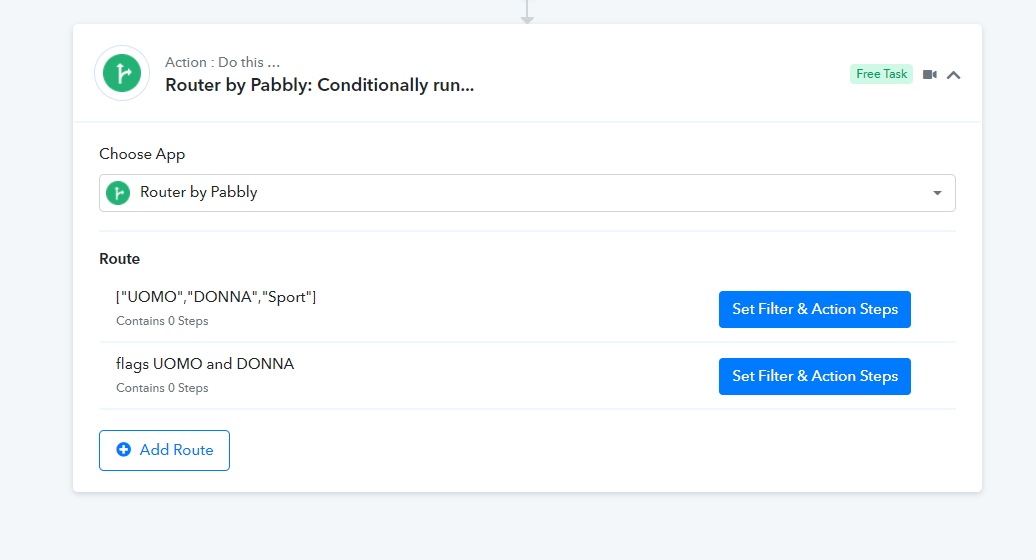
As we can understand from your use case, we can recommend you to use the router action step on the basis of your condition you can set the router conditions inside the route where you can statically set the tags for every conditional flag and tag.
Kindly try this at your end and I hope this might help you out.
Regards