How to use Tiny PNG API with Pabbly API?
Status: Closed · Asked by Sakomano on · 0 views
Hi, connecting TinyPNG with Pabbly Connect looks simple, but I spend an hour to try without success!
How can I compress images in TinyPNG with Pabbly API action please?
Here is the doc: https://tinypng.com/developers/reference#authentication
Thanks!
Hey @Sakomano
You can use the "API by Pabbly" action step to use the unlisted application on the platform.
Hi, thanks for your response.
I view this video already, but the video shows only how API works with easy exemples.
In the Tiny PNG API's page, I don't know if I have to use HTTP page, Headers or Parameters, and were to put the datas.
Can you take a look?
Thanks.
Regards
For your concern, we highly recommend hiring an automation expert who can design such automation for your workflow and manage everything for you - https://forum.pabbly.com/threads/pabbly-connect-experts-and-consultants.22/
And can even find automation experts in our Facebook group as well - https://www.facebook.com/groups/formget.deals/
Ok @Supreme, thanks for your quick response.
Despite the fact that the purpose of using NoCode applications is precisely to not need experts…
Regards.
Thanks again
We have set the API by the Pabbly action step for now, so please pass the API key in place and try.
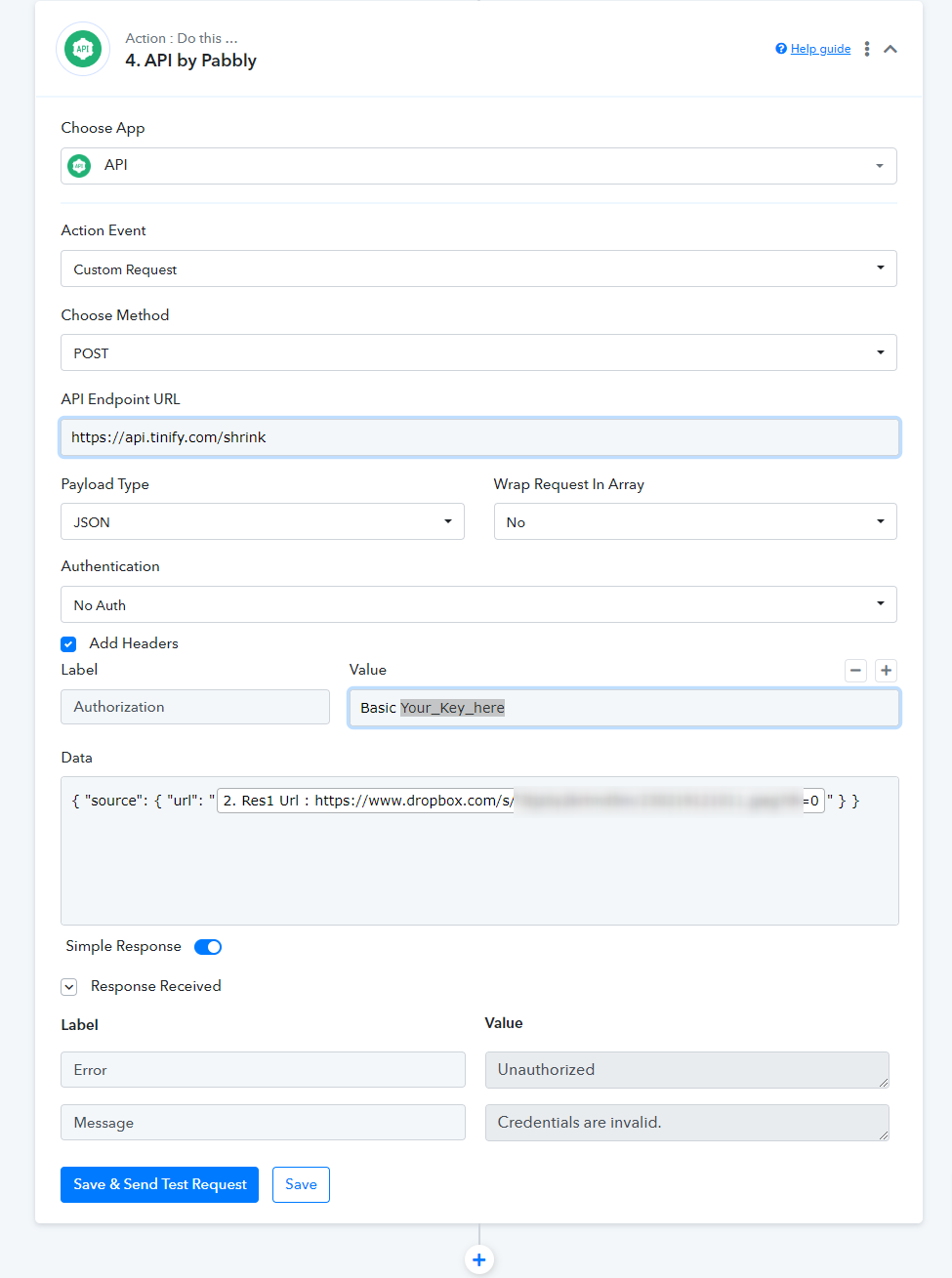
Thanks @Supreme !
Here is the response: "invalid authorization header"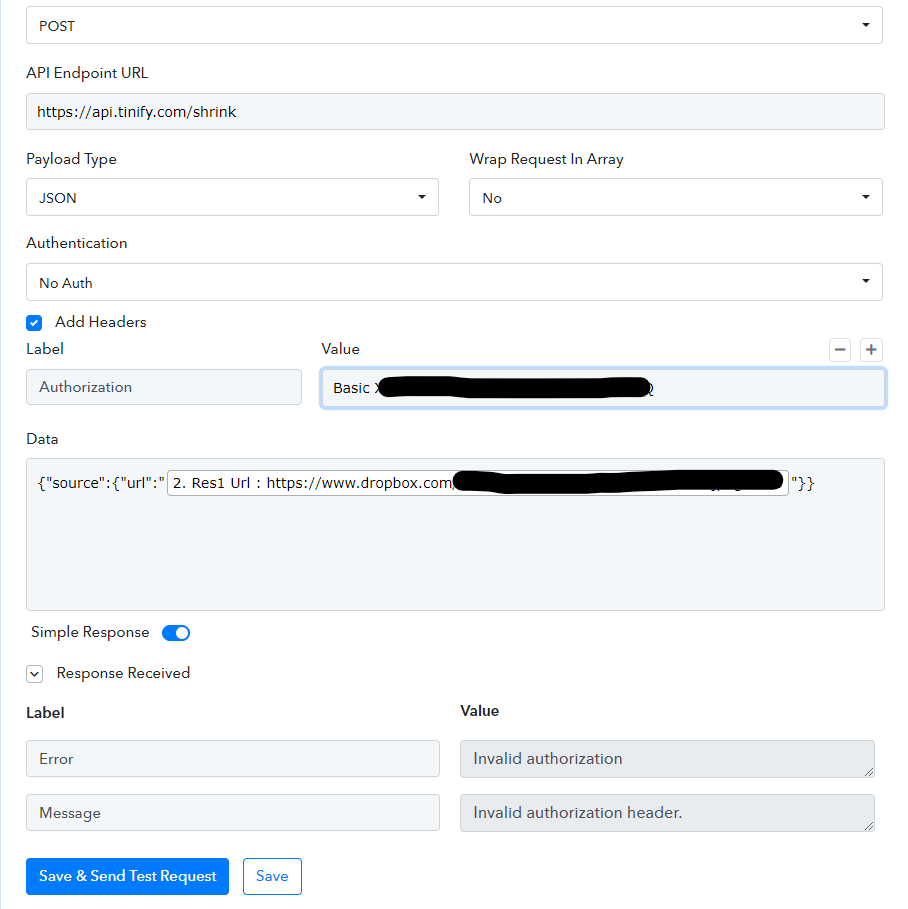
Looking this in the Tiny PNG doc:
"Authentication to the API (...) All requests require an Authorization header that contains a Base64 digest of the authentication string "api:YOUR_API_KEY" where "YOUR_API_KEY" is the key that can be found on your API account page."
Does that mean I have to encode my API key in Base64 before passing it?
Thanks a lot for your help!
Kindly provide the complete curl request of the application from their end, so that we can look into it.
curl https://api.tinify.com/shrink \
--user api:YOUR_API_KEY \
--header "Content-Type: application/json" \
--data '{"source": {"url": "https://tinypng.com/images/panda-happy.png"} }' \
--dump-header /dev/stdout
From https://tinypng.com/developers/reference :
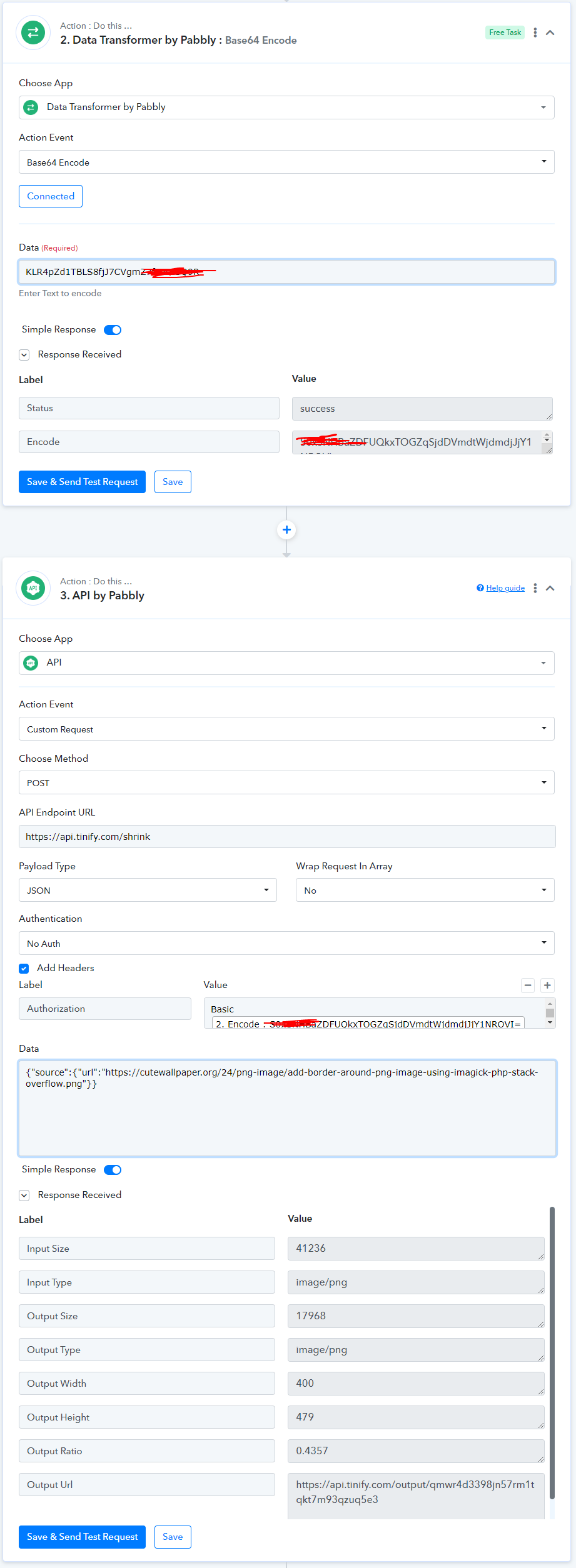
It should be base64 in the following form: base64(api:$YOURKEY)
Note that api: should be in the base64 source code.
It follows the basic auth scheme, where the user is 'api' and the password is $YOURKEY.
From https://tinypng.com/developers/reference :It should be base64 in the following form: base64(api:$YOURKEY)
Note that api: should be in the base64 source code.
It follows the basic auth scheme, where the user is 'api' and the password is $YOURKEY.
Let me give you 2 options, use API module like this with 1 step before it,
Or use custom app created by me - https://connect.pabbly.com/share-app/C0MFN1UCUjFVH1U_AlEDJF1JAgZTCgRkARgAEl1SBX1SH1IHAEFfNQhEBCYERwloBUxVP1MMAGUPHFBnCVUDOQQUBg9dOAVDB1gIeVAzAXQLQwU3VQJSMVUfVT8CUQMkXUkCBlMKBGYBGAASXVIFfVIcUgcAQV81CEQEbgRLCTAFXlUlUzY#
BTW NoCode platform doesn't mean that you don't need experts, otherwise Zapier and Integromat won't also had Experts page. You need experts in any software where you have lack of knowledge or don't have enough experience with the tool yet.
Hello @Fagun Shah and @Supreme, thank you so much for your quick answers.
Both solutions work perfectly!
You are right about the experts: I was just excited about the possibilities of Pabbly, and frustrated that I couldn't switch to Pabbly quickly...
I'm sorry.
Thanks again!
Regards.
Hello @Fagun Shah and @Supreme, thank you so much for your quick answers.
Both solutions work perfectly!
You are right about the experts: I was just excited about the possibilities of Pabbly, and frustrated that I couldn't switch to Pabbly quickly...
I'm sorry.
Thanks again!
Regards.
I am glad that you found the solution you were looking for.