How to verify the setup of the workflow.
Status: Closed · Asked by FileSure on · 0 views
Hello,
I have created two workflows and they seem to be fine when I test them inside Pabbly Connect as tests come back successful, but it doesn't seem to be actually working.
(I've integrated Google Forms with Freshsales suite and upon doing test entries in the form the desired fields+status are not getting updated inside Freshsales suite)
I'd like to verify that my workflows are set up as intended so I can pinpoint whether the issue is in Pabbly Connect setup or Freshsales suite.
1. Workflow 1: https://connect.pabbly.com/workflow/mapping/IjU3NjUwNTZlMDYzNDA0MzI1MjY5NTUzZDUxMzEi_pc
Updates EOI Form Response for Contacts and also updates contacts status or creates a task depending on the response submitted in the form.
2. Workflow 2: https://connect.pabbly.com/workflow/mapping/IjU3NjUwNTZlMDYzNDA0MzM1MjY4NTUzNjUxMzAi_pc
Updates Contacts Status when the form gets submitted.
I've integrated Google Forms with Freshsales suite and upon doing test entries in the form the desired fields+status are not getting updated inside Freshsales suite)
As we can see from your workflow you haven't selected anything in the status field and to update the contacts dynamically for the new contact form entry.
You should begin by searching for the contact with the "Search Contact" action step and then passing its contact ID to the "Update Contact" field. This will ensure dynamic updates for different contacts; otherwise, it will repeatedly update the same selected contact with each execution.
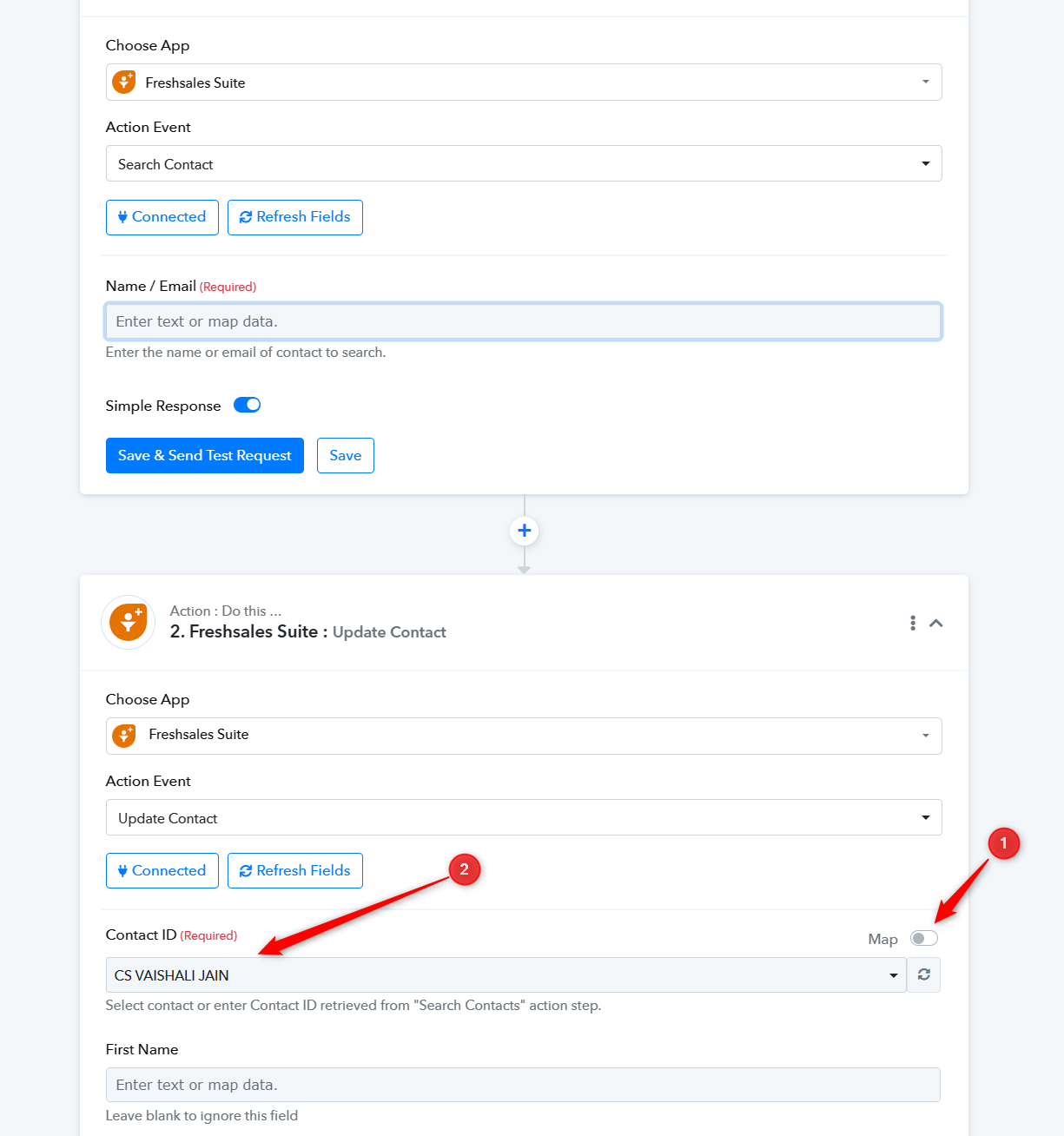
I have mapped the contact ID now, but upon doing a test, nothing happens in the CRM.
For now, I'd just like to map the form(EOI_GFORM_WA) response to a custom field(EOI response) in the CRM, nothing else.
I have mapped the contact ID now, but upon doing a test, nothing happens in the CRM.
For now, I'd just like to map the form(EOI_GFORM_WA) response to a custom field(EOI response) in the CRM, nothing else.
There's a lot of pressure from my higher ups for it to be done correctly right away. I would appreciate a quicker response, if possible.
Thank you.
As mentioned above you need to map the contact ID by first searching it with the help of the "Search Contact" action step.
Make sure that the contact that you are trying to add exists in your Freshsales account or not, if not then you need to create the contact first with the help of the "Create Contact " action step.
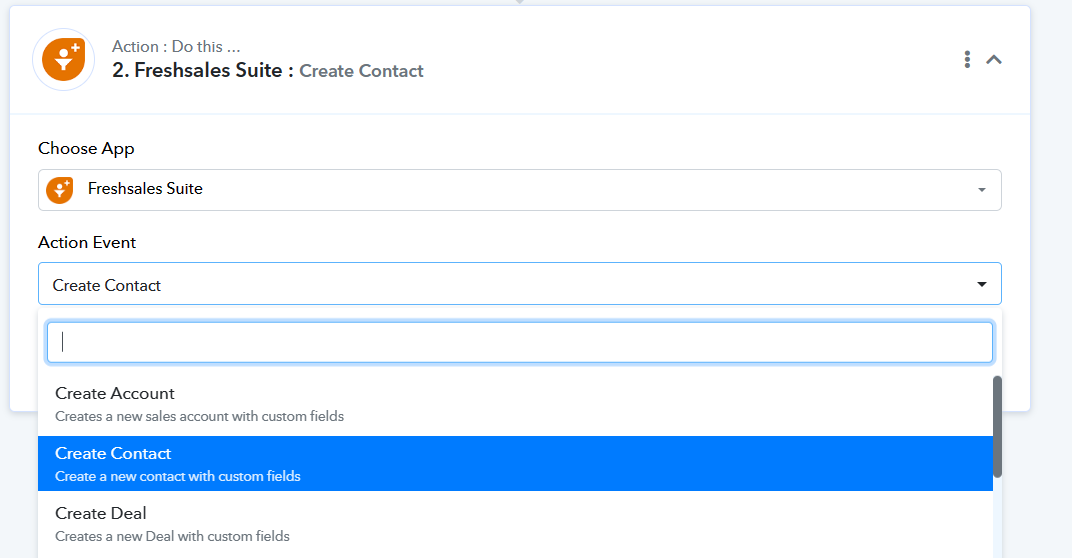
I have set up the "Search Contact" action step.
Upon testing, I still don't see any results in freshsales suite. I have noted tasks are getting consumed though.
Can you please help me verify my setup?
We have remap the contact ID in the update contact action step correctly and it should work accordingly now.
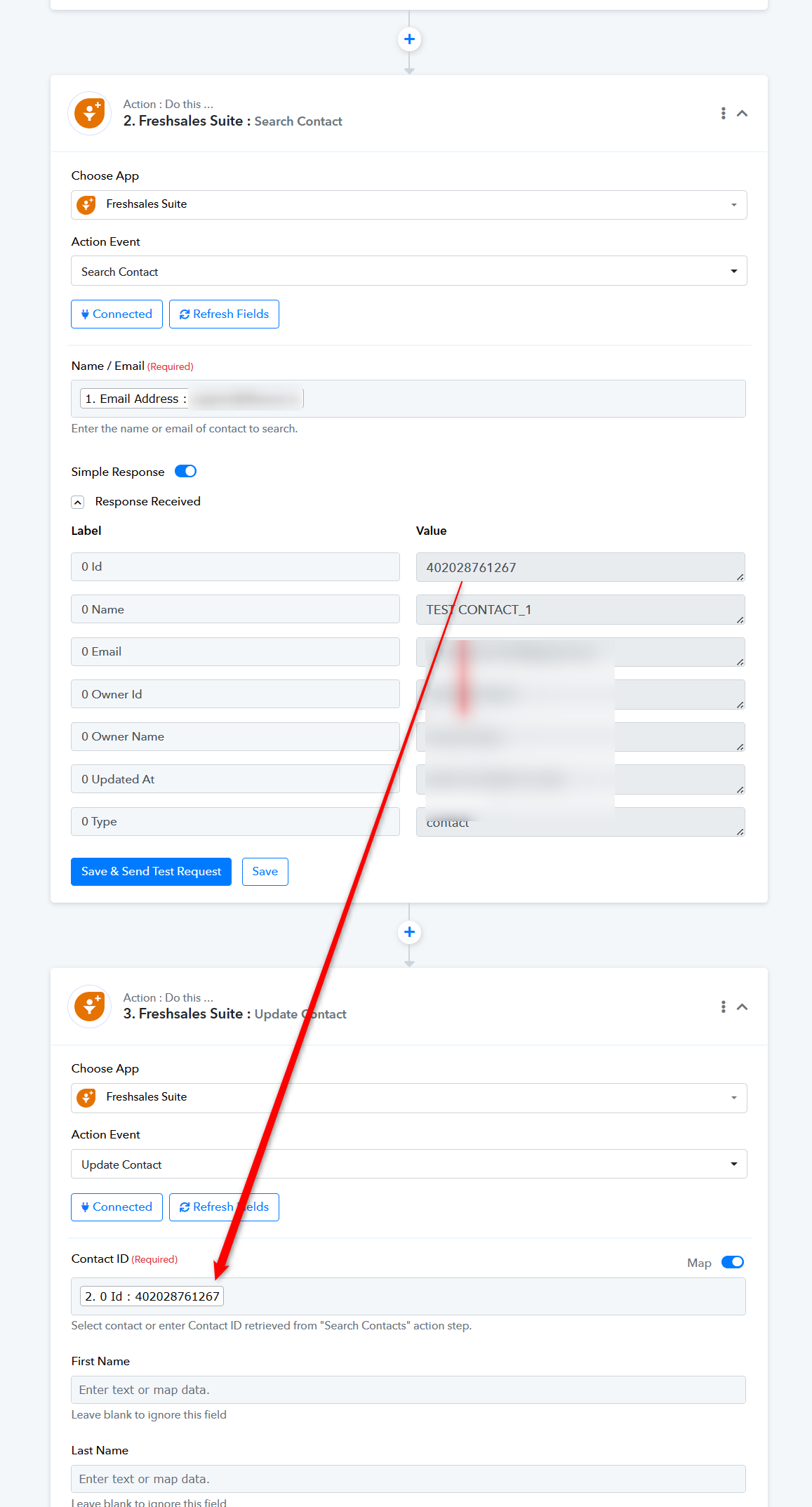
Please try this in automation and do not change the value in the "Search Contact" action step.
Noted, allow me to check
It's working perfectly now, thank you so much!