How trigger in Google sheet when total number of rows greater than 100
Status: Closed · Asked by ti saigon on · 0 views
Hi,
i want to create trigger when total number of rows in sheet >100 or value of cell A1 > 100?
How can i do it?
Thanks
Attachments
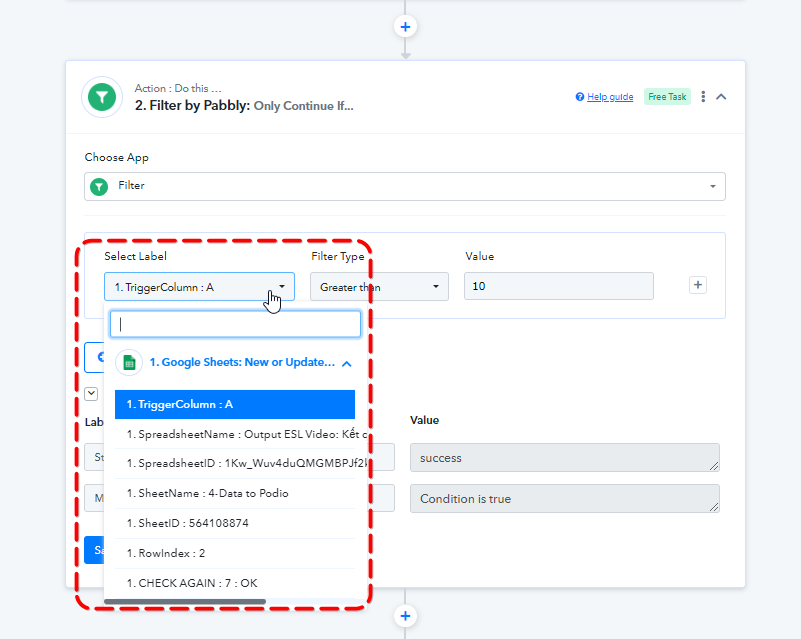
Please help. thanks @@Supreme
i want to create trigger when total number of rows in sheet >100 or value of cell A1 > 100?
Please elaborate on your concern briefly.
@Supreme
example: when insert row to google sheet, and in cell A1 = count of total rows.
When A1>100 (means total rows in sheet greater than 100 rows), trigger flow in Pabbly.
Thanks
So you want to count the number of rows in each other row to see how many columns they have? Or do you want the 100th column to come in the trigger response to process further action steps?
@Supreme Thank you. i used formula "count the number of rows" in google sheet, and next step is trigger with Pabbly.
Your comment is Correct: "Or do you want the 100th column to come in the trigger response to process further action steps?"
When sheet reach 100 rows, will trigger
Hey @tisaigon
If you want the 100th row to pass through your workflow, then you could use the RowIndex field in the filter step.
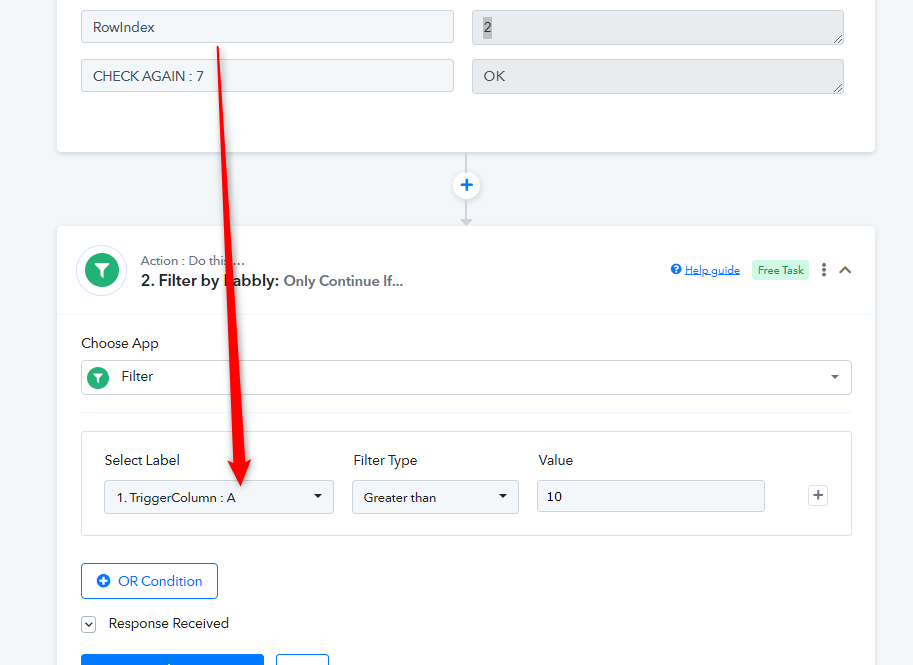
Thank you @Supreme please help issue of pabbly or my bad https://forum.pabbly.com/threads/google-sheet-trigger-get-only-one-first-column.12902/
Please check now, I have replied to it.