HTML to Markdown action broken?
Status: Closed · Asked by Anders Nielsen on · 0 views
I am trying to turn HTML into Markdown but the action does not work.
See this workflow on step 7:
https://connect.pabbly.com/workflow/mapping/IjU3NjUwNTY1MDYzNzA0MzI1MjZjNTUzMjUxM2Ei_pc
I need to integrate this into Onparallel.com which supports Markdown but Pabbly's output is broken.
Input example:
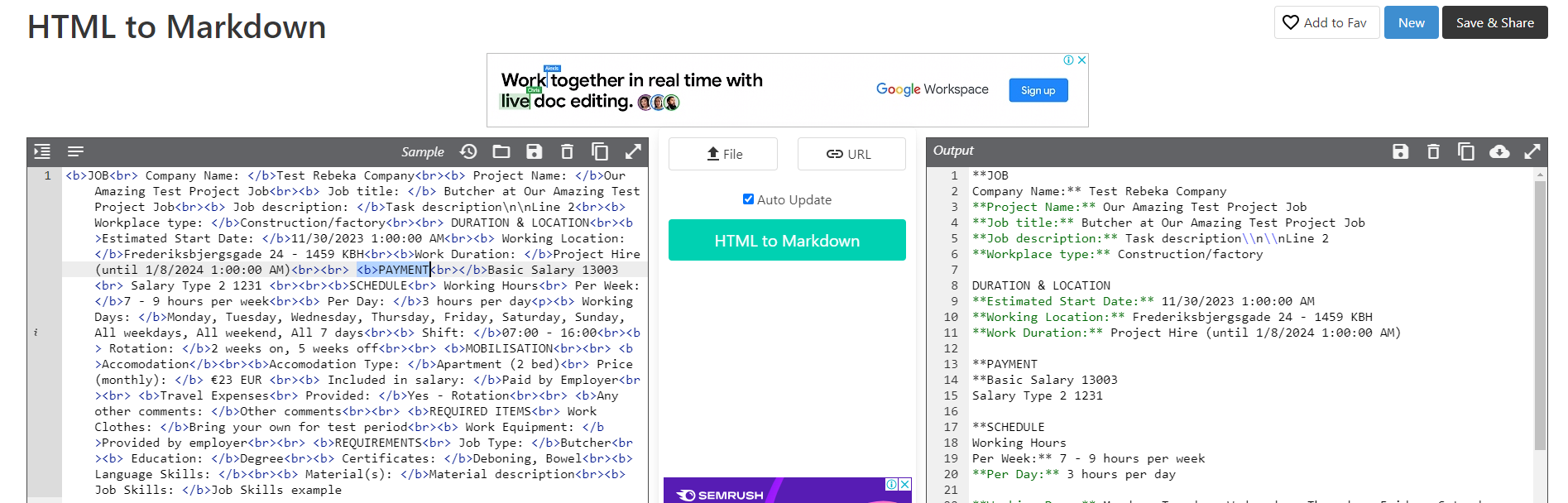
JOB
Company Name: Test Rebeka Company
Project Name: Our Amazing Test Project Job
Job title: Butcher at Our Amazing Test Project Job
Job description: Task description
Line 2
Workplace type: Construction/factory
DURATION & LOCATION
Estimated Start Date: 11/30/2023 1:00:00 AM
Working Location: Frederiksbjergsgade 24 - 1459 KBH
Work Duration: Project Hire (until 1/8/2024 1:00:00 AM)
PAYMENT
Basic Salary 13003
Salary Type 2 1231
SCHEDULE
Working Hours
Per Week: 7 - 9 hours per week
Per Day: 3 hours per day
Working Days: Monday, Tuesday, Wednesday, Thursday, Friday, Saturday, Sunday, All weekdays, All weekend, All 7 days
Shift: 07:00 - 16:00
Rotation: 2 weeks on, 5 weeks off
MOBILISATION
Accomodation
Accomodation Type: Apartment (2 bed)
Price (monthly): €23 EUR
Included in salary: Paid by Employer
Travel Expenses
Provided: Yes - Rotation
Any other comments: Other comments
REQUIRED ITEMS
Work Clothes: Bring your own for test period
Work Equipment: Provided by employer
REQUIREMENTS
Job Type: Butcher
Education: Degree
Certificates: Deboning, Bowel
Language Skills:
Material(s): Material description
Job Skills: Job Skills example
Result example:
\*\*JOB Company Name:\*\* Test Rebeka Company \*\*Project Name:\*\* Our Amazing Test Project Job \*\*Job title:\*\* Butcher at Our Amazing Test Project Job \*\*Job description:\*\* Task description Line 2 \*\*Workplace type:\*\* Construction/factory \*\*DURATION & LOCATION Estimated Start Date:\*\* 11/30/2023 1:00:00 AM \*\*Working Location:\*\* Frederiksbjergsgade 24 - 1459 KBH \*\*Work Duration:\*\* Project Hire (until 1/8/2024 1:00:00 AM) \*\*PAYMENT\*\* Basic Salary 13003 Salary Type 2 1231 \*\*SCHEDULE Working Hours Per Week:\*\* 7 - 9 hours per week \*\*Per Day:\*\* 3 hours per day \*\*Working Days:\*\* Monday, Tuesday, Wednesday, Thursday, Friday, Saturday, Sunday, All weekdays, All weekend, All 7 days \*\*Shift:\*\* 07:00 - 16:00 \*\*Rotation:\*\* 2 weeks on, 5 weeks off \*\*MOBILISATION \*\*Accomodation\*\* \*\*Accomodation Type:\*\* Apartment (2 bed) Price (monthly):\*\* €23 EUR \*\*Included in salary:\*\* Paid by Employer \*\*Travel Expenses Provided:\*\* Yes - Rotation \*\*Any other comments:\*\* Other comments \*\*REQUIRED ITEMS Work Clothes:\*\* Bring your own for test period \*\*Work Equipment:\*\* Provided by employer \*\*REQUIREMENTS Job Type:\*\* Butcher \*\*Education:\*\* Degree \*\*Certificates:\*\* Deboning, Bowel \*\*Language Skills:\*\* \*\*Material(s):\*\* Material description \*\*Job Skills:\*\* Job Skills example
Here you see a proper example: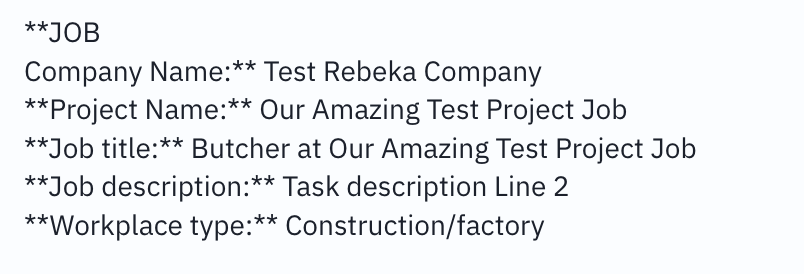
This works: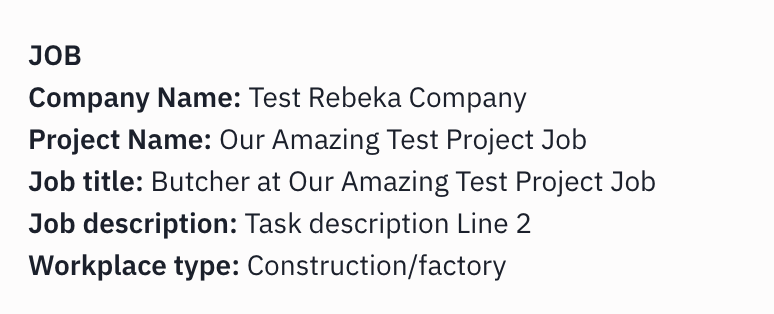
Hey @apps
Could you please confirm if you wish to remove the asterisk (*) from the response received as a markdown so that you get the details without any asterisks in it?
Please confirm so that I can check and assist you accordingly.
Hi @Arshita ,
I want to convert it to proper Markdown like this:
https://www.markdownguide.org/basic-syntax/
I get stuff like this from Pabbly:
\*\*
Can paste the output into any markdown reader and you'll see that the output from your action is not correct.
*'s are used extensively in Markdown for bold text, italic etc. so it should be there but it is not used correctly in the output from Pabbly. Please check the above link for info on Markdown syntax and the HTMl equivalent.
Second issue: and even with manual text the linebreaks are missing when they are sent:
See this and see the linebreaks: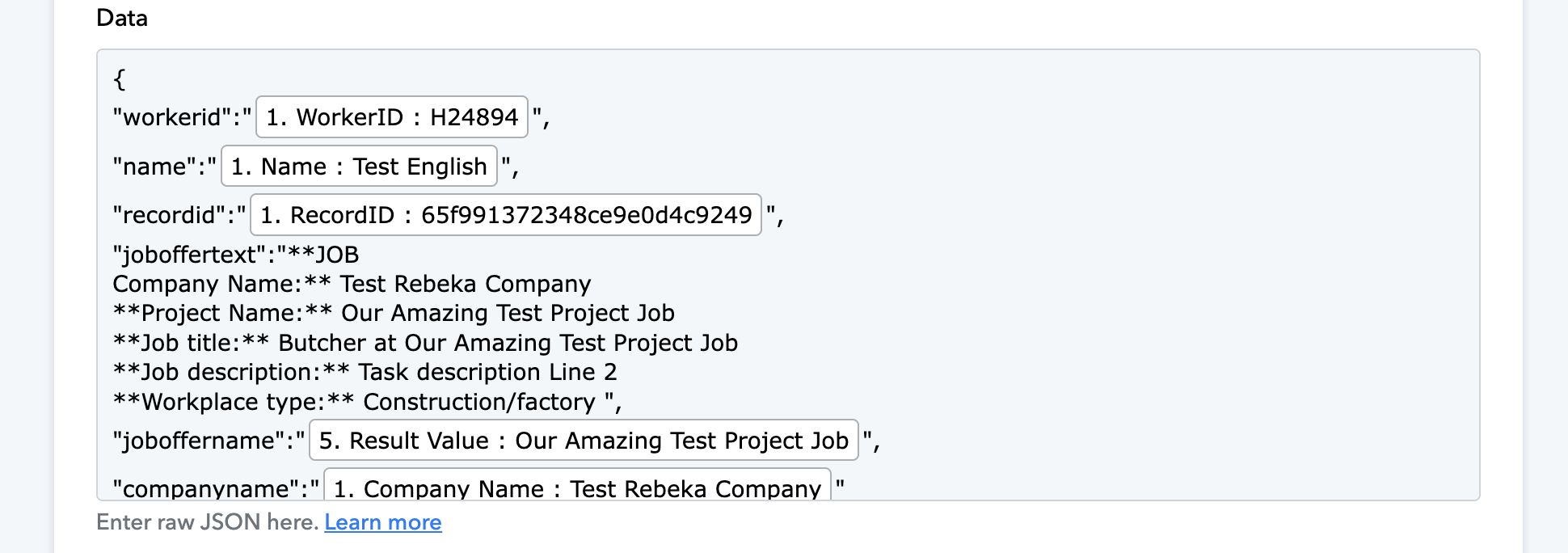
And the result - linebreaks are gone.: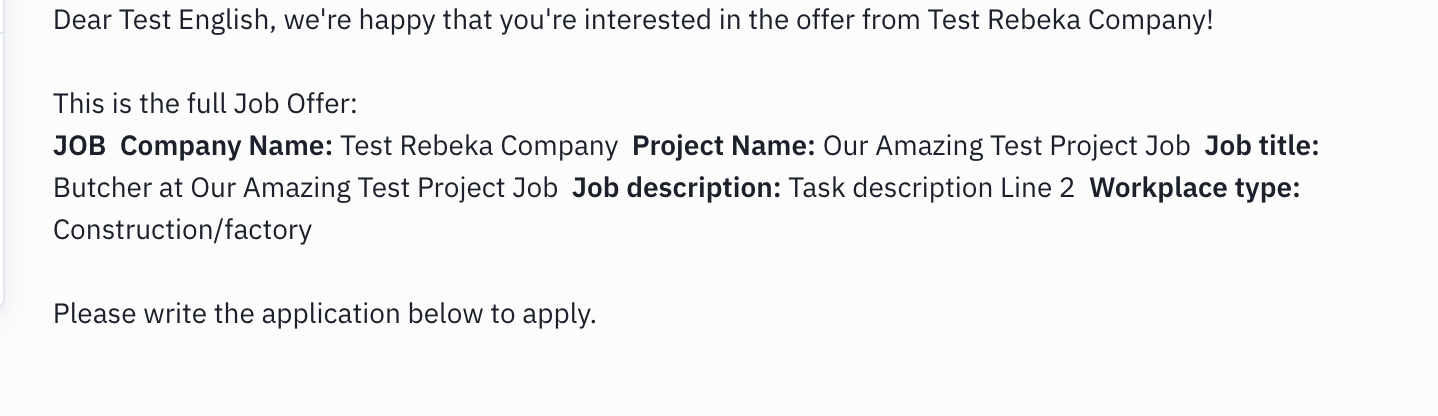
I just need to make a Markdown text from HTML conversion that is correctly formatted and can be sent as JSON to other apps.
As I can see and as you've mentioned earlier, asterisks are widely used in Markdown to signify bold text.
Upon reviewing your HTML, I noticed that you're using bold text formatting () in your HTML, which is causing issues with the Markdown response with asterisks.
Therefore, I kindly request you to remove the bold text formatting from the HTML and test it again on your end.
But I need bold text. How can I get that?
In that case, you can do one thing.
After the HTML to markdown action step, add a Text Formatter (Pabbly): Replace Text action step where you map the markdown response.
Then, in the text formatter, replace the asterisks with nothing for that response.
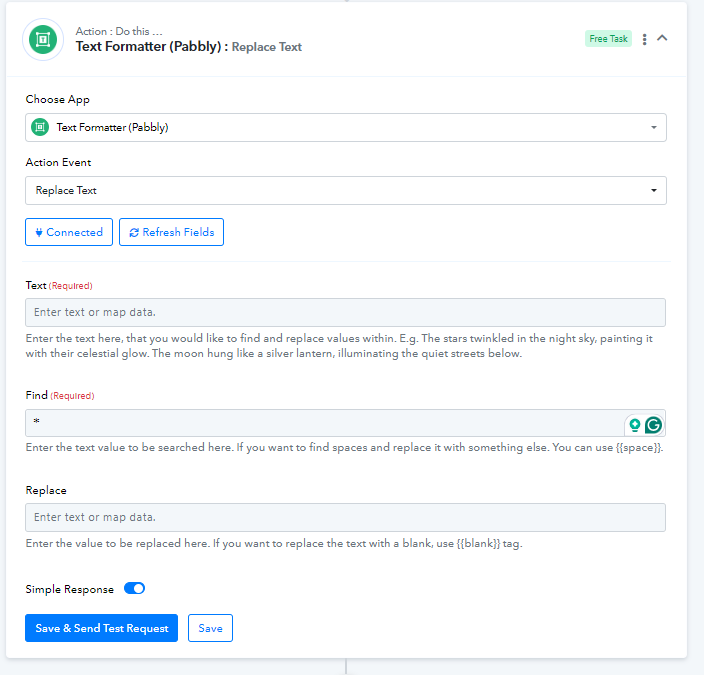
Hi, I am not sure what that does accomplish?
I need line breaks and bold and italic text in correct Markdown format as output to send in a webhook to Parallel as I showed. The asterix is used for both bold and italic formatting so why remove it? 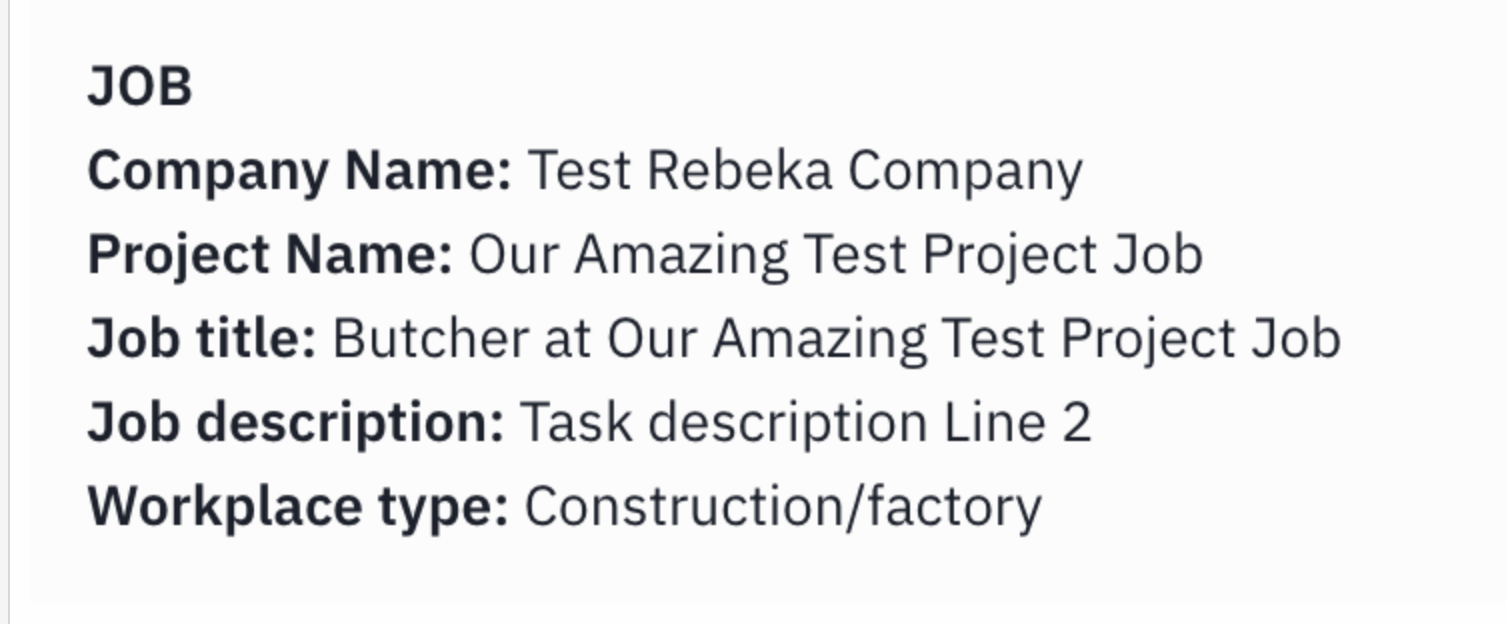
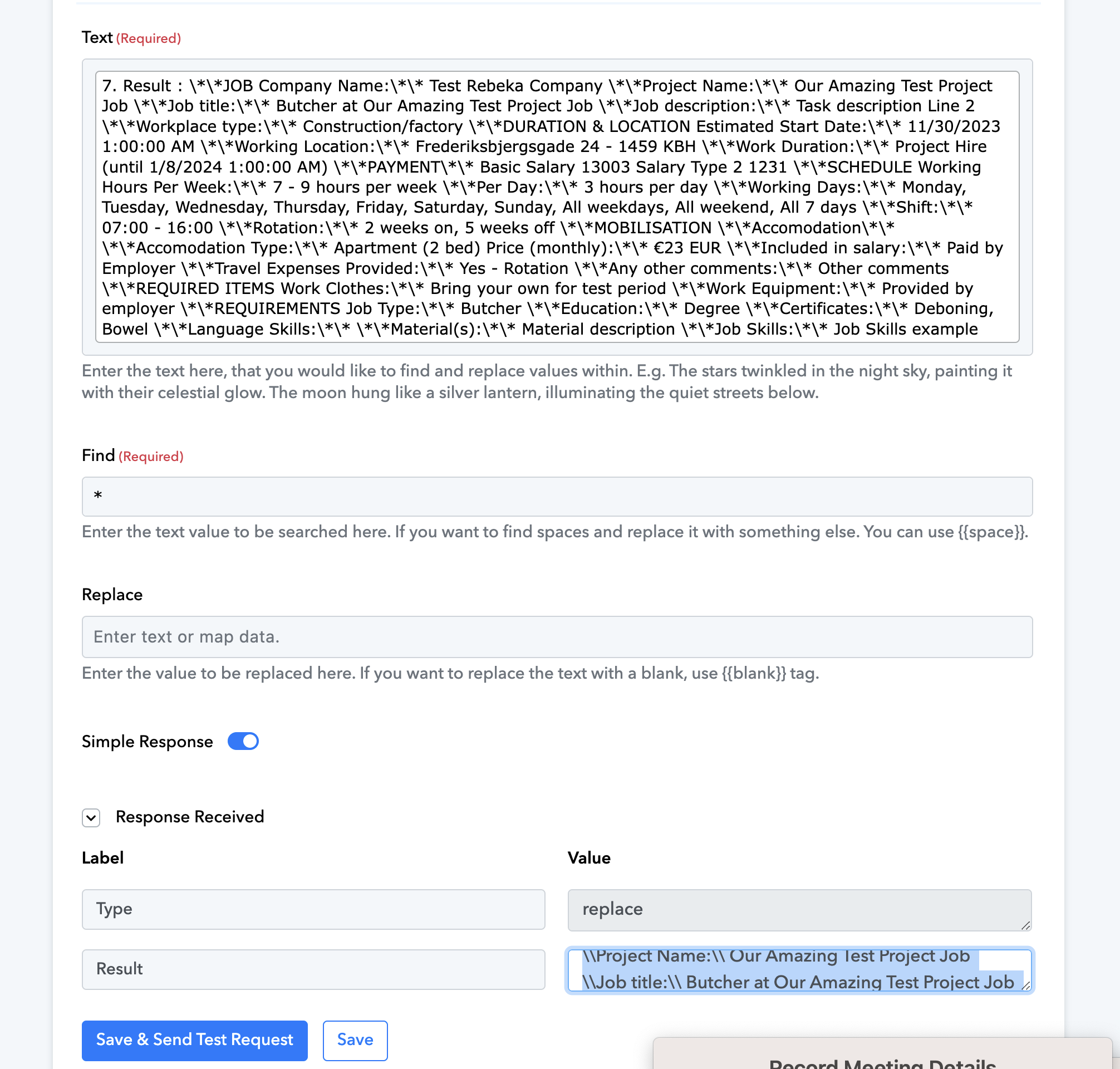
I've added a Text Formatter step for you. Please check if the response you're receiving from this step is satisfactory.
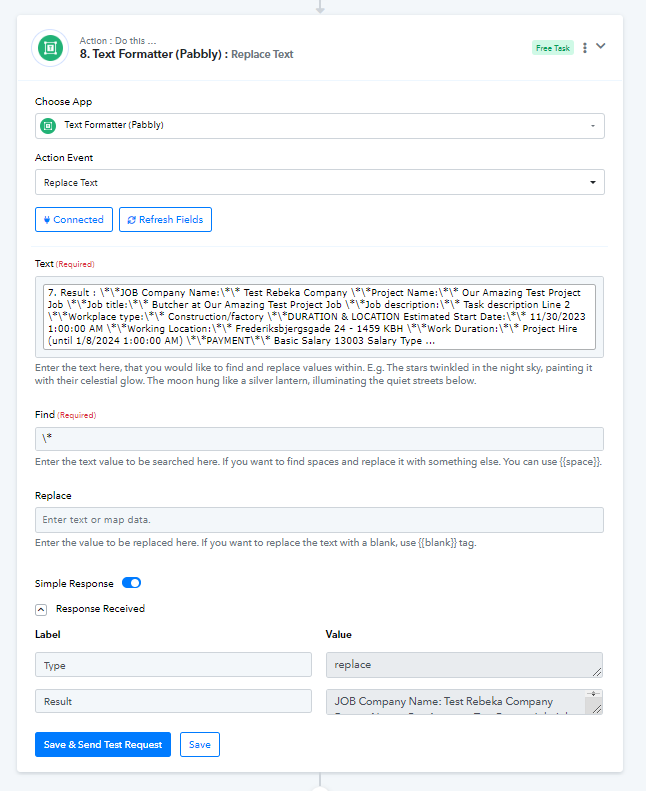
If not, I suggest using the OpenAI action step to make the text bold and italic.
Hi @Arshita,
1. I do not see any changes made to my flow.
2. I think we misunderstanding eacher. I need to convert HTML to Markdown. And it is not working inside Pabbly COnnect. Why not fix the action so it works? I have a very basic HTML code with linebreaks Italic and bold. And I simply want to convert it to markdown. What you're providing above is just removing all formatting and linebreaks.
My problem is super simple: Convert HTML to valid Markdown. But the Pabbly conversion is broken.
So this:
Turns into this: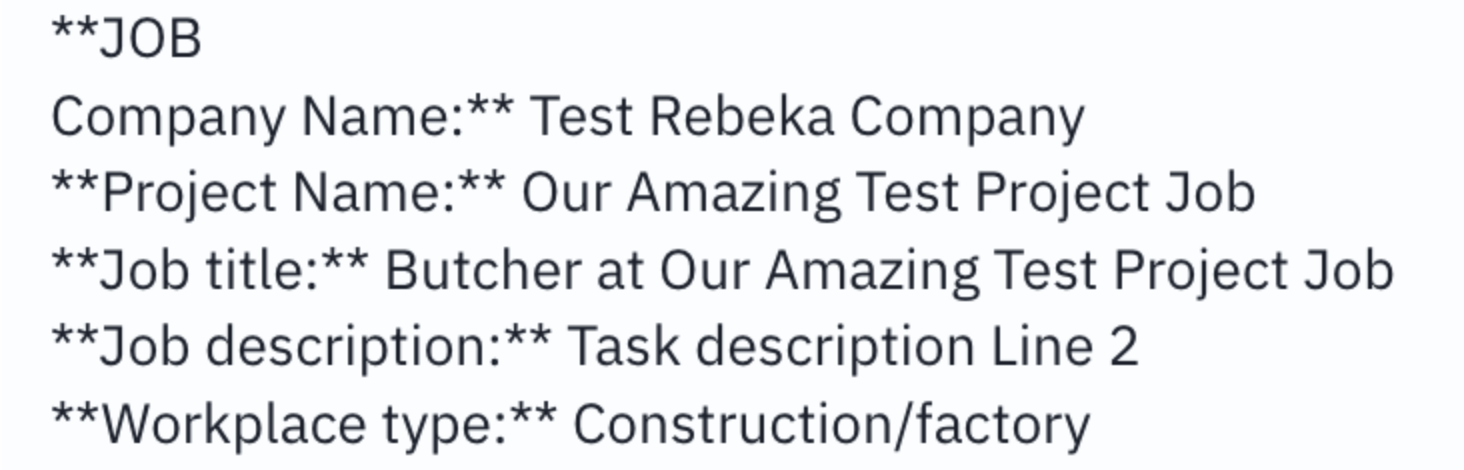
Which will show up as this in tools that support markdown: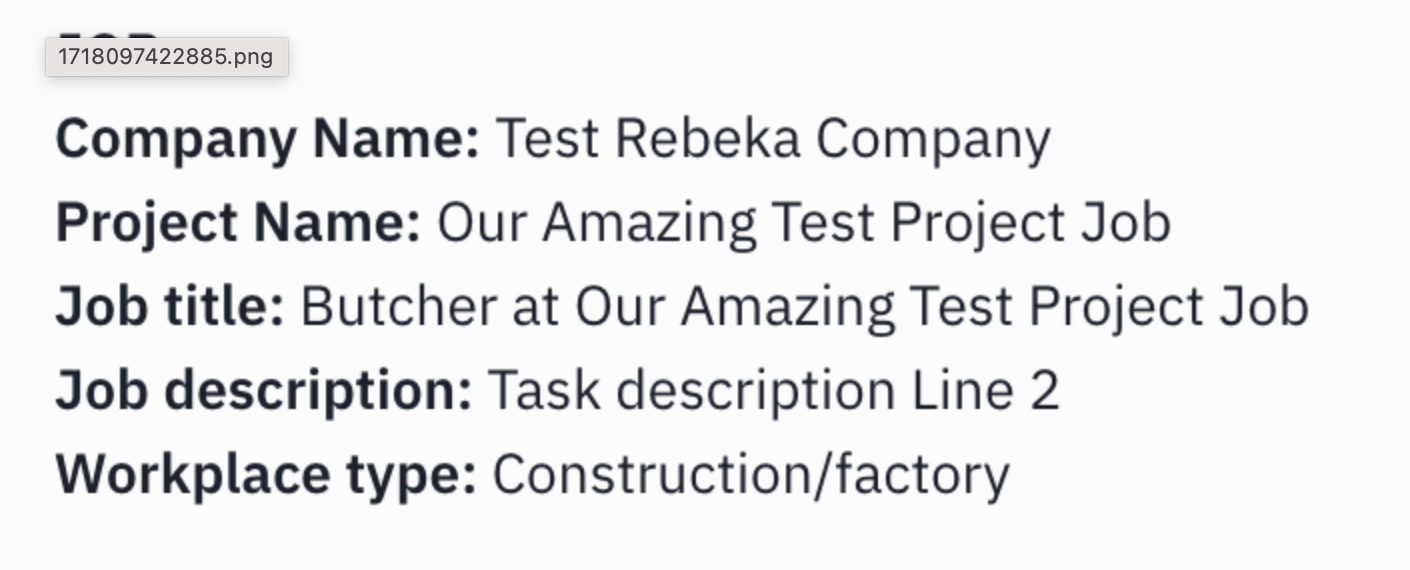
Can't you fix the Markdown converter action so it works as it should?
Kindly check the 9th step of your workflow.
I've added a Text Formatter step for you. Please check if the response you're receiving from this step works for you.
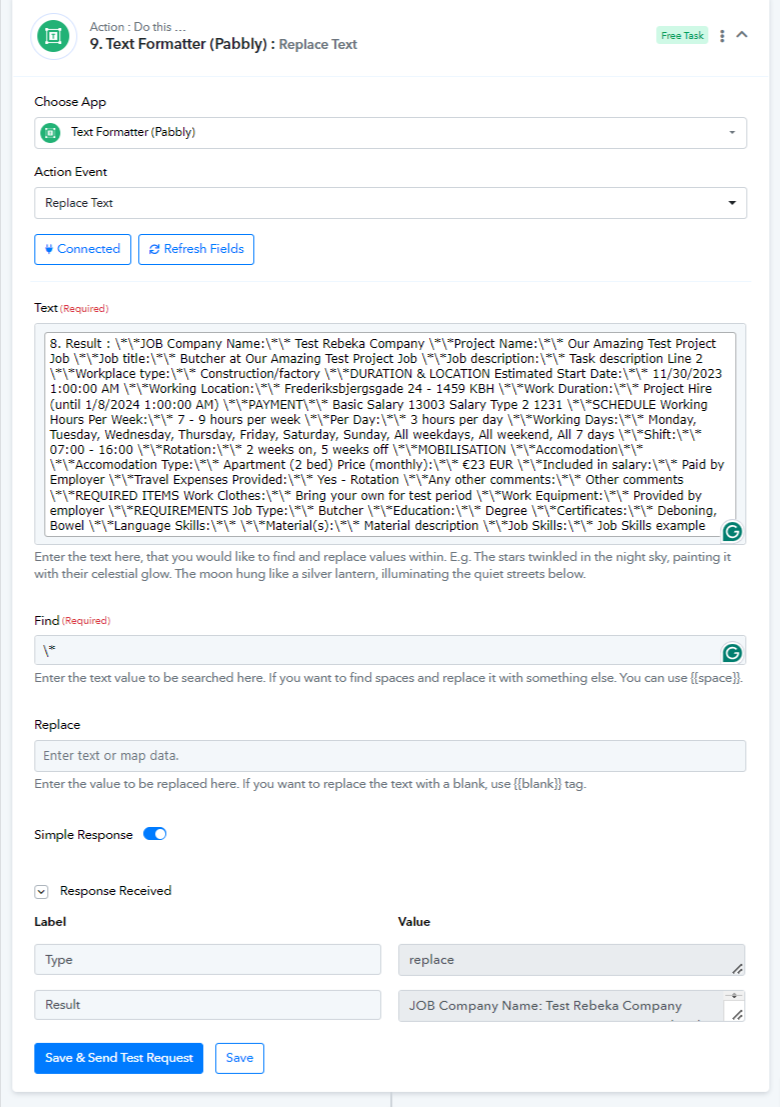
Furthermore, the HTML to Markdown step will work like this only, as we have already mentioned that asterisks will appear because you have bold text in your HTML.
To remove the asterisks, we have added the Text Formatter Replace Text action step. Please check if this works for you. Otherwise, you will need to use OpenAI for this.
Again, this step you show only removes all formatting which solves nothing. Why do you keep talking about removing the asterixes? Asterix is used in Markdown for formatting.
As I said::
A. I want to convert HTML to Markdown.
B. And of course this includes basic formatting like line breaks, bold, italic etc.
C. Your HTML to Markdown converter does not convert HTML to Markdown. So it is broken. That's the problem.
I want to convert valid HTML to valid Markdown. That's all I'm trying to do. How can I do that when your HTML to Markdown converter is done.
Your HTML to Markdown converter is broken. Are you not going to fix it?
Can you please let me know the Markdown response you are receiving, where you are mapping this response like in which action step?
Please help me with a screenshot showing where you are mapping this Markdown response so that I can check and assist you.
I have tried to make my own coonverter using many different text replacements, but it's a mess. See the input and the result of the markdown conversion in step 7 here.
And see the result of the manual Markdown conversion in step 15 - which has the desired output.
This is the flow:
https://connect.pabbly.com/workflow/mapping/IjU3NjUwNTY1MDYzNzA0MzI1MjZjNTUzMjUxM2Ei_pc
Thank you for sharing the information.
Please allow us some time to check your concern with the tech team and I will update you shortly.
in the text formatter, replace \*\ with nothing ??
Hey @ParaboliK
Yes, you have to replace "*" with nothing in the Text Formatter step.