HTTP Status Code 204 Question
Status: Open · Asked by amangan on · 0 views
I assume that when Status Code 204 is returned it means that there was a blank response from the application, which in my case is Zoho CRM not finding a match for a phone number in one of three modules that is being searched from CallRail. I want to have Pabbly create a lead when the number is not found in any of the 3 CRM modules in CRM, but cannot figure out how to execute this when the Status Code 204 is returned. If the number is found, I want to update the module which seems relatively easy. Any ideas or solutions would be much appreciated.
Attachments
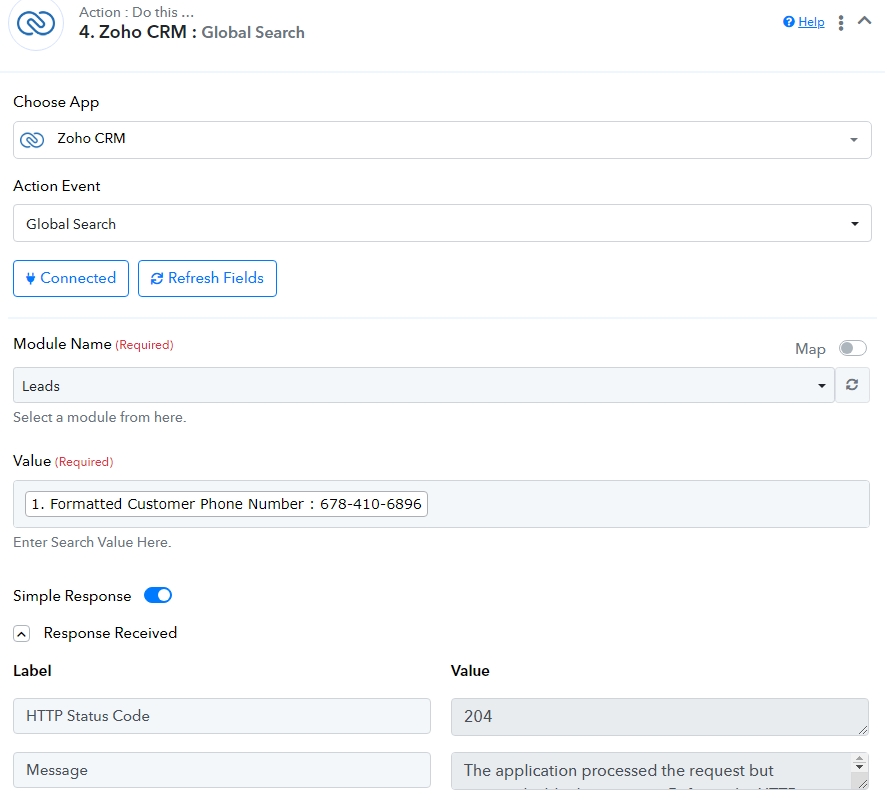
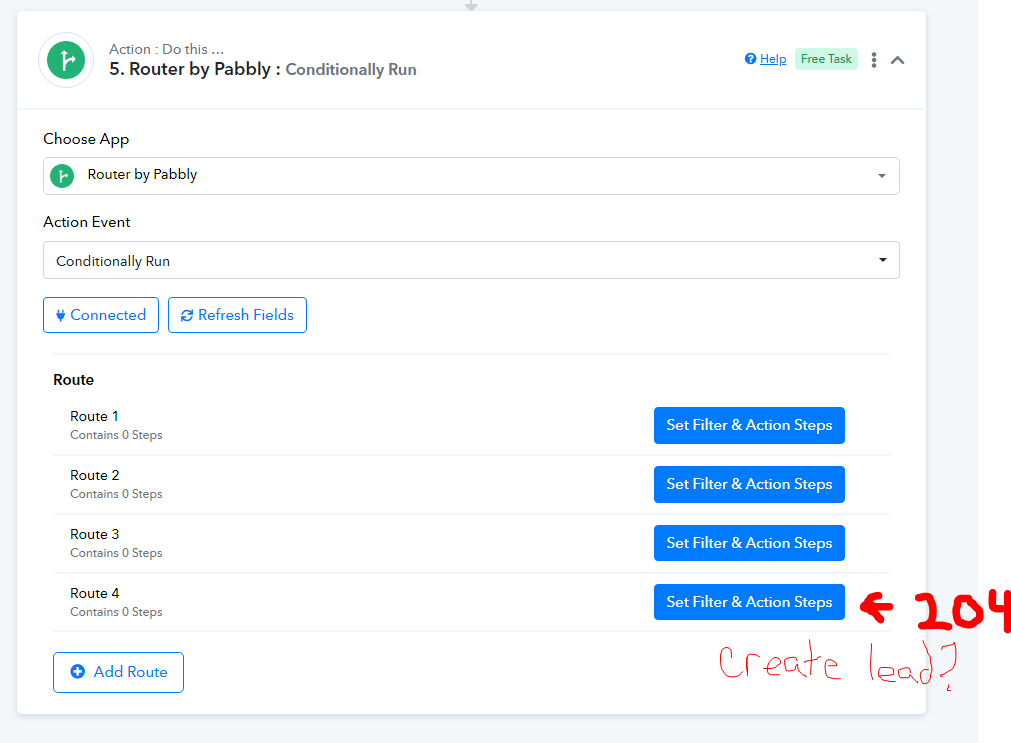
Hi @amangan,
Based on Zoho CRM's API documentation, we can see that HTTP Status Code 204 occurs when there is no content associated with a particular search query. Could you please confirm whether there is a Lead associated with the phone number you are searching?https://www.zoho.com/workerly/developer-guide/status-codes.html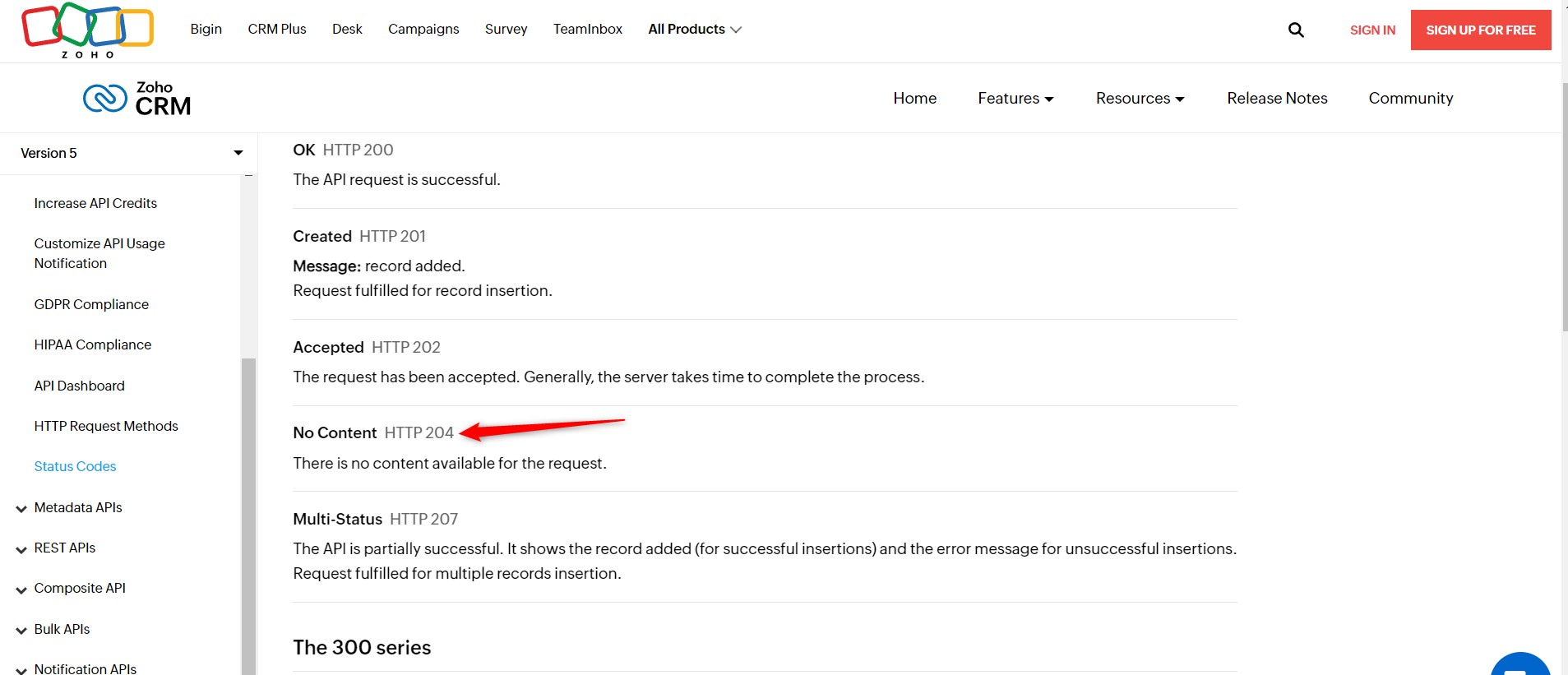
Yes, there is no data associated with it. When that occurs, I would like to trigger the creation of lead in CRM, but don't know how to do that in Pabbly. My only though is to make a routing that has a route with the conditions if no phone number fields in CRM match the formatted number in Pabbly = Create lead? It is a little hard to explain, but I think my misunderstanding is because I need to make sure all of these searches return a value when building the workflow so I do not get the 204, then make the routing condition correct like mentioned in my previous sentence?
That is precisely what you are supposed to do. You can use this filter condition to create a lead if it does not already exist in your Zoho CRM.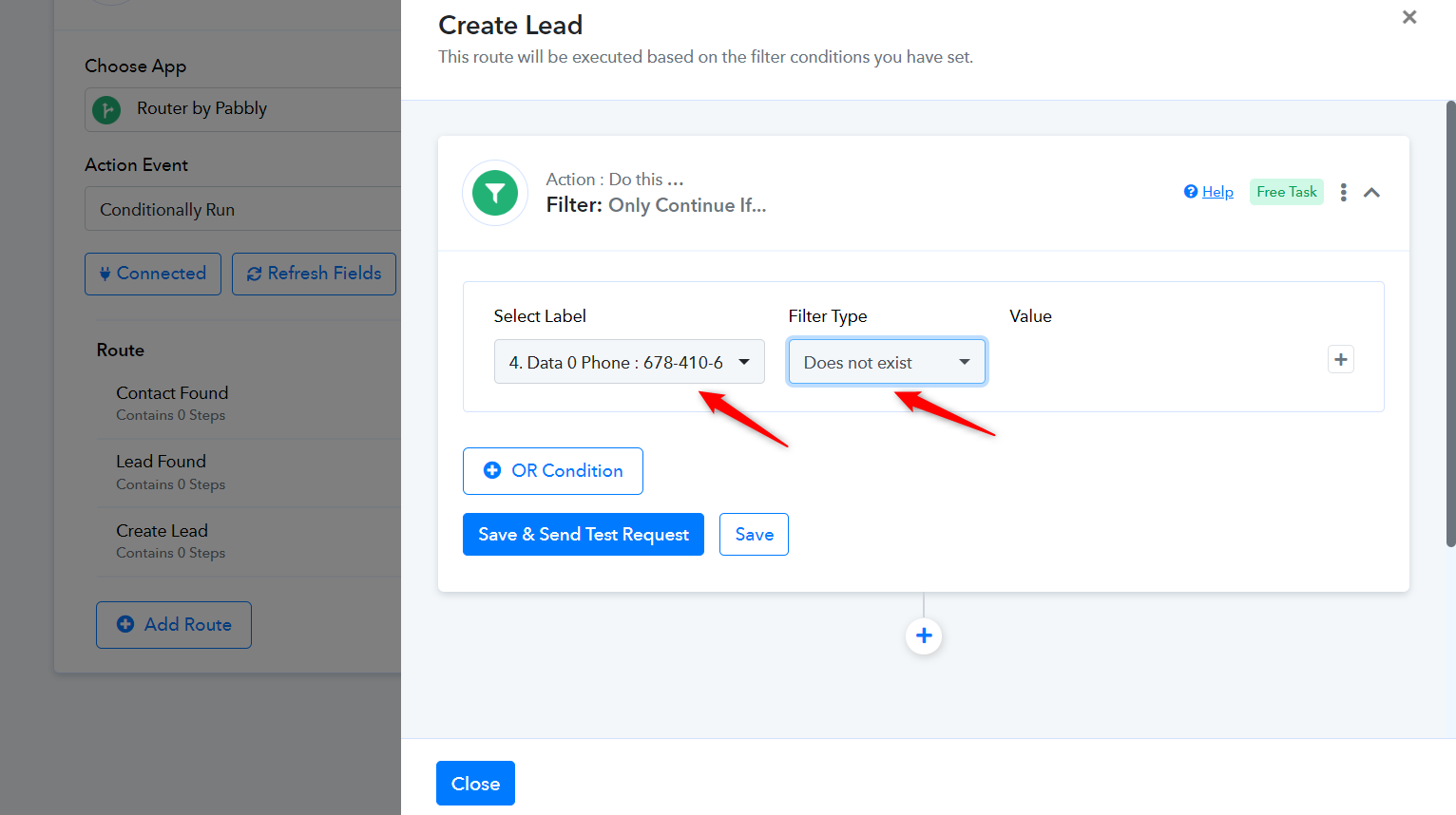
Yes I think this is working now see below. I know its a lot of numbers, but the logic should be to only create a lead if it does not find a number in Account/Contacts/Leads modules, hopefully that is not to many and statements.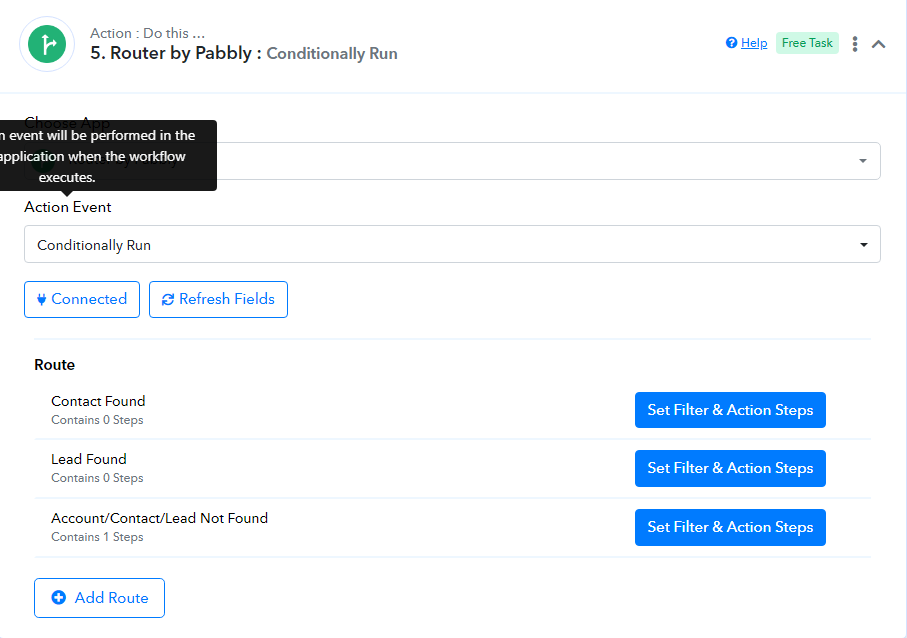
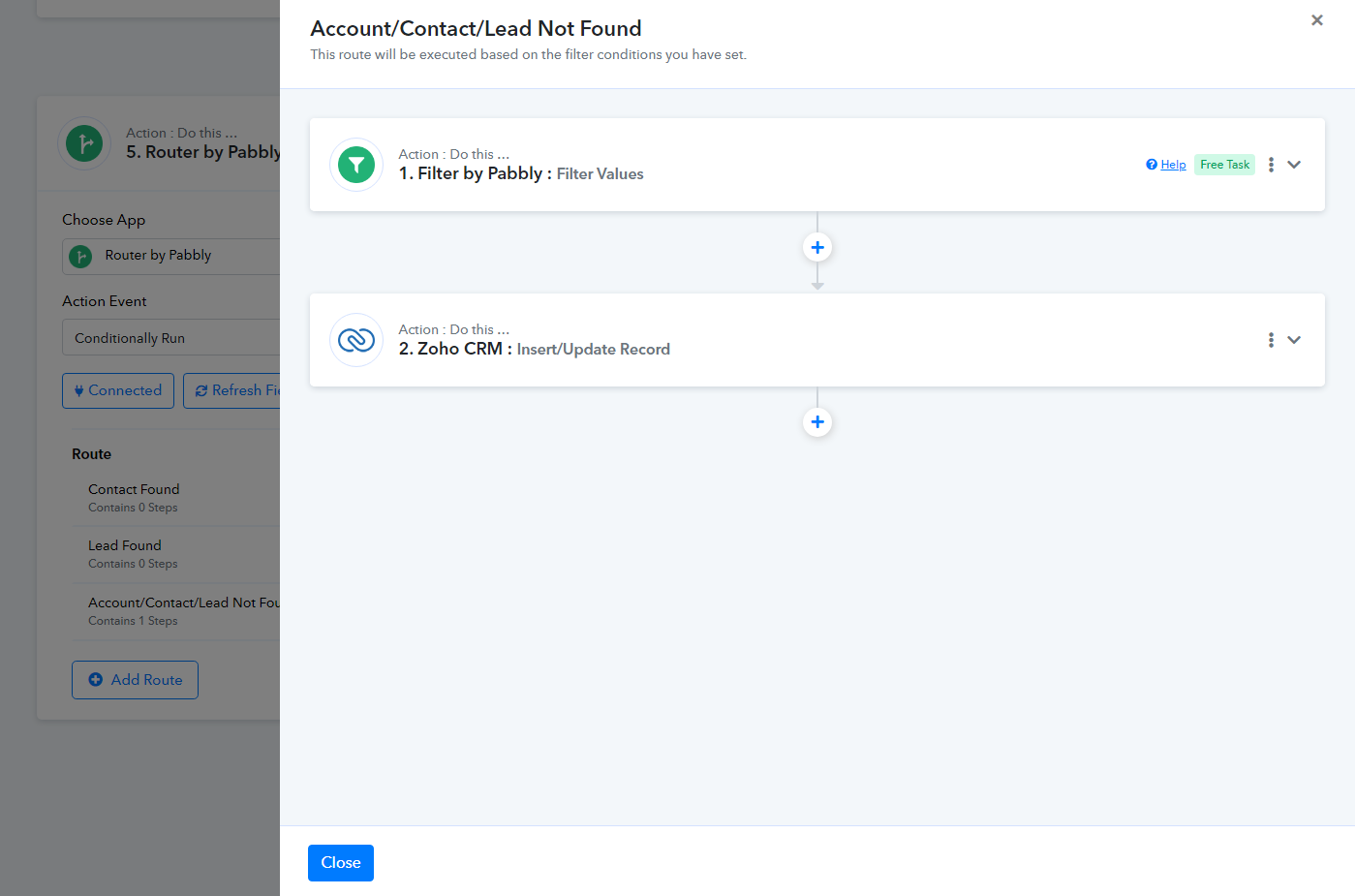
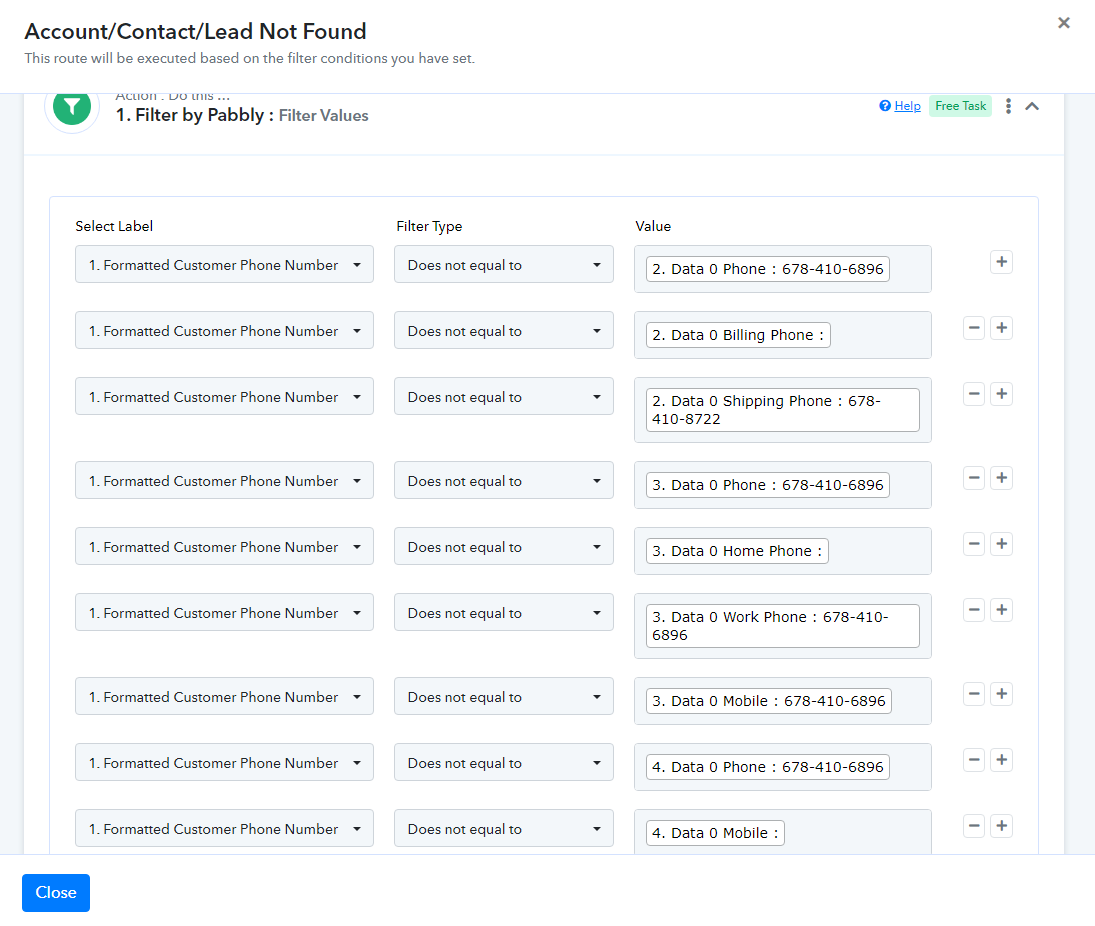
I am not exactly sure about your use case, but yes, the logic should work.