HTTP Status Code 500
Status: Closed · Asked by miamifriendors on · 0 views
I'm getting an error and I'm not sure why. My workflow looks like it's working well.
Hi @miamifriendors,
https://connect.pabbly.com/workflow/mapping/IjU3NjUwNTY5MDYzNDA0Mzc1MjZmNTUzMzUxMzMi_pc
In your Monday.com action step, in the 'Main Category (Label)' field, you are supposed to map the ID associated with a particular label, not the label name. For example, the ID associated with the label 'Other' is '58,' and the ID associated with 'Lemonade' is '178,' etc. So, if you want the label to be 'Other,' you need to map '58' in this field.
https://drive.google.com/file/d/1nfrZwJ6Vh34QsoiS4Hxaxbzqea-Li5RM/view?usp=sharing
I assume that you won't be receiving this ID from Wix Forms submission. Therefore, you would have to add and set up a Lookup Table in your workflow, then assign the IDs to the names of the labels, and map the responses from this Lookup Table to the 'Main Category (Label)' field.
I have added two of these labels to the lookup table; you need to add the rest of the labels in your list to this Lookup Table.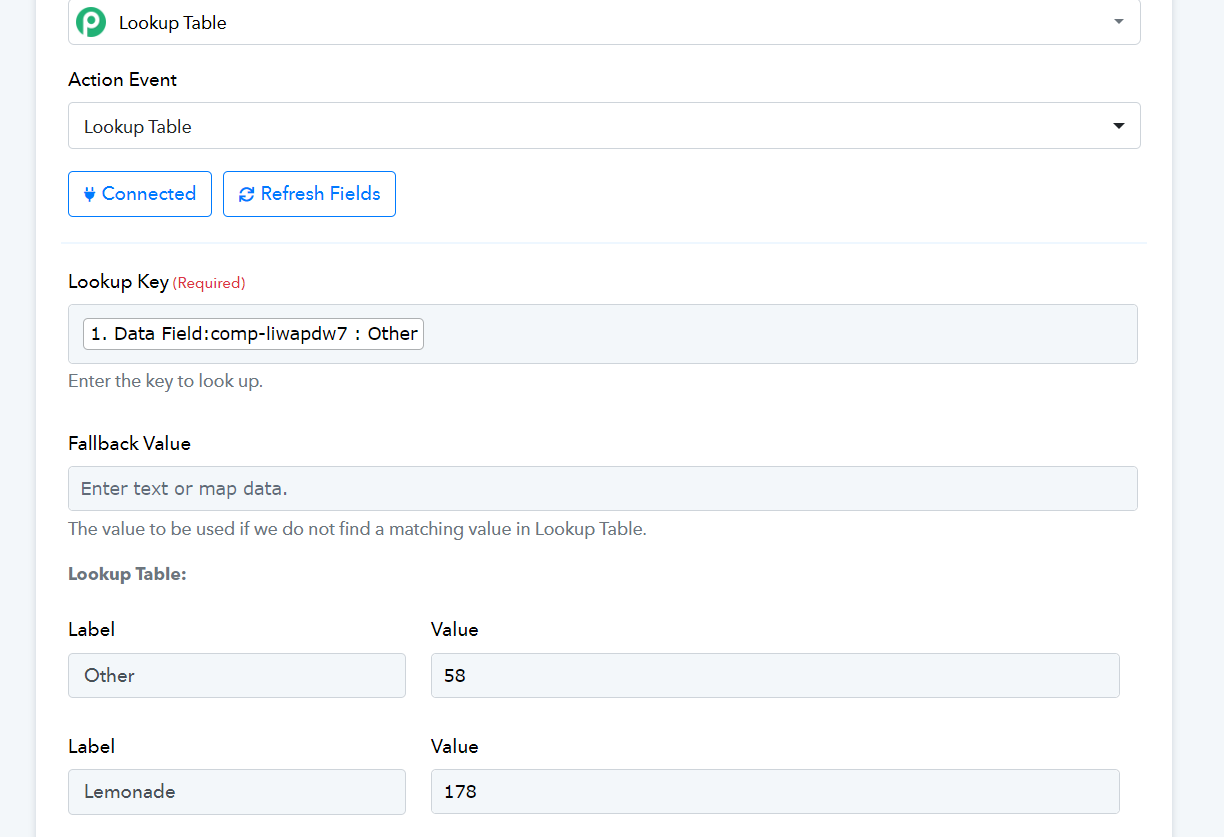
I want the connection to pick up what was entered in the field rather than one specific input. If I map it to the field that was entered on the test run will the submission always be that specific field or will it pick up what was entered in the form?
It will pick whatever was entered in the form.
The workflow is working now, but that one field is the only one not registering to Monday.
Please watch the video I have shared above. Add all the labels listed below (I have added 2 as an example), along with their IDs, to the Lookup Table. Then, map the Lookup Table response to 'Main Category (Label).'
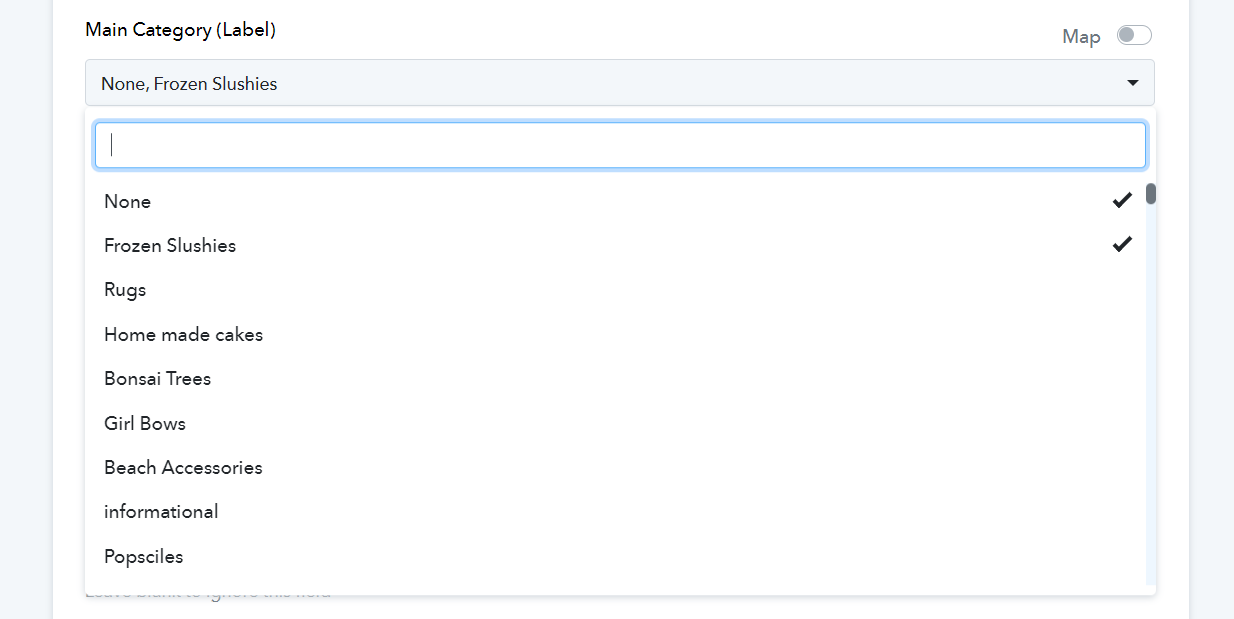
I've completed these steps and linked the Lookup table response to Main Category, but the 500 error still shows.
Attachments
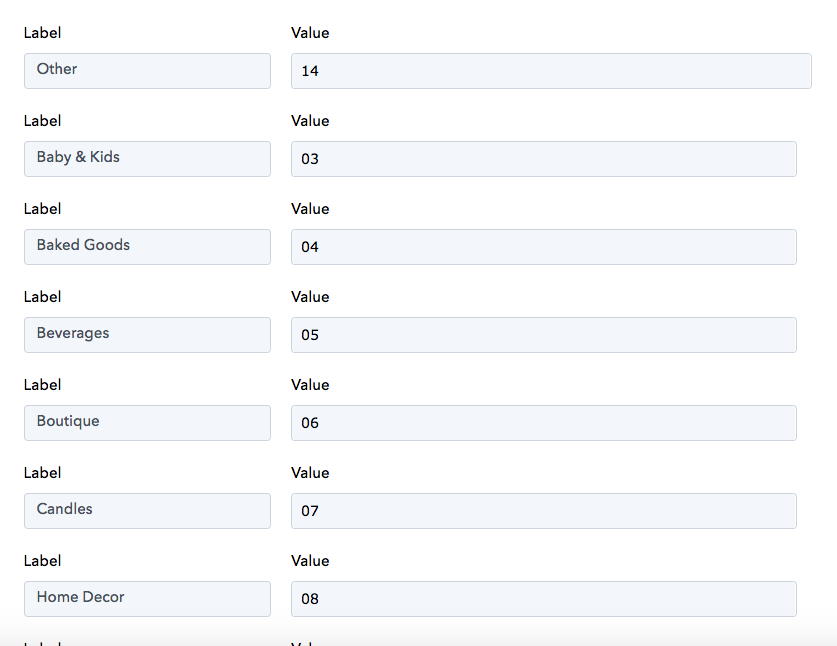

When mapping in a multi-select field, you need to pass the values as an array of strings, as shown below. I have made the necessary change on your behalf, and it seems to have fixed the issue.
Thank you so much!! You have been a huge help.
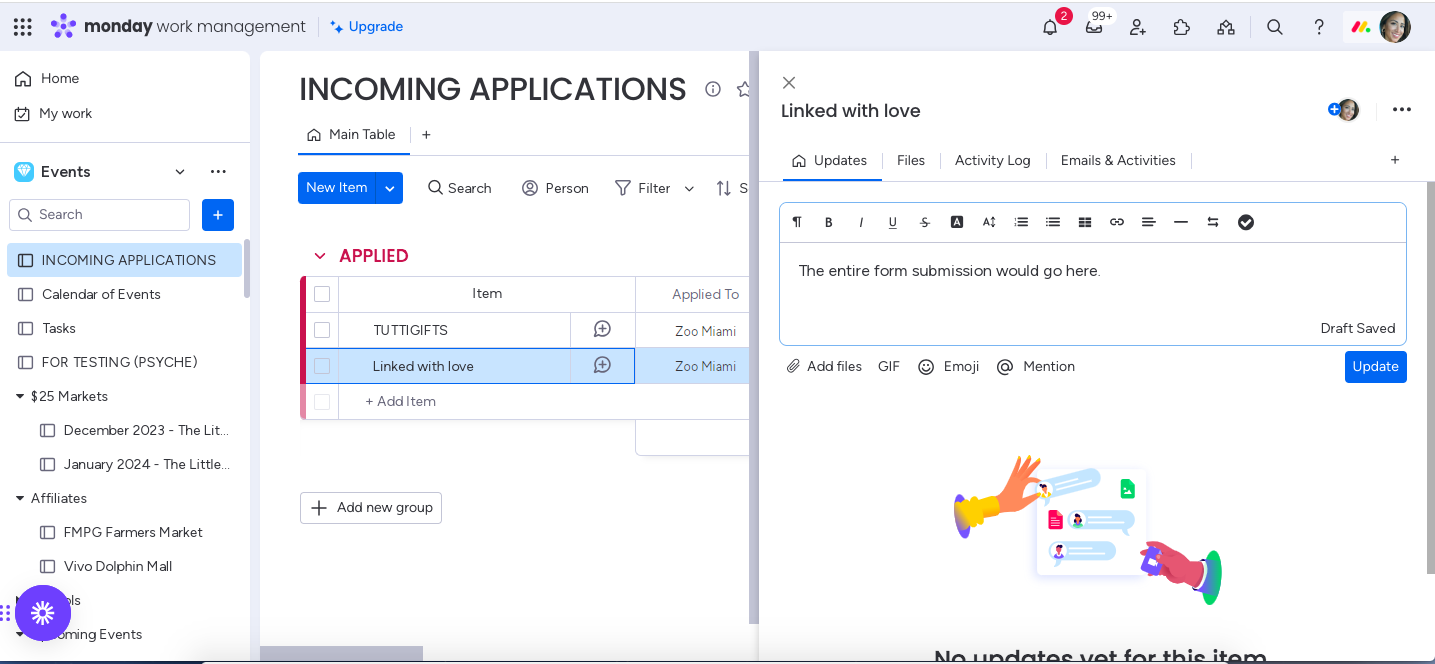
I have one more question. How can I create an update on Monday.com to be added to that same entry that includes the entire form from Wix?
I have one more question. How can I create an update on Monday.com to be added to that same entry that includes the entire form from Wix?
Could you please create a short screen recording and elaborate a bit more on this exact use case?
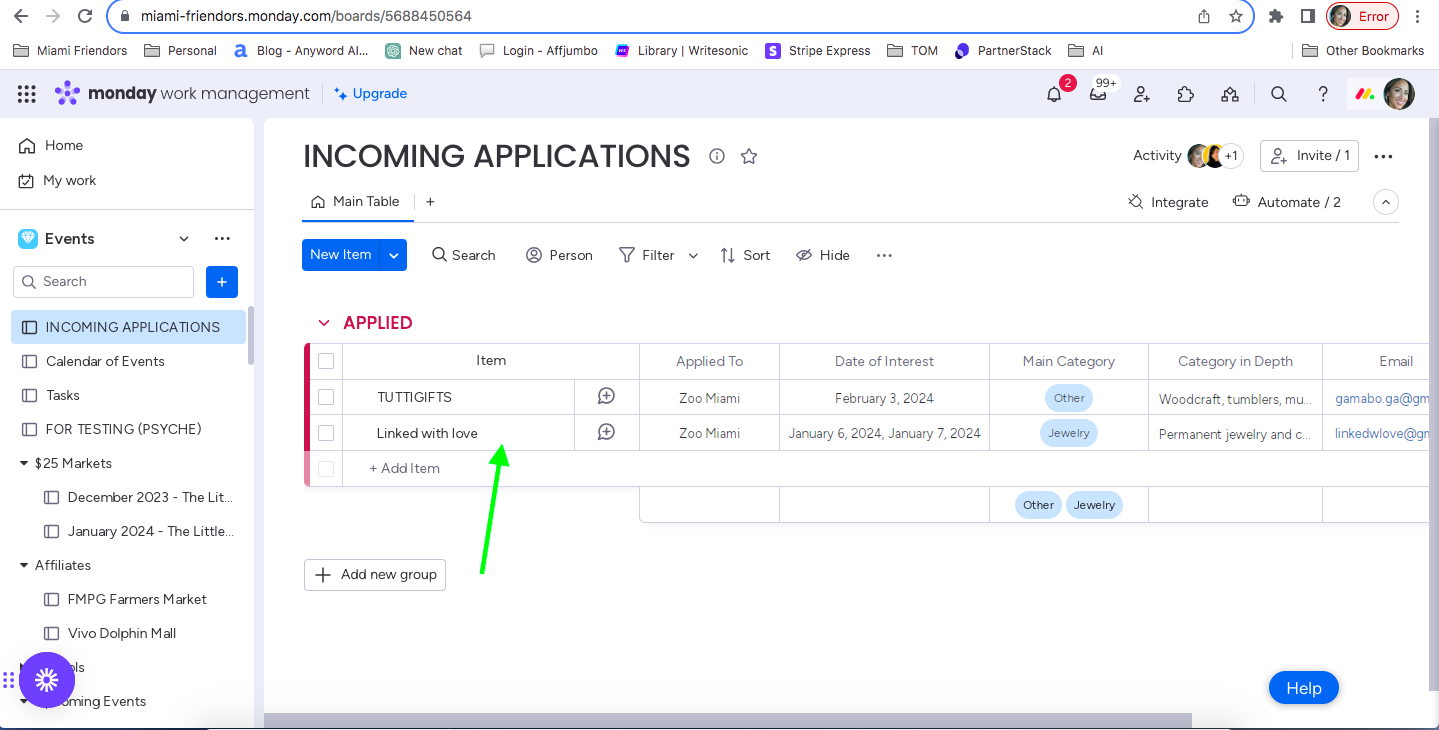
It didn't allow me to attached the screen recording but I attached screenshots. This would happen when the form from wix is completed and enter in the CRM.
Attachments
Please upload the video to Google Drive and share that link.
Hey @miamifriendors
Please allow us some time to check. I will get back to you soon.
Please grant me access to view the video you shared.
Just did :)
Please try using 'Monday.com: Create Update' action event for this use case.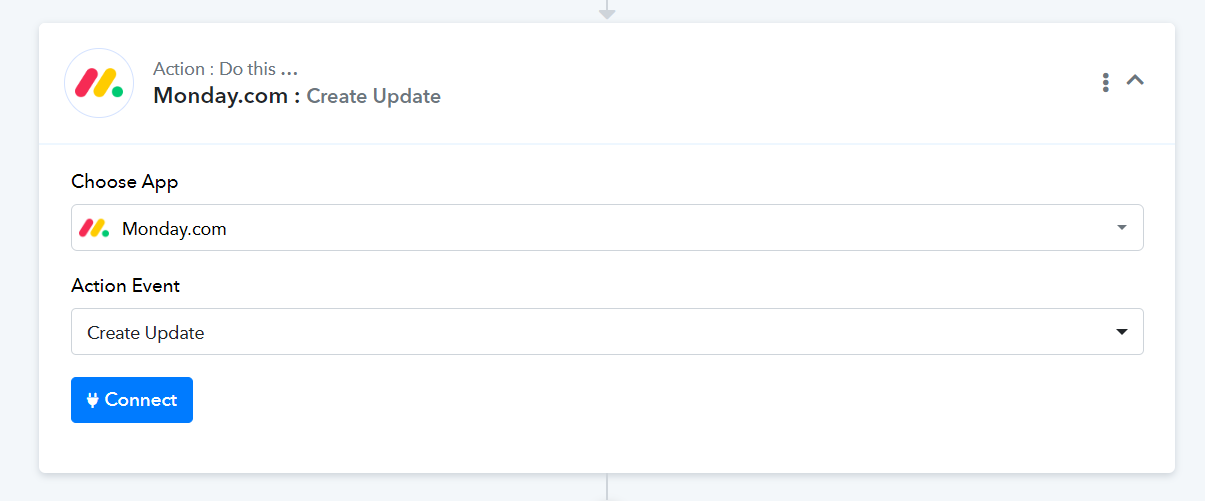
Yes, I saw this. I need assistance with mapping it though.
How would monday know which line item to update and which data field from Wix would show the entire form.
You can map the Item ID from the 3rd step of your workflow. Since there is no field that provides the entire form response from Wix, you would need to map the response in this manner.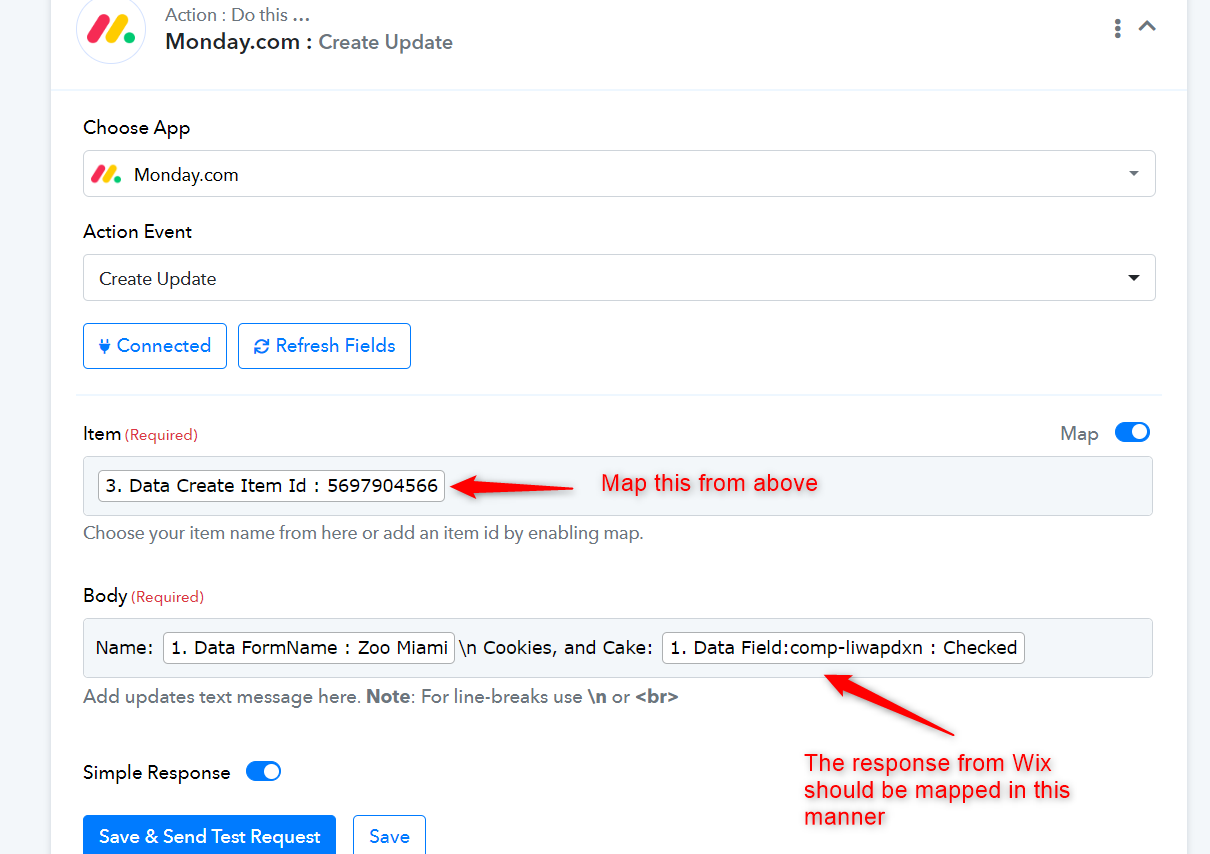
This worked! Thank you so much for your help!! It's greatly appreciated.