Hubspot create a meeting engagement
Status: Closed · Asked by bajglass on · 0 views
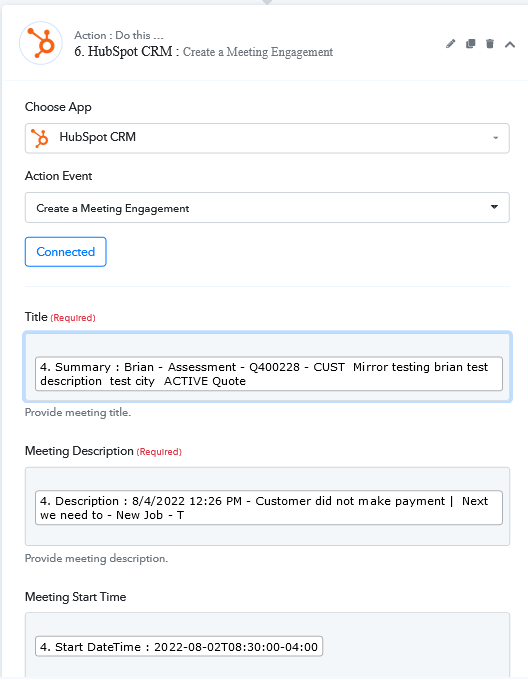
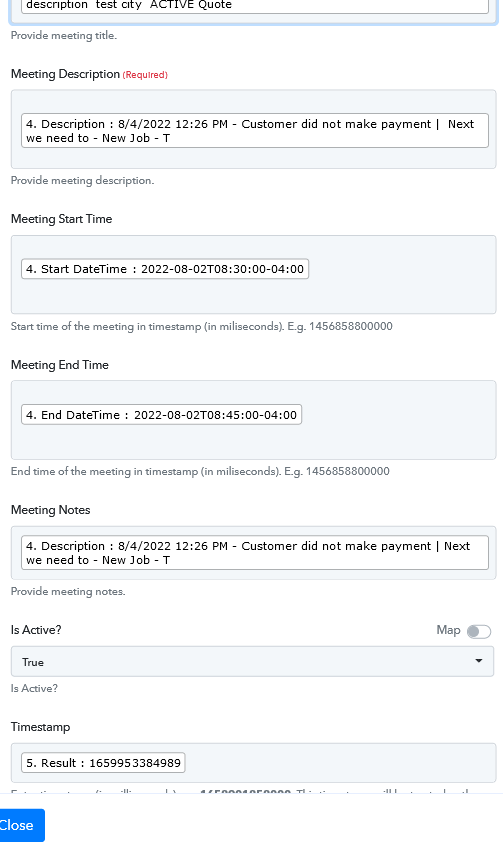
I have screenshots below.
I have had previous assistance with creating a Note engagement with hubspot.
Now I am having trouble creating a meeting engagement.
Workflow -
New Intake - INTAKE - Create ticket
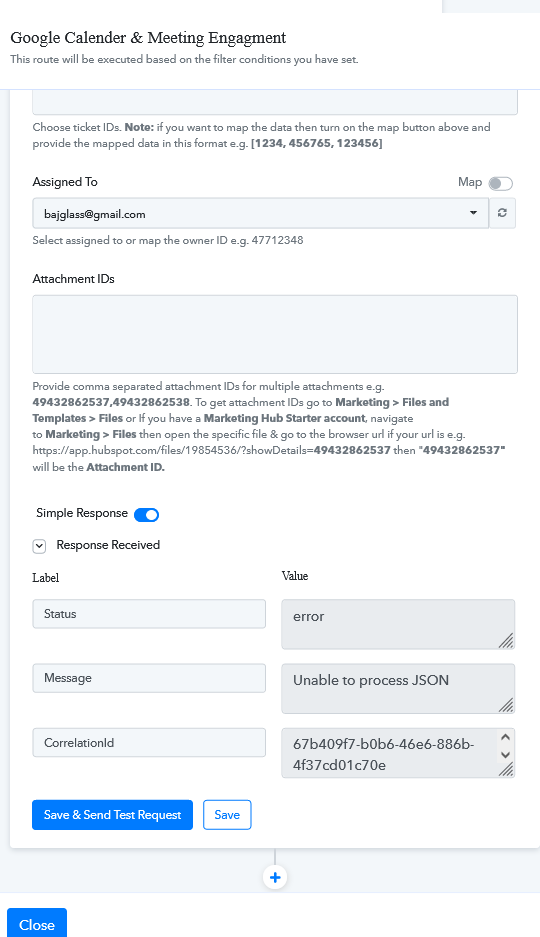
2nd router - google calender and create meeting.
simply says, unable to process JSON.
Kindly, please inform me if there is something in my attachments that should be removed or blacked out.
Attachments
Hey @bajglass
In the action step, you need to pass the date time in the TimeStamp format instead of Compete date format.
You can use the "Date Time Formatter" action step to convert the time into Timestamp format.
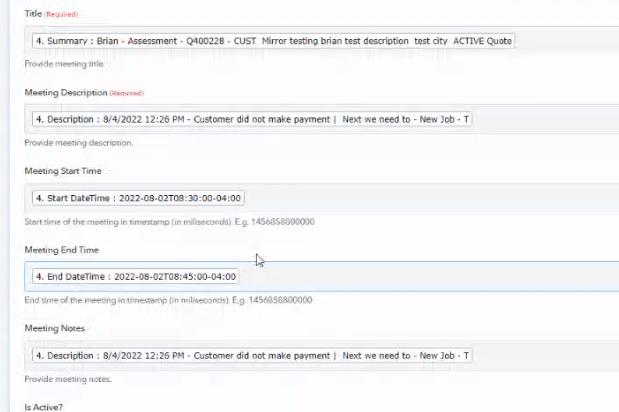
Ok I have it but I keep getting for my
timestamp
the start time of the meeting, instead of the timestamp of entry date from the start of my form.
Do you know why this is happening?
Hey @bajglass
Do you know why this is happening?
As per the API documentation of Hubspot, you have to pass the start and stop time in Timestamp which we have already mentioned.
Further, to convert the date time into timestamp format you can use the Date Time Formatter action step.