Hubspot Ticket Creation w/Associated Contact
Status: Closed · Asked by EMBARK on · 0 views
Hi there,
Here's my workflow I am looking to achieve...
- User fills in website contact form [success]
- Create a contact in Hubspot [success]
- Create a ticket [issue] - create date [success] priority [success] ticket description [success] assign ticket owner [success] associate contact created in step (2) with the newly created ticket.
(3) There doesn't appear to be an option to associate the ticket with a contact (the one just created by the previous step).
Please advise...
Thank you!
Hey @EMBARK
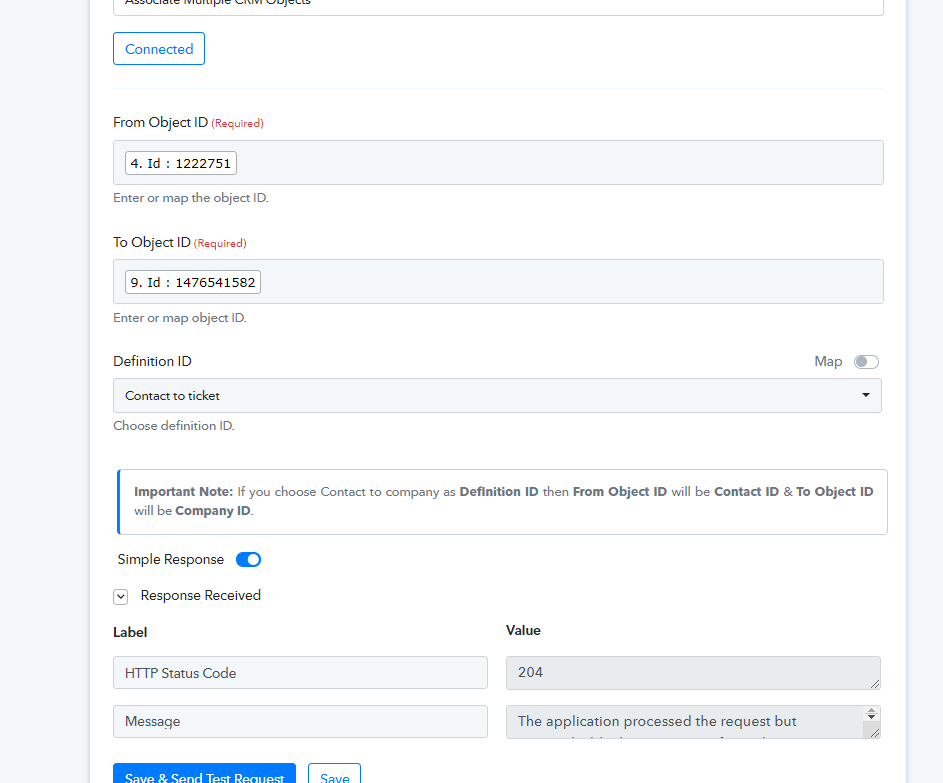
Regarding your concern, we recommend you use the "Associate Multiple CRM Objects" action step. I hope this might help you out.
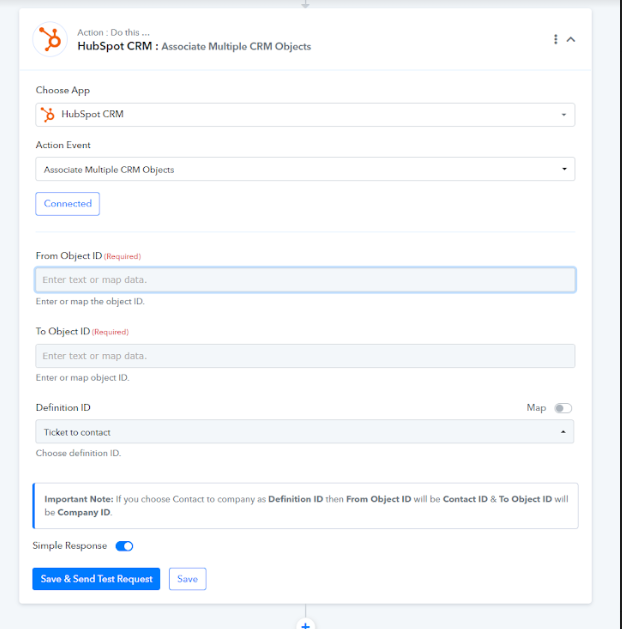
Hey,
Thanks for the response - this looks like what I'm looking for...
I am trying to following:
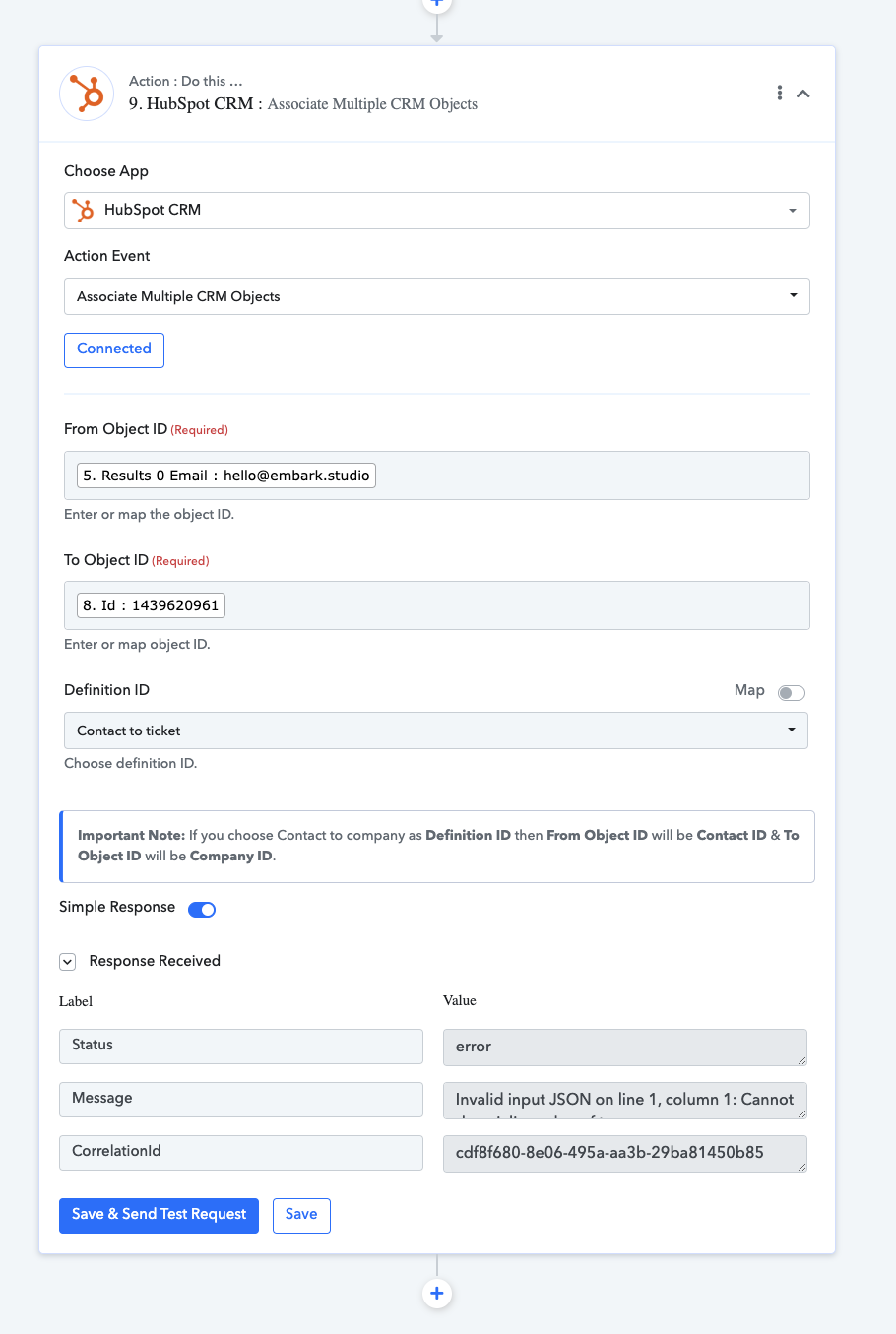
But I'm getting an invalid response.
Does this look correct?
Thanks again for your support.
Please map the "Object ID" in place of Email address and correct Object Id in that.
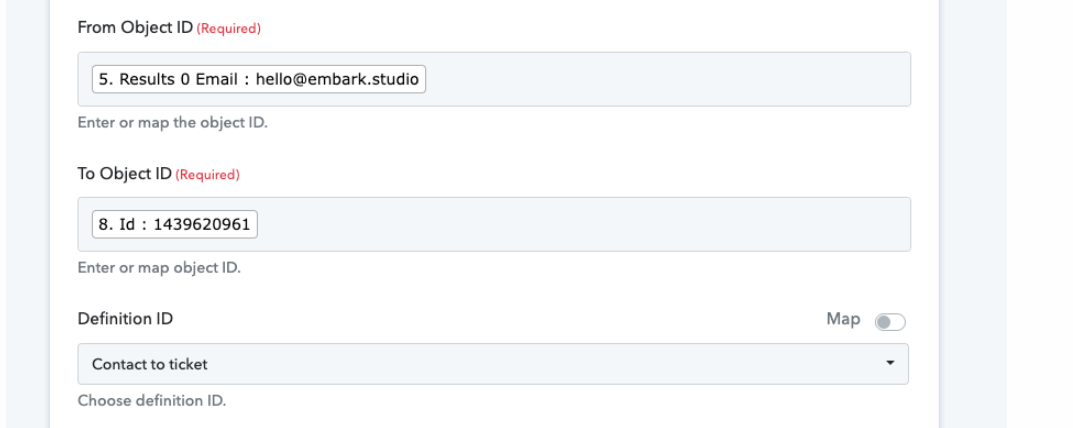
Please map the "Object ID" in place of Email address and correct Object Id in that.
Hey! Thanks for the response. Sorry as I am a bit confused with your instructions...
Hey @EMBARK
From Object Id - You need to pass the Ticket Id.
To Object Id - Pass the Contact Id that is available in Hubspot.
Hey!
Object ID = Ticket ID [success]
Object ID = Contact ID [fail]
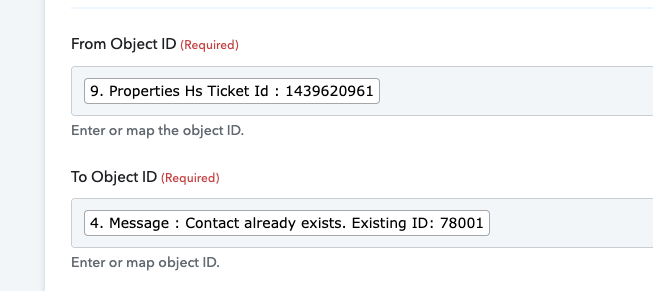
Error:
Invalid input JSON on line 1, column 1: Cannot deserialize value of type `java.util.HashSet` from String value (token `JsonToken.VALUE_STRING`)
- How can I extract just the ID "78001" rather than the full string, which I think it is doing?
Thank you.
Hey @EMBARK
We have remapped the Contact Id and the Ticket Id in the action step and it is working fine.