Hubspot to Google Offline Conversion
Status: Closed · Asked by shadabdurrani on · 0 views
I am trying to push Hubspot leads data as offline conversion in Google ads, now the issue is I am unable to understand how can I use a trigger that if I change Lead Lifecycle To "Customer" then it should send the data in my google ads.
There should be way where I can only send selected contact as leads back to Google.
Hey @shadabdurrani
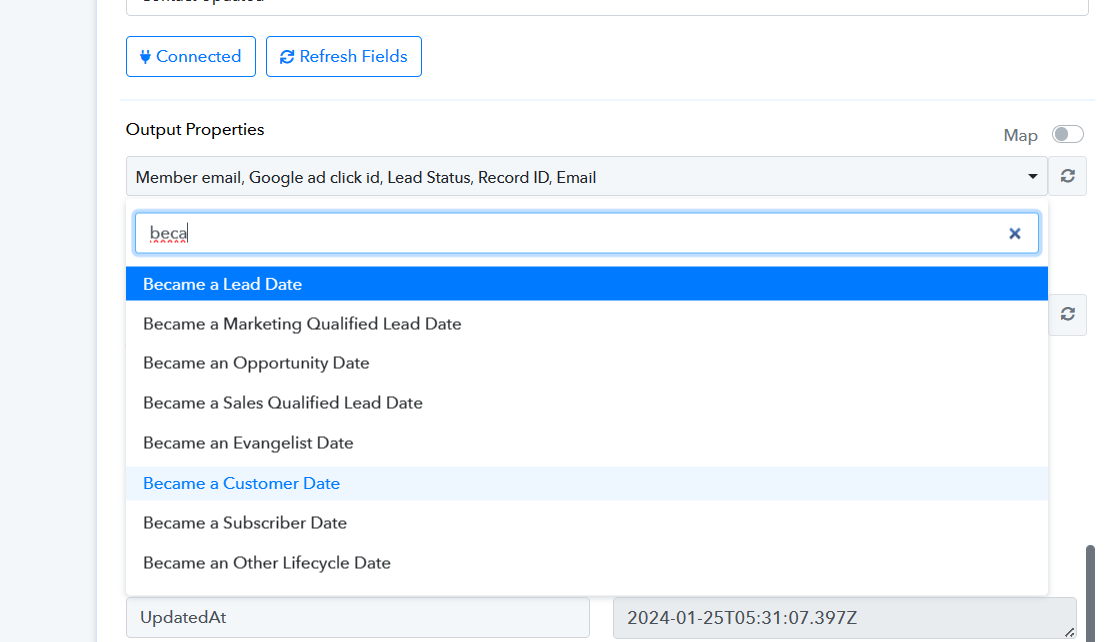
When you're looking to check a specific detail for a customer, you'll find that information in the Output property field of your HubSpot trigger event. Additionally, if you want to track when a customer became a customer, you can use the 'Became a Customer Date.'
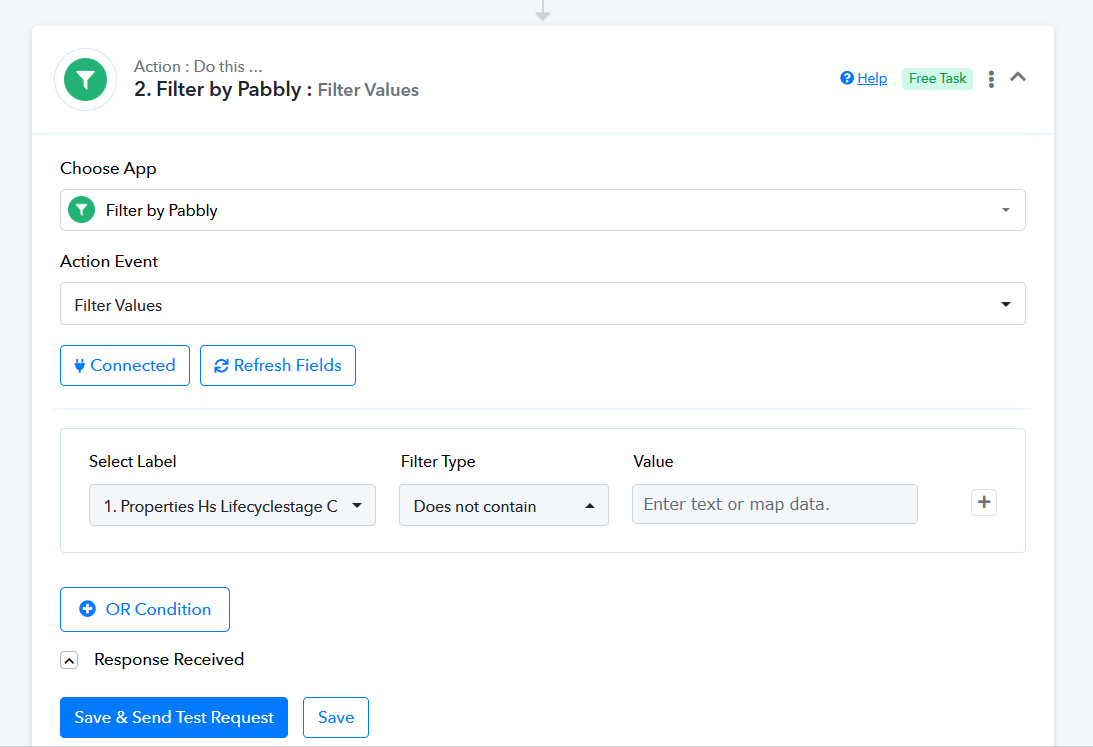
If the response field includes any date, you can smoothly automate the process using the Filter action step. This way, you can streamline your workflow based on customer data.
THank you so much for the response.
I have some more questions:
I am using Pabbaly free version because I am using paid Zapier and there no help on this. I want to know do I need to upgrade or for now I am good to go with this free plan.
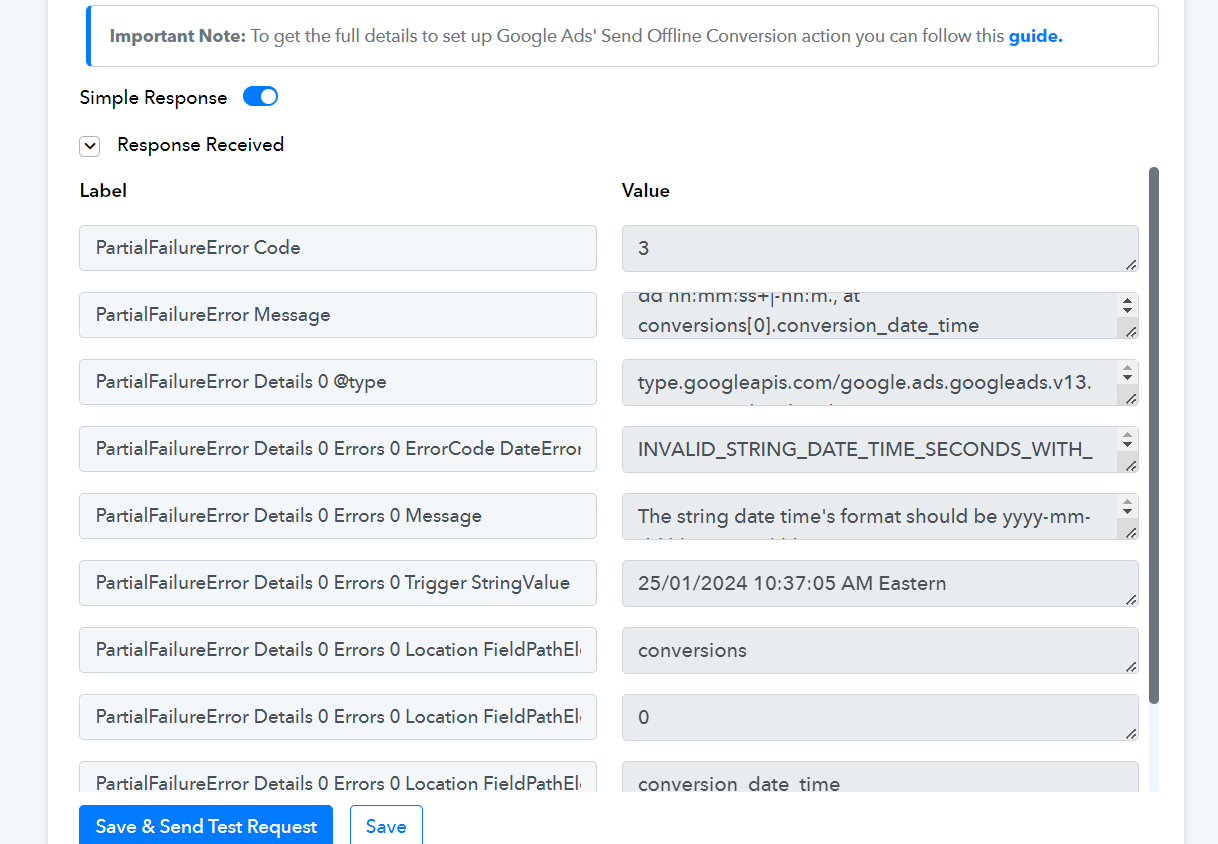
2nd, evething has been setup according to the data I need to send in Google Offline Conversion but in the last step I am seeing this error
Flow link: https://connect.pabbly.com/workflow/mapping/IjU3NjUwNTY4MDYzNjA0MzI1MjY5NTUzMjUxM2Ii_pc
Hey @shadabdurrani
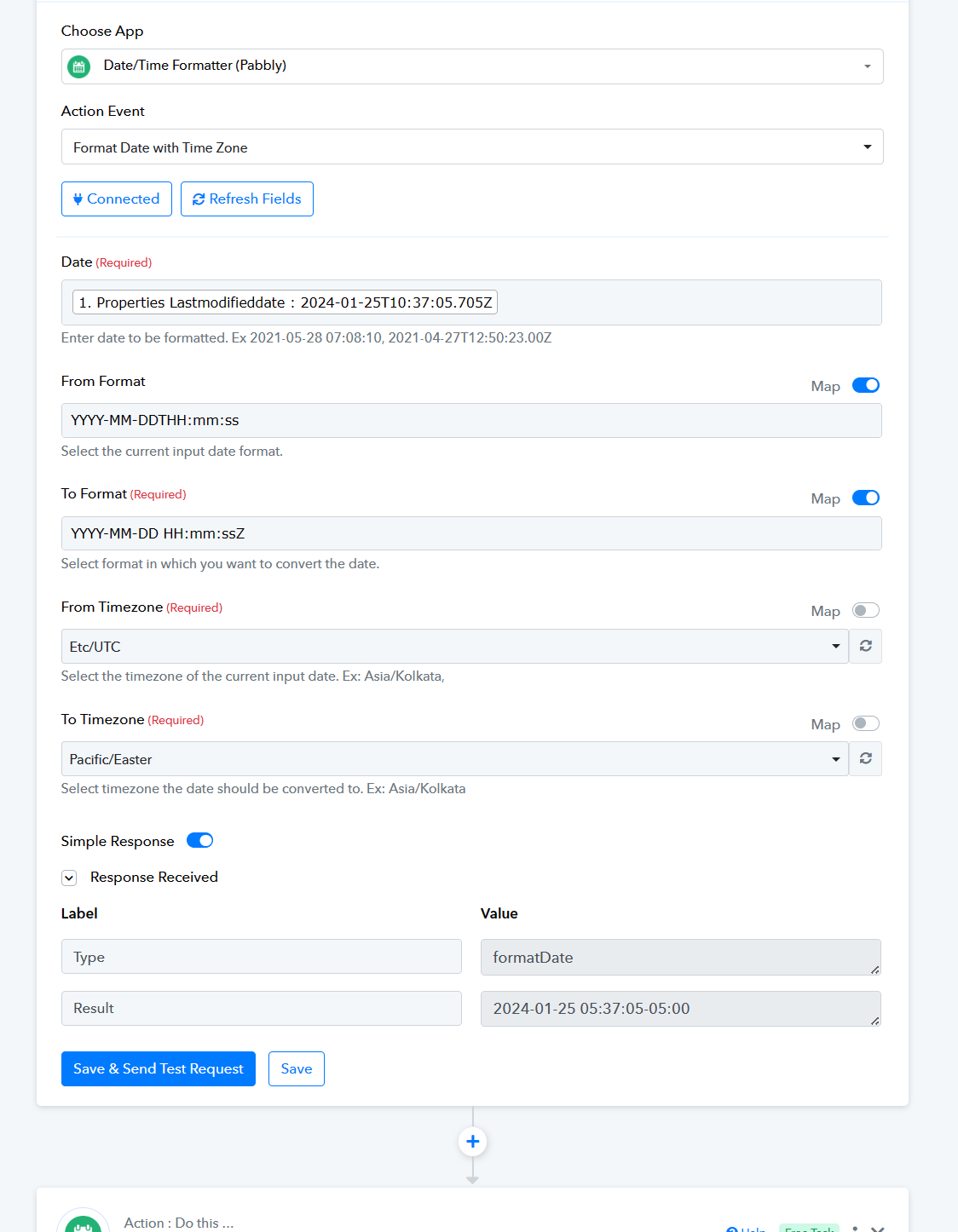
For your desired Timestamp field you need to pass the DateTime in the following manner -
I am using Pabbaly free version because I am using paid Zapier and there no help on this. I want to know do I need to upgrade or for now I am good to go with this free plan.
Absolutely! Feel free to continue using the free account if your automation involves fewer than 100 tasks each month. However, if you find yourself exceeding that limit, we highly recommend upgrading to a paid plan. This way, you'll have the flexibility to choose the plan that best fits your needs, and the assigned tasks will align seamlessly with your account.
Hey, Thanks for all your help. I need to confirm one last thing.
I am not seeing this green tag on my Google Offline Conversion Task
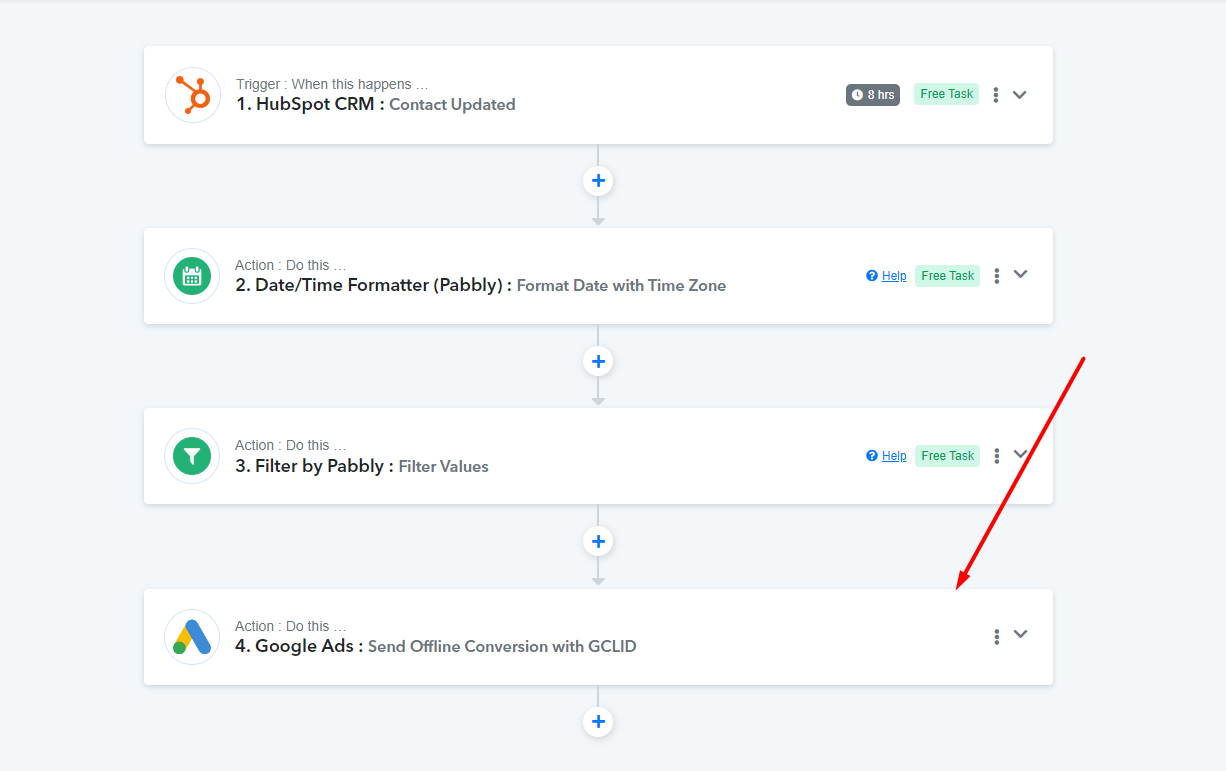
2nd, I formatted the data according to you suggestion but I am still seeing an error on test
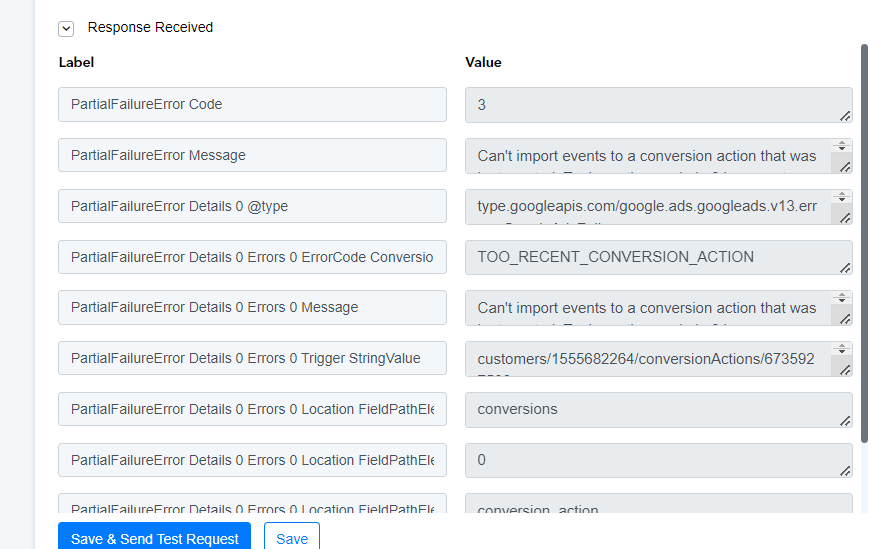
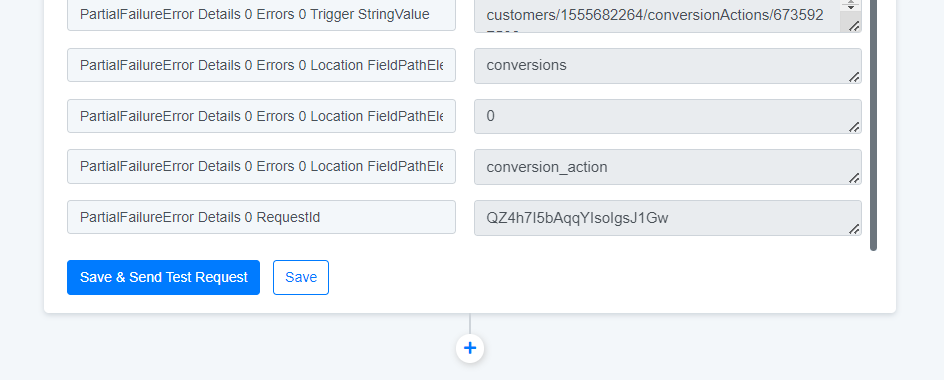
2nd, I formatted the data according to you suggestion but I am still seeing an error on test
Kindly refer to the following video tutorial on how you can connect your Google Ad account with the action step since you might need to have the Manager Role to use the connection for Google Ads-
youtube.com/watch?v=Qcuf7qKXQTg
I am not seeing this green tag on my Google Offline Conversion Task
Using the Google Ads application comes with a paid task because it's a third-party tool integrated into the platform. However, all the steps you can take within the system itself are free of charge.
You can refer to the following video lesson for a better understanding of free tasks and paid tasks -
I am trying to push Hubspot leads data as offline conversion in Google ads, now the issue is I am unable to understand how can I use a trigger that if I change Lead Lifecycle To "Customer" then it should send the data in my google ads.There should be way where I can only send selected contact as leads back to Google.
I am facing the same issue. please let me know how were you able to resolve it?
Google sheet is not updated when the lifecycle stage is updated on Hubspot
I am facing the same issue. please let me know how were you able to resolve it?
Google sheet is not updated when the lifecycle stage is updated on Hubspot
Can you please share the workflow URL once in which you have experienced the same. So that we can look into it.