I can't upload a file to google drive from my workflows. Its giving errors
Status: Open · Asked by jimy on · 0 views
Google drive file upload giving error. The name of the workflow is check. Can you please tell what to do.
Attachments
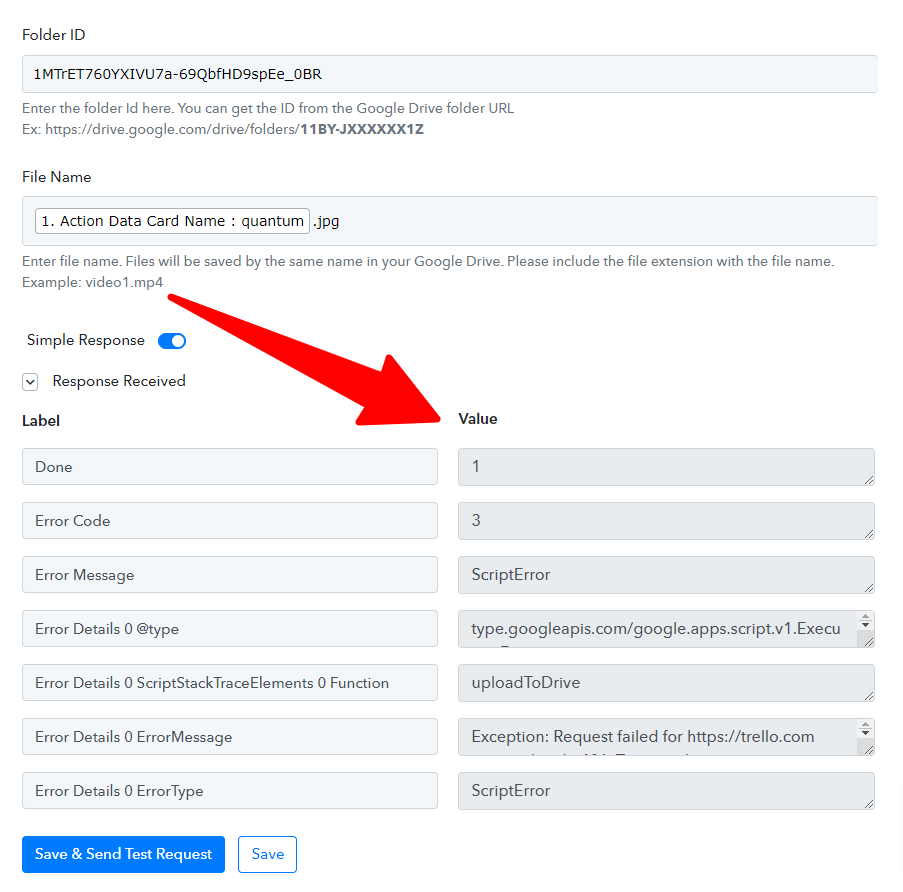
Hey @jimy
Could you please share your registered email address with Pabbly in which your workflow exists? So that we can look into it and assist you accordingly.
Hey @jimyCould you please share your registered email address with Pabbly in which your workflow exists? So that we can look into it and assist you accordingly.
I'm getting this error can you help me please
Attachments
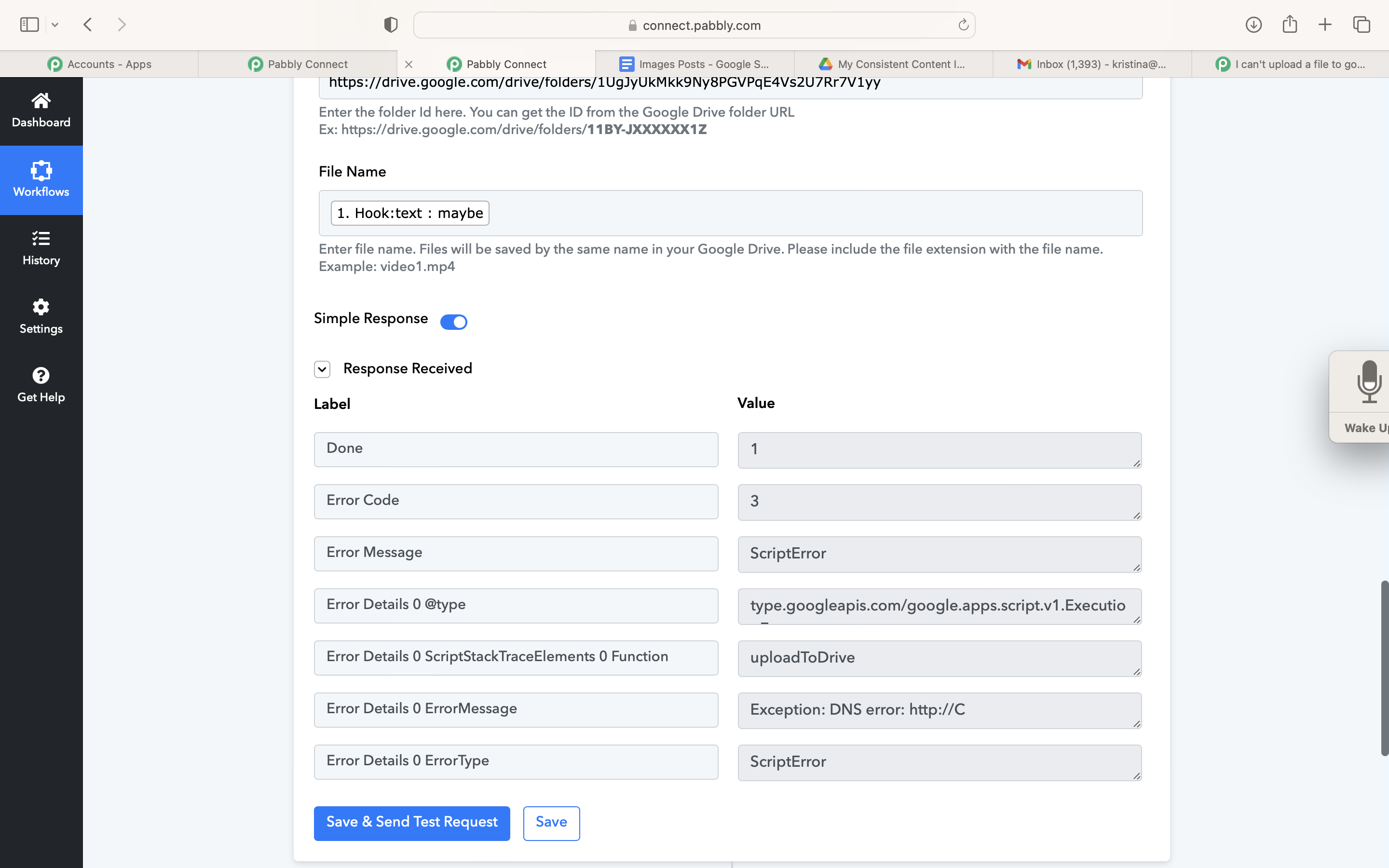
Hey @Kristina
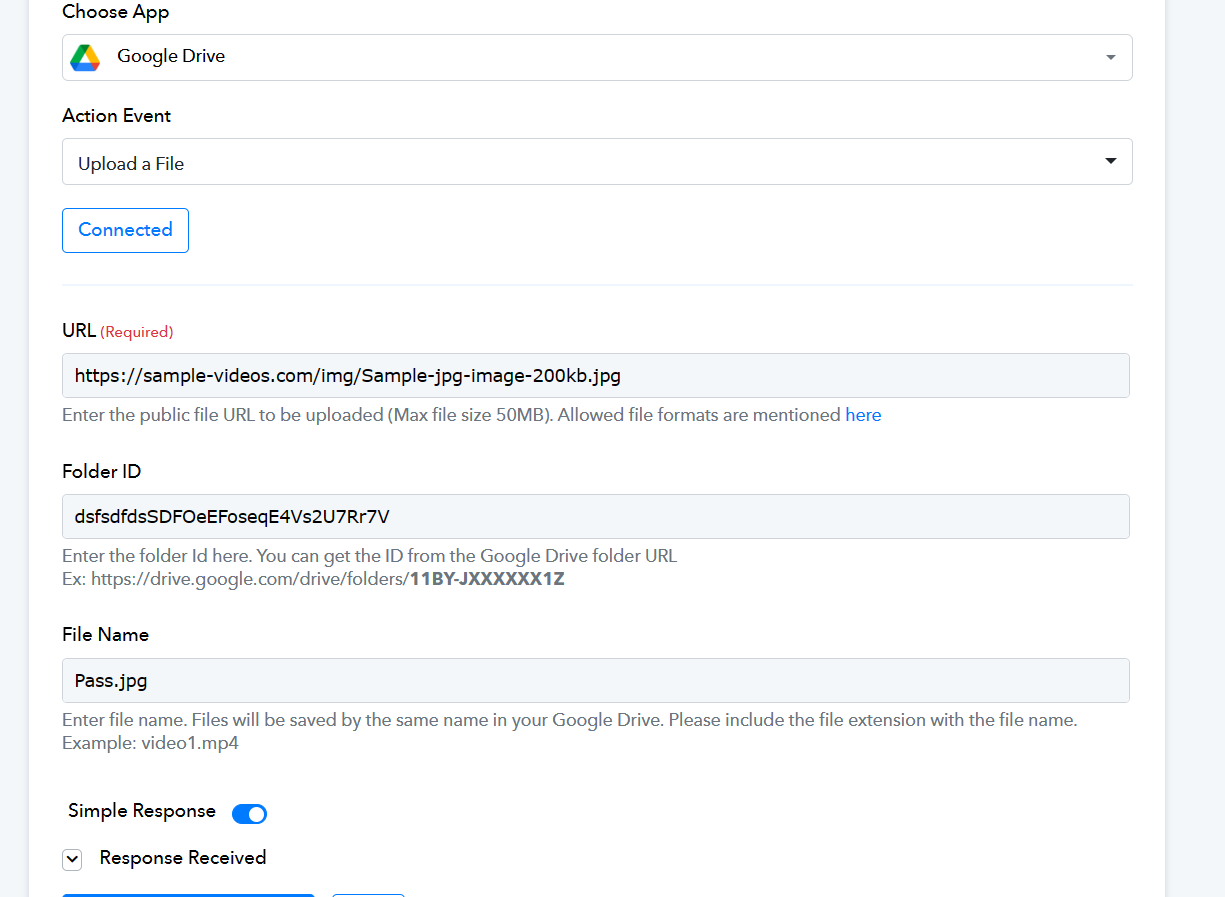
Please check the help text carefully and pass the valid and correct file URL in the URL field instead of passing the text in the field and only passing the folder ID only.
youtube.com/watch?v=Iy8VkqHQkdw
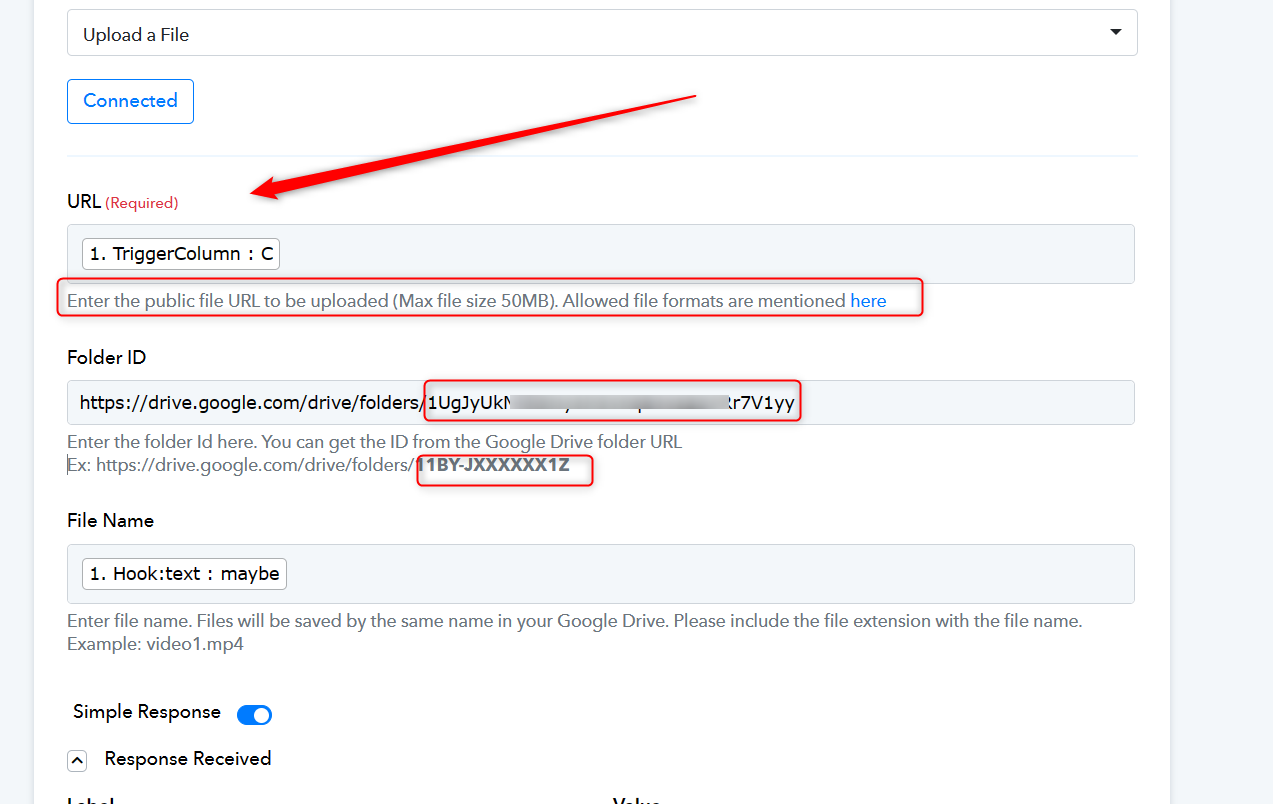
E.g. -
Thanks Trigger column C is a URL and I need it to pick that one up to upload. Is this possible?
@Kristina, To upload the file to your Google Drive, it is necessary for you to map the File URL. Merely mentioning a column name to capture the URL will not work.