i have an issue with executing a Google Meet automation
Status: Closed · Asked by Alaa Bebar on · 0 views
I have an issue with executing a Google Meet automation
I think the problem is the date/time format part
can you please help me guide me, please
here's the workflow: https://connect.pabbly.com/workflow/mapping/IjU3NjUwNTZiMDYzNzA0MzY1MjZkNTUzNTUxMzAi_pc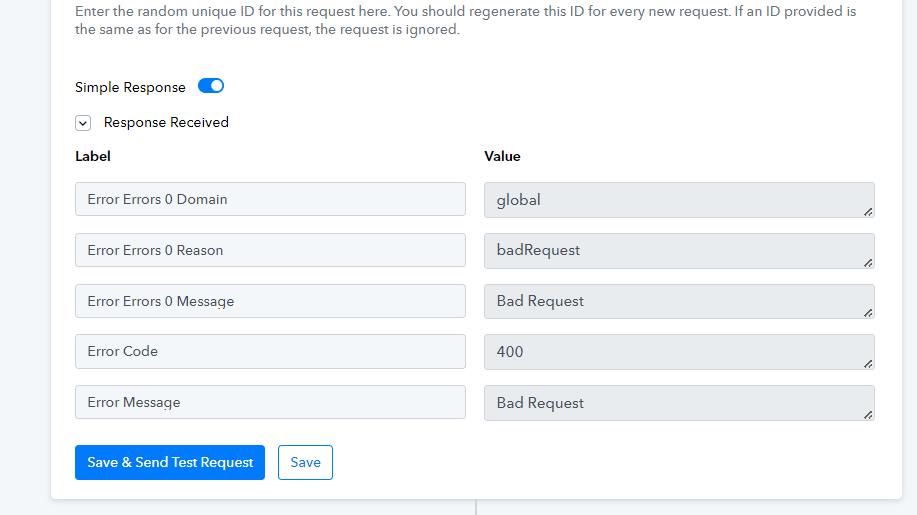
Hey @alaa bebar !
Sure, you have entered incorrect date format in the Google Meet step-

You can use "Date/Time Formatter" step to convert this time-
youtube.com/watch?v=XpRkxwytOOg
Furthermore you have also added the emails in curly brackets which is not required-

Once corrected, it will work for you.
still having an error message
my time and date looks likes this in my google sheets 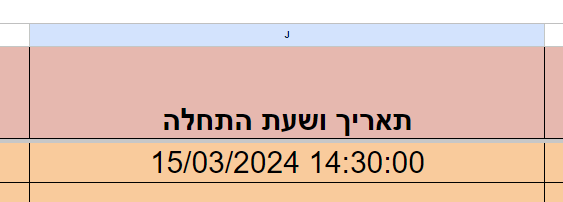
in mapping it looks likes this 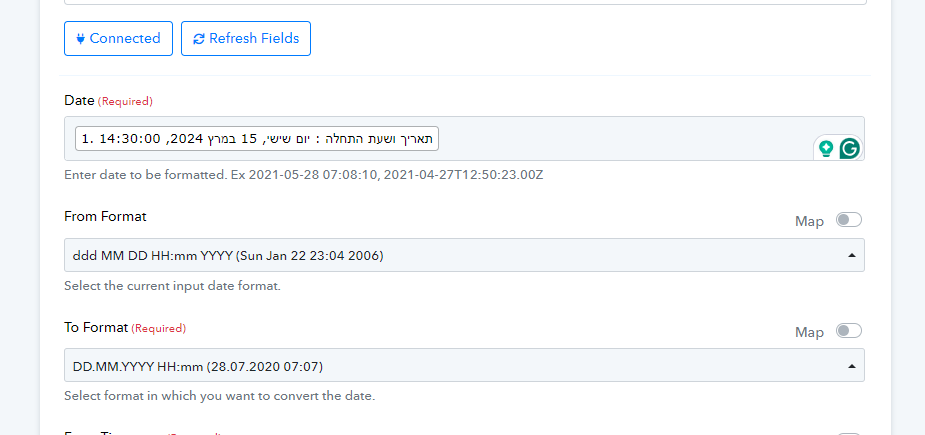
Hey @alaa bebar !
Kindly make sure your Google Sheet format is in Plain Text format-
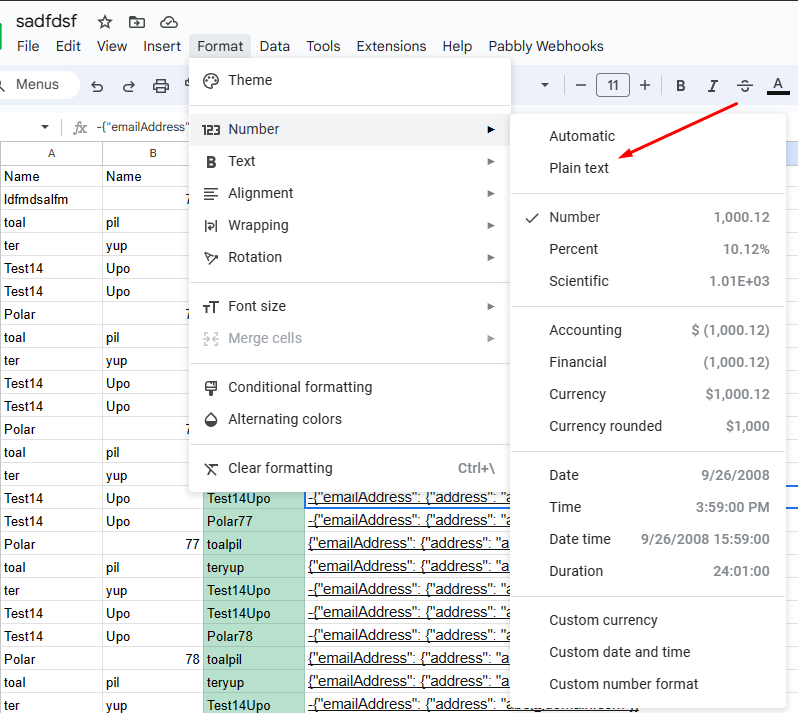
This is the reason why the format is getting changed when getting passed inside the workflow.
Do check on this and make the changes and check further.
can you explain why im getting an error message in the Google Meet action part?
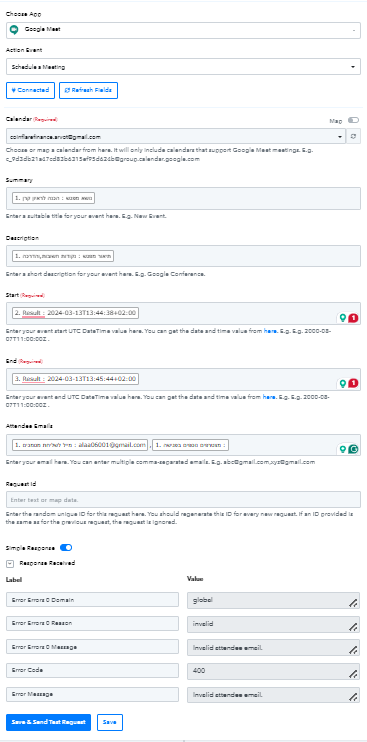
here's the error message
Attachments
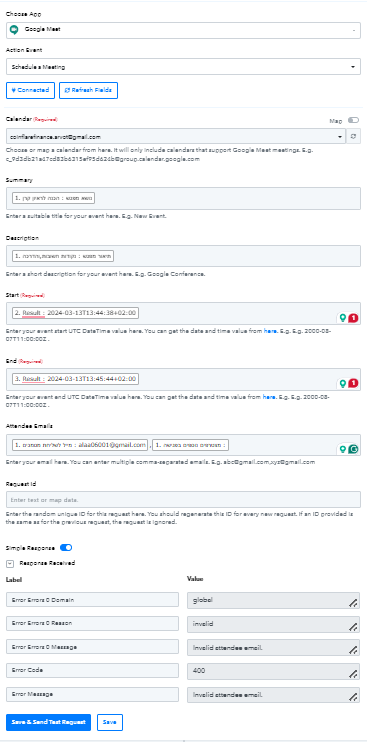
hello @Subin
I have successfully created the automation with your help, but I have an issue with the timing of the meeting
In Google Sheets have set the meeting for today from 14:30 to 15:15
but in the meeting, it looks like this is the cause of this.
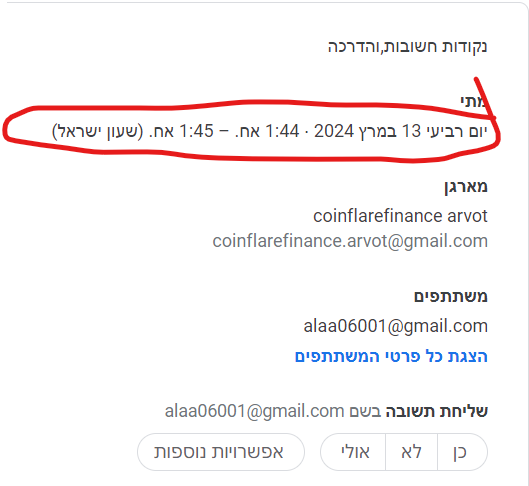
im still having a problem with this one
can someone guide me while the timing is different from the time in Google Sheets
Hey @alaa bebar !Kindly make sure your Google Sheet format is in Plain Text format-
This is the reason why the format is getting changed when getting passed inside the workflow.
Do check on this and make the changes and check further.
Hey @alaa bebar !
In Google Sheets have set the meeting for today from 14:30 to 15:15
but in the meeting, it looks like this is the cause of this.
For this concern only we have mentioned above on how to rectify the concern.
Do check on this and make changes accordingly and check further if the date time is coming correctly now in your workflow or not.