I tried to create t-shirt order on printful, but all new order become draft
Status: Open · Asked by Nick on · 0 views
I tried to create t-shirt order on Printful via pabbly , but all new order become draft instead of live
how do I automatically approve those order
Hi @nicktsai,
Could you please share the Workflow URL in which you have this concern?
Hey @nicktsai
Kindly pass the State Code and Zip code in the given format with the Zip code accordingly and then try again.
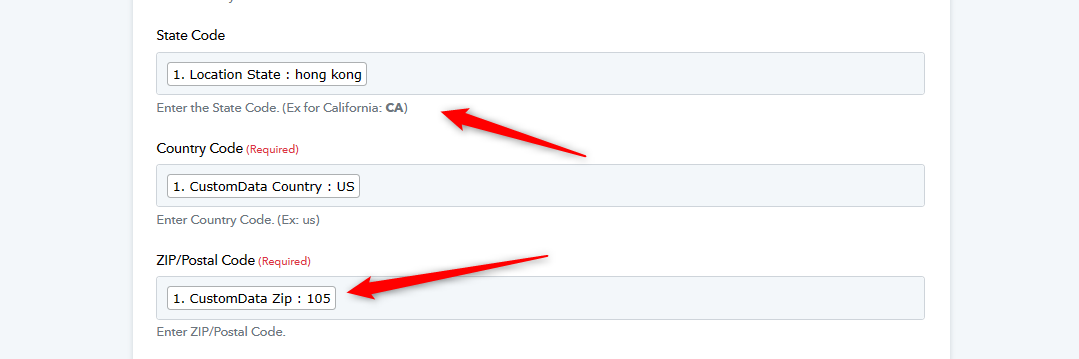
I did; when I was testing, I typed in the country code manually rather than using the info from the input; the step was successfully executed, but it can only create a draft order.
Hey @nicktsai
It appears that the Product Variant ID you are passing doesn't exist in your Printful, kindly check again and then try again.
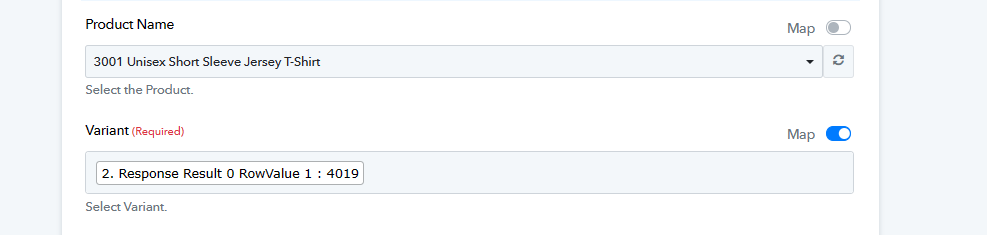
it does exist, otherwise i wont' see any draft order like this in my printful account, the issue is the draft
Attachments
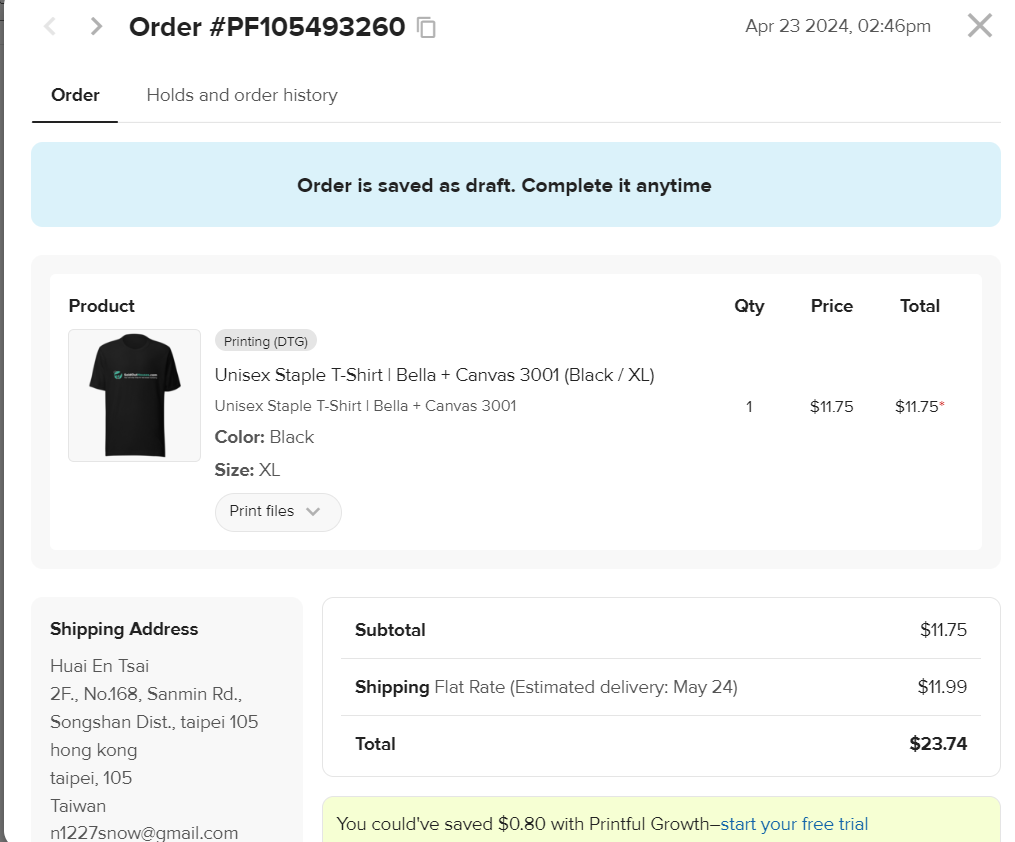
it does exist, otherwise i wont' see any draft order like this in my printful account, the issue is the draft
Where we can find the product variant ID in the shared screenshot?
to find the product id, you just find the product in variant then use the map to switch to the id, i used that to create a table
Attachments
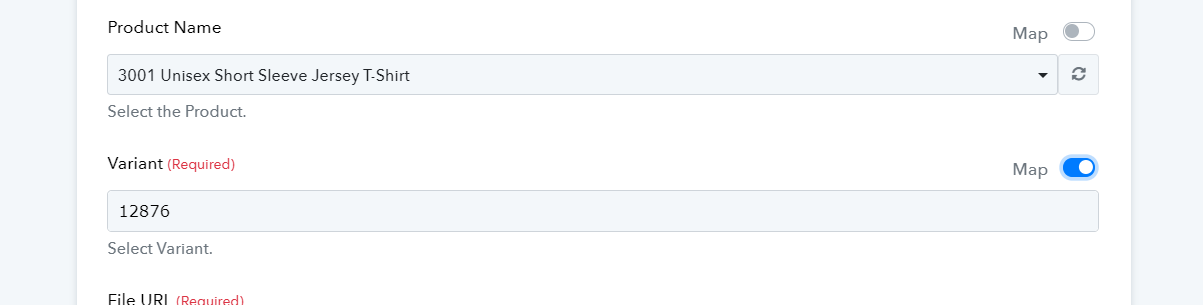
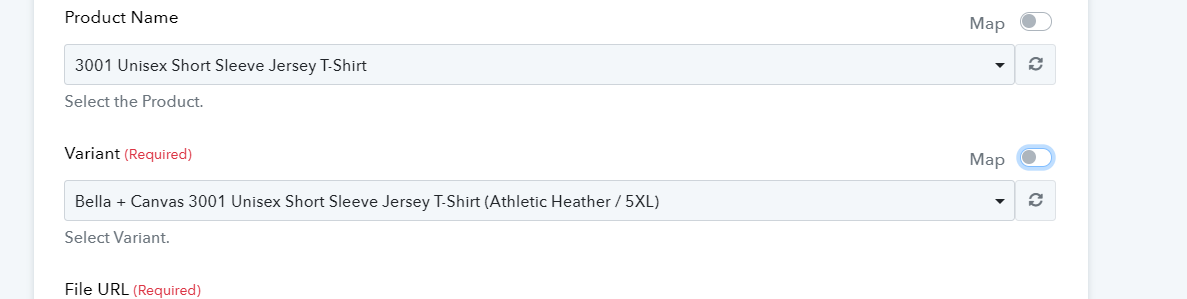
The ID you are mapping is different from the one you get when enabling the mapping button. You are mapping 4019, while the ID associated with the Variant is 12876. Please map the correct Variant ID and try again.
12876 is the wrong ID, it created Unisex Staple T-Shirt | Bella + Canvas 3001 (Athletic Heather / 5XL) , which is the wrong color and oversized option,
what I want is black ,L , so my number was right
also, it was still created as a draft, so it didn't changed anything
Attachments
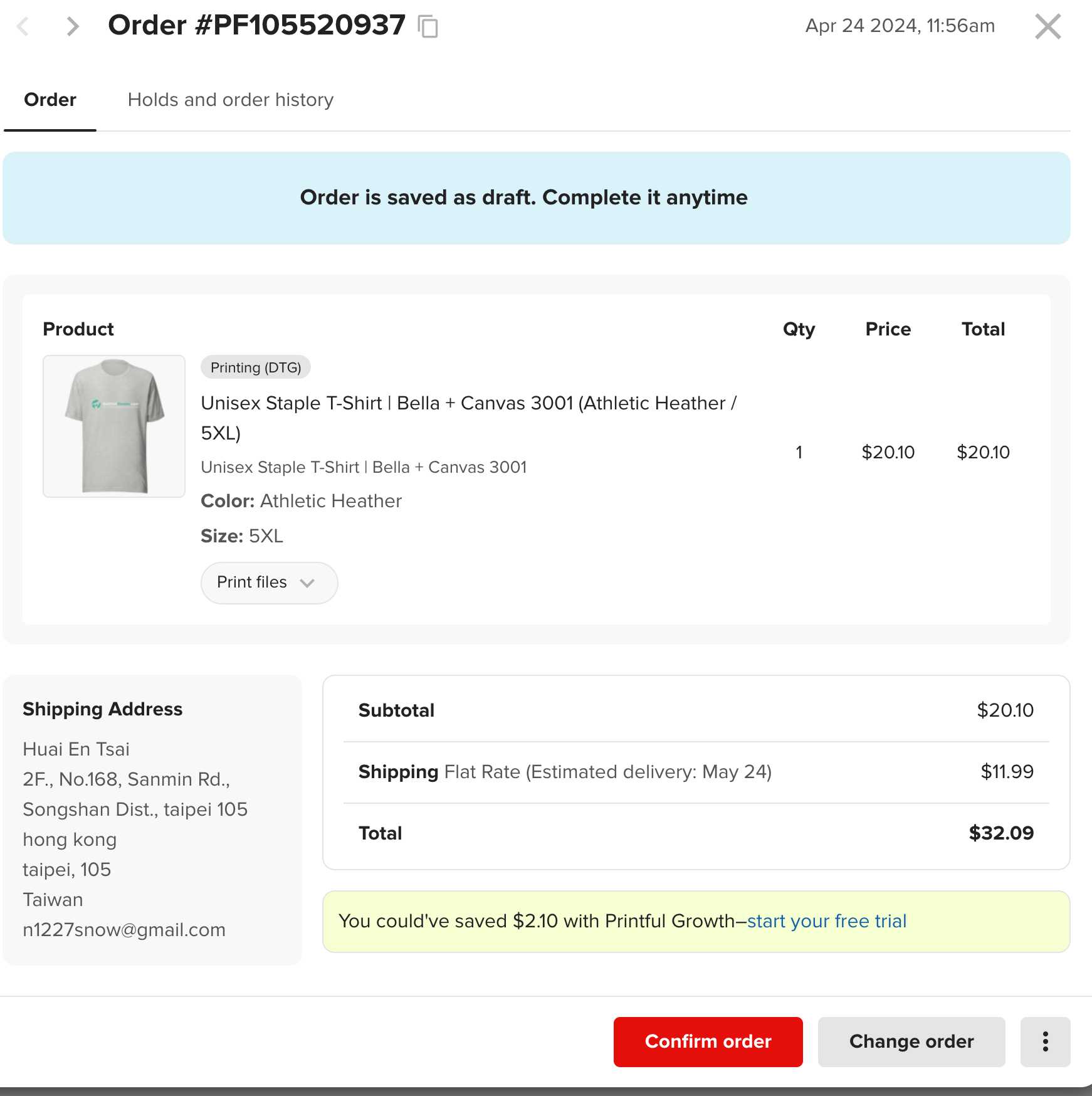
Thank you for sharing this information. Please allow us some time to look into your concern. We will get back to you with an update soon. In the meantime, kindly refrain from making any changes to your workflow.
printful told me you have to setup it using API, please check it
https://developers.printful.com/docs/#tag/Orders-API/operation/updateOrderById
Attachments
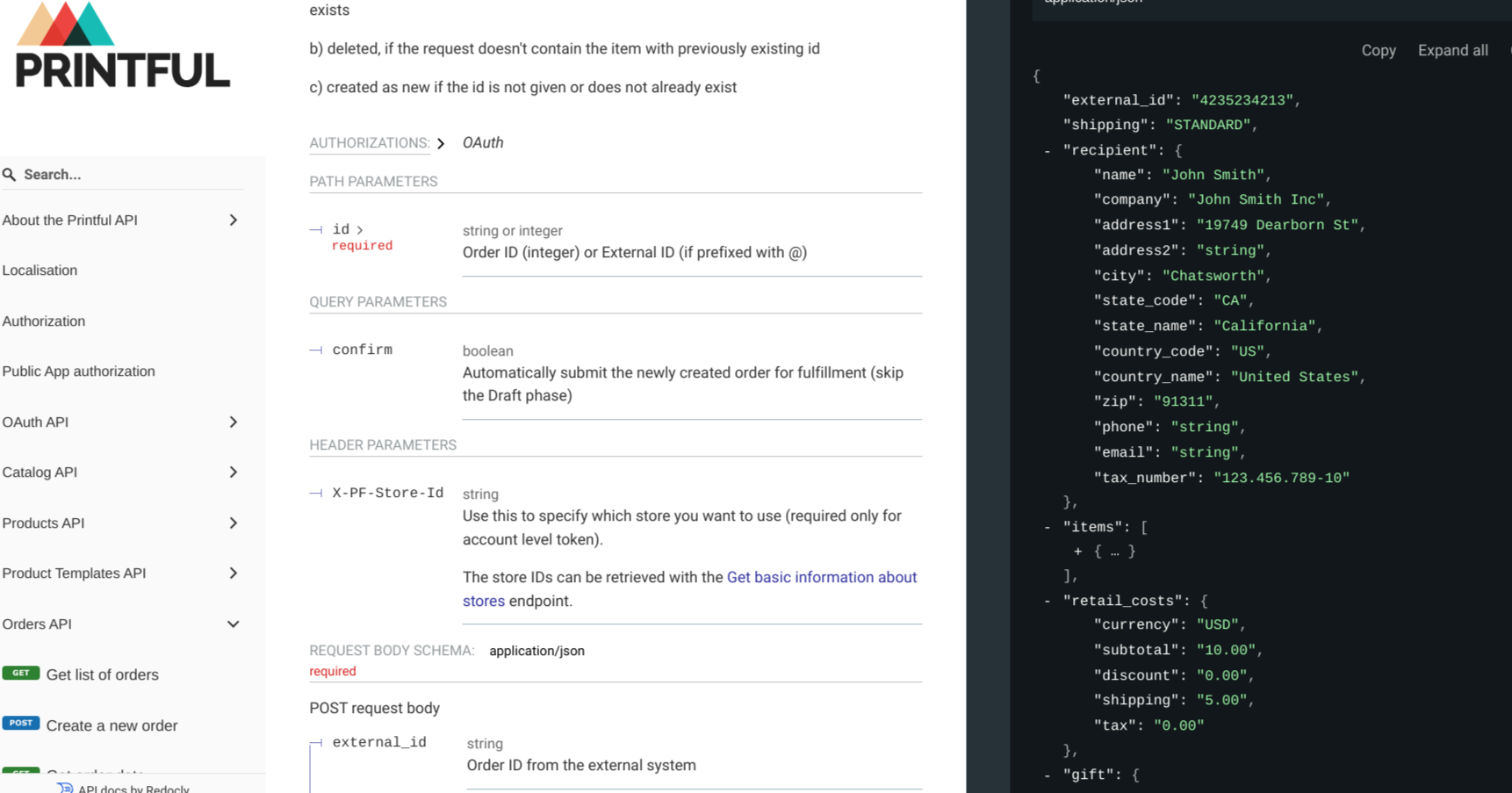
Thanks for the update @nicktsai, we are checking on the option to provide the order status as confirmation to skip the draft.
Please allow us sometime.
printful told me you have to setup it using API, please check it
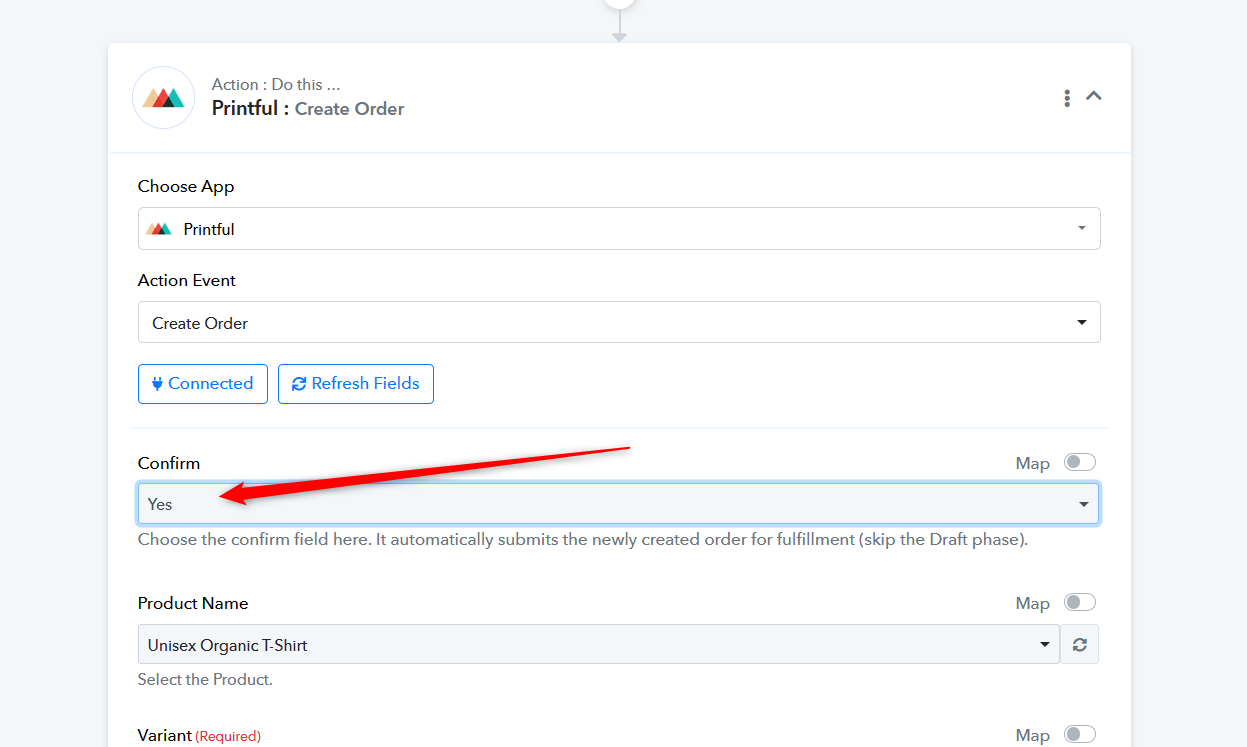
The addition of the "confirm" field now leads to the automatic submission of newly created orders for fulfillment, bypassing the Draft phase.